Your Browsing History
Meet Your Seller
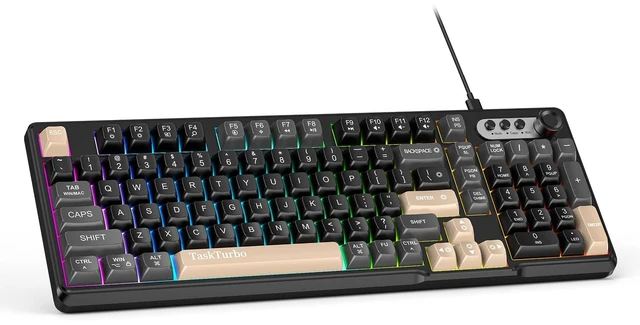
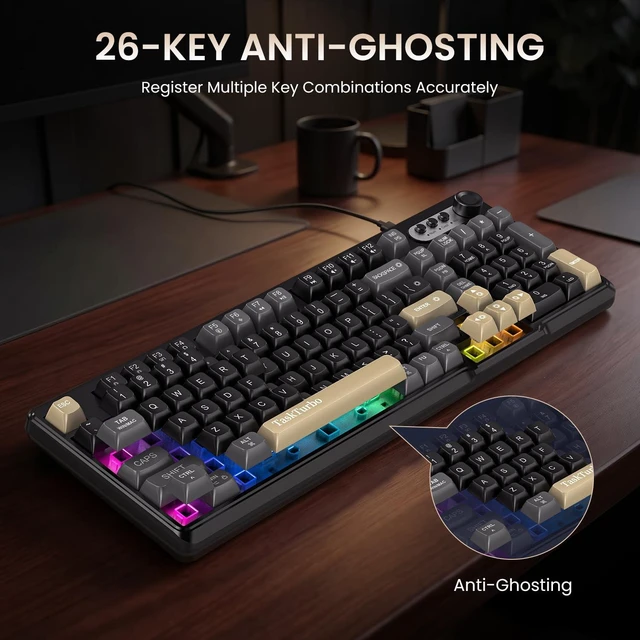
T103 Full Size Gaming Keyboard,Black Wired Mechanical Feeling Keyboard | RGB Backlit,USB Membrane Keyboard with Number Pad and Dedicated Media Keys,26 Keys Anti-Ghosting,Silent keyboard for Office
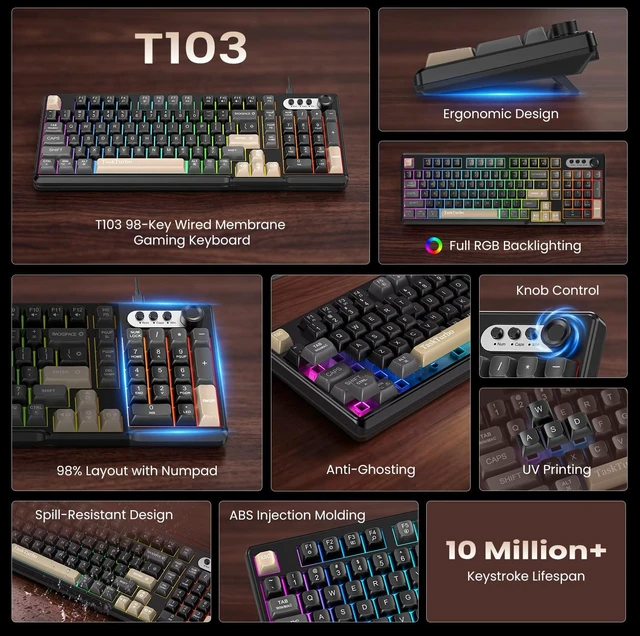
- Silent Membrane Keyboard:Typing without the noise. The T103 has soft, quiet keystrokes with no loud "click" sound, making them perfect for offices, libraries, dorms, and any other places where you need to keep things quiet.They reduce noise with sound-dampening technology to make sure you can type distraction-free while working in comfort
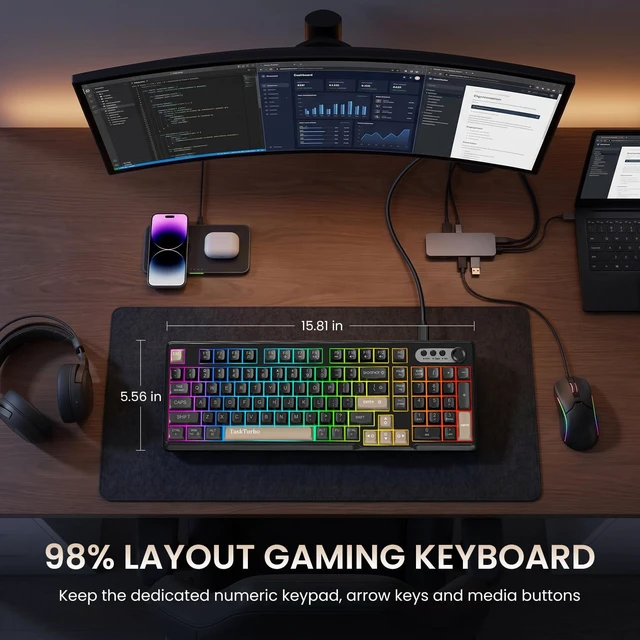
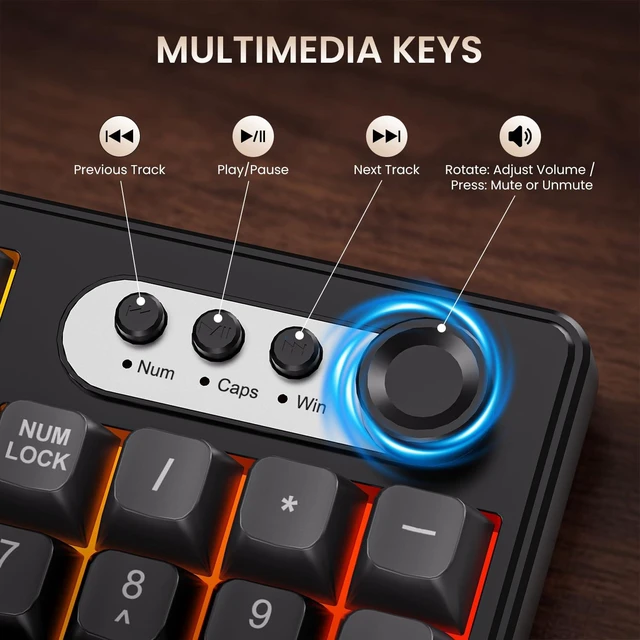
- Full Size Keyboard:This 98% layout keyboard keeps the dedicated numeric keypad,arrow keys and media buttons.These keys provide you more convenient experience while freeing up more desktop space and allow you to quickly switch between gaming and office modes.
- Ergonomic Keyboard:This T103 keyboard is equipped with a foldable two-stage stand, you can adjust the angle of keyboard according to your needs, reducing the pressure on your wrists and creating a more comfortable typing experience.The Creamy keyboard binds 3 colors keycaps to make your desktop more beautiful.
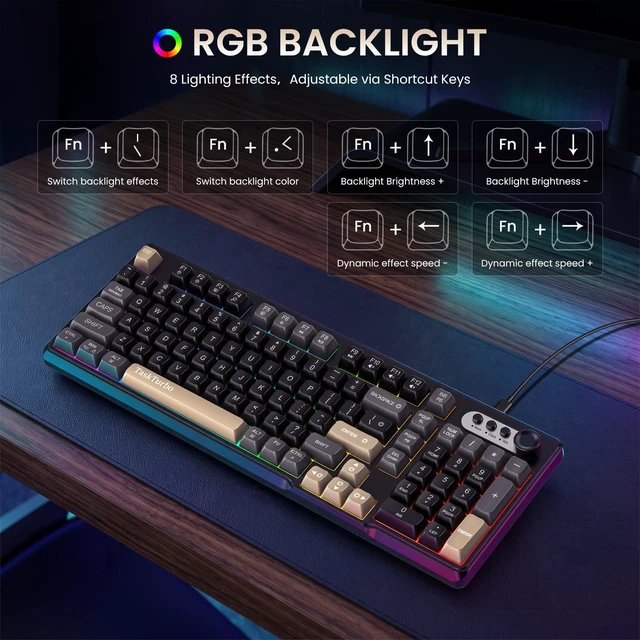
- RGB Backlit keyboard: The LED keyboard features RGB backlight that makes your desktop setup easier to see at light and add a great atmosphere to the game.While backlighting improves visibility in the dark, full RGB lighting can enhance your setup with color matching and reactive effects.
- Multi-System Compatibility: This Computer Keyboard is compatible with Windows,Linux,Mac,Android and iOS.Please NOTE: this product is a membrane keyboard and does not support hot-swapping.
Overview
Specs
Reviews
Any questions? Ask CelesteSM will help you find out quickly.
Try me now
T103 Keyboard Key Functions & Shortcut Guide The T103 number pad keyboard is designed with a practical key arrangement that combines standard typing keys, a dedicated numeric keypad, navigation controls and function shortcuts. Its dual-function key design allows frequently used computer controls to be accessed directly or through the Fn key, helping organize common operations without requiring additional software. USB Keyboard Keyboard Function Keys and Shortcuts Backlight Effects and
Key Combinations Fn+: BackspaceTurn backlight on/off
Fn + |: Toggle dynamic backlight effects Fn +
Enter: Cycle
through colors: (Red, Yellow, Green, Cyan, Blue, Purple, White, Rainbow)
Fn +: Increase backlight brightness
Fn +: Decrease backlight brightness
Fn +: Slow down backlight animation speed
Fn +: Increase backlight animation speed Fn +
PgDn: Pause Fn +
PgUp: Scroll Fn +
Ins: Print Fn +
WIN-L: Lock Windows and App functions. Press Fn + WIN-L to lock the Windows key; press again to unlock.
Fn + Tab: Switch operating systems. Default is Windows; press once to switch to Mac, press again to switch back to Windows. FN + F1 ~ F12 Windows (Press alone to display F1F12; press in combination for multimedia functions) Mac (Press alone to display multimedia functions; press in combination to display F1F12) F1 = Decrease screen brightness F2 = Increase screen brightness F3 = List running program windows F4 = Search F5 = Turn on voice F6 = Take a screenshot FN+F7 = Previous Track FN+F8 = Pause/Play FN+F9 = Next Track FN+F10 = Mute FN+F11 = Decrease Volume FN+F12 = Increase Volume

Key Combinations Fn+: BackspaceTurn backlight on/off
Fn + |: Toggle dynamic backlight effects Fn +
Enter: Cycle
through colors: (Red, Yellow, Green, Cyan, Blue, Purple, White, Rainbow)
Fn +: Increase backlight brightness
Fn +: Decrease backlight brightness
Fn +: Slow down backlight animation speed
Fn +: Increase backlight animation speed Fn +
PgDn: Pause Fn +
PgUp: Scroll Fn +
Ins: Print Fn +
WIN-L: Lock Windows and App functions. Press Fn + WIN-L to lock the Windows key; press again to unlock.
Fn + Tab: Switch operating systems. Default is Windows; press once to switch to Mac, press again to switch back to Windows. FN + F1 ~ F12 Windows (Press alone to display F1F12; press in combination for multimedia functions) Mac (Press alone to display multimedia functions; press in combination to display F1F12) F1 = Decrease screen brightness F2 = Increase screen brightness F3 = List running program windows F4 = Search F5 = Turn on voice F6 = Take a screenshot FN+F7 = Previous Track FN+F8 = Pause/Play FN+F9 = Next Track FN+F10 = Mute FN+F11 = Decrease Volume FN+F12 = Increase Volume
Warranty & Returns
Warranty, Returns, And Additional Information
Warranty
- Please contact the Seller directly for warranty information. Warranty information may also be found on the Manufacturer's website.
- CONTACT
Return Policies
- Return for refund within: 30 days
- Return for replacement within: 30 days
- This item is covered by Gaming on Home Return Policy
Manufacturer Contact Info
- For a directory of all our manufacturers, please click below.
- Manufacturers Directory
LOADING...