Your Browsing History
Meet Your Seller
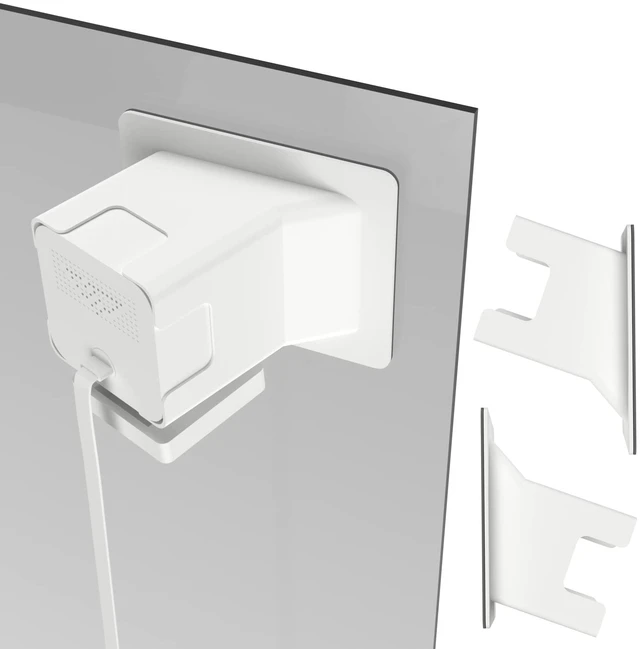
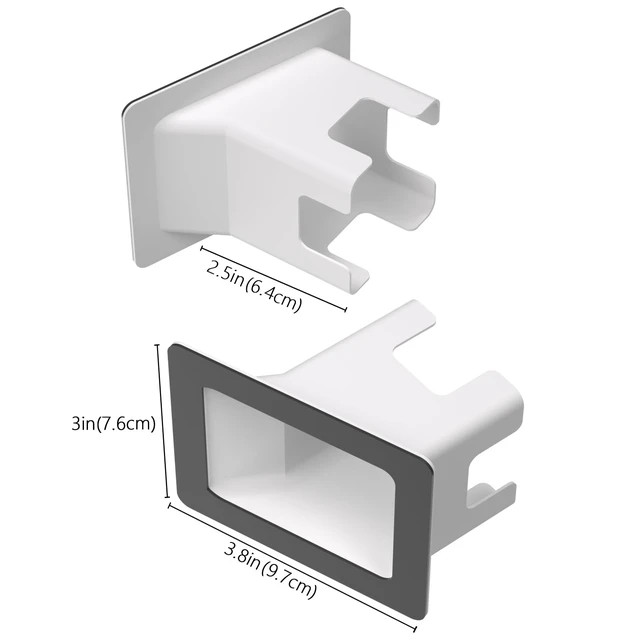
2 Pack Angled Window Mount for Wyze Cam v4 / V3, Self-Adhesive Window Mount | 20 Degrees Tilt Wyze V4 Window Mount for Indoor/Outdoor Monitoring , No Reflection , No-Drill , Through Glass for Wyze Cam
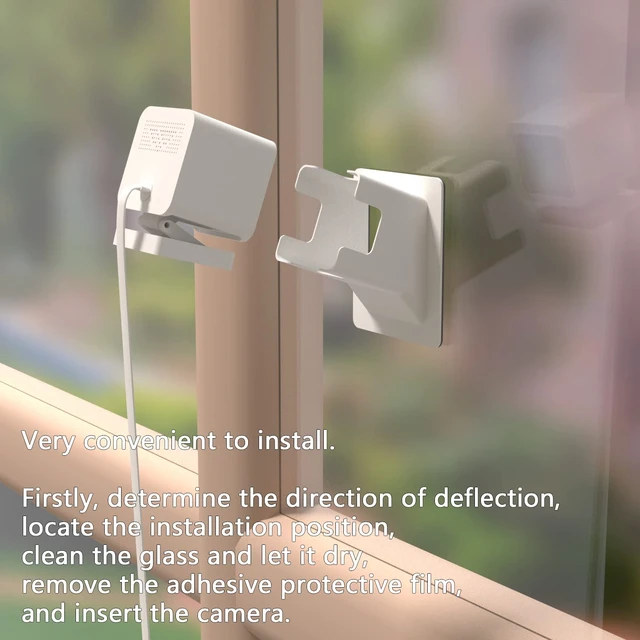
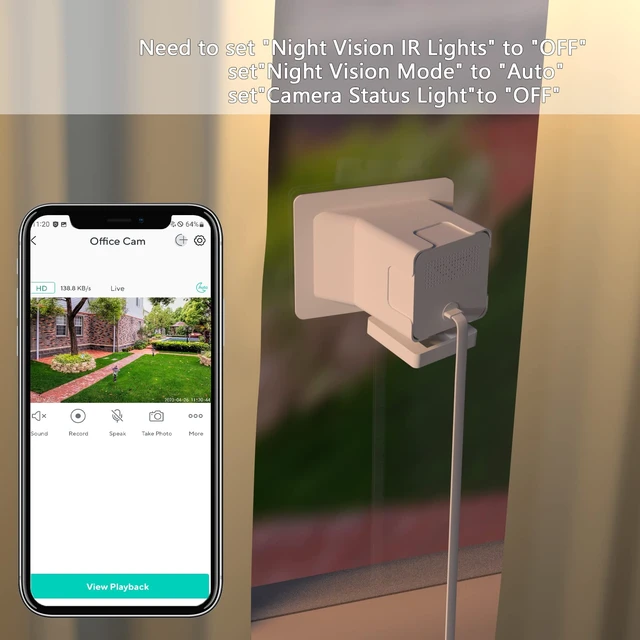
- NoteBefore installation, rotate neck that the Cam v4 / Cam OG to the position shown in Figure 2 or Unscrew the neck that the Cam v4 / cam OG comes with with a screw driver . Using Cam v4 / cam OG through a Windows, before use you Need to use the app to turn off the camera's status and infrared lights in setting to reduce reflections. When installing, make sure the camera is inserted at the very bottom of the window mount
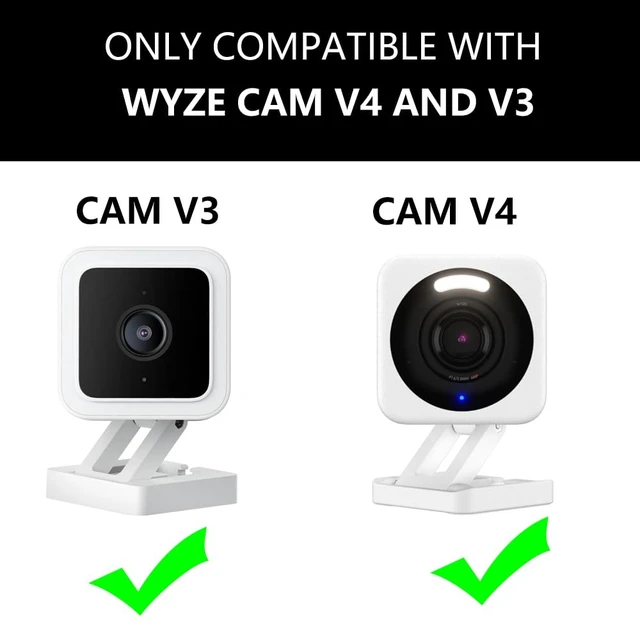
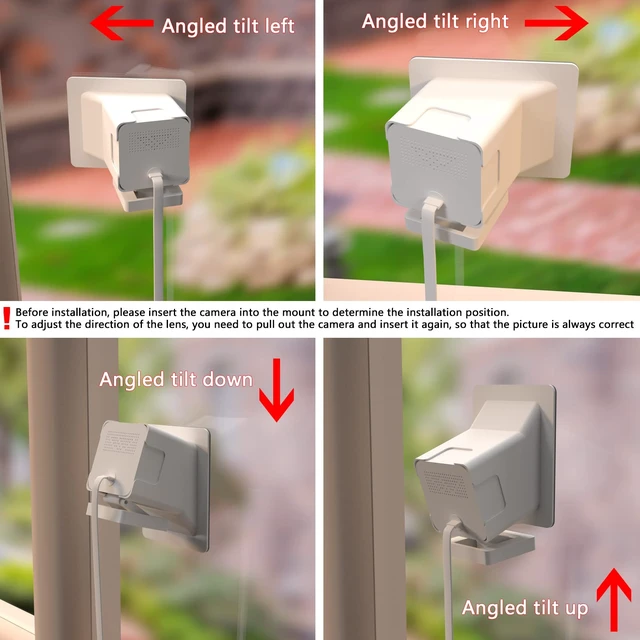
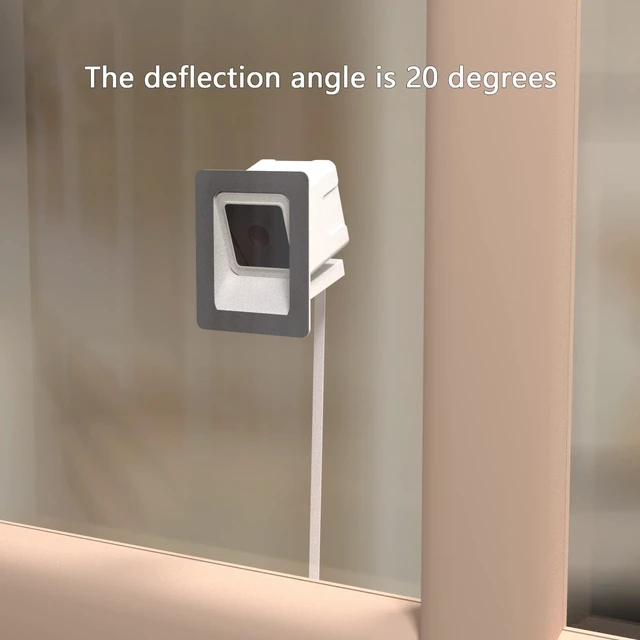
- The window mount accessories Compatible with wyze Cam v4 and cam v3, Can be angled tilt up/down/left/right by a fixed angle of 20 degrees (The angle cannot be adjusted, it is a fixed angle).
- the angled window mount Can help you monitor your car or other things at apartment buildings. Gives you a nice view of your whole front yard and your driveway.
- This Windows Mount Can be Mounted any single-frame transparent glass objects,such as glass door/ window/cabinets,You can also install it on the glass of the fish tank .
- Only Compatible with Cam v4 and cam v3 , package not included camera
+
+
Overview
Specs
Reviews
Any questions? Ask CelesteSM will help you find out quickly.
Try me now
This angled window mount from Teccle provides a versatile solution for monitoring the outdoors from indoors using a Wyze Cam v4 and cam v3. The design allows for tilting the camera at a 20-degree angle in any direction, so you can get the perfect view without obstructing the window.
Warranty & Returns
Warranty, Returns, And Additional Information
Warranty
- Please contact the Seller directly for warranty information. Warranty information may also be found on the Manufacturer's website.
- CONTACT
Return Policies
- Return for refund within: 30 days
- Return for replacement within: 30 days
- This item is covered by Artbloont Return Policy
Manufacturer Contact Info
- For a directory of all our manufacturers, please click below.
- Manufacturers Directory
LOADING...