




 here!
I’m your shopping assistant for PC builds, upgrades, and everything tech.
Got questions? Ask away!
Start a conversation
here!
I’m your shopping assistant for PC builds, upgrades, and everything tech.
Got questions? Ask away!
Start a conversation Hot Seller





Any questions? Ask CelesteSM will help you find out quickly.
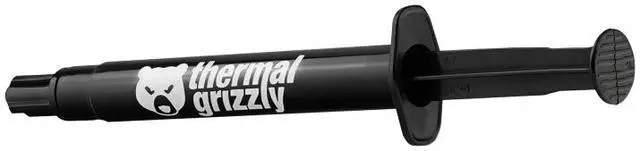
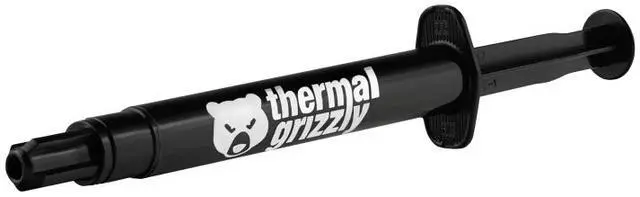
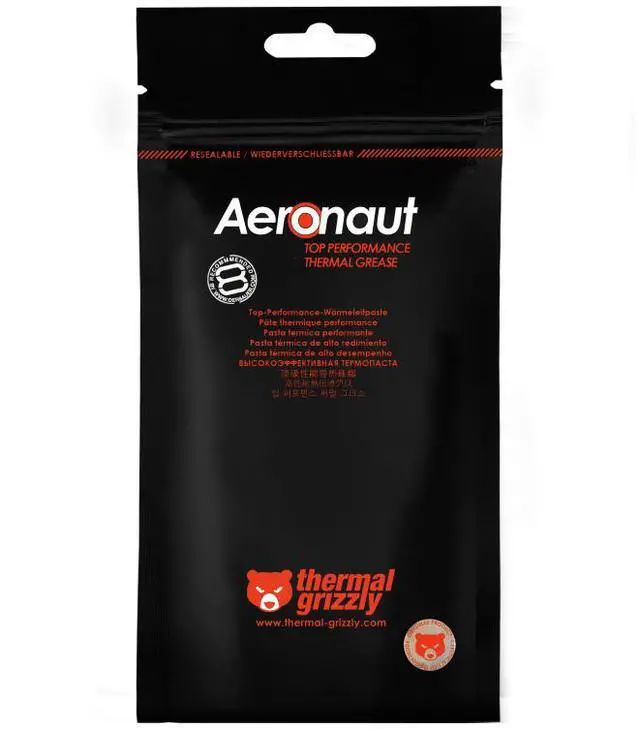
Thermal Grizzly Aeronaut is an entry-level thermal paste for CPUs, GPUs, notebooks and ICs. This is the 1.5ml (3.9g) syringe; our other Aeronauts are 1g, 3ml (7.8g) and 10ml (26g).
Thermal Grizzly calls it the ideal beginner's product with high effectiveness, and a remarkable cost effectiveness to boot. It is the choice for users who want to optimize their cooling solution in an effective way, or maybe use an alternative to the thermal grease included with their hardware. Great surface protection as well as good heat transfer capabilities make it so, the manufacturer says. Its data sheet suggests air-cooled processors with a low TDP (Intel Core i3/i5, AMD Ryzen 3/5). For overclocking, Thermal Grizzly makes Kryonaut, and its silicone-free paste is Hydronaut.
There is no curing and no electrical conductivity (per DIN 51412-1). Even though the amount of metallic elements in the formula is lower in comparison to Thermal Grizzly's other products, it still provides reliable and performant thermal conductivity, rated very good by the manufacturer. For long-term durability, the paste showed a high amount of wear resistance under high temperatures in Thermal Grizzly's lab tests. It also acts surface-protecting, the manufacturer adds: its removal causes far less micro scratches on the components' surface compared to other products.
Clean the CPU heat spreader and cooler with a dry cloth or high-percentage isopropanol, or with Remove. Mount the applicator on the syringe and lay down the thinnest layer that still covers the entire heat spreader. Afterwards pull the plunger back slightly so the leftover paste returns into the syringe. This size comes with an applicator, not a spatula. A plastic spatula or a plastic card with a straight edge also works, never a metal one.
Thermal Grizzly Aeronaut TG-A-015-R is a 1.5 ml syringe of non-electrically conductive thermal grease with 8.5 W/mK thermal conductivity and no curing requirement. It suits PC builders and upgraders applying paste to CPUs, GPUs, laptops, or other compatible cooling components.
| Attribute | Value |
|---|---|
| Best For | Thermal paste for desktop and laptop computers, PS3/PS4/PS5, Xbox 360/One/Series X, and MacBooks |
| Thermal Performance | Thermal conductivity of 8.5 W/mK; long-term operating temperature range of -150 °C to +200 °C |
| Durability And Application | Designed for long-term durability and wear resistance; non-electrically conductive, requires no curing, and is applicable with aluminum. Also described as surface-protecting, with removal causing fewer micro-scratches than other products |
| Volume And Weight | 1.5 ml; 3.9 g |
| Color | Gray |
| Brand And Model | Thermal Grizzly Aeronaut, model TG-A-015-R |
Q: Thermal Grizzly Aeronaut or Kryonaut for a CPU repaste?
A: Choose Aeronaut for a cost-conscious, general-purpose repaste with surface protection and good heat transfer. Choose Kryonaut when your priority is Thermal Grizzly’s paste positioned for demanding applications and overclocking.
Q: Aeronaut or Hydronaut for a custom water-cooling loop?
A: Aeronaut is positioned as an entry-level, cost-effective thermal paste for general cooling upgrades. Hydronaut is the more targeted choice when you want a paste specifically positioned for larger-scale cooling solutions such as a water-cooling system.
Q: Should I choose Aeronaut or Duronaut for a routine PC repaste?
A: Aeronaut fits a routine cooling upgrade where cost-effectiveness and surface protection are priorities. Duronaut is positioned as a high-end paste focused on high thermal conductivity and long-term stability, making it the more specialized option for demanding cooling needs.
Q: Can I use Aeronaut for a CPU, GPU, or laptop repaste?
A: Yes. Aeronaut is specified for CPUs, GPUs, and notebooks. For a console or other device, check its service instructions first: use thermal paste only where conventional paste is specified, not in place of a thermal pad or liquid-metal interface.
Q: Is Aeronaut electrically conductive?
A: No. The product specifications list Aeronaut as non-electrically conductive. Apply it only to the intended thermal interface and follow the device or cooler’s installation instructions.
Q: Does Aeronaut need curing, or does it dry out over time?
A: Aeronaut is specified as requiring no curing and having long-term durability. That does not mean a device never needs maintenance; follow the device maker’s service guidance.
Q: How much Aeronaut is included, and how many applications will it cover?
A: The syringe contains 1.5 ml (3.9 g). The number of applications depends on the size of each contact surface and the amount applied, so a fixed application count cannot be stated from the listed specifications.
Q: Is Aeronaut a good choice for repasting a laptop?
A: It is listed as compatible with laptops, but Reddit reports include mixed results after laptop repastes, especially on direct-die chips. Consider it for a careful repaste, but don’t assume the paste alone will fix high temperatures; application, heatsink contact, and the laptop’s cooling condition also matter.
Q: How does Aeronaut compare with Kryonaut?
A: In one YouTube comparison, Kryonaut tested ahead of Aeronaut. That result applies to that test setup; it does not establish the same performance gap in every computer. Aeronaut’s listed conductivity is 8.5 W/mK.
Q: Is Aeronaut electrically conductive?
A: The provided product specifications describe Aeronaut as non-electrically conductive. A Reddit discussion mentions a user’s concern after paste spread near a component, but that thread is not a controlled safety test; apply it carefully and avoid contaminating connectors or other parts.


