





Warm Tips: How to Power On & Charging Guide (Built-in USB Charger)
Q1. How to turn on and charge the fitness tracker? Why no extra charging cable?
The fitness tracker has a built-in USB charger (no extra cable or stand). Connect to any USB Charger(mobile phone charger,computer) for 30 minutes then long-press the rectangle touch button at the bottom of the screen for 5 seconds to activate.
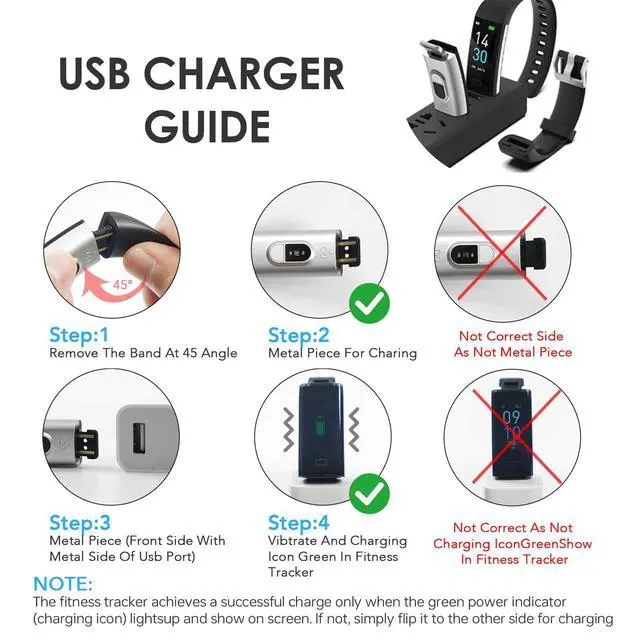
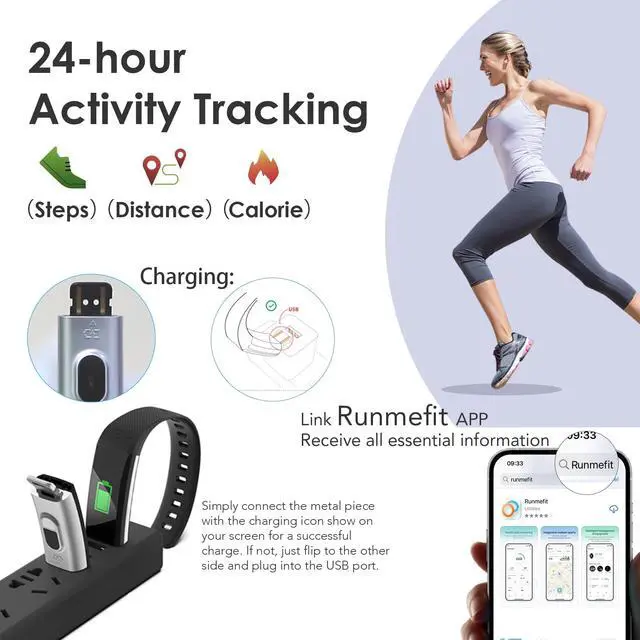
Charge Method: Only the side with the metal piece charges. Remove the tracker at a 45° angle, align the metal piece with the USB port; the tracker willvibrate once and a green charging icon will appear on the screen when charging correctly. See below charging guide, especially steps 2 and 4. (Do not pull the band of fitness tracker straight up or at the wrong angle, or it may break or wear out.)If it doesn’t charge, flip the tracker or try another USB port. Some users fail to charge because it was plugged in backwards.
Q2: What is the band size of the fitness tracker?
The fitness watches can adjust from 120mm to 210mm, fits most wrists: men, women, teens, and seniors.


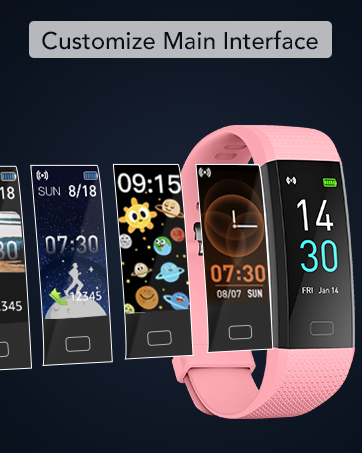
Customize Main Interface
You can choose from the fitness tracker face market to customize main interface,or you can put your favorite photos put it into the dial.
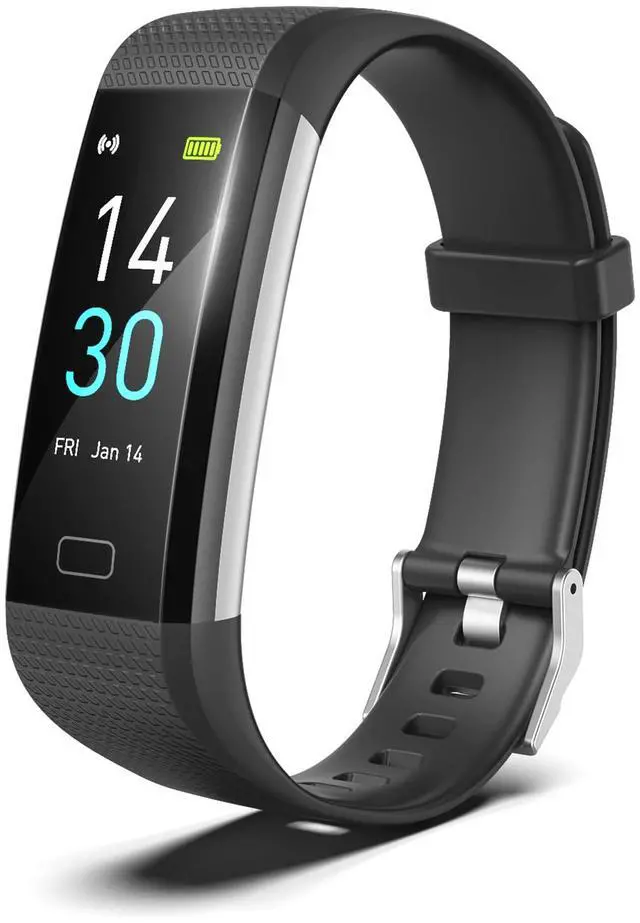
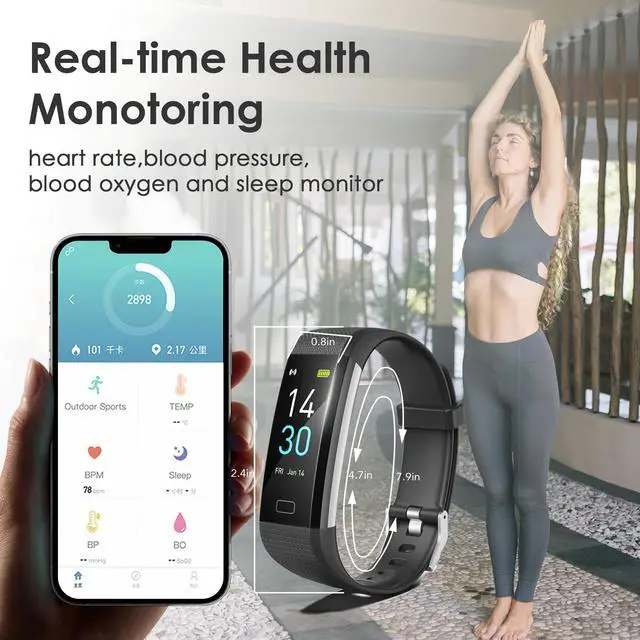
The adjustment of wristband ,mininum is 4.7inch and maximum is 7.9 inch with 0.96inch TFT screen, weight is 0.84OZ

IP68 Waterproof
The fitness tracker with IP68 waterproof resistant, it can totally meets your daily use, such as washing hands, sweating,rain. (Note : hot showers and saunas,swimming are not recommended)

Call&Message Notification
You can view call, text, and all the other notifications including Facebook,WhatsApp, LinkedIn, Instagram, Twitter on fitness watches for women.It will let you never miss any important calls & message when you turn on message notification in Runmefit APP.

Sleep Monitoring
Wear the fitness tracker to go to bed, the sleep monitor will analyze your deep sleep , light sleep and awake time. Please note that the monitoring data only show on APP and should be for reference only and does not replace a doctor's advice

Take Pictures Remotely
You can connect your phone and take photos through the remote control of the fitness watches for women.It's also easy to take pictures from a distance

USB Charge
The fitness watches for women feature a built-in USB charger, eliminating the need for extra cables. Charge the tracker using any of the following (see charging guide picture):
- Phone or tablet USB adapter
- USB port on a PC (may take longer)
- Wall charger or power strip with USB port

Warm Tips: How to connect Bluetooh & Pair Fitness Tracker with Phone
Q3. How to connect Bluetooth?
Make sure your phone system and Runmefit App are downloaded and updated (Android 5.0+/iOS 9.0+, Bluetooth 5.2). Not compatible with PC, iPad, or tablet. Turn on phone Bluetooth and fitness tracker; keep them close (=10m / 32.8 feet).Enable GPS and grant all app permissions (e.g., location). Open Runmefit App. If it doesn’t auto-connect, restart phone Bluetooth, fitness tracker, or go to Runmefit app: Devices ? Reconnect. If still not working, reset fitness tracker watches to factory settings, delete old pairing info, and repair. Pairing must be done in the Runmefit App, not phone settings.
Q4. How to pair the threesheep fitness tracker in Runmefit App?
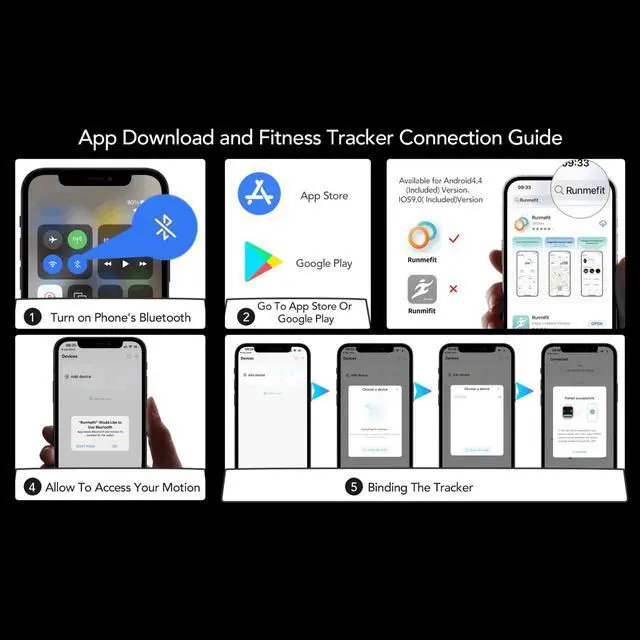
Download official Runmefit App (FREE) from App Store or Google Play. Ensure fitness tracker is charged and near your phone.
Tap “+” at the top right, select device “S5-XXX” ? tap Pair ? wait for success. (see above pair guide)
Q5. Why is the fitness tracker time/date not correct?
The tracker should auto-sync after pairing.If it was out of power, the time may be not correct.Charge fully and reconnect; pull down the Runmefit app home page to refresh if needed.
Q6. How do I track steps, heart rate, and sleep? Will my data stay on the watch?
Steps & heart rate can be viewed directly on the fitness tracker.For continuous tracking: Open Runmefit APP ? Device ? Device Settings ? Automatic Measurement On. For better accuracy, enter personal info & enable GPS.
Sleep tracking runs from 21:00–09:00 and is available in the app only when worn at night, helping you understand your health and stay active.The tracker stores 7 days of data. To save permanently: APP Home ? pull down to sync.


Q7:Step Count Accuracy
The tracker has a built-in 3D sensor. Like most fitness trackers, it counts steps based on hand movement while walking, so step data may take a short time to sync. After walking about 100 steps, you can check if the count updates to confirm proper function. Distance is calculated using an algorithm based on step count, height, and weight; slight errors are normal.
Q8. How do I manage notifications?
Open Runmefit APP ? Device ? Notifications ? On (Bluetooth must stay connected).To stop alerts, turn off specific apps or enable "Do Not Disturb".
Q9. Other basic settings
• Brightness :APP ? Device ? Device Settings ? Brightness Level(Higher brightness uses more power.)
• Units (?/?, metric/imperial) & Alarms :APP ? My ? System Settings(Alarms must be set in the app.)
• Power Off / Factory Reset : Turn on threesheep fitnesss tracker: long-press button 3s ? enter More (semicircle icon).
• App upgrade / Screen unresponsive :Do Factory Reset, then charge for a few minutes.
Q10. Green light stays on at night — how to turn it off?
Green light = measuring.To stop it: APP ? Device ? Device Settings ? Automatic Measurement ? Off.(Re-enable during daytime if needed.)
Q11. How to extend battery life?
Reduce less-used functions:APP ? Device ? Notifications Off ; Device ? Device Settings ? turn off Raise Wrist to Wake, set Brightness ~40% ; Device ? Health Reminder ? turn off reminders you don’t need.


threesheep Smart Wearable series - In the development of smart watches in recent years, It dedicated to innovation,always follow our heart and live our life in a casual way. We focus on details to create high-quality products to you and strive to use technology to refine yourself ego and simplify the modern and complex life.
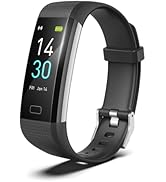
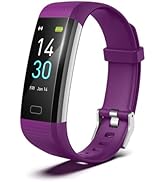
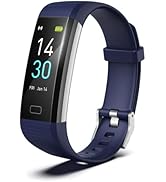
Smart /Life/Health Tracker
Warm Tips: How to Power On & Charging Guide (Built-in USB Charger)
Q1. How to turn on and charge the fitness tracker? Why no extra charging cable?
The fitness tracker has a built-in USB charger (no extra cable or stand). Connect to any USB Charger(mobile phone charger,computer) for 30 minutes then long-press the rectangle touch button at the bottom of the screen for 5 seconds to activate.
Charge Method: Only the side with the metal piece charges. Remove the tracker at a 45° angle, align the metal piece with the USB port; the tracker willvibrate once and a green charging icon will appear on the screen when charging correctly. See below charging guide, especially steps 2 and 4. (Do not pull the band of fitness tracker straight up or at the wrong angle, or it may break or wear out.)If it doesn’t charge, flip the tracker or try another USB port. Some users fail to charge because it was plugged in backwards.
Q2: What is the band size of the fitness tracker?
The fitness watches can adjust from 120mm to 210mm, fits most wrists: men, women, teens, and seniors.
Customize Main Interface
You can choose from the fitness tracker face market to customize main interface,or you can put your favorite photos put it into the dial.
The adjustment of wristband ,mininum is 4.7inch and maximum is 7.9 inch with 0.96inch TFT screen, weight is 0.84OZ
IP68 Waterproof
The fitness tracker with IP68 waterproof resistant, it can totally meets your daily use, such as washing hands, sweating,rain. (Note : hot showers and saunas,swimming are not recommended)
Call&Message Notification
You can view call, text, and all the other notifications including Facebook,WhatsApp, LinkedIn, Instagram, Twitter on fitness watches for women.It will let you never miss any important calls & message when you turn on message notification in Runmefit APP.
Sleep Monitoring
Wear the fitness tracker to go to bed, the sleep monitor will analyze your deep sleep , light sleep and awake time. Please note that the monitoring data only show on APP and should be for reference only and does not replace a doctor's advice
Take Pictures Remotely
You can connect your phone and take photos through the remote control of the fitness watches for women.It's also easy to take pictures from a distance
USB Charge
The fitness watches for women feature a built-in USB charger, eliminating the need for extra cables. Charge the tracker using any of the following (see charging guide picture):
- Phone or tablet USB adapter
- USB port on a PC (may take longer)
- Wall charger or power strip with USB port
Warm Tips: How to connect Bluetooh & Pair Fitness Tracker with Phone
Q3. How to connect Bluetooth?
Make sure your phone system and Runmefit App are downloaded and updated (Android 5.0+/iOS 9.0+, Bluetooth 5.2). Not compatible with PC, iPad, or tablet. Turn on phone Bluetooth and fitness tracker; keep them close (=10m / 32.8 feet).Enable GPS and grant all app permissions (e.g., location). Open Runmefit App. If it doesn’t auto-connect, restart phone Bluetooth, fitness tracker, or go to Runmefit app: Devices ? Reconnect. If still not working, reset fitness tracker watches to factory settings, delete old pairing info, and repair. Pairing must be done in the Runmefit App, not phone settings.
Q4. How to pair the threesheep fitness tracker in Runmefit App?
Download official Runmefit App (FREE) from App Store or Google Play. Ensure fitness tracker is charged and near your phone.
Tap “+” at the top right, select device “S5-XXX” ? tap Pair ? wait for success. (see above pair guide)
Q5. Why is the fitness tracker time/date not correct?
The tracker should auto-sync after pairing.If it was out of power, the time may be not correct.Charge fully and reconnect; pull down the Runmefit app home page to refresh if needed.
Q6. How do I track steps, heart rate, and sleep? Will my data stay on the watch?
Steps & heart rate can be viewed directly on the fitness tracker.For continuous tracking: Open Runmefit APP ? Device ? Device Settings ? Automatic Measurement On. For better accuracy, enter personal info & enable GPS.
Sleep tracking runs from 21:00–09:00 and is available in the app only when worn at night, helping you understand your health and stay active.The tracker stores 7 days of data. To save permanently: APP Home ? pull down to sync.
Q7:Step Count Accuracy
The tracker has a built-in 3D sensor. Like most fitness trackers, it counts steps based on hand movement while walking, so step data may take a short time to sync. After walking about 100 steps, you can check if the count updates to confirm proper function. Distance is calculated using an algorithm based on step count, height, and weight; slight errors are normal.
Q8. How do I manage notifications?
Open Runmefit APP ? Device ? Notifications ? On (Bluetooth must stay connected).To stop alerts, turn off specific apps or enable "Do Not Disturb".
Q9. Other basic settings
• Brightness :APP ? Device ? Device Settings ? Brightness Level(Higher brightness uses more power.)
• Units (?/?, metric/imperial) & Alarms :APP ? My ? System Settings(Alarms must be set in the app.)
• Power Off / Factory Reset : Turn on threesheep fitnesss tracker: long-press button 3s ? enter More (semicircle icon).
• App upgrade / Screen unresponsive :Do Factory Reset, then charge for a few minutes.
Q10. Green light stays on at night — how to turn it off?
Green light = measuring.To stop it: APP ? Device ? Device Settings ? Automatic Measurement ? Off.(Re-enable during daytime if needed.)
Q11. How to extend battery life?
Reduce less-used functions:APP ? Device ? Notifications Off ; Device ? Device Settings ? turn off Raise Wrist to Wake, set Brightness ~40% ; Device ? Health Reminder ? turn off reminders you don’t need.
threesheep Smart Wearable series - In the development of smart watches in recent years, It dedicated to innovation,always follow our heart and live our life in a casual way. We focus on details to create high-quality products to you and strive to use technology to refine yourself ego and simplify the modern and complex life.
Smart /Life/Health Tracker