




 here!
here!
I’m your shopping assistant for PC builds, upgrades, and everything tech.
Got questions? Ask away!
Start a conversation
here!
I’m your shopping assistant for PC builds, upgrades, and everything tech.
Got questions? Ask away!
Start a conversation



Any questions? Ask CelesteSM will help you find out quickly.

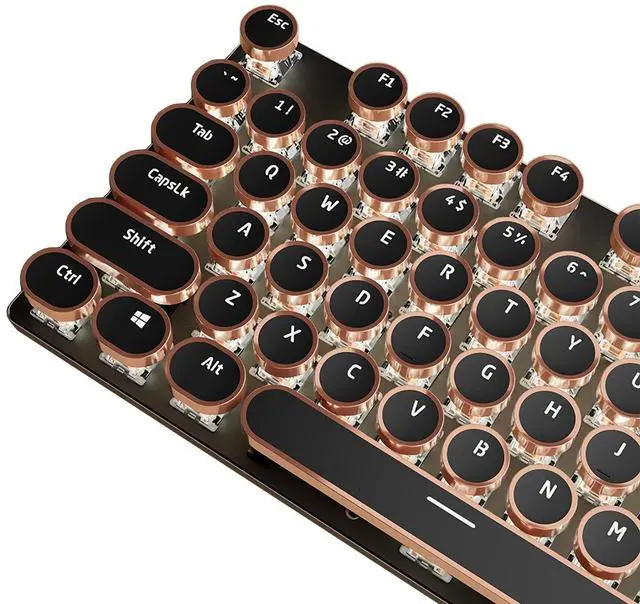
Vintage steampunk round keycaps with golden rings make this keyboard look like a classical typewriter. The custom white switches feature a smooth linear feeling and fast action with moderate resistance without a tactile bump feel. The sound is quiet when the button is pressed lightly. Combining an aesthetic retro look with advanced technology, this keyboard will give you a unique typing experience.
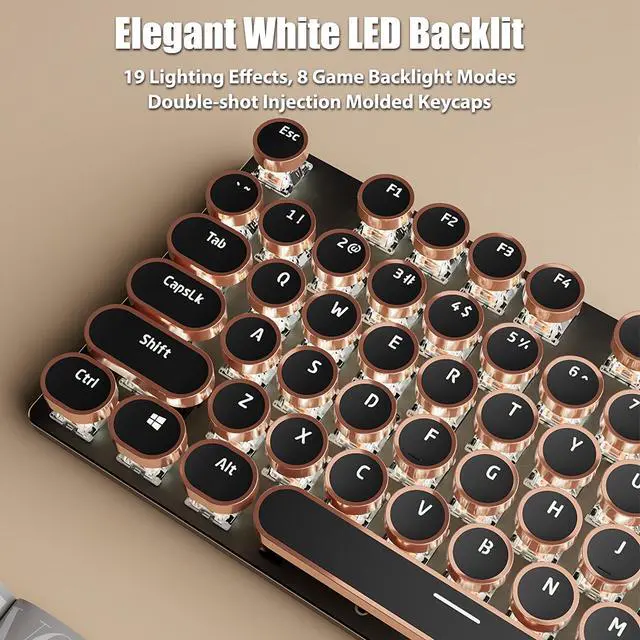
This illuminated typewriter keyboard has 19 lighting effects. Press "Fn+Ins" to change the lighting effects. Press “Fn+1~8” to choose the game backlight modes. 5 levels adjustable backlight brightness (Fn+Up/Down) and speed (Fn+Left/Right). The backlight can be turned off at the lowest brightness level. With double-shot injection molded keycaps, offering crystal clear uniform backlighting and lettering that doesn't scratch off.


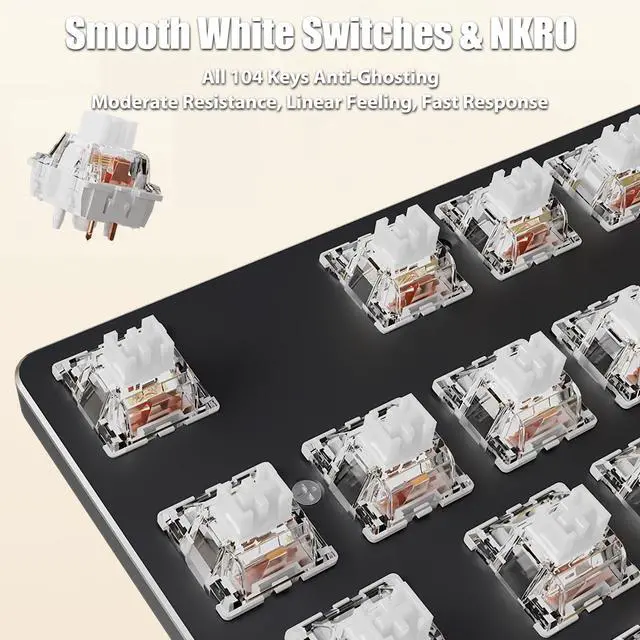
104 keys full size keyboard, and all keys non-conflict. Every keystroke is registered during intense gameplay and fast typing, no matter how many other keys are pressed at the same time. Let you enjoy high-grade games with fast response.
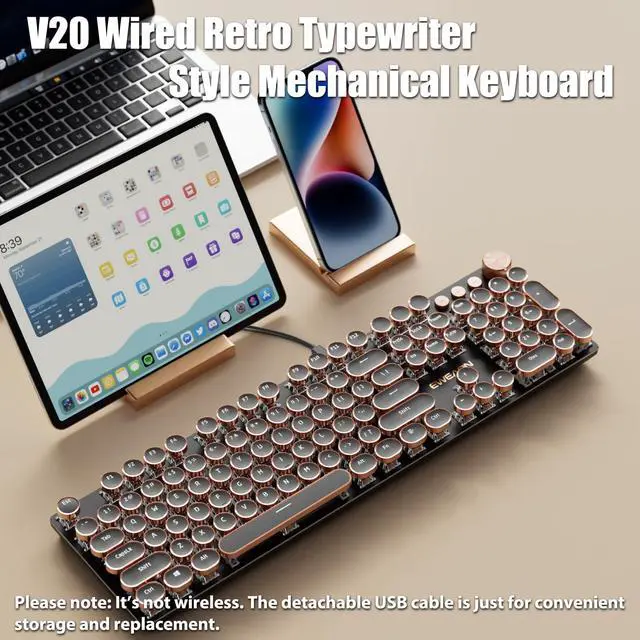
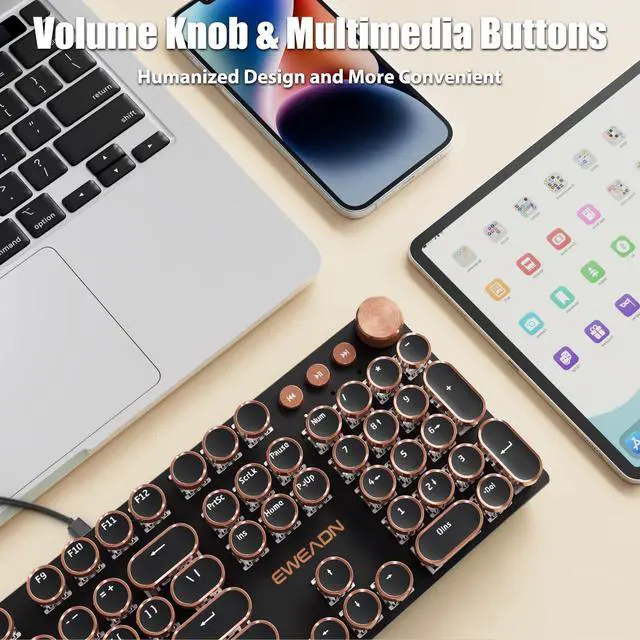
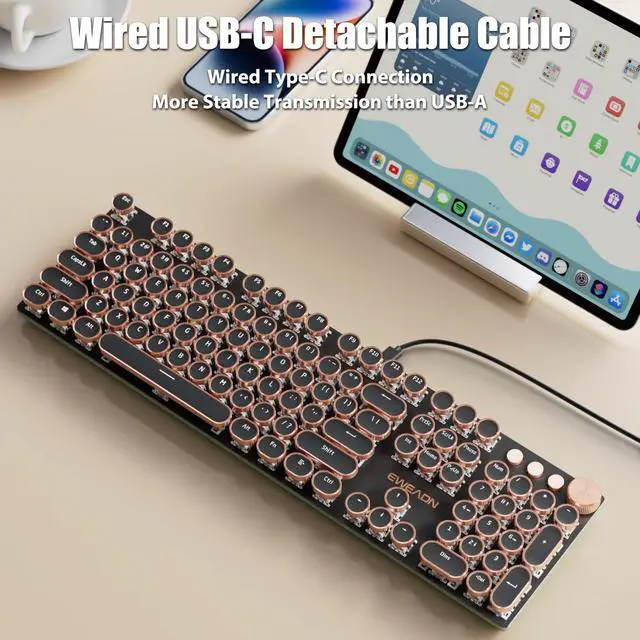
Wired Type-C connection provides the gaming keyboard more stable transmission. Separation of bond wires, volume control knob and 3 multimedia buttons, humanized design and more convenient.

Vintage steampunk round keycaps with golden rings make this keyboard look like a classical typewriter. The custom white switches feature a smooth linear feeling and fast action with moderate resistance without a tactile bump feel. The sound is quiet when the button is pressed lightly. Combining an aesthetic retro look with advanced technology, this keyboard will give you a unique typing experience.
This illuminated typewriter keyboard has 19 lighting effects. Press "Fn+Ins" to change the lighting effects. Press “Fn+1~8” to choose the game backlight modes. 5 levels adjustable backlight brightness (Fn+Up/Down) and speed (Fn+Left/Right). The backlight can be turned off at the lowest brightness level. With double-shot injection molded keycaps, offering crystal clear uniform backlighting and lettering that doesn't scratch off.
104 keys full size keyboard, and all keys non-conflict. Every keystroke is registered during intense gameplay and fast typing, no matter how many other keys are pressed at the same time. Let you enjoy high-grade games with fast response.
Wired Type-C connection provides the gaming keyboard more stable transmission. Separation of bond wires, volume control knob and 3 multimedia buttons, humanized design and more convenient.
| Model | V20 |
|---|---|
| Connection | Wired USB-C |
| Cable | Detachable USB A-C Cable Included |
| Number of Keys | 104 |
| Switches | Linear White Switches |
| Ring of Keycap | Golden Ring |
| Backlight | White LED |
| Anti-Ghosting | All 104 Keys Anti-Ghosting |
| Multifunctional Knob | Lighting Mode + Multimedia Mode |
| Compatibility | Windows (Fn+W), MacOS (Fn+A) |
| Dimension | 17.1*5.0*1.3in, 43.3*12.8*3.4cm |
| Net Weight | 1.43lb, 0.65kg |
| Fn+Ins | Switch Lighting Effects |
|---|---|
| Fn+1~8 | Switch Game Lighting Mode 1~8 |
| Fn+Up | Lighting Brightness + |
| Fn+Down | Lighting Brightness -, turn off the lighting at the minimum brightness level |
| Fn+Right | Lighting Speed + |
| Fn+Left | Lighting Speed - |
| Fn+Esc | Press and hold FN+Esc for 3 seconds to restore factory settings |
| Custom Lighting Recording | Press Fn+9/0 to enter the custom mode, then press Fn+Del to start recording. The indicator light will flash. Press any key to turn it on or off, and then press Fn+Del to save the recording. Then press Fn+9/0 to select the light you set. |
| Connection Problem | (1) Check if both ends of the USB cable are properly inserted. Hold down Fn+Esc for three seconds to restore the factory Settings, then unplug the cable and reinsert it. (2) Test with another USB cable and repeat step 1. (3) Test with other equipment and repeat step 1. |
|---|---|
| Keys Problem | (1) Press and hold Fn + Esc for three seconds to restore factory settings. (2) Select the correct operating system. Press Fn + W to switch to Windows, and Fn + A to switch to MacOS. (3) Check if there are any foreign objects entering the keys. |
| Lighting Problem | (1) Press and hold Fn+Esc for three seconds to restore the factory Settings (2) Check if the light is turned on and off. Press Fn+Up to increase the brightness. (3) Press Fn+Ins to switch the light off. (4) Please note that the game mode light levels and custom light levels are not dynamic. |
| Cable Problem | If the cable end breaks, please request for a replacement. |
[Retro Typewriter Style with Mechanical Keys] - Vintage steampunk round keycaps with golden rings make this keyboard look like a classical typewriter. The custom white switches feature a smooth linear feeling and fast action with moderate resistance without a tactile bump feel. The sound is quiet when the button is pressed lightly. Combining an aesthetic retro look with advanced technology, this keyboard will give you a unique typing experience.
[Elegant White LED Backlit] - This illuminated typewriter keyboard has 19 lighting effects. Press "Fn+Ins" to change the lighting effects. Press Fn+1~8 to choose the game backlight modes. 5 levels adjustable backlight brightness (Fn+Up/Down) and speed (Fn+Left/Right). The backlight can be turned off at the lowest brightness level. With double-shot injection molded keycaps, offering crystal clear uniform backlighting and lettering that doesn't scratch off.
[All 104 Keys Anti-Ghosting] - 104 keys full size keyboard, and all keys non-conflict. Every keystroke is registered during intense gameplay and fast typing, no matter how many other keys are pressed at the same time. Let you enjoy high-grade games with fast response.
[Wired USB-C Detachable Cable & Volume Knob] - Wired Type-C connection provides the gaming keyboard more stable transmission. Separation of bond wires, volume control knob and 3 multimedia buttons, humanized design and more convenient.
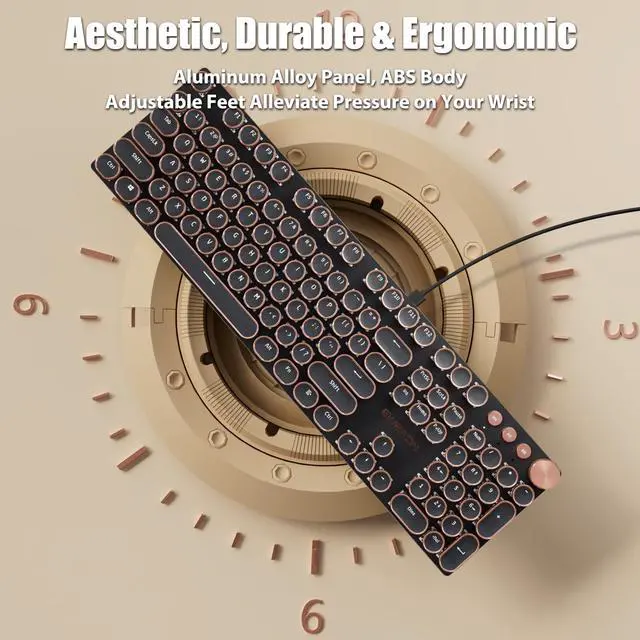
[Durable & Ergonomic] - The keyboard panel was made of top-grade aluminium alloy material, with matte-finish texture, sturdy and robust enough to protect it from scratch. The ergonomic keyboard includes adjustable feet alleviate pressure on your wrist from typing at an elevated angle.
| Brand | TISHLED |
| Compatible Devices | Gaming Console, Laptop, Macbook, PC, iMac |
| Connectivity Technology | USB-C |
| Keyboard Description | Typewriter Style Mechanical Keyboard |
| Recommended Uses For Product | Business, Education, Everyday Use, Gaming, Multimedia, Personal, Student |
| Special Feature | Ergonomic, Round Key, Volume Roller, White LED Backlit, Wired USB-C |
| Color | Wired - Black (White Switches) |
| Keyboard backlighting color support | Single Color |
| Style | Retro |
| Product Dimensions | 17.4"L x 5.6"W x 1.2"H |
| Item Weight | 1.8 pounds |
| Manufacturer | TISHLED |
| Item model number | V20 |
| Date First Available | October 9, 2025 |


