


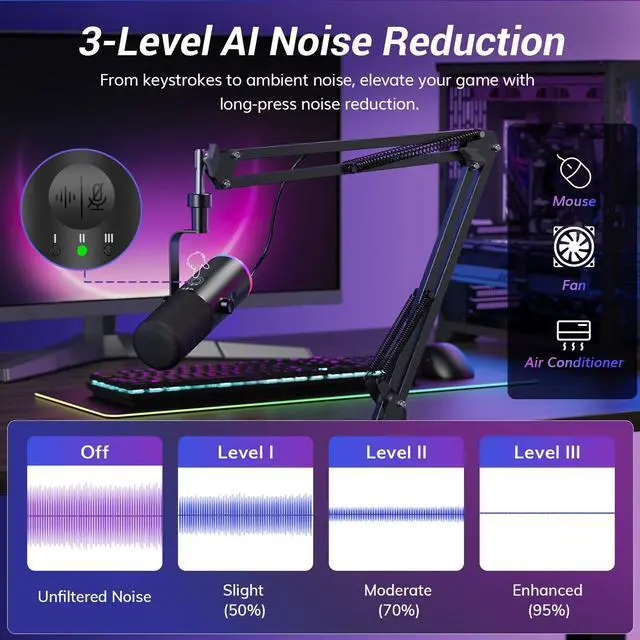


AI Noise Reduction
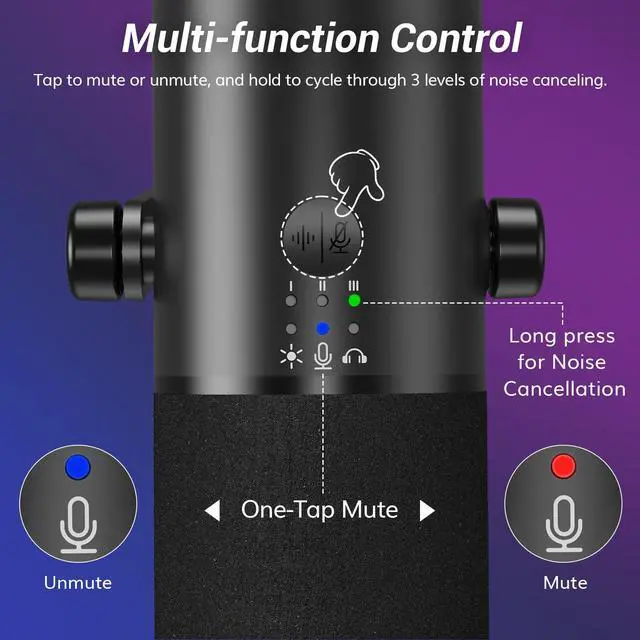
Long press for Level 3 Noise Reduction. Green light indicates ON.


Getting Started
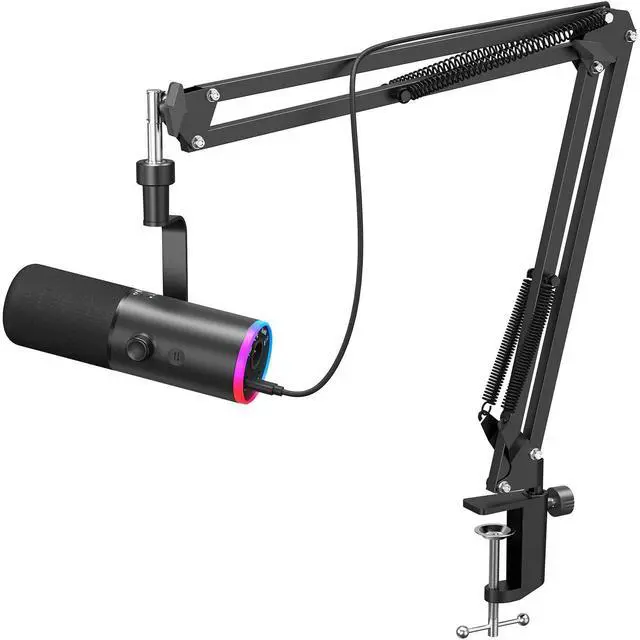
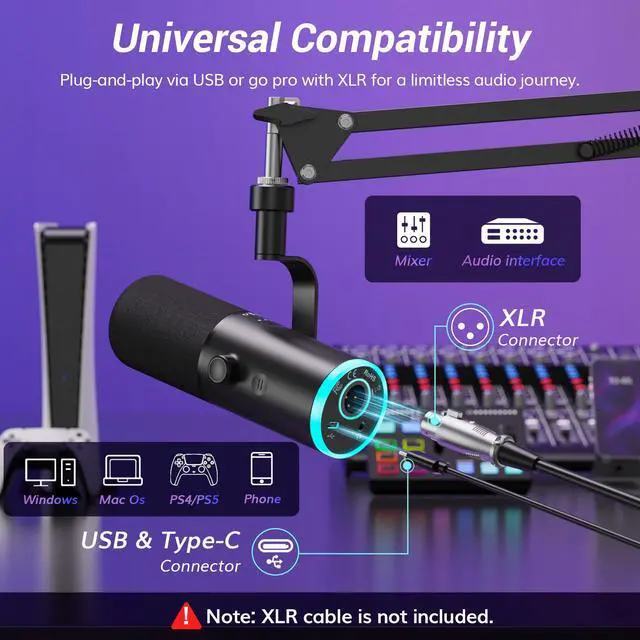
Plug-and-play for gaming via USB; XLR cable sold separately for pro use
Can the RGB lighting be customized or turned off?
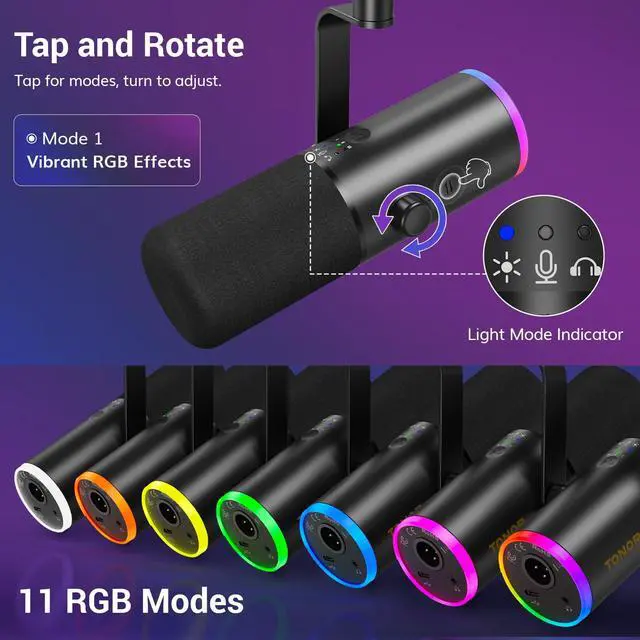
Customizable RGB. Choose from multiple modes to match your setup, or use the knob to turn it off. Available via USB only.
Does this mic support noise cancellation?
Yes. 3-level noise cancellation tailored for any environment. Choose higher levels for louder surroundings to eliminate fan, keyboard, or mouse noise. Keep your audience focused on you.
Do the function buttons work in XLR mode?
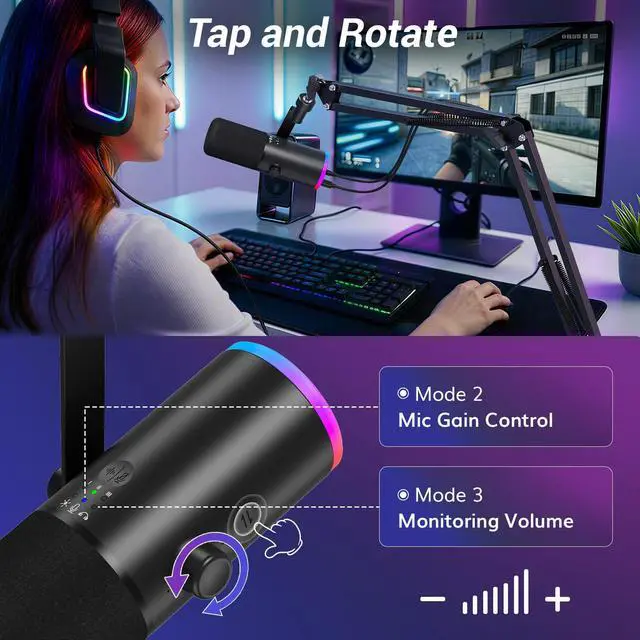
No. Controls like the gain knob, mute, and mode switch are USB-only. To use these features while connected via XLR, the microphone must also be plugged in via USB.
How can I get clear and clean audio?
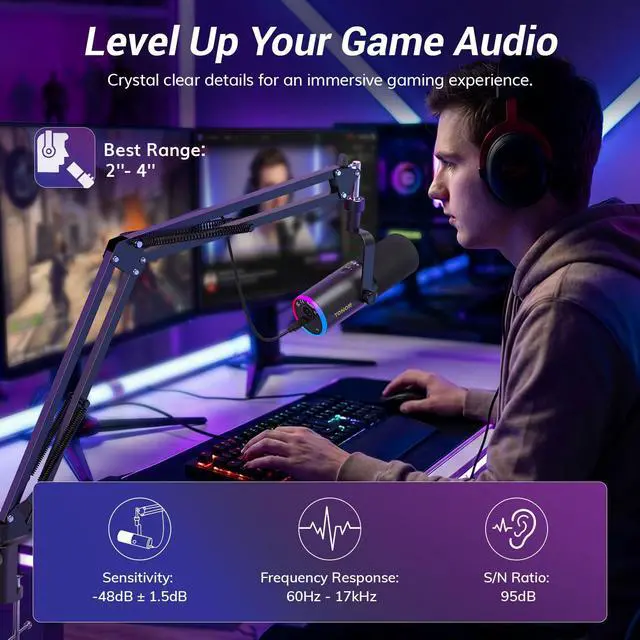
Point the top of the cardioid dynamic mic toward you and speak within a distance of 2–6 inches (5–15cm). Ensure your mic gain is adjusted to an optimal level before recording.
Does this mic support both XLR and USB outputs?
Yes. It supports dual USB and XLR modes. You can connect to your computer via USB and an audio interface via XLR to work simultaneously.
TONOR Dynamic Microphopne Series for Gamers
 TD510 AIR S+ |  TD520 S |  TD520 S+ |  TD510+ |  TD510 | |
|---|---|---|---|---|---|
Customer Reviews | — | — | — | — | — |
Price | — | — | — | — | — |
Controllable RGB | Light Mode & Brightness | Light Mode & Brightness | Light Mode & Brightness | X | X |
Sound Pressure Level | =120dB | =120dB | =120dB | =120dB | =120dB |
Frequency Response | 60Hz-17kHz | 60Hz-17kHz | 60Hz-17kHz | 60Hz-17kHz | 60Hz-17kHz |
Sensitivity | -48dB±1.5dB(0dB=1V/Pa,at 1khz) | -48dB±1.5dB(0dB=1V/Pa,at 1khz) | -48dB±1.5dB(0dB=1V/Pa,at 1khz) | -48dB±1.5dB(0dB=1V/Pa,at 1khz) | -48dB±1.5dB(0dB=1V/Pa,at 1khz) |
Stand | Boom Arm | Desktop Stand | Low Profile Arm | Boom Arm | X |
Mute Button | ? | ? | ? | ? | ? |
Gain Control | ? | ? | ? | ? | ? |
Monitor Level Control | ? | ? | ? | ? | ? |


AI Noise Reduction
Long press for Level 3 Noise Reduction. Green light indicates ON.
Off-Axis Rejection
Captures your voice with precision, significantly reducing background noise and room reflections.
Dynamic RGB Lighting
8 colors, 3 modes—perfectly tailored to any setting or mood.


Getting Started
Plug-and-play for gaming via USB; XLR cable sold separately for pro use
Can the RGB lighting be customized or turned off?
Customizable RGB. Choose from multiple modes to match your setup, or use the knob to turn it off. Available via USB only.
Does this mic support noise cancellation?
Yes. 3-level noise cancellation tailored for any environment. Choose higher levels for louder surroundings to eliminate fan, keyboard, or mouse noise. Keep your audience focused on you.
Do the function buttons work in XLR mode?
No. Controls like the gain knob, mute, and mode switch are USB-only. To use these features while connected via XLR, the microphone must also be plugged in via USB.
How can I get clear and clean audio?
Point the top of the cardioid dynamic mic toward you and speak within a distance of 2–6 inches (5–15cm). Ensure your mic gain is adjusted to an optimal level before recording.
Does this mic support both XLR and USB outputs?
Yes. It supports dual USB and XLR modes. You can connect to your computer via USB and an audio interface via XLR to work simultaneously.
TONOR Dynamic Microphopne Series for Gamers
TD510 AIR S+ | TD520 S | TD520 S+ | TD510+ | TD510 |
|---|---|---|---|---|
| Customer Reviews | ||||
| — | — | — | — | — |
| Price | ||||
| — | — | — | — | — |
| Controllable RGB | ||||
| Light Mode & Brightness | Light Mode & Brightness | Light Mode & Brightness | X | X |
| Sound Pressure Level | ||||
| =120dB | =120dB | =120dB | =120dB | =120dB |
| Frequency Response | ||||
| 60Hz-17kHz | 60Hz-17kHz | 60Hz-17kHz | 60Hz-17kHz | 60Hz-17kHz |
| Sensitivity | ||||
| -48dB±1.5dB(0dB=1V/Pa,at 1khz) | -48dB±1.5dB(0dB=1V/Pa,at 1khz) | -48dB±1.5dB(0dB=1V/Pa,at 1khz) | -48dB±1.5dB(0dB=1V/Pa,at 1khz) | -48dB±1.5dB(0dB=1V/Pa,at 1khz) |
| Stand | ||||
| Boom Arm | Desktop Stand | Low Profile Arm | Boom Arm | X |
| Mute Button | ||||
| ? | ? | ? | ? | ? |
| Gain Control | ||||
| ? | ? | ? | ? | ? |
| Monitor Level Control | ||||
| ? | ? | ? | ? | ? |