
 Holiday Shipping Details & Extended Holiday Returns


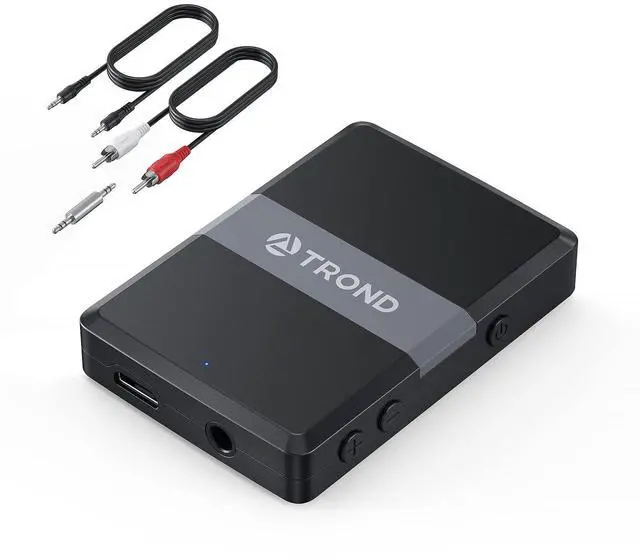


Product Specifications:
- Bluetooth Compliance: Bluetooth V5.0, CSR 8670 chipset, A2DP
- Working Range: up to 33ft / 10m
- Supports: Dual Stream (TX mode); Multi-Point (RX mode)
- Codec: APT-X LL(TX/RX), APT-X(TX/RX), SBC(TX/RX)
- Working Time: about 10 hours
- Charging Time: 2 hours / 5V; working while charging
- Dimension: L 55 x W 38 x H 10.5 mm / 2.17 x 1.50 x 0.41 in
- Net Weight: 17.2 g / 0.61 oz
Mode I: Bluetooth Transmitter (TX)
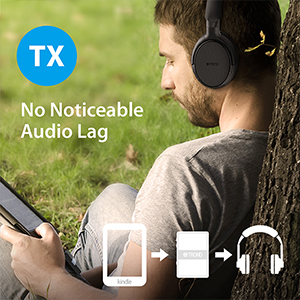
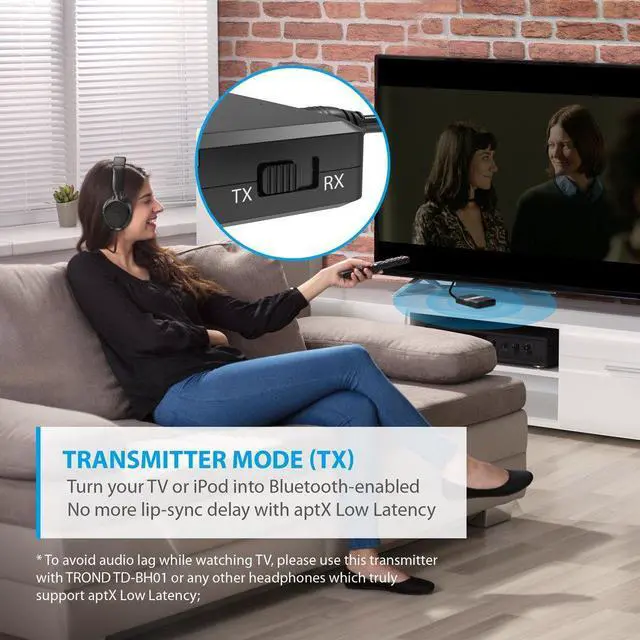
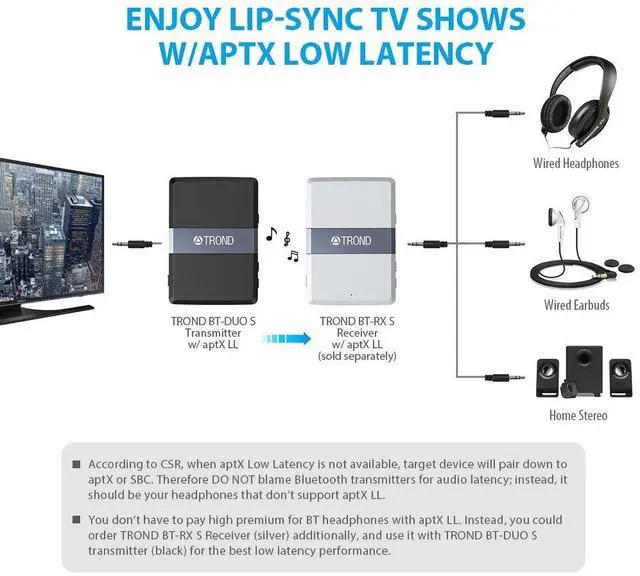
TX Application: switch to "TX" mode, connect it to the audio OUT port of your non-Bluetooth audio sources, such as TV, iPod, CD-player, or Kindle, and then pair it with your wireless headphones. Start enjoying music, watching videos,s or playing games without disturbing someone next to you.
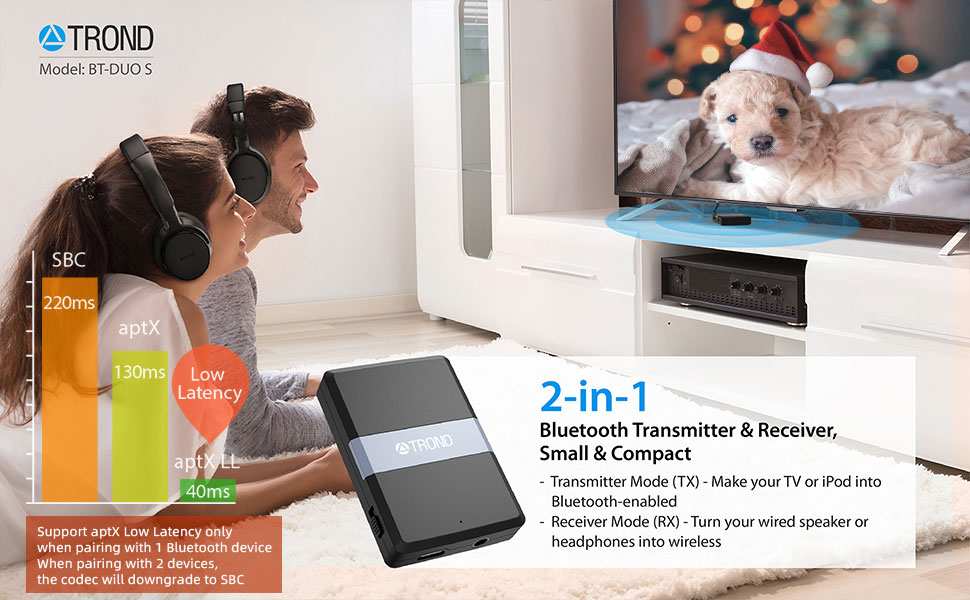
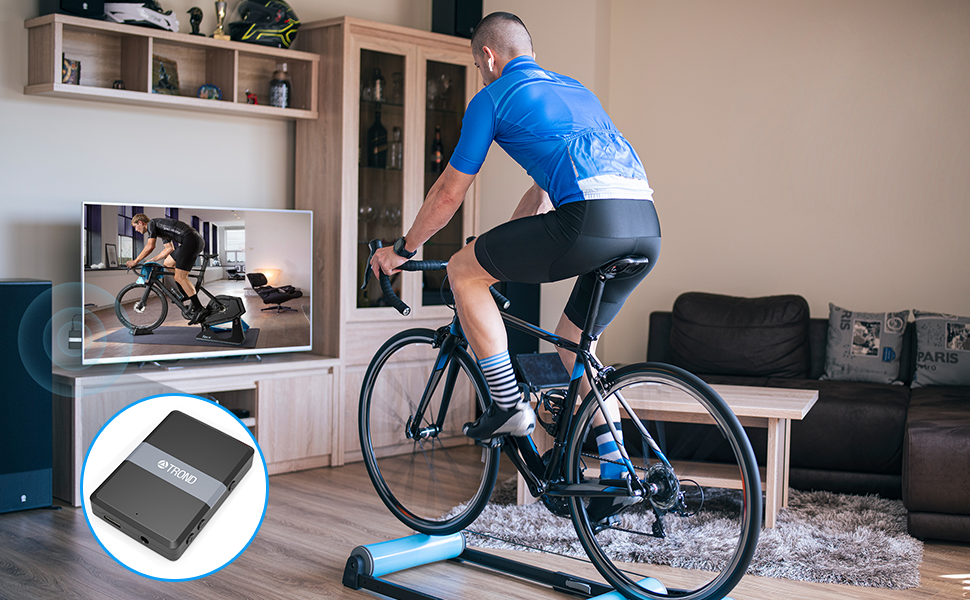
No Lip-Sync Delay: with aptX Low Latency, it can effectively minimize the audio delay, which allows you to watch late-night TV shows in a synchronized way. Please order "TROND TD-BH01 Over-Ear Bluetooth V4.2 Headphones" for the best low latency performance.
Dual Stream:TROND BT-DUO S can pair up to two Bluetooth audio devices simultaneously, and streams audio to both of them. However, in this case, the codec would be downgraded from aptX LL to SBC.
Mode II: Bluetooth Receiver (RX)
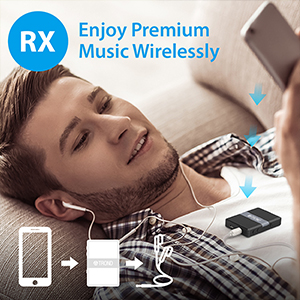
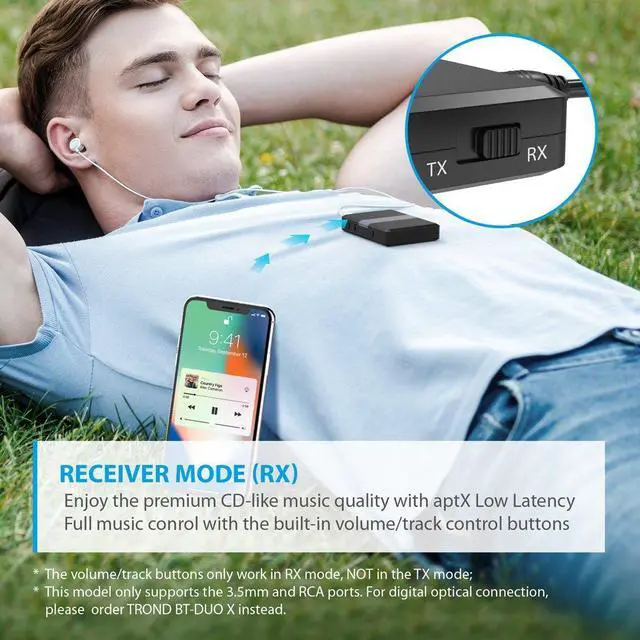
RX Application:switch to "RX" mode, connect it to the audio IN port of your wired audio device, such as wired earbuds, speaker, or car stereo via 3.5mm cable, and pair it with Bluetooth-enabled audio sources such as your smartphone, tablet or laptop. This way, you could enjoy high-quality music wirelessly without spending more to order Bluetooth headphones or speakers.
AptX Low Latency:unlike most other 2-in-1 transceivers which don't support aptX LL or aptX in the receiver mode, TROND BT-DUO S is ideal for turning your wired headphones, speakers, or car stereo into Bluetooth-enabled headphones or speakers with the feature of aptX Low Latency.
Multi-Point:you can pair two smartphones (or tablets) to this receiver simultaneously. However, it can only receive the audio from one phone at a time. You need to pause the music on one phone first in order to play music from the other phone.
Pdf Manual: check the pdf manual in the ’‘PRODUCT GUIDES AND DOCUMENT’‘ section if you would like to download it.
More Product Features to Explore

Full Music Control (RX)
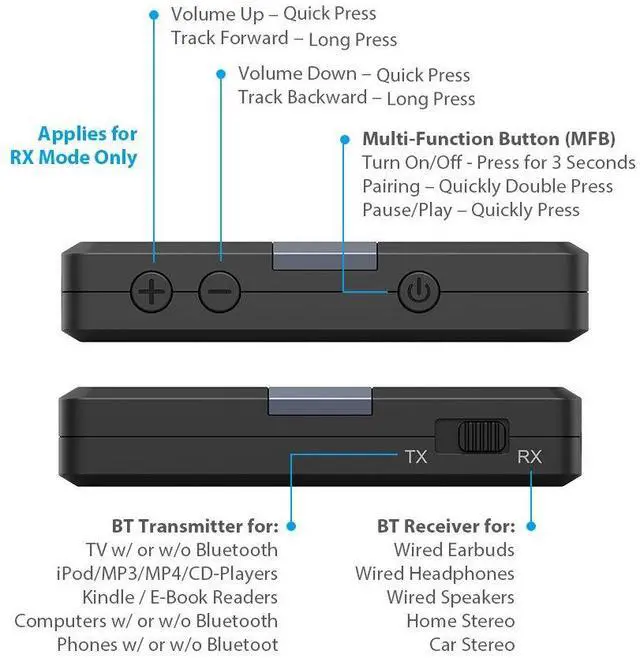
By connecting your wired headphones or speaker to TROND BT-DUO S in the receiver mode, you could remotely play/pause music, adjust volume up/down, and change track forward/backward by using the volume control buttons.
- Quick Press- Volume Up/Down
- Long Press - Track Forward/Backward
Note: the microphone and the volume/track buttons on your wired headphones or speaker will become inactive once they are connected to the receiver.
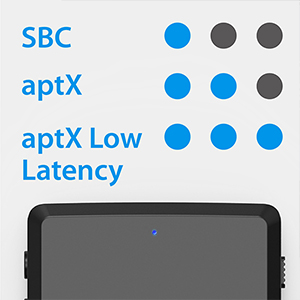
Upgraded with Smart Codec Indicator
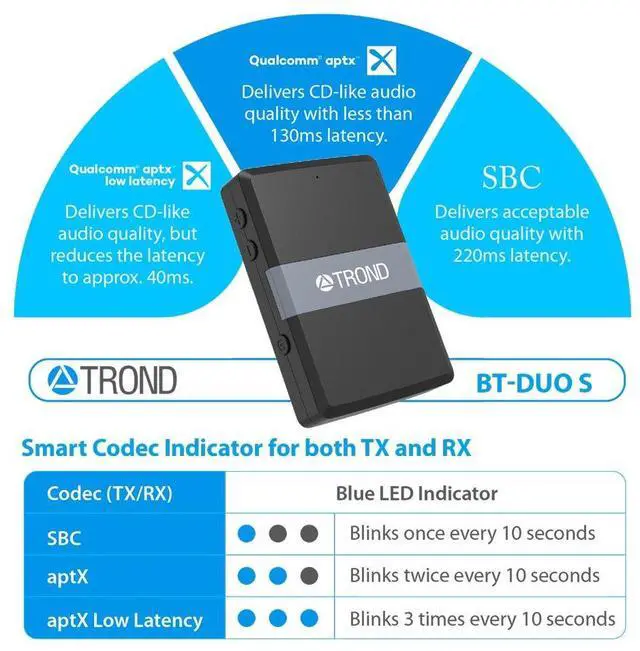
Be smart, and don't let false advertising fool you. TROND BT-DUO S has been upgraded with a smart codec indicator and can tell you which codec is in place, by displaying different LED statuses after the music starts playing.
- SBC - blue LED indicator blinks once every 10 seconds;
- aptX - blue LED indicator blinks twice every 10 seconds;
- aptX Low Latency - blue LED indicator blinks 3 times every 10 seconds

Super Long Working Time
DC Mode: Connect to a quality USB charger, and stream the audio as long as you can. You can charge it while it's working;
200mAh Rechargeable Battery: TROND BT-DUO S can provide approx. 8-hour battery life, and can be fully recharged within approx. 2 hours. It needs to be recharged ASAP when the LED keeps flashing red. The LED turns steady red while being recharged, and turns off once fully charged.
Tips Before Using:
- Switch to the right working mode (TX or RX) before powering on. As a transmitter (TX), it should pair with receiving devices, such as Bluetooth headphones or speakers. As a receiver (RX), it should pair to transmitting audio sources, such as your phone or tablet. You can't pair two transmitting devices or two receiving devices together;
- If you want to use it as a transmitter and connect to your TV, please refer to the user manual of your TV and find the right AUDIO OUT port (3.5mm or white/red RCA), instead of any VIDEO or AUDIO IN ports. If your TV only offers the digital optical audio out port, please order another model instead: TROND BT-DUO X;
- Your wireless headphones or speakers also need to support the codec of aptX Low Latency in order to reduce the audio latency to 40ms. Otherwise, the codec will be downgraded to aptX or even SBC;
- If TROND BT-DUO S gets stuck and all the buttons stop working properly, please press & hold the MFB, and plug in the external USB charger to shut down BT-DUO S. Please note that this operation won't delete the previous pairing record;
- If you'd like to delete all the pairing records, please refer to the section of "Frequent Asked Questions" at the end of the user manual for how to reset TROND BT-DUO S.
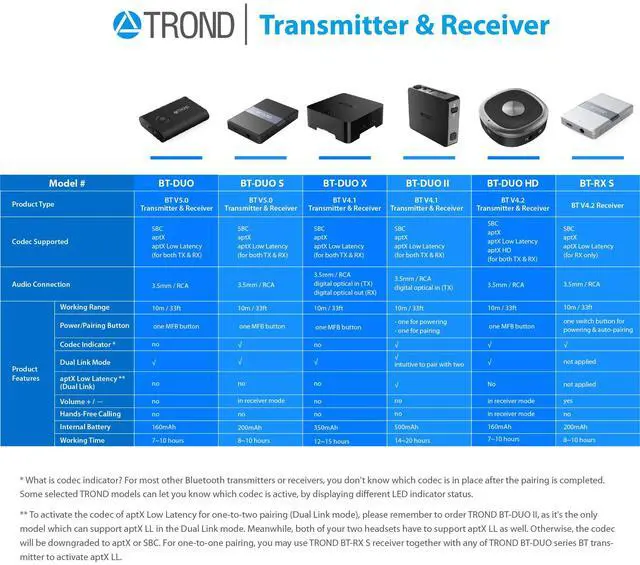
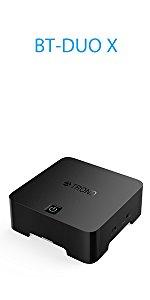 Bluetooth Transmitter Digital Optical Adapter |  Bluetooth V5.0 Transmitter & Adapter |  Bluetooth V5.0 Transmitter & Receiver | |
|---|---|---|---|
| Customer Reviews | — | — | — |
| Price | — no data | — no data | — |
| Codec Supported | SBC, aptX, aptX Low Latency (for both TX & RX) | SBC, aptX, aptX Low Latency (for both TX & RX) | SBC, aptX, aptX Low Latency (for both TX & RX) |
| Audio Connection | 3.5mm, RCA, digital optical in (TX), digital optical out (RX) | SBC, aptX, aptX Low Latency (for both TX & RX) | 3.5mm, RCA |
| Working Range | 10m / 33ft | 10m / 33ft | 10m / 33ft |
| Power/Pairing Button | one MFB button | one MFB button | one MFB button |
| Codec Indicator | ? | × | ? |
| Pair with Two (TX) | ? | ? | ? |
| AptX Low Latency in Dual Link Mode | × | × | × |
| Volume + / - | × | × | Yes, in receiver mode only |
| Hands-Free Calling | × | × | × |
| Battery Capacity | 350mAh | 160mAh | 200mAh |
Product Specifications:
- Bluetooth Compliance: Bluetooth V5.0, CSR 8670 chipset, A2DP
- Working Range: up to 33ft / 10m
- Supports: Dual Stream (TX mode); Multi-Point (RX mode)
- Codec: APT-X LL(TX/RX), APT-X(TX/RX), SBC(TX/RX)
- Working Time: about 10 hours
- Charging Time: 2 hours / 5V; working while charging
- Dimension: L 55 x W 38 x H 10.5 mm / 2.17 x 1.50 x 0.41 in
- Net Weight: 17.2 g / 0.61 oz
Mode I: Bluetooth Transmitter (TX)
TX Application: switch to "TX" mode, connect it to the audio OUT port of your non-Bluetooth audio sources, such as TV, iPod, CD-player, or Kindle, and then pair it with your wireless headphones. Start enjoying music, watching videos,s or playing games without disturbing someone next to you.
No Lip-Sync Delay: with aptX Low Latency, it can effectively minimize the audio delay, which allows you to watch late-night TV shows in a synchronized way. Please order "TROND TD-BH01 Over-Ear Bluetooth V4.2 Headphones" for the best low latency performance.
Dual Stream:TROND BT-DUO S can pair up to two Bluetooth audio devices simultaneously, and streams audio to both of them. However, in this case, the codec would be downgraded from aptX LL to SBC.
Mode II: Bluetooth Receiver (RX)
RX Application:switch to "RX" mode, connect it to the audio IN port of your wired audio device, such as wired earbuds, speaker, or car stereo via 3.5mm cable, and pair it with Bluetooth-enabled audio sources such as your smartphone, tablet or laptop. This way, you could enjoy high-quality music wirelessly without spending more to order Bluetooth headphones or speakers.
AptX Low Latency:unlike most other 2-in-1 transceivers which don't support aptX LL or aptX in the receiver mode, TROND BT-DUO S is ideal for turning your wired headphones, speakers, or car stereo into Bluetooth-enabled headphones or speakers with the feature of aptX Low Latency.
Multi-Point:you can pair two smartphones (or tablets) to this receiver simultaneously. However, it can only receive the audio from one phone at a time. You need to pause the music on one phone first in order to play music from the other phone.
Pdf Manual: check the pdf manual in the ’‘PRODUCT GUIDES AND DOCUMENT’‘ section if you would like to download it.
More Product Features to Explore
Full Music Control (RX)
By connecting your wired headphones or speaker to TROND BT-DUO S in the receiver mode, you could remotely play/pause music, adjust volume up/down, and change track forward/backward by using the volume control buttons.
- Quick Press- Volume Up/Down
- Long Press - Track Forward/Backward
Note: the microphone and the volume/track buttons on your wired headphones or speaker will become inactive once they are connected to the receiver.
Upgraded with Smart Codec Indicator
Be smart, and don't let false advertising fool you. TROND BT-DUO S has been upgraded with a smart codec indicator and can tell you which codec is in place, by displaying different LED statuses after the music starts playing.
- SBC - blue LED indicator blinks once every 10 seconds;
- aptX - blue LED indicator blinks twice every 10 seconds;
- aptX Low Latency - blue LED indicator blinks 3 times every 10 seconds
Super Long Working Time
DC Mode: Connect to a quality USB charger, and stream the audio as long as you can. You can charge it while it's working;
200mAh Rechargeable Battery: TROND BT-DUO S can provide approx. 8-hour battery life, and can be fully recharged within approx. 2 hours. It needs to be recharged ASAP when the LED keeps flashing red. The LED turns steady red while being recharged, and turns off once fully charged.
Tips Before Using:
- Switch to the right working mode (TX or RX) before powering on. As a transmitter (TX), it should pair with receiving devices, such as Bluetooth headphones or speakers. As a receiver (RX), it should pair to transmitting audio sources, such as your phone or tablet. You can't pair two transmitting devices or two receiving devices together;
- If you want to use it as a transmitter and connect to your TV, please refer to the user manual of your TV and find the right AUDIO OUT port (3.5mm or white/red RCA), instead of any VIDEO or AUDIO IN ports. If your TV only offers the digital optical audio out port, please order another model instead: TROND BT-DUO X;
- Your wireless headphones or speakers also need to support the codec of aptX Low Latency in order to reduce the audio latency to 40ms. Otherwise, the codec will be downgraded to aptX or even SBC;
- If TROND BT-DUO S gets stuck and all the buttons stop working properly, please press & hold the MFB, and plug in the external USB charger to shut down BT-DUO S. Please note that this operation won't delete the previous pairing record;
- If you'd like to delete all the pairing records, please refer to the section of "Frequent Asked Questions" at the end of the user manual for how to reset TROND BT-DUO S.
Bluetooth Transmitter Digital Optical Adapter | Bluetooth V5.0 Transmitter & Adapter | Bluetooth V5.0 Transmitter & Receiver | |
|---|---|---|---|
| Customer Reviews | — | — | — |
| Price | — no data | — no data | — |
| Codec Supported | SBC, aptX, aptX Low Latency (for both TX & RX) | SBC, aptX, aptX Low Latency (for both TX & RX) | SBC, aptX, aptX Low Latency (for both TX & RX) |
| Audio Connection | 3.5mm, RCA, digital optical in (TX), digital optical out (RX) | SBC, aptX, aptX Low Latency (for both TX & RX) | 3.5mm, RCA |
| Working Range | 10m / 33ft | 10m / 33ft | 10m / 33ft |
| Power/Pairing Button | one MFB button | one MFB button | one MFB button |
| Codec Indicator | ? | × | ? |
| Pair with Two (TX) | ? | ? | ? |
| AptX Low Latency in Dual Link Mode | × | × | × |
| Volume + / - | × | × | Yes, in receiver mode only |
| Hands-Free Calling | × | × | × |
| Battery Capacity | 350mAh | 160mAh | 200mAh |