








Product Key Description
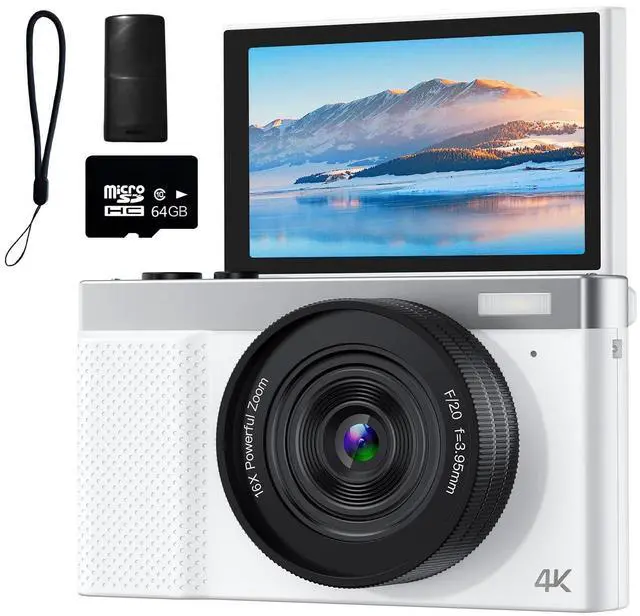
1. Display screen 2. Lens 3. Fill light 4. MIC hole 5. T key: Zoom in 6. W key: Zoom out
7. Work light (blue): Flashes when recording or taking photos.
8. Charging light (red): Remains on during charging and turns off when fully charged.
9. Review key: Enters the photo and video review mode. 10. Delete key
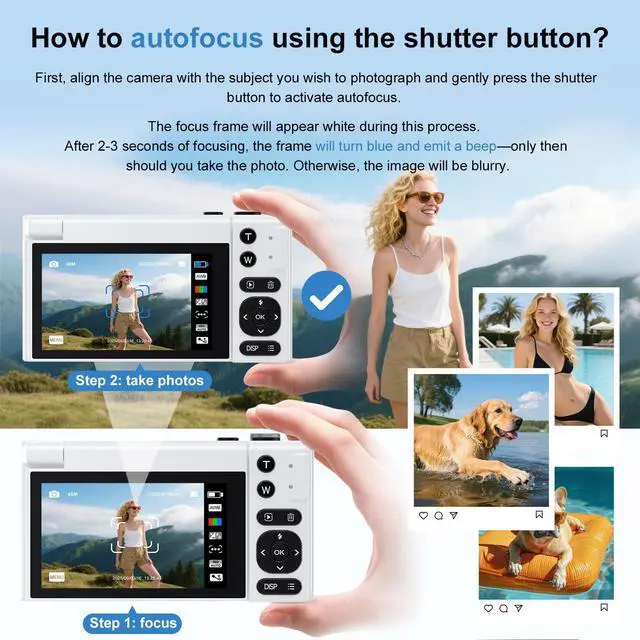
11. Confirm key: Short press in the photo and video interface to enter the photo and video mode selection; in the menu, it is the confirm key.
12. Up key: Up direction key, quick key for the fill light switch in the photo mode, short press to turn on/off the fill light.
13. Left key: Left direction key, quick key for the macro switch, short press to turn on/off the macro function.
14. Right key: Right direction key, quick key for switching the recording time in the loop recording mode, switching the frames per second in time-lapse recording, switching the photo interval in the auto photo mode, and switching the timing in the timed photo mode.
15. Down key: Down direction key.
16. DISP key: Close the interface icon and turn off the screen display.
17. M key: short press to enter the menu, short press again to exit the menu.
18. Lanyard hole.
19. ON/OFF key: long press to turn on the power, long press to turn off the power when the power is on.
Product Key Description
1. Display screen 2. Lens 3. Fill light 4. MIC hole 5. T key: Zoom in 6. W key: Zoom out
7. Work light (blue): Flashes when recording or taking photos.
8. Charging light (red): Remains on during charging and turns off when fully charged.
9. Review key: Enters the photo and video review mode. 10. Delete key
11. Confirm key: Short press in the photo and video interface to enter the photo and video mode selection; in the menu, it is the confirm key.
12. Up key: Up direction key, quick key for the fill light switch in the photo mode, short press to turn on/off the fill light.
13. Left key: Left direction key, quick key for the macro switch, short press to turn on/off the macro function.
14. Right key: Right direction key, quick key for switching the recording time in the loop recording mode, switching the frames per second in time-lapse recording, switching the photo interval in the auto photo mode, and switching the timing in the timed photo mode.
15. Down key: Down direction key.
16. DISP key: Close the interface icon and turn off the screen display.
17. M key: short press to enter the menu, short press again to exit the menu.
18. Lanyard hole.
19. ON/OFF key: long press to turn on the power, long press to turn off the power when the power is on.