






The Ultimate Travel Maintenance Kit
UES DKL16 Comprehensive Cleaning Kit for APS-C Cameras
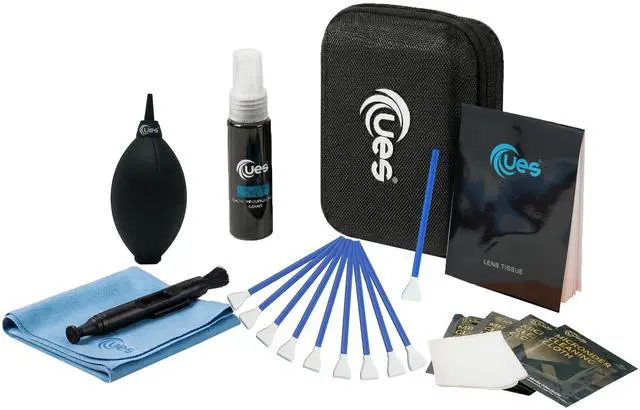
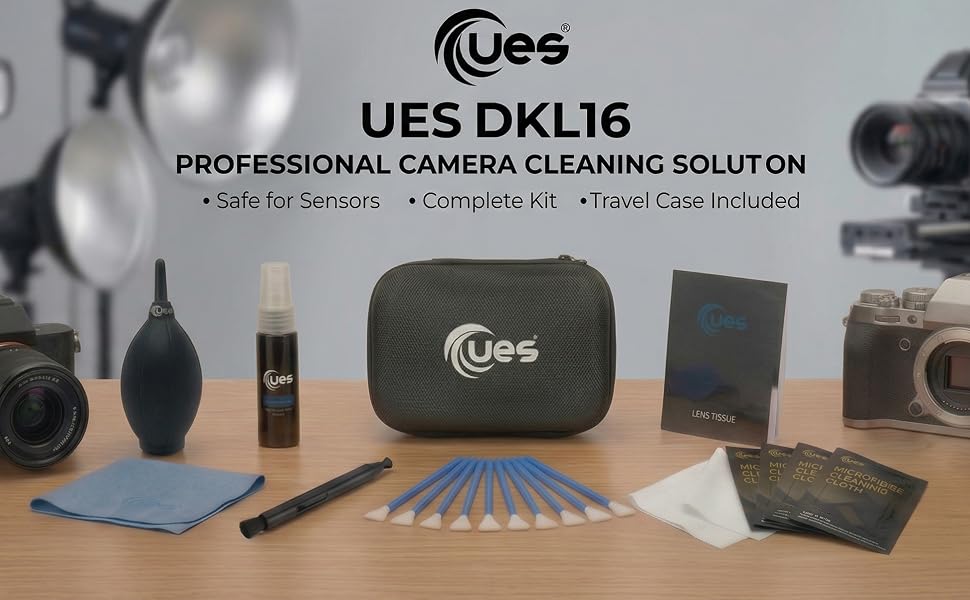
Protect your investment and elevate your craft. The UES 21-in-1 Comprehensive Camera Cleaning Kit ensures your optics, sensors, and screens remain flawless, whether you are in a professional studio or traversing rugged landscapes. Neatly organized in a water-repellent EVA hard case, your gear is always protected and field-ready.
Field-Ready Protection
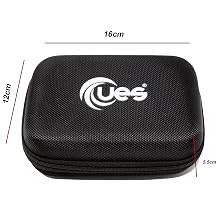
Ditch the loose plastic bags. Our premium EVA hard-shell case is water-repellent and crush-resistant, keeping all 21 cleaning tools securely organized in your camera backpack.
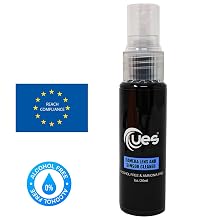
Safe for Premium Optics
Our alcohol-free and ammonia-free formula is gentle yet powerful. 100% safe for multi-coated camera lenses, delicate CMOS/CCD sensors, and LCD screens. Leaves zero streaks.
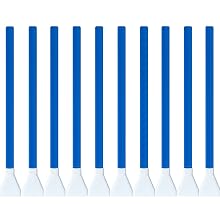
Extended Value: 10 APS-C Sensor Cleaning Swabs
Be prepared for every shoot. While others provide 6, we include 10 individually vacuum-sealed, Class-100 Cleanroom manufactured microfiber swabs for safe, professional deep-cleaning.
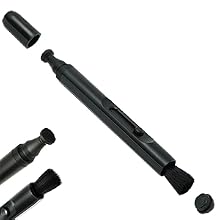
Dual-Action Precision Cleaning
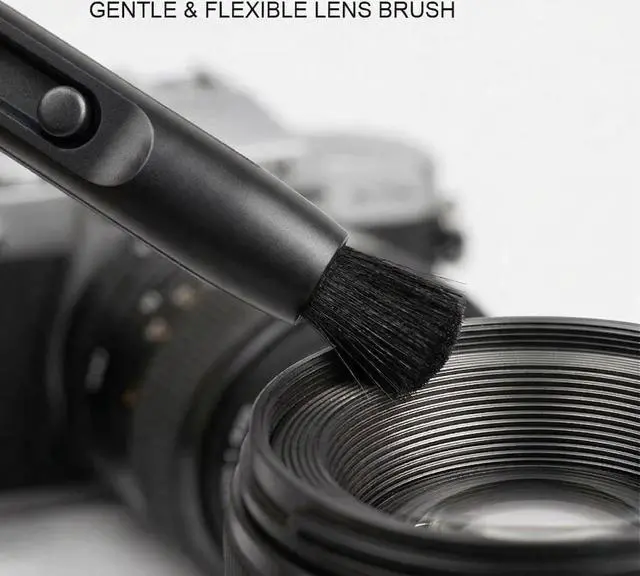
Your first line of defense in the field. Use the retractable soft brush to safely sweep loose dust from zoom rings and crevices, and the active carbon tip to absorb stubborn oil and fingerprints from your lenses.
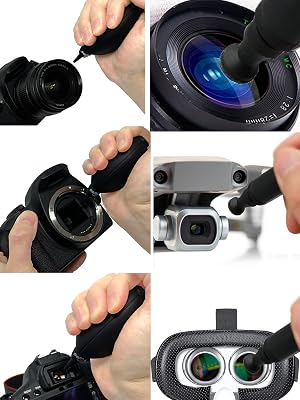
Precision maintenance for delicate optical gear
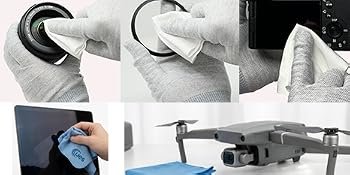
Streak-Free Screen Care
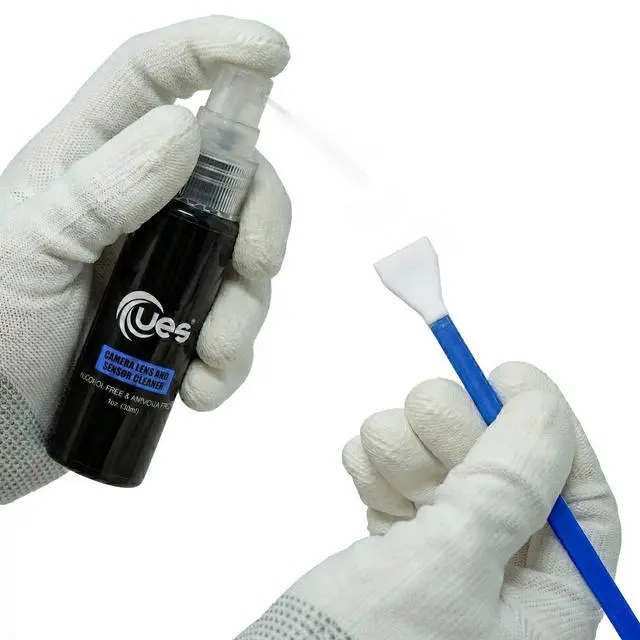
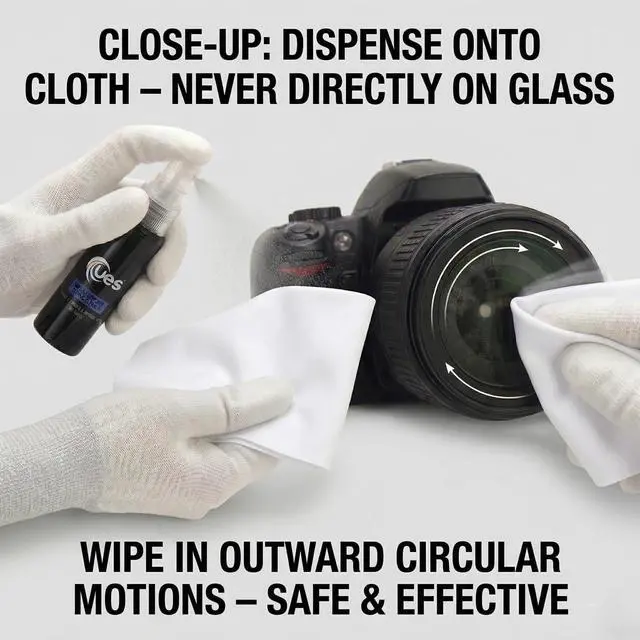
Easily cut through stubborn oils, smudges, and environmental grime. Our alcohol-free and ammonia-free 2-in-1 lens and sensor cleaner pairs perfectly with the included cloths to restore pristine clarity to your displays.
- Safe for LED/LCD monitors
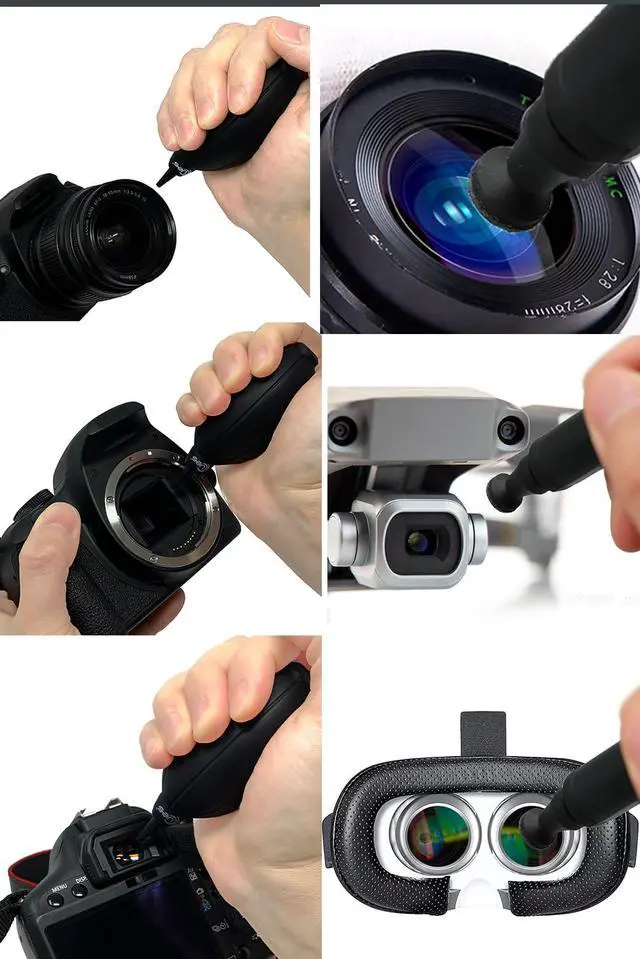
- Perfect for drones & VR headsets
- Cleans laptops & smartphones
One Kit. Endless Applications
Protect Your Entire Creative Ecosystem
Photography gear is just the beginning. This versatile 21-in-1 toolkit is engineered to maintain all your valuable devices. From blasting sand off your camera body after a rugged landscape shoot to lifting fingerprints off your laptop editing screen, you have the exact professional tool you need for every scenario.
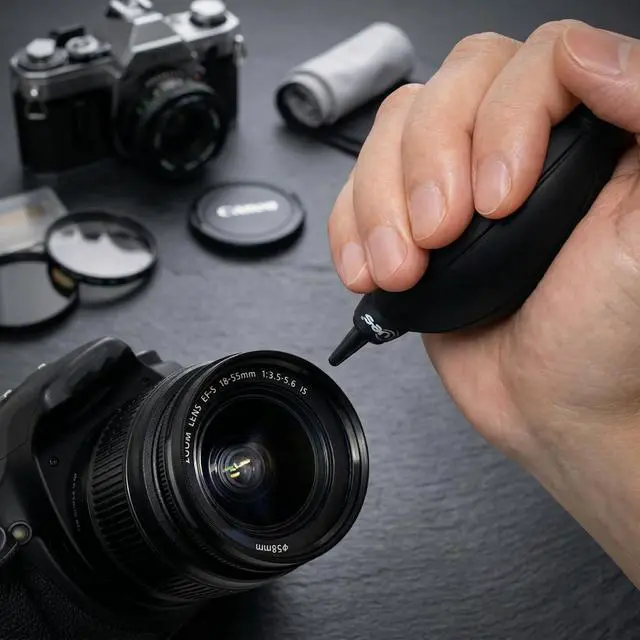
- Ergonomic Air Blower: Safely blasts loose grit from crevices, dials, and mirrors without physical contact.
- Dual-Action Lens Pen: Retractable brush and active carbon tip for quick, safe field touch-ups on premium glass.
- Ultra-Absorbent Microfiber: Washable, lint-free cloths for lenses, UV filters, and delicate viewfinders.
Professional Lens Maintenance Guide
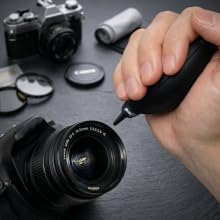
STEP 1: Touchless Dust Removal
Before any physical contact, use the ergonomic air blower to blast away loose grit, sand, and abrasive dust from the lens surface. This is a critical first step to prevent accidental scratching during the wipe-down phase.
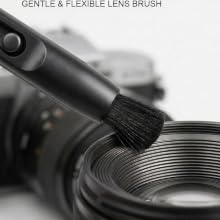
STEP 2: Precision Edge Sweeping
Deploy the lens pen’s retractable soft brush to gently dislodge stubborn particles trapped along the zoom rings, barrel crevices, and lens edges where cloths cannot easily reach.
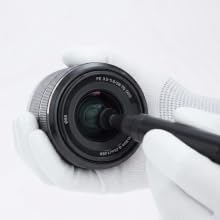
STEP 3: Dry Oil Absorption (Carbon Tip)
For fingerprints and light smudges, deploy the lens pen’s active carbon tip. Moving in a gentle circular motion on the dry glass, the carbon compound naturally absorbs and lifts surface oils without the need for fluids.
STEP 4: Deep Liquid Reset
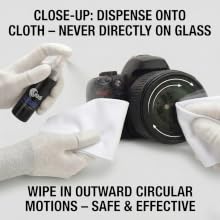
For stubborn environmental grime, dried water spots, or to remove any residual carbon dust, perform a deep wet-clean. Dispense 1-2 sprays of the alcohol-free 2-in-1 Liquid Cleaner onto an ultra-absorbent microfiber cloth, and wipe the lens for a pristine, factory-level polish.
The Professional 3-Step Sensor Cleaning Protocol
Step 1: Remove Loose Dust First
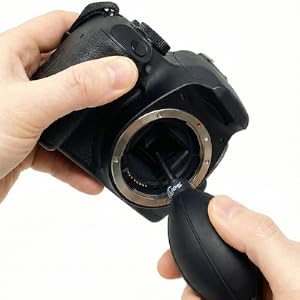
Before touching the sensor, always use the included UES ergonomic air blower to remove abrasive particles. This is critical to prevent scratching the sensor coating during the wet clean phase.
STEP 2: Precise Fluid Application
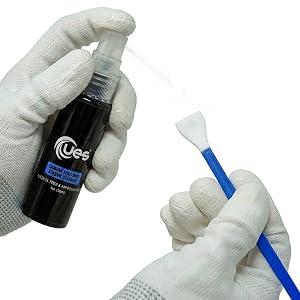
Less is more. Dispense only 1–2 precise sprays of cleaner to the edge of the swab. Allow it to soak for 10 seconds. Warning: Over-saturating the swab is the #1 cause of streaks. Do not soak the swab.
Step 3: The Continuous Swipe
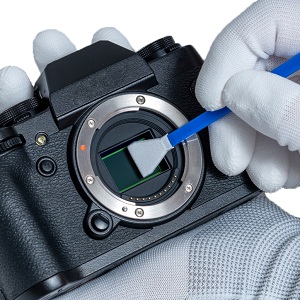
Hold the swab at a 60° angle. Swipe from one end of the sensor to the other. Without lifting the swab, immediately swipe back to the starting point in a single continuous motion. Discard the swab after one use.
The Ultimate Travel Maintenance Kit
UES DKL16 Comprehensive Cleaning Kit for APS-C Cameras
Protect your investment and elevate your craft. The UES 21-in-1 Comprehensive Camera Cleaning Kit ensures your optics, sensors, and screens remain flawless, whether you are in a professional studio or traversing rugged landscapes. Neatly organized in a water-repellent EVA hard case, your gear is always protected and field-ready.
Field-Ready Protection
Ditch the loose plastic bags. Our premium EVA hard-shell case is water-repellent and crush-resistant, keeping all 21 cleaning tools securely organized in your camera backpack.
Safe for Premium Optics
Our alcohol-free and ammonia-free formula is gentle yet powerful. 100% safe for multi-coated camera lenses, delicate CMOS/CCD sensors, and LCD screens. Leaves zero streaks.
Extended Value: 10 APS-C Sensor Cleaning Swabs
Be prepared for every shoot. While others provide 6, we include 10 individually vacuum-sealed, Class-100 Cleanroom manufactured microfiber swabs for safe, professional deep-cleaning.
Dual-Action Precision Cleaning
Your first line of defense in the field. Use the retractable soft brush to safely sweep loose dust from zoom rings and crevices, and the active carbon tip to absorb stubborn oil and fingerprints from your lenses.
One Kit. Endless Applications
Streak-Free Screen Care
Easily cut through stubborn oils, smudges, and environmental grime. Our alcohol-free and ammonia-free 2-in-1 lens and sensor cleaner pairs perfectly with the included cloths to restore pristine clarity to your displays.
- Safe for LED/LCD monitors
- Perfect for drones & VR headsets
- Cleans laptops & smartphones
Precision maintenance for delicate optical gear
Protect Your Entire Creative Ecosystem
Photography gear is just the beginning. This versatile 21-in-1 toolkit is engineered to maintain all your valuable devices. From blasting sand off your camera body after a rugged landscape shoot to lifting fingerprints off your laptop editing screen, you have the exact professional tool you need for every scenario.
- Ergonomic Air Blower: Safely blasts loose grit from crevices, dials, and mirrors without physical contact.
- Dual-Action Lens Pen: Retractable brush and active carbon tip for quick, safe field touch-ups on premium glass.
- Ultra-Absorbent Microfiber: Washable, lint-free cloths for lenses, UV filters, and delicate viewfinders.
Professional Lens Maintenance Guide
STEP 1: Touchless Dust Removal
Before any physical contact, use the ergonomic air blower to blast away loose grit, sand, and abrasive dust from the lens surface. This is a critical first step to prevent accidental scratching during the wipe-down phase.
STEP 2: Precision Edge Sweeping
Deploy the lens pen’s retractable soft brush to gently dislodge stubborn particles trapped along the zoom rings, barrel crevices, and lens edges where cloths cannot easily reach.
STEP 3: Dry Oil Absorption (Carbon Tip)
For fingerprints and light smudges, deploy the lens pen’s active carbon tip. Moving in a gentle circular motion on the dry glass, the carbon compound naturally absorbs and lifts surface oils without the need for fluids.
STEP 4: Deep Liquid Reset
For stubborn environmental grime, dried water spots, or to remove any residual carbon dust, perform a deep wet-clean. Dispense 1-2 sprays of the alcohol-free 2-in-1 Liquid Cleaner onto an ultra-absorbent microfiber cloth, and wipe the lens for a pristine, factory-level polish.
The Professional 3-Step Sensor Cleaning Protocol
Step 1: Remove Loose Dust First
Before touching the sensor, always use the included UES ergonomic air blower to remove abrasive particles. This is critical to prevent scratching the sensor coating during the wet clean phase.
STEP 2: Precise Fluid Application
Less is more. Dispense only 1–2 precise sprays of cleaner to the edge of the swab. Allow it to soak for 10 seconds. Warning: Over-saturating the swab is the #1 cause of streaks. Do not soak the swab.
Step 3: The Continuous Swipe
Hold the swab at a 60° angle. Swipe from one end of the sensor to the other. Without lifting the swab, immediately swipe back to the starting point in a single continuous motion. Discard the swab after one use.