

Your Browsing History

- Free 30-day Returns
$56.99
Ships from China.


Meet Your Seller

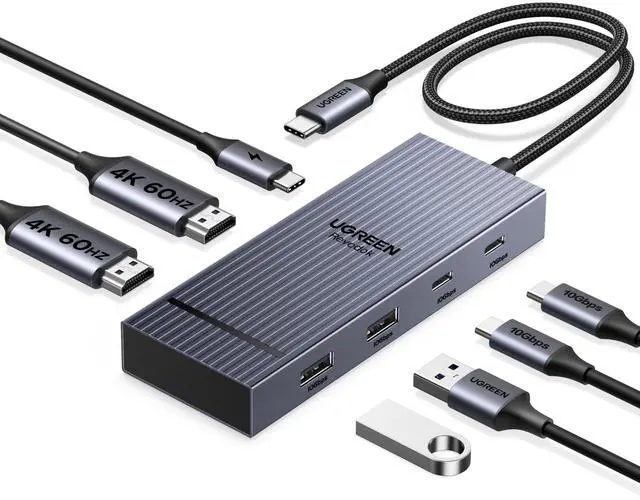


UGREEN 7 in 1 Docking Station Dual Monitor, USB C Hub Dual 4K@60Hz HDMI Display, 10Gbps USB-A/C Data Ports, 100W PD, Aluminum Revodok Pro Laptop Docking Station for HP, Thinkpad, and More
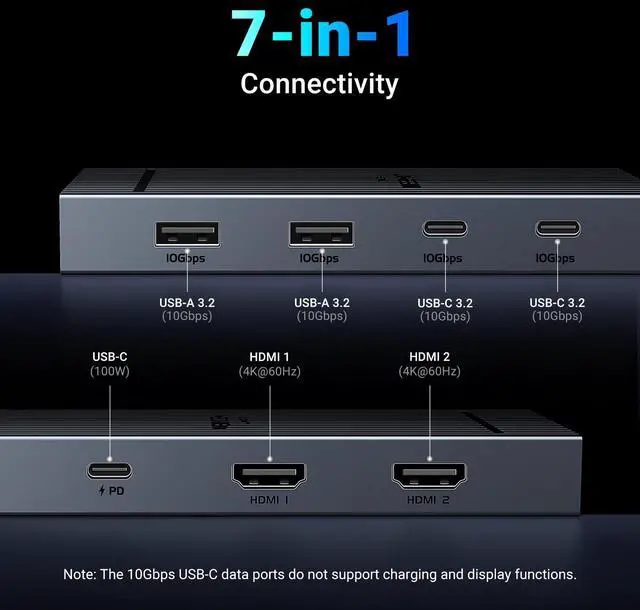
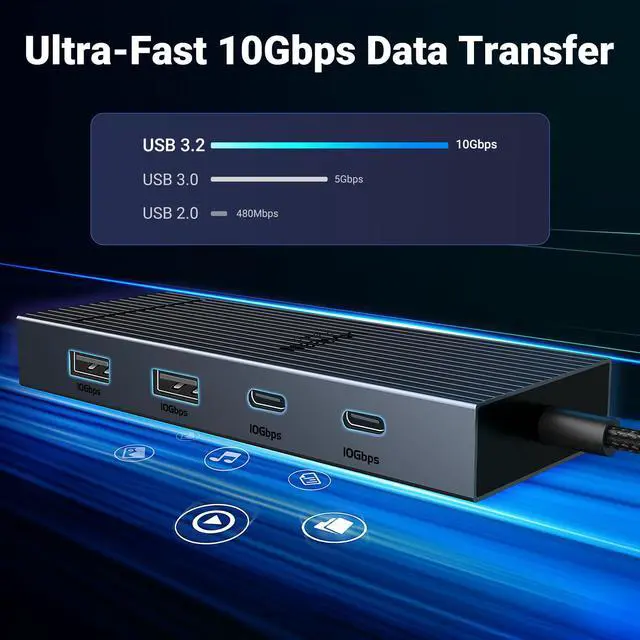
- 7 In 1 USB C Laptop Docking Station:UGREEN Docking station comes with 2 HDMI, two 10Gbps USB A ports, two 10Gbps USB C portsand, a PD 100w charging transfer port. To achieve the full capabilities of hub, ensure your laptop's USB-C port is a full-function or Thunderbolt 3/4 port and Ensure that the cables you are using are compatible with the interface.
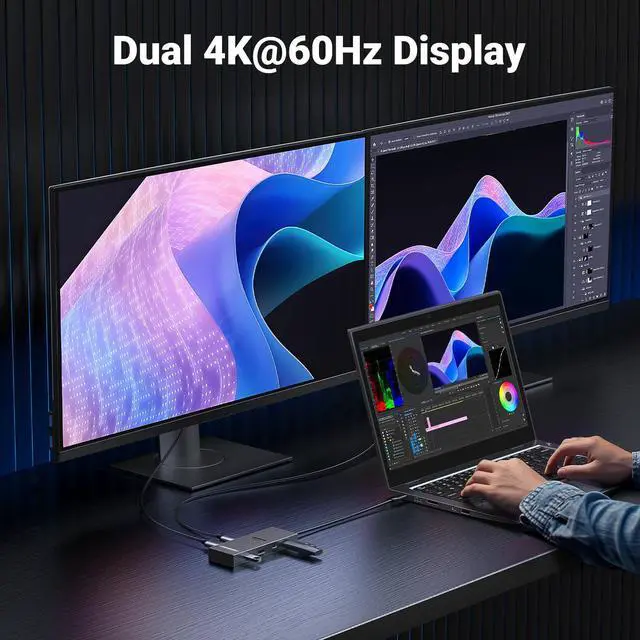
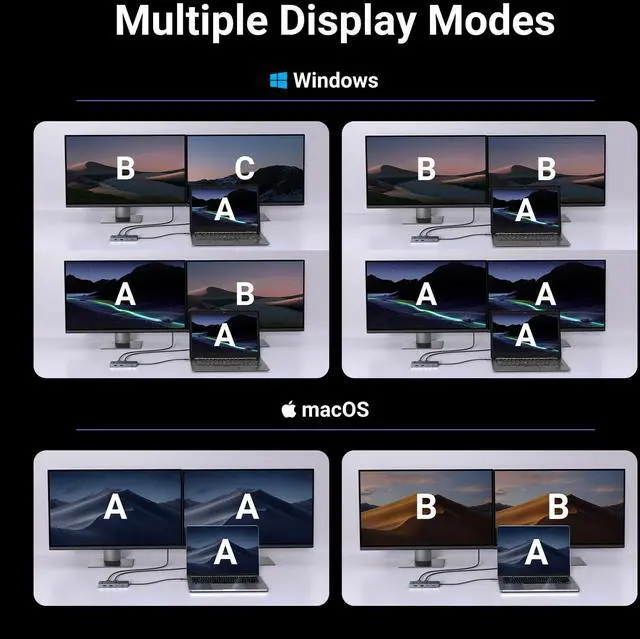
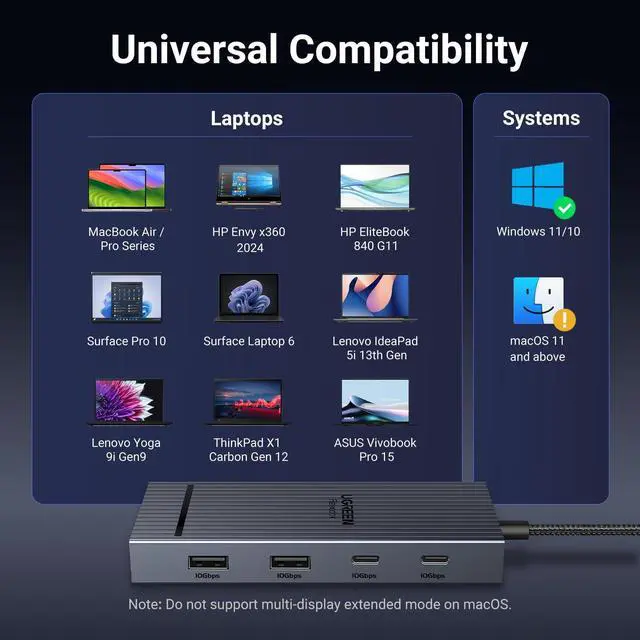
- Dual 4K@60Hz HDMI Display: The Dual HDMI Dock features two 4K@60Hz HDMI ports, allowing dual-screen 4K@60Hz HD configuration. Please ensure your laptop supports DP1.4. Note: Due to macOS limitations, all extended monitors will display the same content.
- Lightning Fast Transfer Speeds: This dual HDMI USB C hub docking station comes with two USB A&C ports for connecting keyboards, mice, and transferring data in USB 3.2. Note: The 10Gbps USB A and C ports do not support charging, video or audio transfer, 10G rate requires the cable to also support 10G rate, 10G rate requires the cable to also support 10G rate.
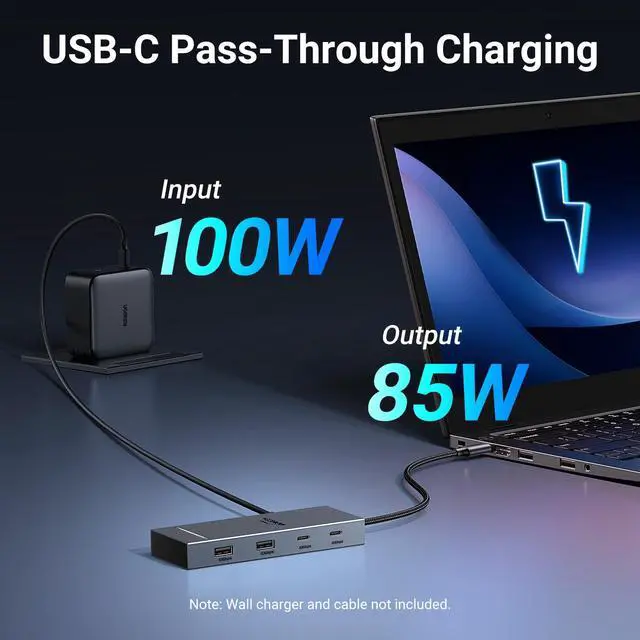
- PD100W USB C Adapter: The PD 100W Fast Charging Docking Station boasts 100W, Please note that the charging cable and power adapter are not included. Additionally, the port only supports charging; it does not facilitate data transfer or video output, PD100W requires a 100w+ charger or original charger(100w+ required)
+
+
Overview
Specs
Reviews

Any questions? Our AI mode will help you find out quickly.
Try me now
UGREEN USB C Docking Station
Additional Features
- Wide Adaptability: The Type-C docking station is compatible with ThinkPad X1, ZenBook, Chromebook, Surface, etc. Note: Windows systems can utilize an extended dual-screen display, Mac devices are limited to mirror mode.If you are a Mac user and want two external monitors to display different images, we do not recommend using this dock.
Warranty & Returns
Warranty, Returns, And Additional Information
Warranty
- Please contact the Seller directly for warranty information. Warranty information may also be found on the Manufacturer's website.
- CONTACT
Return Policies
- Return for refund within: 30 days
- Return for replacement within: 30 days
- This item is covered by Jinwen Electronics Return Policy
Manufacturer Contact Info
- For a directory of all our manufacturers, please click below.
- Manufacturers Directory
LOADING...