





How to Use:
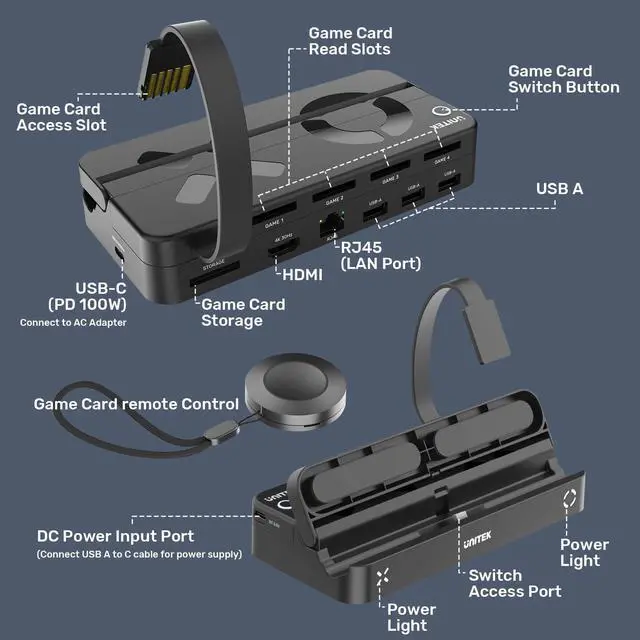
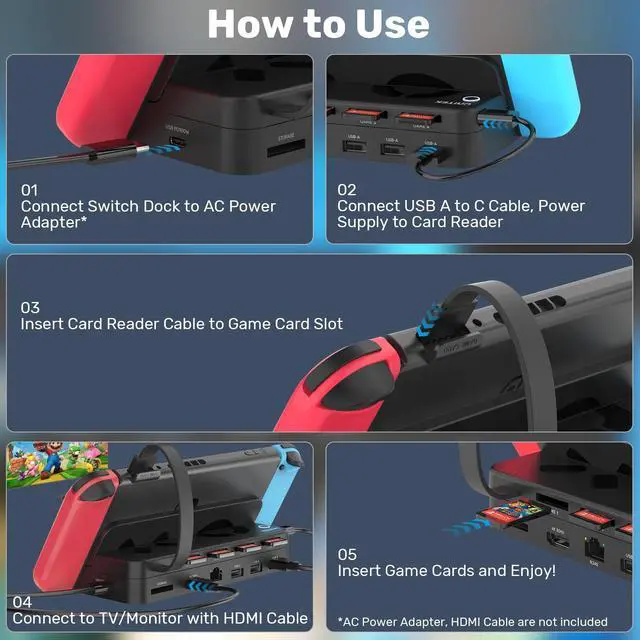
1. Connect the switch dock to the AC power adapter, and we recommend using the original Nintendo Switch power adapter.
2. Connect the switch dock and game card reader by a short USB-A to USB-C cable, to power the game card reader.
3. Insert the card reader cable into the game card slot.
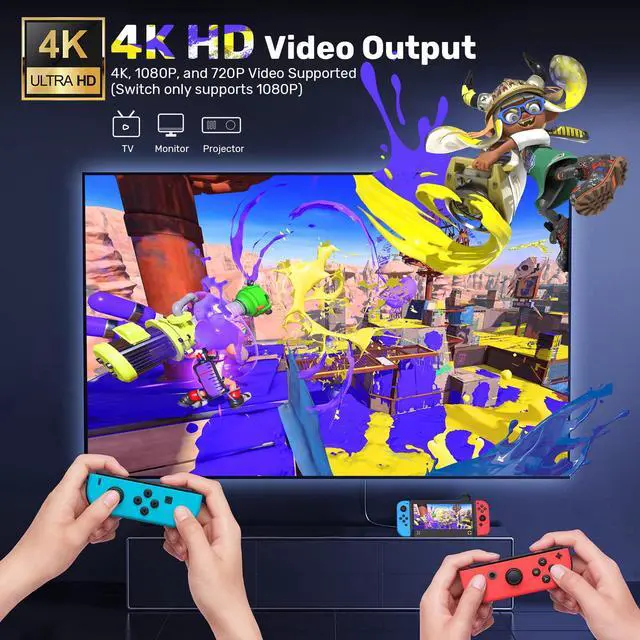
4. Connect to TV/monitor with HDMI cable.
5. Insert game cards and enjoy playing games!
Note:
1. AC power adapter and HDMI cable are not included in the package.
2. During playing games, please do NOT insert a new game card. Or else it will exit the current game and switch to the new game card automatically.
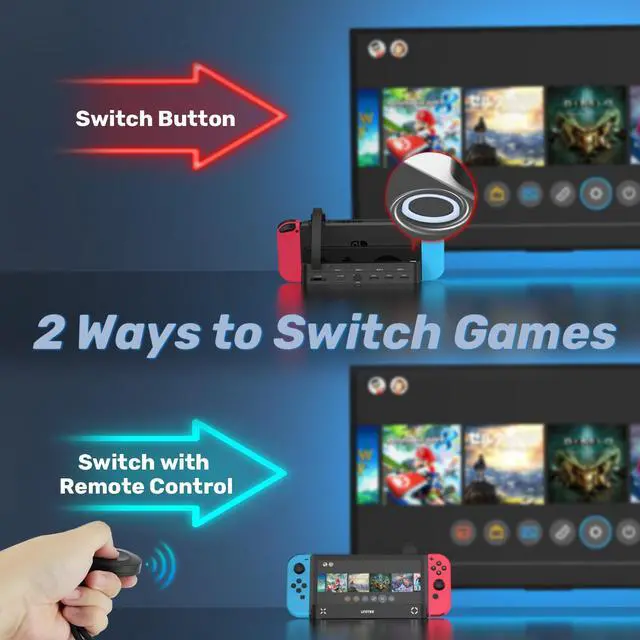
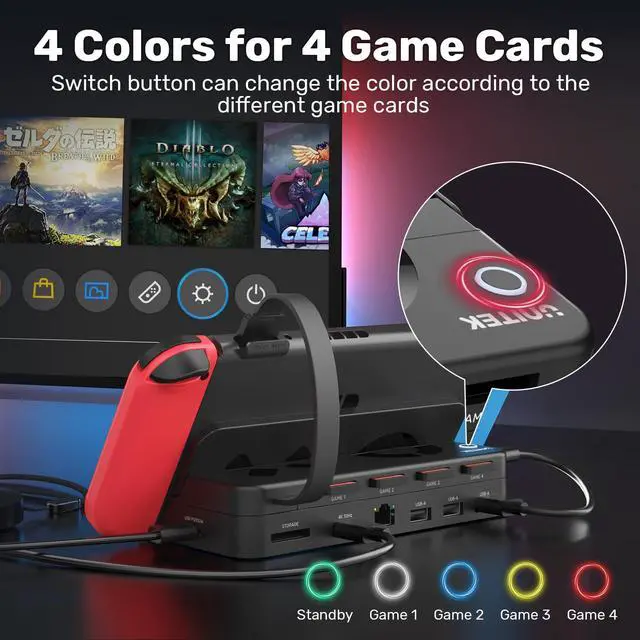
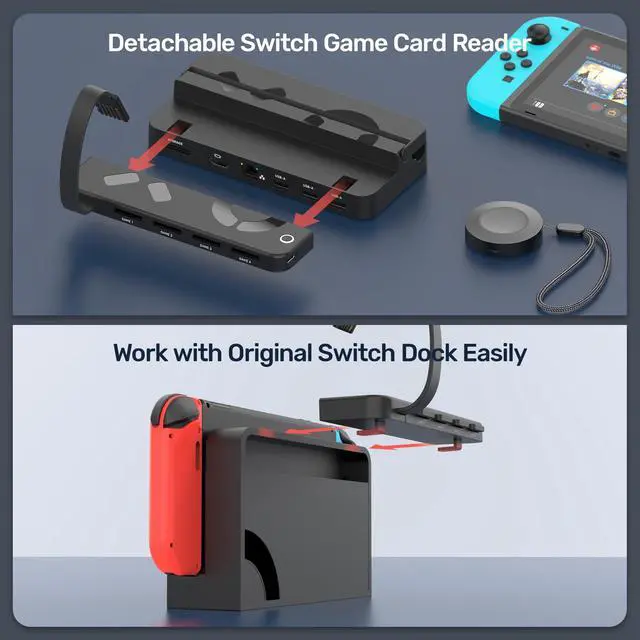
3. You can switch the different games by pressing the "switch" button or the attached wireless remote control, Press 1 time the game will be next.

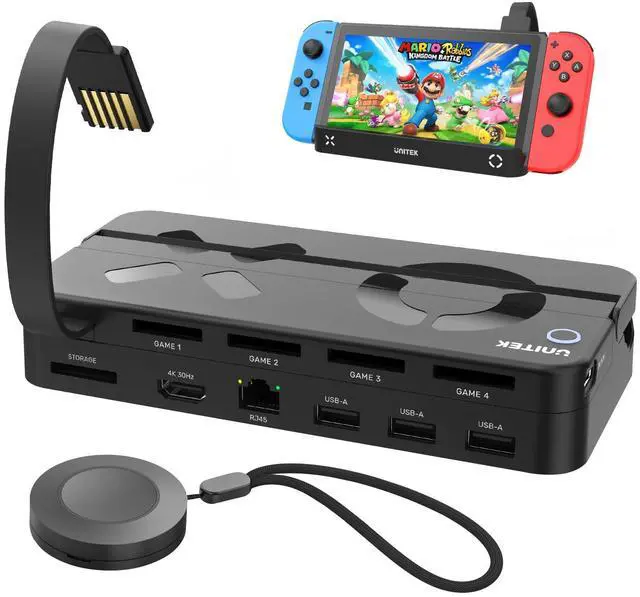
Multiple Ports for Nintendo Switch (HDMI+RJ45+USB 2.0)


How to Use:
1. Connect the switch dock to the AC power adapter, and we recommend using the original Nintendo Switch power adapter.
2. Connect the switch dock and game card reader by a short USB-A to USB-C cable, to power the game card reader.
3. Insert the card reader cable into the game card slot.
4. Connect to TV/monitor with HDMI cable.
5. Insert game cards and enjoy playing games!
Note:
1. AC power adapter and HDMI cable are not included in the package.
2. During playing games, please do NOT insert a new game card. Or else it will exit the current game and switch to the new game card automatically.
3. You can switch the different games by pressing the "switch" button or the attached wireless remote control, Press 1 time the game will be next.