

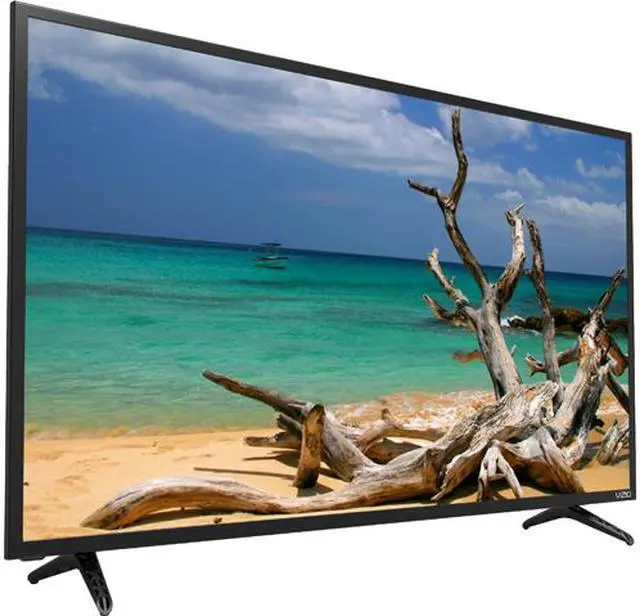


Vizio SmartCast E43u-D2 4K Smart TV
So Easy and So Smart with ChromeCast Built-in
The VIZIO E43u-D2 4K TV features Ultra HD resolution for incredibly sharp detail with 4X the resolution of Full HD while boasting a powerful full-array LED backlight with 10 Active LED Zones enabling better black levels with a vibrant contrast. With ChromeCast built-in, this 43-inch UHD TV offers you a new way to enjoy your favorite content. Simply tap the Cast button in popular mobile apps you have on your phone like Netflix, Hulu and HBO, and stream your entertainment on the big screen. A VIZIO mobile app turns your smartphone into a full-function remote, so you can adjust the volume, switch the inputs, control steaming content and much more, all from your iOS or Android phone across your room.
Cast from 1,000+ Apps You Already Know and Love
All VIZIO SmartCast products have ChromeCast built-in. Easily cast your favorite entertainment from your phone to your E-Series using thousands of popular apps, such as Netflix, HBO NOW, Pandora, YouTube or Spotify.
Chromecast-Enabled Apps
TV Shows & Movies
Songs
Chromecast-Enabled


1. Connect to Wi-Fi
Double check that your VIZIO SmartCast E-Series and your phone are both connected to the same Wi-Fi network.

2. Download Your Favorite Chromecast-Enabled Apps
Download or open one of your favorite content apps— such as Netflix, HBO NOW, Pandora, YouTube or Spotify.

3. Stream to the Big Screen
Find what you want to watch and look for the Cast icon located somewhere on the screen. Tap on this icon to instantly play your favorite entertainment on the display.
Download, Setup & Stream
The VIZIO SmartCast App is required to turn your phone into the remote. Easily control everything as you would with a traditional button remote and stream to your VIZIO SmartCast Display or Speakers from anywhere in your home.
*Screen images simulated.


1. Download the Free VIZIO SmartCast App
This app is required to set up and use your new E-Series.

2. Open the App and Follow the Setup Instructions
This process will connect your phone and your E-Series TV/display to complete the setup.

3. Tap to Stream to the Big Screen
Now you can cast TV shows, movies, music and more from the VIZIO SmartCast App or any Chromecast-enabled apps such as Netflix, HBO NOW, Pandora, YouTube or Spotify.
Brilliant 4K Ultra HD Picture Quality
8.3 million screen pixels combine to form a radiant 4K Ultra HD picture for highly articulated details and piercing clarity in everything you watch.
*The picture below is for illustrative purposes.

Exceptional Performance
E-Series raises the bar with 10 Active LED Zones. This advanced innovation dynamically adjusts your screen’s backlight to adapt to the content on-screen to deliver incomparable contrast levels, sharper details and the deepest, purest black levels.
*Simulated images used, shown for illustrative purposes only. Actual results and number of LED lights, zones, and size vary by model.
WARNING: This product contains a chemical known to the State of California to cause cancer, birth defects or other reproductive harm. California Health & Safety Code Section 25249.6


Casting/Streaming
If you stream entertainment from apps, you can easily cast your favorites to the screen from your phone or tablet.

Cable/Satellite
If you subscribe to cable or satellite, simply connect the HDMI cable included with your display to the receiver.

Over-the-Air Broadcast
If you use external antennas to watch local broadcasts, a TV tuner is required and sold separately.
