• $169.99
  • Free 30-day Returns
  • Ships from Hong Kong.
    Price alert
    Shop it at NeweggBusiness.

    Meet Your Seller

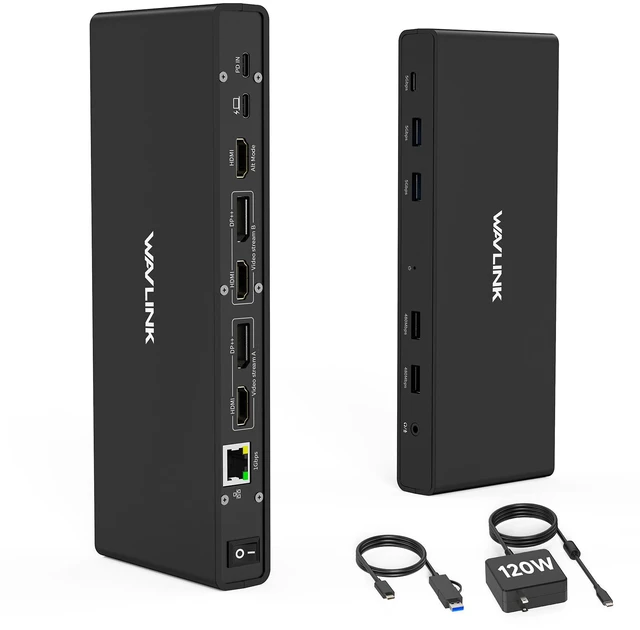
    Wavlink USB-C 4K Triple Display Universal Docking Station, 100W Charging, Triple 4K@60Hz, Gigabit Ethernet, USB-A/C 5Gbps, 3.5mm Audio/Mic, for Windows/macOS M1-M5/Chrome OS/Android/Ubuntu

    • 13-in-1 Expansion - One Cable for Everything
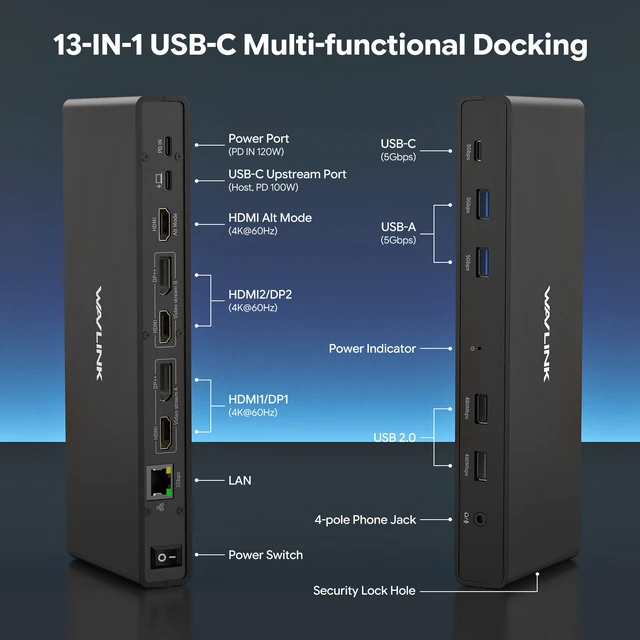
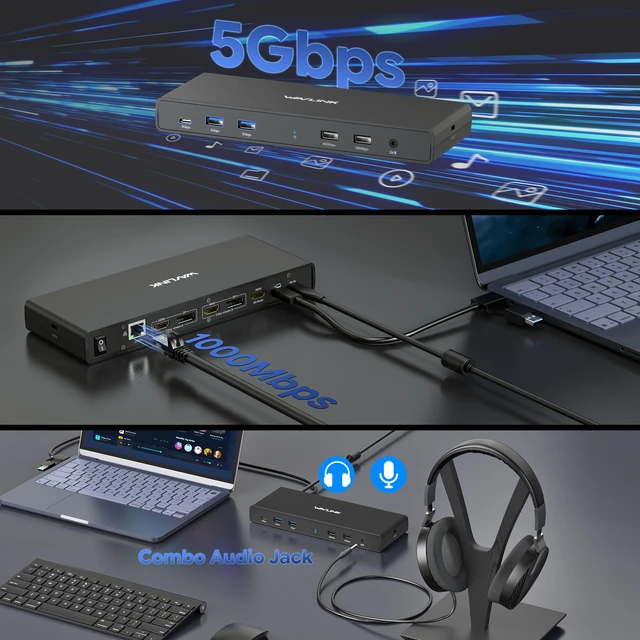
    • Connect via a single USB-C or USB-A cable and instantly expand your workstation with triple video outputs, Gigabit Ethernet, a 3.5mm combo audio jack, 3× USB 3.0 (5Gbps) ports, and 2× USB 2.0 ports. Security lock support is included for office and shared-space setups.
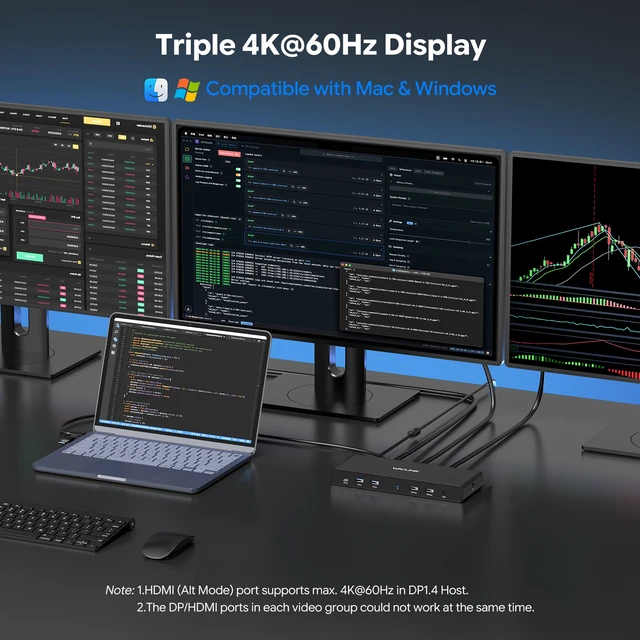
    • Triple 4K@60Hz - Extend or Mirror Across Three Screens
    • Supports extend and mirror modes on Windows and macOS, with resolutions up to triple 4K (4096×2160) @60Hz. Ideal for remote work, content creation, stock analysis, and everyday multitasking. Note: not recommended for image-intensive or GPU-heavy tasks.
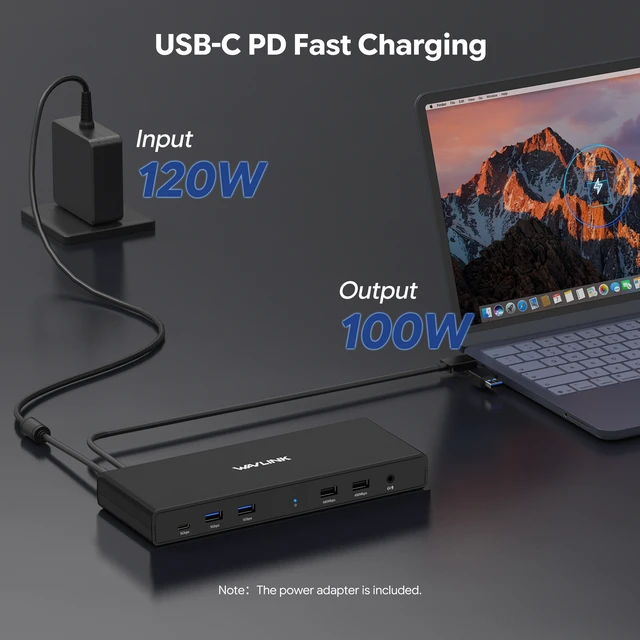
    • Up to 100W Upstream Charging - Power Your Laptop and Peripherals
    • The USB-C upstream port delivers up to 100W of power to your host laptop (host USB-C port must support charging), while the included 120W power adapter simultaneously powers connected USB peripherals.
    • Fast, Stable Wired Connection Gigabit Ethernet + 5Gbps USB
    • The 1000M Ethernet port delivers reliable wired internetdownload a 1GB file in seconds. Three USB 3.0 ports transfer data at up to 5Gbps, and the 2-in-1 audio port provides crystal-clear sound for calls and media.
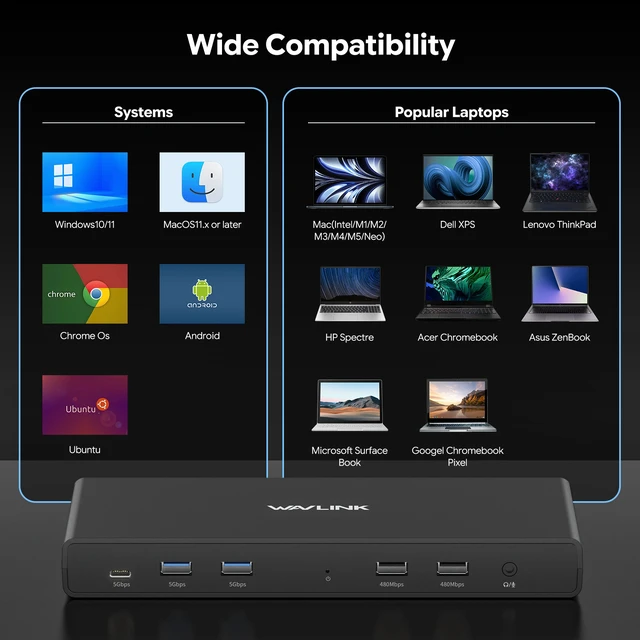
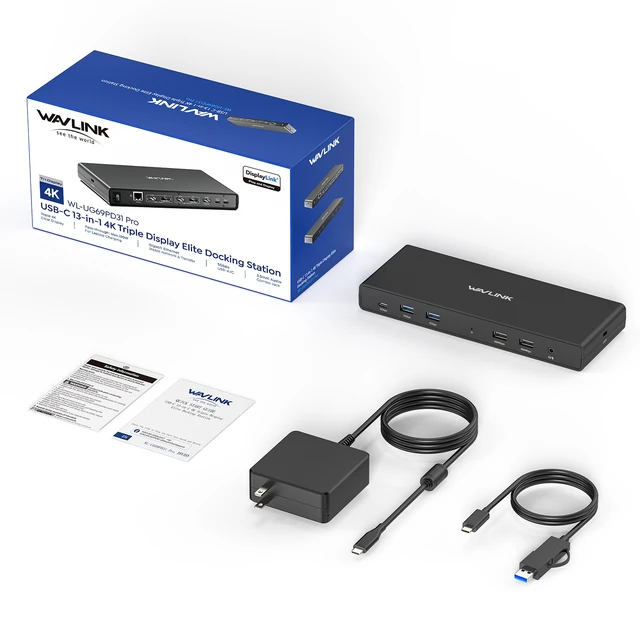
    • Wide Compatibility - Includes a USB-C to USB-C cable and a USB-A converter, compatible with most Mac and Windows laptops and desktops with USB-C or USB-A ports. Supported systems: Windows 11/10, macOS 11.x or later, Android, Chrome OS, and Ubuntu. Please install the latest DisplayLink driver before use.
    +
    +
    Overview
    Specs
    Reviews

    Any questions? Ask CelesteSM will help you find out quickly.

    DisplayLink Docking Station
    DisplayLink Docking Station
    Laptop Docking Station
    Laptop Docking Station
    Laptop Docking Station
    Laptop Docking Station
    Laptop Docking Station
    Laptop Docking Station
    Laptop Docking Station
    Laptop Docking Station
    Laptop Docking Station
    Laptop Docking Station
    Laptop Docking Station

    Wavlink USB-C Triple 4K Universal Docking Station With 100W USB Upstream Charging

    13-In-1 Boosts Productivity, Provides Endless Possibilities


    Specification

    -Model: WL-UG69PD31 Pro

    -2 x DP ports plus 3xHDMI ports support a crystal-clear display output up to 3 x 4K@60Hz.

    -1 x USB-C port supports PD 100W fast charging to your laptop.

    -1 x USB-C&2xUSB-A ports provide 5Gbps data transmission.

    -1 x RJ45 Gigabit Ethernet port supports 1000/100/10Mbps network.

    -1 x integrated TRRS 4-pole phone jack provides audio out and mic in.


    System requirements

    -Windows 11,10, MacOS 11.x or later, Android, Chrome OS, and Ubuntu.


    Package Includes:

    -1 x USB-C 13-in-1 4K Triple Display Elite Docking Station

    -1 x Type-C to Type-C Cable with Type-C to Type-A Adapter(1M)

    -1 x USB-C PD 120W Power Adapter

    -1 x Quick Start Guide


    Display Resolution:

    Single Display (Max 4K@60Hz)

    Opt1:HDMI(Alt mode); Opt2:Video Output A; Opt3:Video Output B

    Dual Display (Max 4K@60Hz)

    Opt1: Video Output A+Video Output B; Opt2: Video Output A+HDMI(Alt mode); Opt3:Video Output B+HDMI (Alt mode)

    Triple Display(Max 4K@60Hz)

    Video Output B+Video Output A+HDMI (Alt mode)


    Note:

    1. HDMI (Alt Mode) port supports max. 4K@60Hz in DP1.4 Host.

    2. The DP/HDMI ports in each video output could not work at the same time.

    3. When connecting the dock to the laptop's USB-A port, HDMI (Alt Mode) port doesn't have video output.

    4. When connecting the dock to the laptop's USB-C port doesn't support the Alt Mode video function, HDMI(Alt Mode) port doesn't have video output.

    5. You can use USB A to C cable if your laptop doesnt own any USB-C port. (This A to C cable is not used for Power Delivery but only for transferring data; please charge your laptop by the original power adapter.)

    Warranty & Returns

    Warranty, Returns, And Additional Information

    Warranty

    • Please contact the Seller directly for warranty information. Warranty information may also be found on the Manufacturer's website.
    • CONTACT

    Return Policies

    Manufacturer Contact Info

    LOADING...