




 here!
I’m your shopping assistant for PC builds, upgrades, and everything tech.
Got questions? Ask away!
Start a conversation
here!
I’m your shopping assistant for PC builds, upgrades, and everything tech.
Got questions? Ask away!
Start a conversation





Any questions? Ask CelesteSM will help you find out quickly.


Systems/ Devices Compatibility
Microsoft Windows 10 or above; Mac OS
CPU: i5 or above
Memory: 8GB or above
WiFi : 802.11AX 2×2 or above
USB-C supports Power Delivery 3.0 and above
How to Confirm if the Type-C Port of Your Laptop Supports Vido Output and Charging?
Step 1: Please check the model of your laptop, it should be on the back of the label;
Step 2: Search brand + the model number of the device + manual in Google, for example: asus ux435 manual;
Step 3: Check the manual and navigate to the view and check the type-c specification, if it states it supports power delivery which means it supports charging. If it states the type-c port supports display which means it could support video output. If the specification states bandwidth the type-c port supports only, which means the type-c port might not support video output and charging. You could also contact the manufacturer to confirm that.
Multiple Display Resolution (Max. Resolution)
Notice: Please make sure the type-C port of your host supports video output.
USB Mode:
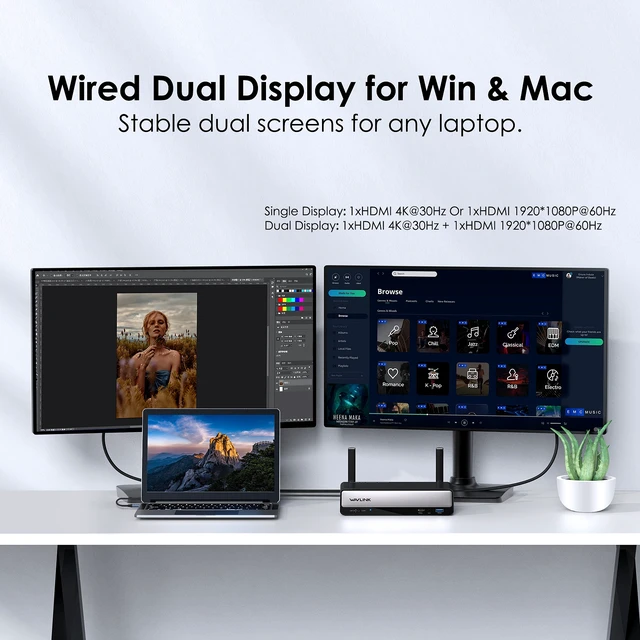
Single Display: 1xHDMI 4K@30Hz Or 1xHDMI 1920*1080P@60Hz
Dual Display: 1xHDMI 4K@30Hz + 1xHDMI 1920*1080P@60Hz
WiFi Mode
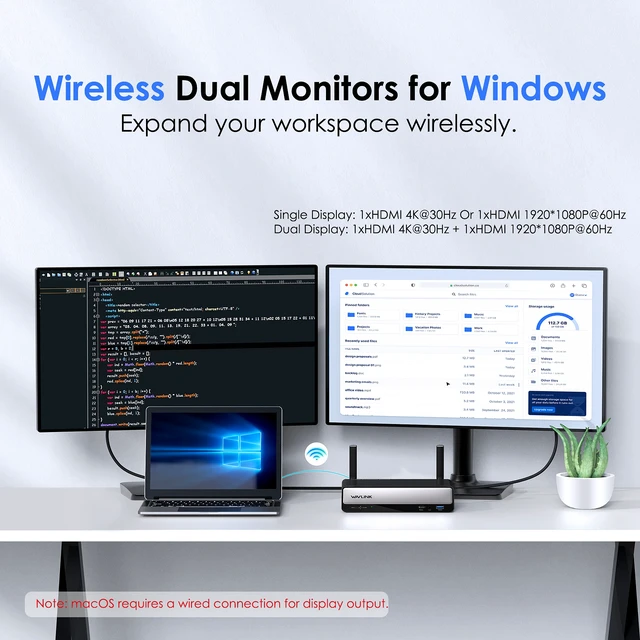
Single Display: 1xHDMI 4K@30Hz Or 1xHDMI 1920*1080P@60Hz
Dual Display: 1xHDMI 4K@30Hz + 1xHDMI 1920*1080P@60Hz
Specification:
1.Model: WL-WD76PD1
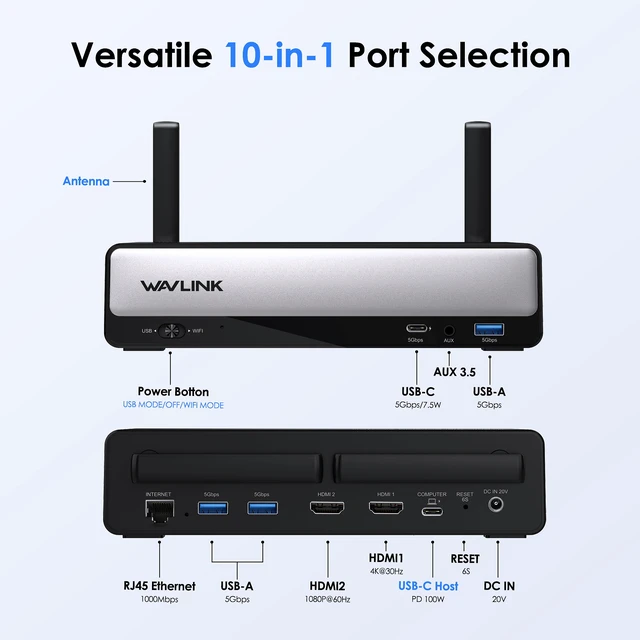
2.Ports: Front: 1 x USB-C(5Gbps/7.5W), 1 x phone jack, 1 x USB-A (5Gbps);
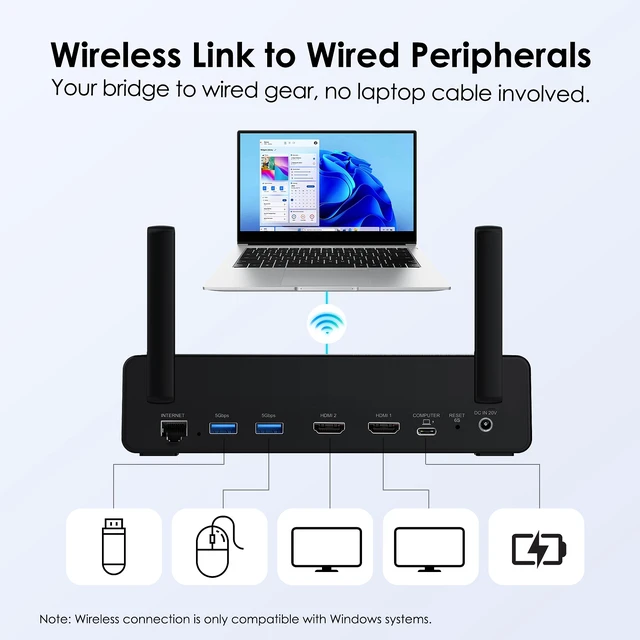
Rear: 1x RJ45(10/100/1000Mbps), 3 x USB-A (5Gbps), 1 x 4K HDMI, 1×1080P HDMI,1 x USB-C Host(5G/ PD100W),1 x 20V DC IN port.
3.Unit Size: 19.4x10.5x4.7cm/7.64x4.13x1.85in (LxWxH) The total height when the antenna is erected:4.25inch
4.USB-C to C/ HDMI Cable Length: 100cm/39.4in
5.Unit Weight: 471g/16.6oz
6.Material: PC+ABS plastic
8.LED: USB MODE: Blue; WIFI MODE: Green.
Features
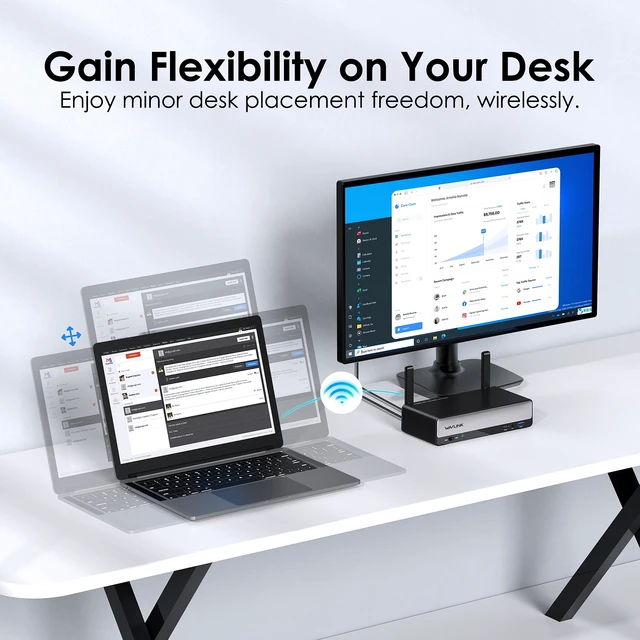
. Support Hybrid Two Working modes: WiFi mode and USB mode.
Support 4K@30Hz and 1080P@60Hz video output.
Use WiFi6 IEEE802.11 AX Technology for seamless WiFi Mode.
Three USB-A 3.0 downstream ports transfer speed up to 5Gbps and is backward compatible with USB 2.0/1.1.
One USB-C upstream port provides 100W power supply and USB wired expansion for your computer.
One USB-C downstream provides 5Gbps data transfer, and BC 1.2 fast charging.
One 4-Pole Phone Jack provides combined audio output and input from the headphone and microphone.
One adaptive RJ45 1000Mbps Ethernet port supports Internet connection in WiFi mode or USB mode.
In the Box
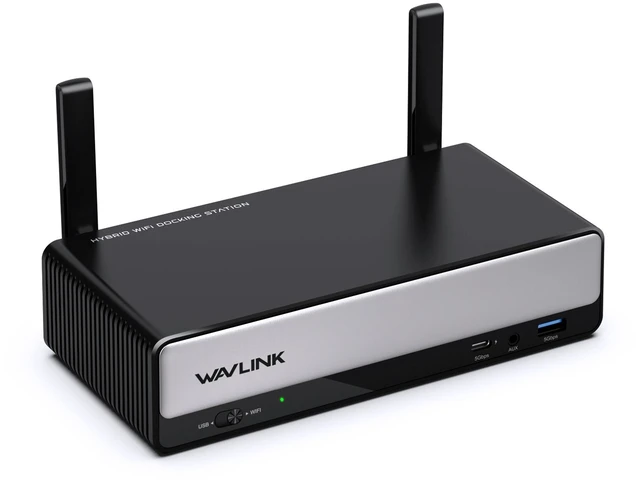
1×Wireless USB Hybrid Display Docking Station
1×USB-C to USB-C Cable
1×HDMI Cable
1×DC 20V/6.5A 130W Power Adapter
1×Quick Start Guide
Warm Tips:
1.Please ensure your laptop's USB-C port supports video output (DisplayPort Alt Mode) and charging (Power Delivery) to fully utilize all features of this hub.
2.Wireless connection for display is exclusively available for Windows systems. macOS systems require a wired connection for display output.
3.Driver installation is required before first use. For Windows wireless mode, an additional application download is necessary.
USB-C Devices Compatibility List (Partial):
Note: Please check the compatibility list below before purchasing. If your device is not on the list, please let us know and we will be glad to help you check with it.
Wireless Connection Mode:
Microsoft Windows: Windows 10 or later
Wired Connection Mode (via USB-C):
Microsoft Windows: Windows 11, 10, 8.1, 7
macOS: macOS 10.10 (Yosemite) or later. Compatible with both Intel-based Macs and Apple Silicon Macs (M1, M2, M3, M4 series) including MacBook Air and MacBook Pro models. Android: Android 7.1 or later
Linux: Ubuntu 24.04, 23.04, 22.04, 20.04


