




 here!
I’m your shopping assistant for PC builds, upgrades, and everything tech.
Got questions? Ask away!
Start a conversation
here!
I’m your shopping assistant for PC builds, upgrades, and everything tech.
Got questions? Ask away!
Start a conversationShipped by Newegg






Any questions? Ask CelesteSM will help you find out quickly.
We want to ensure your holiday shopping this year is hassle-free. That’s why we’re automatically extending our return policies on almost every product! For purchases placed between November 1st, 2026 and December 31, 2026 you will have until January 31, 2027 to return your product.
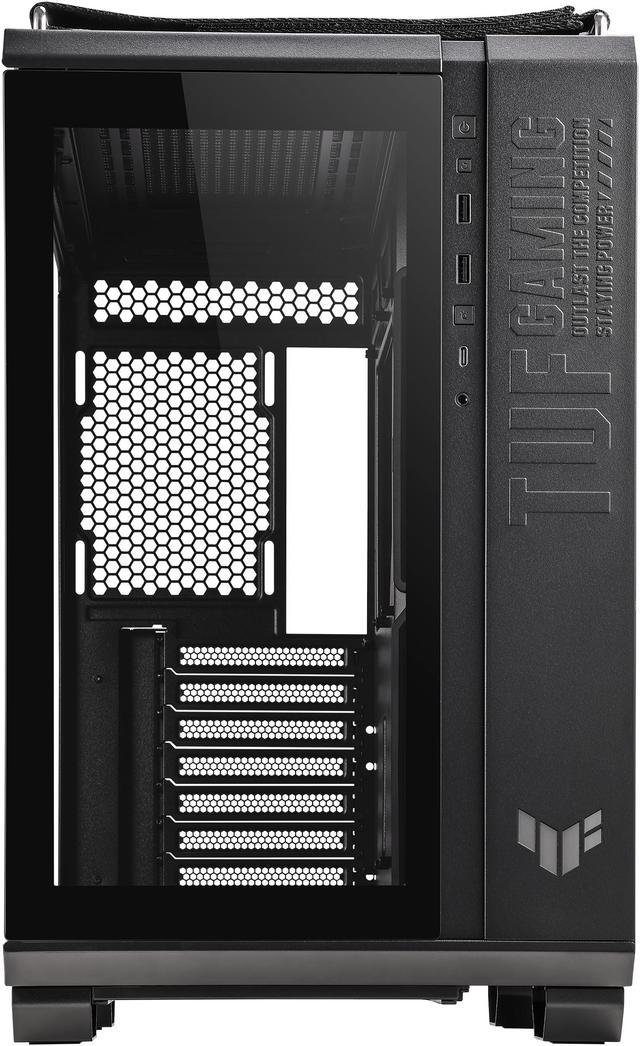
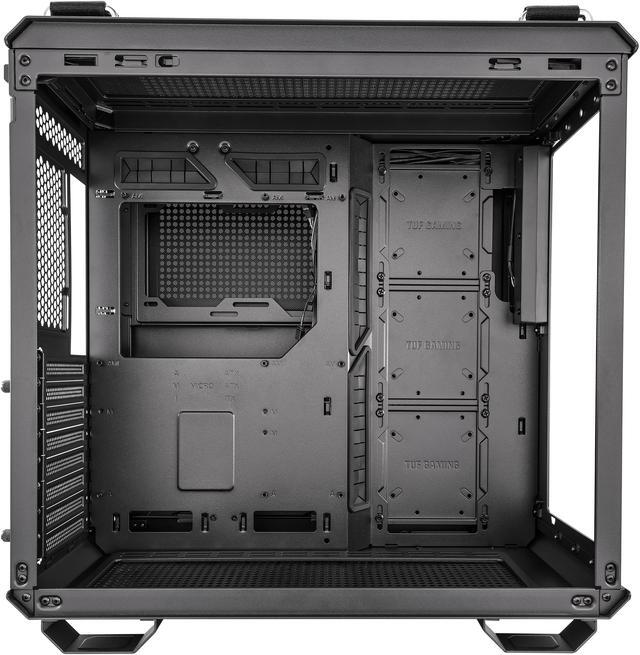
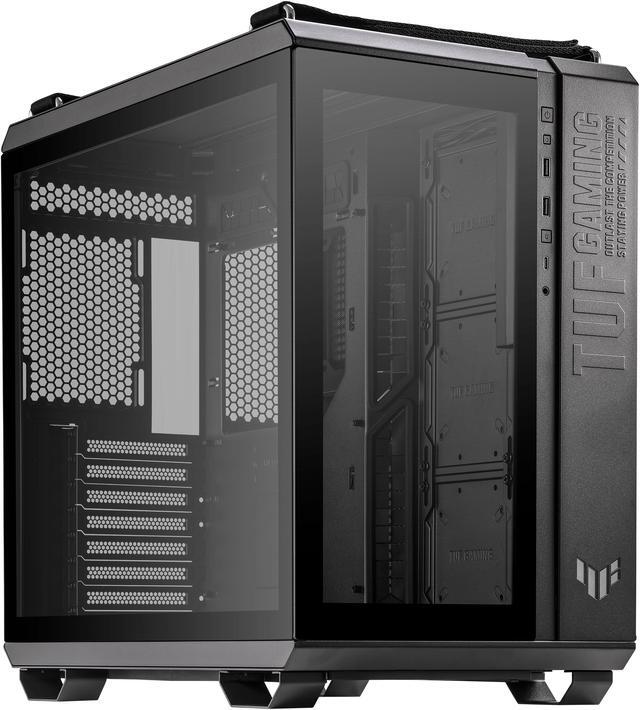
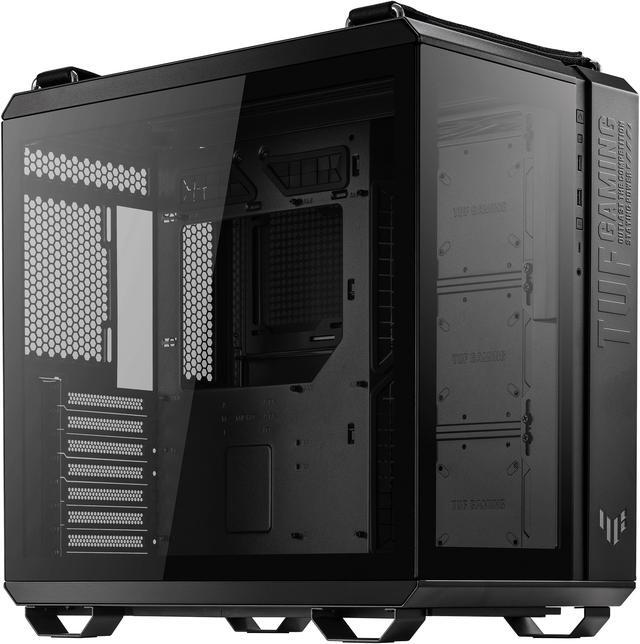
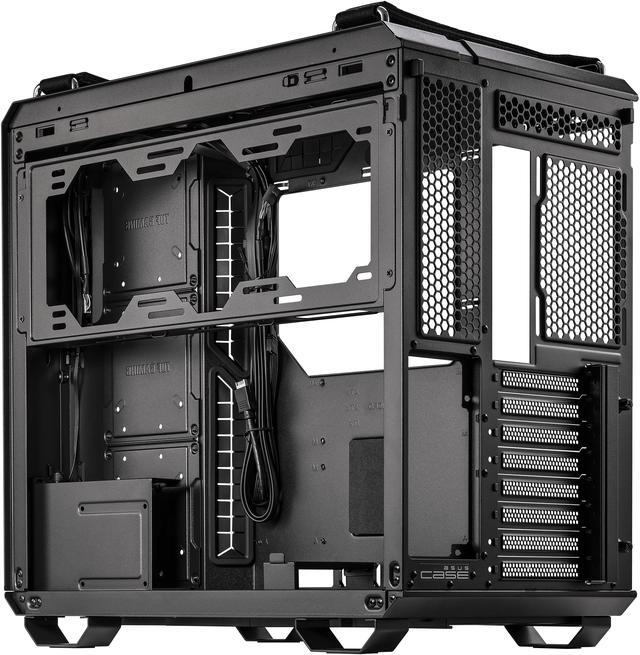
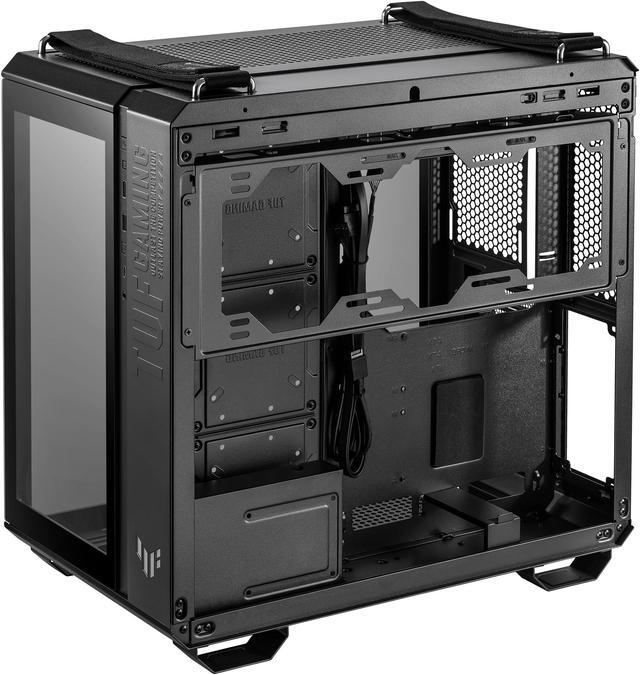
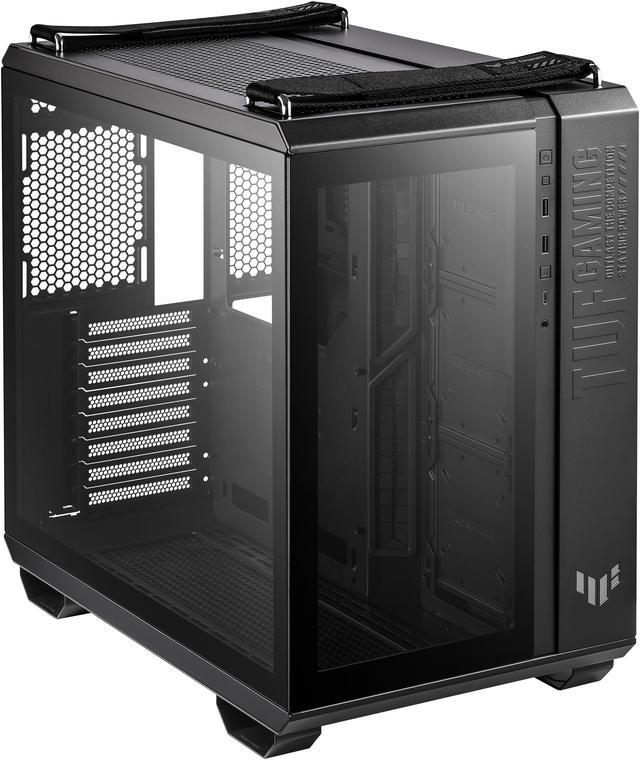
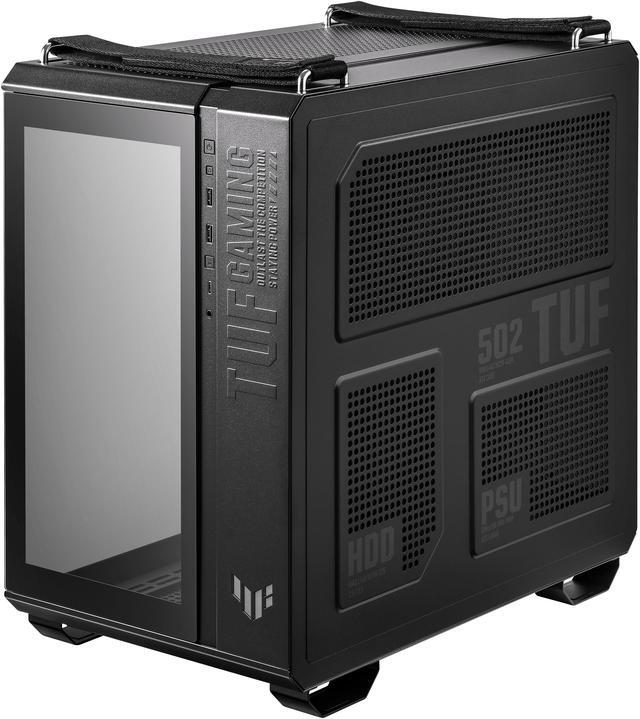
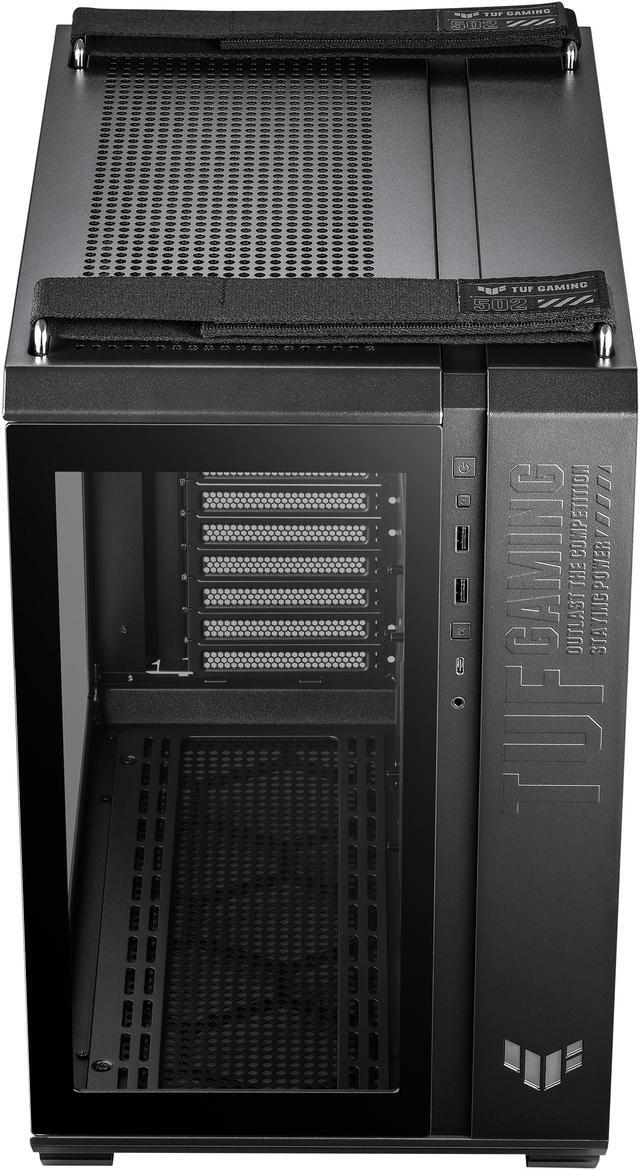
The ASUS TUF Gaming GT502 is a black ATX mid-tower PC case for gamers and performance-focused builders who want dual-chamber airflow, support for up to 360mm radiators, graphics cards up to 400mm, and flexible vertical or horizontal GPU mounting.
| Attribute | Value |
|---|---|
| Best For | ATX, Micro ATX, and Mini ITX desktop builds with graphics cards up to 400 mm, CPU coolers up to 163 mm tall, and air- or radiator-based cooling configurations |
| Chassis Design And Compatibility | Black ATX mid-tower chassis made from steel, plastic, and tempered glass, with a side window and support for ATX, Micro ATX, and Mini ITX motherboards |
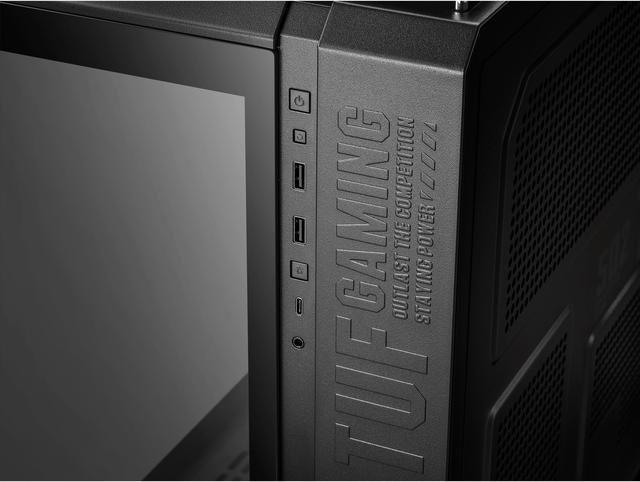
| Front Panel Connectivity | Two USB 3.2 Gen 1 Type-A ports, one USB 3.2 Gen 2 Type-C port, two audio ports, and an ARGB LED button |
| Cooling And Radiator Support | Supports top, rear, side, bottom, and right-side fan configurations, with radiator support from 120 mm to 360 mm depending on mounting position; ships without fans installed |
| Hardware Clearance And Expansion | Accommodates graphics cards up to 400 mm, CPU coolers up to 163 mm, power supplies up to 200 mm, and provides 8 + 3 expansion slots |
| Storage And Dust Protection | Provides four internal 3.5-inch/2.5-inch drive bays with dust filters on the right, top, and bottom panels |
| Power Supply And Construction | Rear-mounted power supply design with a tempered-glass enclosure component |
| Dimensions And Weight | Measures 17.56 × 11.22 × 17.72 inches and weighs 23.7 pounds |
| Model Identifiers | ASUS TUF Gaming GT502, model GT502 TUF GAMING CASE/BLK, part number 90DC0090-B08000 |
Q: ASUS GT502 vs Lian Li O11 Dynamic EVO: which case is better for a high-end gaming build?
A: Choose the ASUS GT502 when you want a dual-chamber layout, included horizontal and vertical GPU mounting hardware, a GPU support bracket, and flexible top, side, and bottom cooling options. Choose the O11 Dynamic EVO when E-ATX support, up to 426 mm of GPU clearance, additional storage capacity, or extensive liquid-cooling customization is more important. Both cases require careful fan planning because their cooling performance depends heavily on the final fan and radiator layout.
Q: Is the ASUS GT502 a better upgrade than the older ASUS GT501?
A: The GT502 is the stronger upgrade for modern ATX gaming systems because it adds a dual-chamber internal layout, USB-C front I/O, tool-free side panels, three additional expansion positions, and built-in support for vertical GPU installation. The older GT501 remains preferable if you need E-ATX support, a longer 420 mm GPU limit, a taller 180 mm CPU-cooler limit, or included RGB and rear fans. Choose the GT502 for cleaner cable management and newer build flexibility; choose the GT501 for larger component clearance and included cooling hardware.
Q: ASUS GT502 vs Corsair 4000D Airflow: which is better for a performance-focused PC?
A: Choose the GT502 for a large, visually focused build with separate cable-management space, support for up to 400 mm graphics cards, vertical GPU mounting hardware, and multiple 360 mm radiator locations. Choose the Corsair 4000D Airflow for a simpler and more compact airflow-oriented build with a conventional front-to-back layout. The GT502 offers more layout flexibility, while the 4000D Airflow is the more straightforward choice when you do not need dual-chamber storage or showcase-oriented GPU positioning.
Q: Is the ASUS GT502 practical for carrying to LAN parties or gaming events?
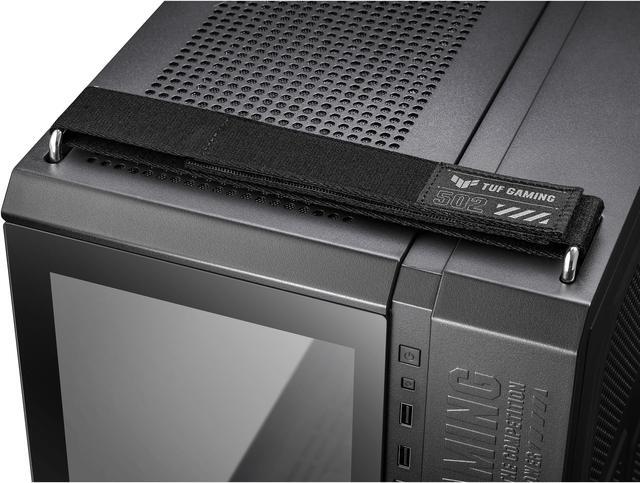
A: The GT502 is suitable for occasional transport, not frequent carrying. Its detachable woven straps are rated for up to 30 kg and make a populated system easier to move, but the case itself weighs about 11 kg and has a large mid-tower footprint. Choose the GT502 when component capacity and cooling flexibility come first; choose a smaller case when portability, low weight, and compact storage are primary requirements.
Q: Will this case fit a large graphics card, and can the GPU be mounted vertically?
A: Yes. The case supports graphics cards up to 400 mm long and provides both standard horizontal mounting and an included vertical mounting option. Confirm the exact GPU length, thickness, power-connector clearance, and radiator placement before buying. ([newegg.com](https://www.newegg.com/p/N82E16811173051?Item=N82E16811173051))
Q: Can I install a 360 mm liquid-cooling radiator in this case?
A: Yes. The GT502 supports radiators up to 360 mm on the top, side, and right mounting positions, with additional support for 280 mm radiators. Actual compatibility depends on the radiator-and-fan thickness, motherboard heatsinks, memory height, and GPU configuration, so check the cooler manufacturer's dimensions before installation. ([newegg.com](https://www.newegg.com/p/N82E16811173051?Item=N82E16811173051))
Q: Is this case suitable for a high-performance gaming PC with multiple fans or radiators?
A: It is suitable for high-performance ATX builds because it uses a dual-chamber layout and supports multiple fan locations, including top, rear, bottom, side, and right-side mounting. It does not automatically provide a complete cooling setup, so you may need to purchase case fans or a radiator separately and plan airflow around the GPU and CPU. ([newegg.com](https://www.newegg.com/p/N82E16811173051?Item=N82E16811173051))
Q: Does this case have space for an optical or DVD drive?
A: No. The listed storage support does not include an external 5.25-inch drive bay, so an internal optical drive cannot be installed in the standard configuration. Use a USB external DVD or Blu-ray drive if optical media is required. ([newegg.com](https://www.newegg.com/p/N82E16811173051?Item=N82E16811173051))
Q: Is this case easy to build in and move after the PC is assembled?
A: The case is designed for easier building and transport, with tool-free side panels, a dual-chamber layout for cable management, and two detachable woven carrying straps rated for up to 30 kg. However, it weighs about 23.7 lb before components are installed, so it is better for occasional transport than frequent travel. ([newegg.com](https://www.newegg.com/p/N82E16811173051?Item=N82E16811173051))
Q: Is the ASUS TUF Gaming GT502 worth buying for a high-end gaming PC?
A: It is a strong fit for ATX builds that need extensive cooling, spacious cable management, and flexible GPU mounting. The trade-offs are its large footprint, the likely need for additional fans, and possible layout constraints with vertical GPUs or thick radiators.
Q: Does the GT502 have good airflow and thermals?
A: The case offers multiple intake and exhaust positions, including bottom, side, top, right, and rear mounts, so it can support strong airflow. Results depend heavily on fan placement; users commonly discuss bottom and side intake with a top-mounted radiator or fans as exhaust.
Q: Is vertical GPU mounting in the GT502 better than horizontal mounting?
A: Vertical mounting is mainly useful for appearance and can help address GPU sag, but it requires a PCIe riser cable and may reduce airflow around the graphics card. Reddit users report higher temperatures in some vertical configurations, especially with large, high-power GPUs, so horizontal mounting is generally the safer choice for maximum cooling.
Q: Is the GT502 easy to build in and manage cables?
A: The dual-chamber layout, removable side panels, and rear chamber provide more room for routing cables than a conventional single-chamber case. However, builds with many fans, radiators, or RGB components can still become cable-heavy and may require careful planning.
Q: Can the GT502 fit a large GPU and multiple radiators?
A: The provided specifications list support for GPUs up to 400 mm and radiators up to 360 mm in several locations. Actual compatibility depends on radiator thickness, fan placement, GPU orientation, and tubing; community discussions identify potential conflicts between vertical GPUs and bottom or side-mounted radiators.


