



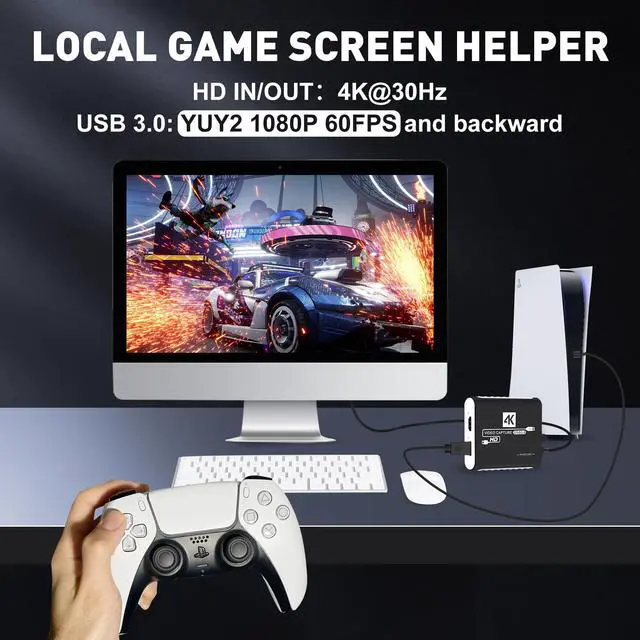


Why the video can't reach 60FPS, only 50FPS?
Make sure you are using the usb3.0 port of your computer, (if you are using it with a docking station, you can try to replace the docking station or unplug all the cables to reconnect it, and then delete the created capture file and reset it first).
Can I use the camera as a webcam? Do I need to download capture software?
Sure, it can provide clear and stable video streaming and turn your camera into a professional webcam. You need to combine with OBS, potplayer, Vmix and other software to realize the video capture/recording/streaming function.
If the OBS displays a black screen and the device is not recognized by USB?
Check that the HDMI cable is connected correctly. (If a docking station/extension cable is used, try connecting directly to the computer without these devices to solve the problem.)
What should I do when there is a flickering green screen?
Re-plug the USB and HDMI cables properly, issue is caused by bad connecting.If it still cannot be resolved, please try replacing the HDMI cable.
What to do "there was no sound coming through"?
Add Sources "Audio Input Capture" to get property "Microphone/Aux", unless your PC has "Desktop Audio".(Check your computer's sound settings as instructed in the manual.)


Why the video can't reach 60FPS, only 50FPS?
Make sure you are using the usb3.0 port of your computer, (if you are using it with a docking station, you can try to replace the docking station or unplug all the cables to reconnect it, and then delete the created capture file and reset it first).
Can I use the camera as a webcam? Do I need to download capture software?
Sure, it can provide clear and stable video streaming and turn your camera into a professional webcam. You need to combine with OBS, potplayer, Vmix and other software to realize the video capture/recording/streaming function.
If the OBS displays a black screen and the device is not recognized by USB?
Check that the HDMI cable is connected correctly. (If a docking station/extension cable is used, try connecting directly to the computer without these devices to solve the problem.)
What should I do when there is a flickering green screen?
Re-plug the USB and HDMI cables properly, issue is caused by bad connecting.If it still cannot be resolved, please try replacing the HDMI cable.
What to do "there was no sound coming through"?
Add Sources "Audio Input Capture" to get property "Microphone/Aux", unless your PC has "Desktop Audio".(Check your computer's sound settings as instructed in the manual.)