




 here!
I’m your shopping assistant for PC builds, upgrades, and everything tech.
Got questions? Ask away!
Start a conversation
here!
I’m your shopping assistant for PC builds, upgrades, and everything tech.
Got questions? Ask away!
Start a conversation



Any questions? Ask CelesteSM will help you find out quickly.


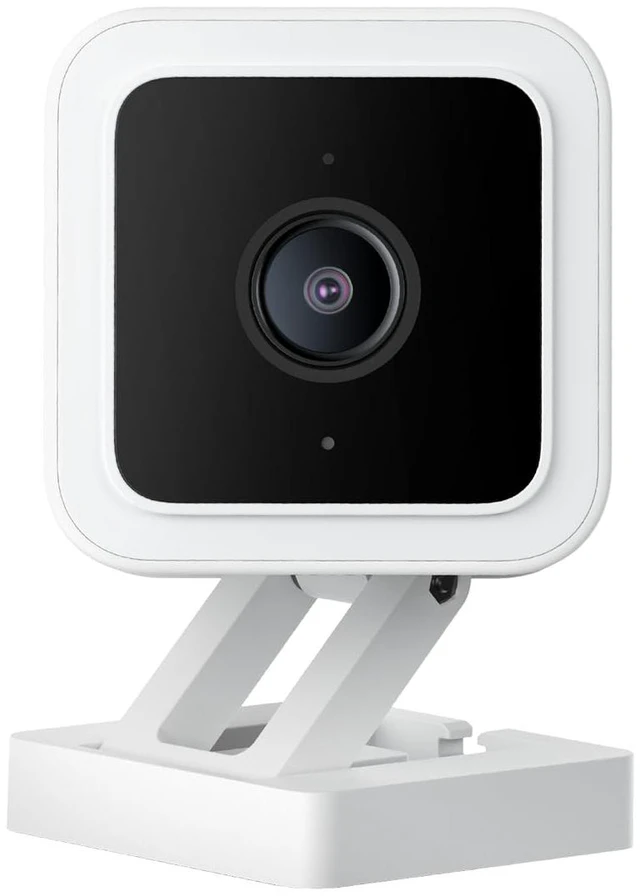
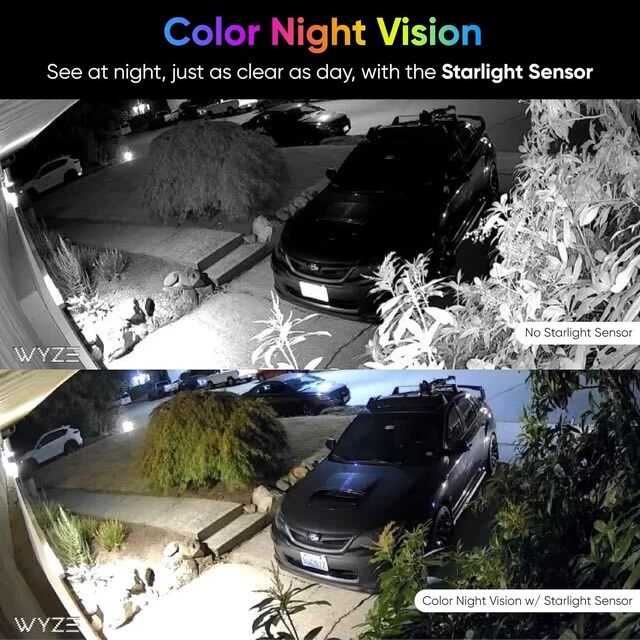
130º wider field of view. 8x digital zoom. Wyze Cam v3 is capable of seeing in color at night with very limited lighting. You can even use it to watch the stars or take a time-lapse of the stars.
24/7 continuous recording with a 32GB MicroSD card (sold separately).

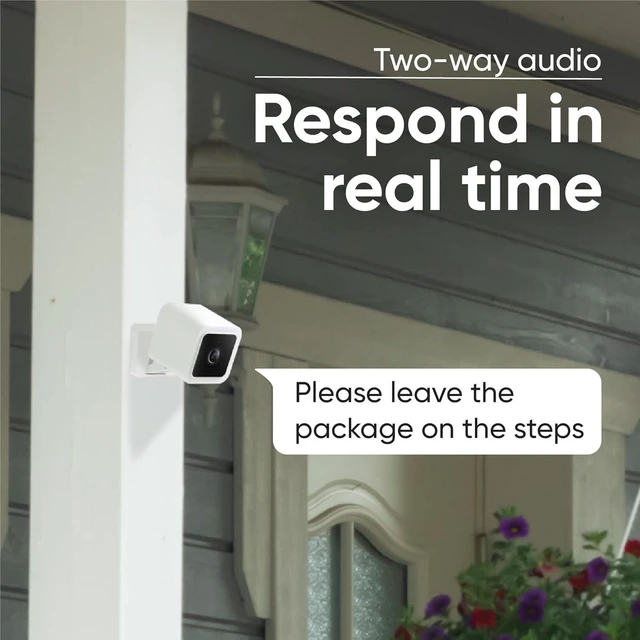
Wyze Cam v3 now comes with simultaneous 2-way communication. Talking to your family and friends just like making a phone call.

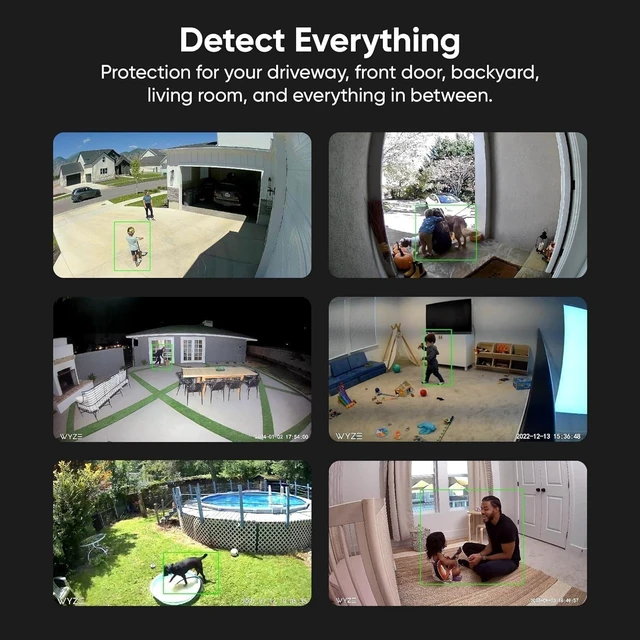
Look & listen for motion & sound. Wyze Cam sends your phone an alert and take a screenshot when either is detected.

The Near-IR lights for indoor use are invisible to the human eye so you can check into your baby at night without interrupting the baby's sleep. The far-IR light for outdoor use, to illuminate farther and see clearer.

Monitor specific areas for motion so you only receive notifications when it matters. Use the improved speaker as a siren to warn away intruders (and pesky squirrels) with a loud sound.

The Sharing feature lets other people access and use your Wyze Cam v3. Have a family member who wants to see baby? Share it with them right from the Wyze app.
Note: The Wyze app is compatible with Android (7.0+) and iOS (14.0+) devices, 2.4GHz WiFi network only. NOT compatible with 5G WiFi.

How to set up Wyze Cam v3?
1. Download the Wyze app and sign in or create an account.
2. Connect the camera to a power outlet and wait for 20 seconds or until the status light flashes red.
3. Press the SETUP button for 3 seconds or until there is a voice prompt.
4. Follow the instructions in the Wyze app to finish setup.
Q: Can I use the v3 outdoors?
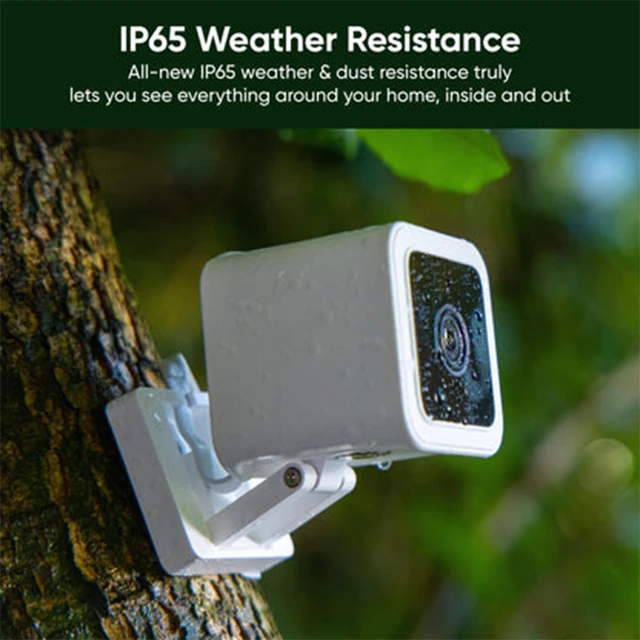
A: Yes, absolutely. The v3 cam is rated for indoor and outdoor use. For outdoor, require Wyze Outdoor Power Adapter for Wyze Cam v3 (Sold Separately)
Q: How do I turn on Color Night Viewing?
A: While viewing the Live Stream, simply turn Night Vision off. A small amount of light is needed to create a clear image, but a street light outside or even a nightlight is enough. If your environment is pitch black, consider picking up our spotlight kit to help illuminate the scene.
Q: My camera is not connecting to the network?
1. Check that your phone or tablet is connected to a 2.4 GHz network. Does not support 5GHz WiFi and Wi-Fi 6 routers.
2. Forget all WiFi networks, restart your phone/tablet, then reconnect to your 2.4 GHz network.
3. Power off and then restart your Wyze Cam.
4. Force close the Wyze app, then open it again.
5. Check that your password is correct. Your password is case sensitive.
 Wyze Cam v3 White |  Wyze Cam v3 Black |  Wyze Cam Pan v2 |  Wyze Cam Outdoor Bundle v2 |  Wyze Cam Outdoor v2 |  Wyze Cam V3 with SD card | |
|---|---|---|---|---|---|---|
| Customer Reviews | — | — | — | — | — | — |
| Price | — | — | — | — | — | — no data |
| Indoor/Outdoor | Indoor/Outdoor | Indoor/Outdoor | Indoor use only | Indoor/Outdoor | Indoor/Outdoor | Indoor/Outdoor |
| Pan & Tilt | no data | no data | 360° x 93° | no data | no data | Pan & Tilt |
| 2-Way Audio | Simultaneous two-way-talk | Simultaneous two-way-talk | Simultaneous two-way-talk | Simultaneous two-way-talk | Simultaneous two-way-talk | Simultaneous two-way-talk |
| 1080p Night Vision | Color | Color | Color | Color | Color | Color |
| Motion & Sound Detection | ? | ? | ? | ? | ? | ? |
| Smoke & CO Alerts | ? | ? | ? | ? | ? | ? |
| 24/7 Recording w/ MicroSD Card | ? | ? | ? | ? | ? | 24/7 Recording w/ MicroSD Card. up to 56 days |
| 2.4Ghz WiFi Only | ? | ? | ? | ? | ? | ? |
| Works with Alexa, Google, IFTTT | ? | ? | ? | ? | ? | ? |
| Base Station | No Need | No Need | No Need | Included | Base Station Required | No Need |
130º wider field of view. 8x digital zoom. Wyze Cam v3 is capable of seeing in color at night with very limited lighting. You can even use it to watch the stars or take a time-lapse of the stars.
24/7 continuous recording with a 32GB MicroSD card (sold separately).
Wyze Cam v3 now comes with simultaneous 2-way communication. Talking to your family and friends just like making a phone call.
Look & listen for motion & sound. Wyze Cam sends your phone an alert and take a screenshot when either is detected.
The Near-IR lights for indoor use are invisible to the human eye so you can check into your baby at night without interrupting the baby's sleep. The far-IR light for outdoor use, to illuminate farther and see clearer.

Monitor specific areas for motion so you only receive notifications when it matters. Use the improved speaker as a siren to warn away intruders (and pesky squirrels) with a loud sound.
The Sharing feature lets other people access and use your Wyze Cam v3. Have a family member who wants to see baby? Share it with them right from the Wyze app.
Note: The Wyze app is compatible with Android (7.0+) and iOS (14.0+) devices, 2.4GHz WiFi network only. NOT compatible with 5G WiFi.
How to set up Wyze Cam v3?
1. Download the Wyze app and sign in or create an account.
2. Connect the camera to a power outlet and wait for 20 seconds or until the status light flashes red.
3. Press the SETUP button for 3 seconds or until there is a voice prompt.
4. Follow the instructions in the Wyze app to finish setup.
Q: Can I use the v3 outdoors?
A: Yes, absolutely. The v3 cam is rated for indoor and outdoor use. For outdoor, require Wyze Outdoor Power Adapter for Wyze Cam v3 (Sold Separately)
Q: How do I turn on Color Night Viewing?
A: While viewing the Live Stream, simply turn Night Vision off. A small amount of light is needed to create a clear image, but a street light outside or even a nightlight is enough. If your environment is pitch black, consider picking up our spotlight kit to help illuminate the scene.
Q: My camera is not connecting to the network?
1. Check that your phone or tablet is connected to a 2.4 GHz network. Does not support 5GHz WiFi and Wi-Fi 6 routers.
2. Forget all WiFi networks, restart your phone/tablet, then reconnect to your 2.4 GHz network.
3. Power off and then restart your Wyze Cam.
4. Force close the Wyze app, then open it again.
5. Check that your password is correct. Your password is case sensitive.
Wyze Cam v3 White | Wyze Cam v3 Black | Wyze Cam Pan v2 | Wyze Cam Outdoor Bundle v2 | Wyze Cam Outdoor v2 | Wyze Cam V3 with SD card | |
|---|---|---|---|---|---|---|
| Customer Reviews | — | — | — | — | — | — |
| Price | — | — | — | — | — | — no data |
| Indoor/Outdoor | Indoor/Outdoor | Indoor/Outdoor | Indoor use only | Indoor/Outdoor | Indoor/Outdoor | Indoor/Outdoor |
| Pan & Tilt | no data | no data | 360° x 93° | no data | no data | Pan & Tilt |
| 2-Way Audio | Simultaneous two-way-talk | Simultaneous two-way-talk | Simultaneous two-way-talk | Simultaneous two-way-talk | Simultaneous two-way-talk | Simultaneous two-way-talk |
| 1080p Night Vision | Color | Color | Color | Color | Color | Color |
| Motion & Sound Detection | ? | ? | ? | ? | ? | ? |
| Smoke & CO Alerts | ? | ? | ? | ? | ? | ? |
| 24/7 Recording w/ MicroSD Card | ? | ? | ? | ? | ? | 24/7 Recording w/ MicroSD Card. up to 56 days |
| 2.4Ghz WiFi Only | ? | ? | ? | ? | ? | ? |
| Works with Alexa, Google, IFTTT | ? | ? | ? | ? | ? | ? |
| Base Station | No Need | No Need | No Need | Included | Base Station Required | No Need |


