• $30.99
  • $39.99
  • Save: $9.00 (22%)
  • Free 30-day Returns
  • Sold by Direct from manufacturerATTACK SHARK

    Shipped by Newegg

    Price alert
    Shop it at NeweggBusiness.

    Meet Your Seller

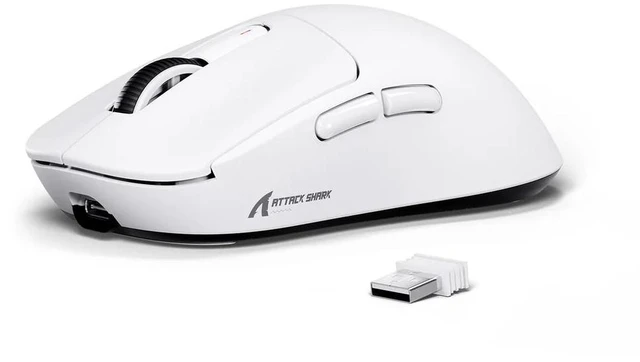
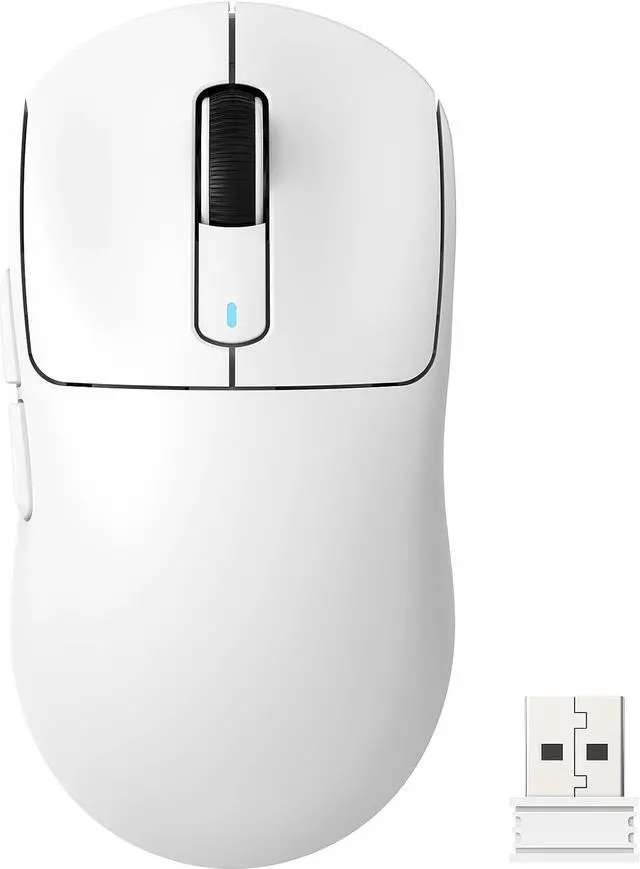
    ATTACK SHARK X3 Lightweight Tri-Mode Wireless Gaming Mouse, 2.4G Bluetooth USB-C Wired, PAW3395 Sensor, 26K DPI, Kailh GM8.0 Switch, 5 Programmable Buttons for PC & Mac White

    (18 from attackshark.com) Write a Review
    • Black
    • White
    • Orange
    • Purple
    • Red
    • Berry Red
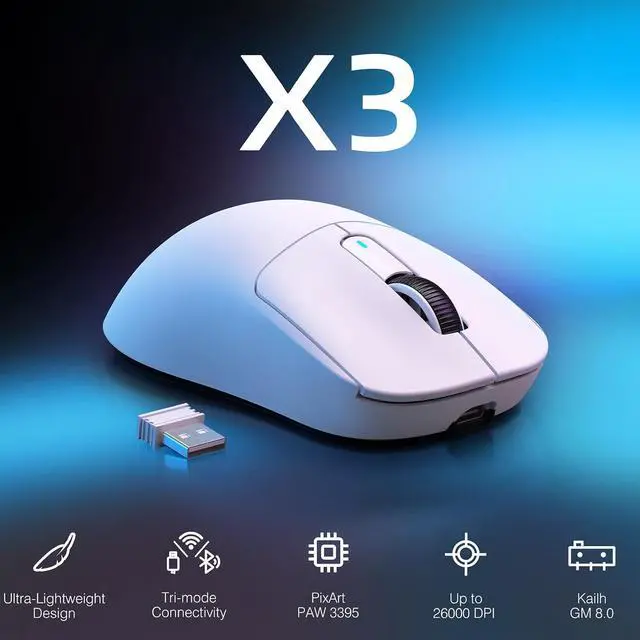
    • PixArt PAW3395 Flagship Sensor ATTACK SHARK X3 wireless gaming mouse adopts the PixArt PAW3395 flagship optical sensor. It features 6-speed adjustable DPI (800/1600/2400/3200/5000/26000), 650 IPS tracking speed, 1000Hz polling rate and 50G acceleration. Capture tiny motions with rapid response and precise positioning for hardcore gamers.
    • 49g Ultralight & Ergonomic ShapeBuilt with lightweight composite materials, the X3 weighs only 49g, lighter than an ordinary egg. The ergonomic contour suits various hand grips. It lessens hand burden, relieves palm sweating and wrist tiredness during long hours of use.
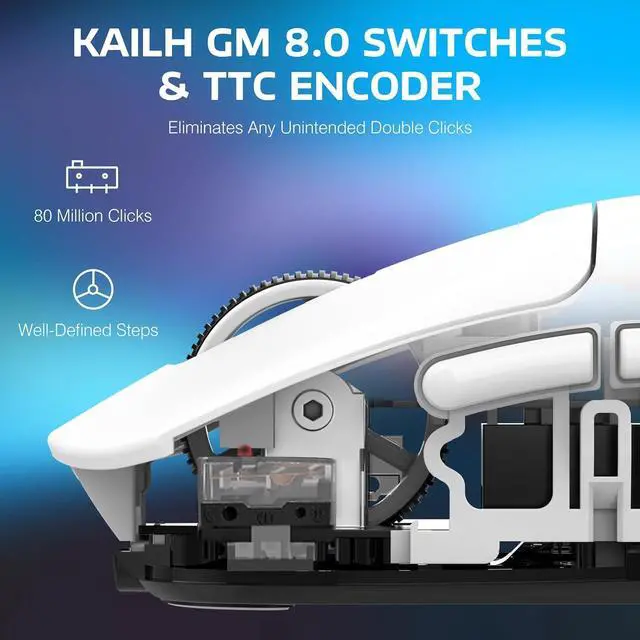
    • Kailh GM8.0 Switches + TTC EncoderHigh-performance Kailh Black Mamba GM8.0 micro switches provide crisp clicks, fast rebound and quick trigger, with an 80-million-click service life. Matched with a TTC scroll encoder for higher accuracy, bringing great tactile experience.
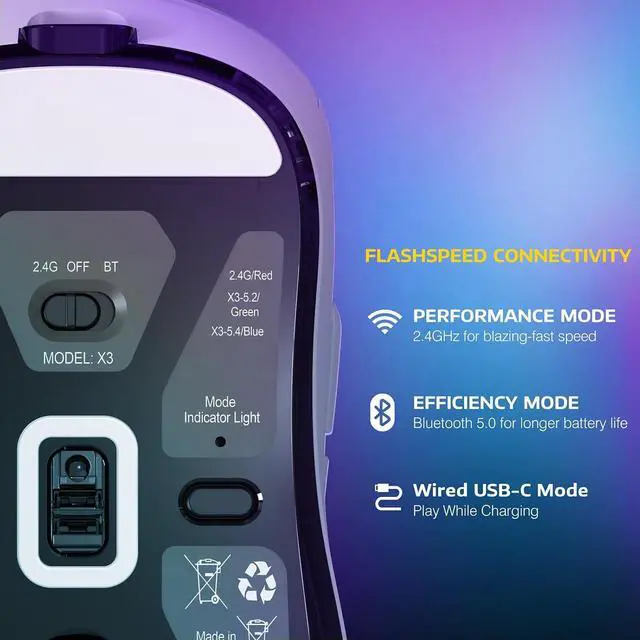
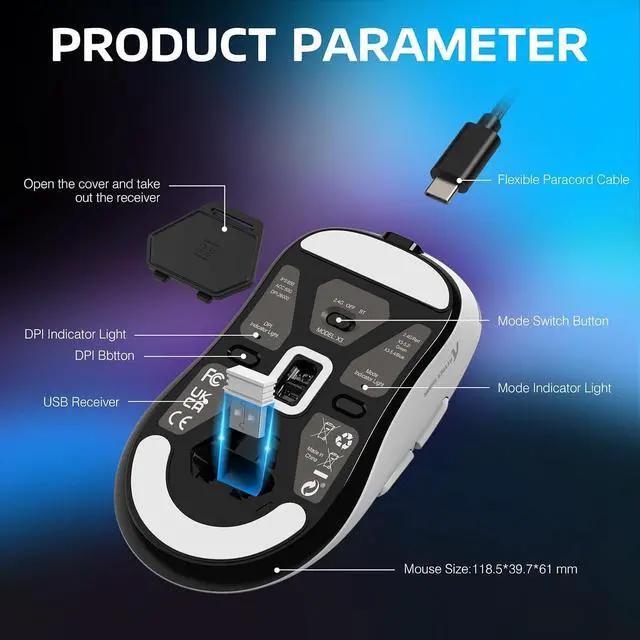
    • 3 Connection ModesSupports USB-C wired, 2.4G wireless and Bluetooth 5.2. Enjoy cable-free gaming on wireless modes; switch to wired mode for stable transmission. Connect up to 4 devices at once, perfect for multi-device office and gaming.
    • 5 Programmable Buttons5 programmable buttons enable customization of DPI, polling rate, LOD, shortcuts and macros through driver. Premium gaming peripherals help eliminate lag and improve your in-game performance.
    +
    +
    Overview
    Specs
    Reviews (21)

    Any questions? Ask CelesteSM will help you find out quickly.

    Wireless Gaming Mouse Programmable Buttons, Gaming Accessories for PC/Laptop/Mac
    Wireless Gaming Mouse Programmable Buttons, Gaming Accessories for PC/Laptop/Mac

    49G ULTRA-LIGHTWEIGHT

    A lower weight allows you to move, accelerate, and stop the mouse with more precision, making it easier than ever to track targets and hit your flicks.

    SUPERLIGHT Wireless Gaming Mouse, 49g Ergonomic Computer Mouse
    SUPERLIGHT Wireless Gaming Mouse, 49g Ergonomic Computer Mouse
    Wireless Gaming Mouse Programmable Buttons, Gaming Accessories for PC/Laptop/Mac
    • 1) 2.4G connection:

      Turn the switch on the back of the mouse to 2.4G, and plug the USB receiver into the computer to use it.

      2) Wired connection:

      Adjust the switch to "OFF" - insert the USB cable, which can be used directly and charge the mouse.

    • a) Toggle the switch on the back to Bluetooth.

      b) Long press the Bluetooth button for 3 seconds

      b) Turn on the Bluetooth switch of the device, find the device named "X3-5.2 mouse/X3-5.4 mouse", click to connect.

    • You can enter the required value under the DPI setting of the software and click the save button to apply it. Supporting minimum 50 DPI step setting. If you do not see the input box, please download the latest driver software.

    Wireless Gaming Mouse Programmable Buttons, Gaming Accessories for PC/Laptop/Mac
    Wireless Gaming Mouse Programmable Buttons, Gaming Accessories for PC/Laptop/Mac
    49G ULTRA-LIGHTWEIGHT

    A lower weight allows you to move, accelerate, and stop the mouse with more precision, making it easier than ever to track targets and hit your flicks.

    SUPERLIGHT Wireless Gaming Mouse, 49g Ergonomic Computer Mouse
    SUPERLIGHT Wireless Gaming Mouse, 49g Ergonomic Computer Mouse
    Wireless Gaming Mouse Programmable Buttons, Gaming Accessories for PC/Laptop/Mac
    • 1) 2.4G connection:

      Turn the switch on the back of the mouse to 2.4G, and plug the USB receiver into the computer to use it.

      2) Wired connection:

      Adjust the switch to "OFF" - insert the USB cable, which can be used directly and charge the mouse.

    • a) Toggle the switch on the back to Bluetooth.

      b) Long press the Bluetooth button for 3 seconds

      b) Turn on the Bluetooth switch of the device, find the device named "X3-5.2 mouse/X3-5.4 mouse", click to connect.

    • You can enter the required value under the DPI setting of the software and click the save button to apply it. Supporting minimum 50 DPI step setting. If you do not see the input box, please download the latest driver software.


    Warranty & Returns

    Warranty, Returns, And Additional Information

    Warranty

    • Please contact the Seller directly for warranty information. Warranty information may also be found on the Manufacturer's website.
    • CONTACT

    Return Policies

    Manufacturer Contact Info

    LOADING...

    The ATTACK SHARK X3 is a 49 g wireless gaming mouse with a PixArt PAW3395 sensor, up to 26,000 DPI, and a 1,000 Hz polling rate, suited to players who want lightweight handling and precise tracking.

    Recommended For

    • Casual FPS players who want a lightweight mouse for quick swipes and accurate tracking, without prioritizing the lowest possible click latency for high-level competition.
    • People switching between a gaming PC and other devices who want one mouse with 2.4GHz, Bluetooth, and wired connectivity.
    • Small-handed users who prefer a claw or palm grip, and medium-to-large-handed users who prefer fingertip grip, looking for a compact symmetrical mouse.
    • Players of casual MMO or MOBA games who need a few remappable controls but do not rely on a large bank of dedicated side buttons.

    Real-World Use Scenarios

    • In casual FPS games, the lightweight body and accurate tracking can make quick aim adjustments and repeated mouse lifts feel easier; RTINGS notes that its click latency may be a drawback for highly competitive play.
    • When switching between a gaming PC and a laptop, use the 2.4 GHz receiver for the gaming setup and Bluetooth for a compatible laptop, avoiding the need to move the receiver each time.
    • For everyday browsing, documents, and occasional gaming, the X3 can serve as one wireless mouse across work and play; its buttons can be remapped, though it lacks a free-scrolling wheel and horizontal scroll inputs that can help with spreadsheet-heavy work.
    • For users who prefer a smaller, symmetrical mouse, the shape may suit claw or palm grip with smaller hands, or fingertip grip with medium-to-large hands; users who prefer a larger mouse should check the fit before choosing it.
    • In casual MOBA play, remapping the available buttons can put a few preferred shortcuts within reach; players who need many dedicated MMO-style side buttons may find the layout limiting.

    Spec Summary

    AttributeValue
    Best ForGaming and everyday computer use with wireless optical tracking
    Tracking And ResolutionOptical tracking with up to 26,000 DPI
    Buttons And Controls5 buttons
    ConnectivityWireless operation
    Dimensions And Weight4.67 × 2.4 × 1.56 in (11.85 × 6.1 × 3.97); 49 g
    ColorBlack
    Model IdentifiersATTACK SHARK X3