


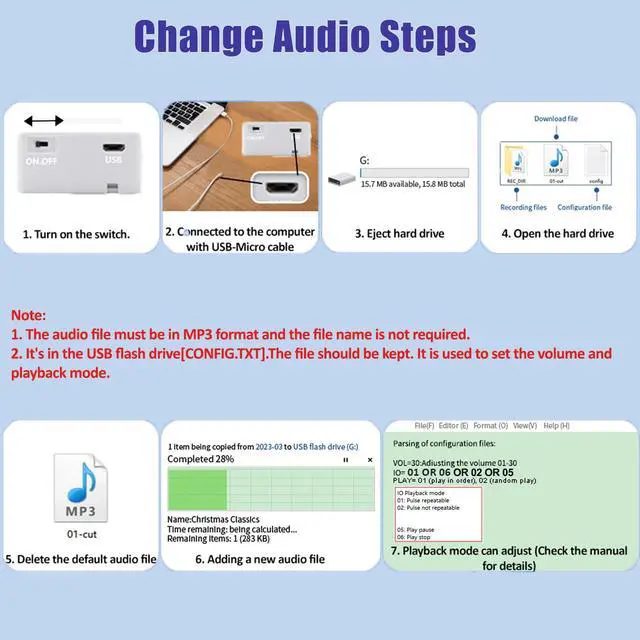


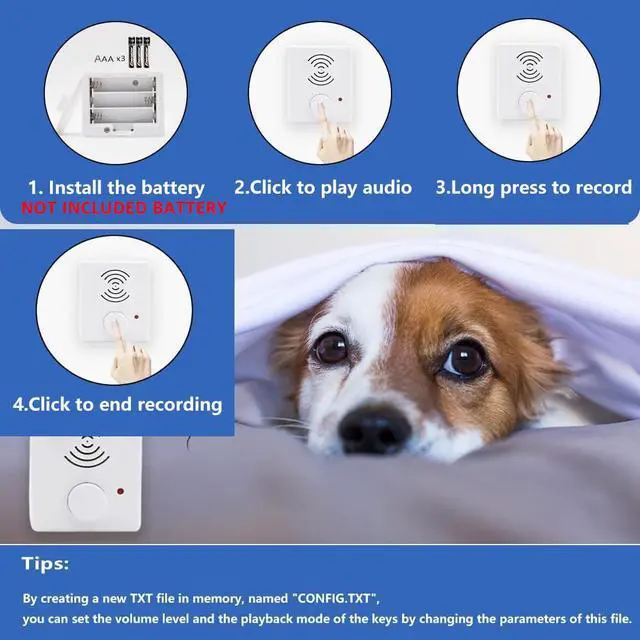


You can go to the computer to set the playback mode, there are six different modes of playback instructions tutorial: first turn on the switch - connect to the computer - pop up the hard drive - open the hard drive - click on the "config.txt" configuration file.
- Parsing of configuration config files.
- VOL=30 :Adjusting the volume : 01-30
- IO=01: Six playback modes:01or 02 or 05 or 06
- PLAY= 01 (play in order), 02 (random play)


You can go to the computer to set the playback mode, there are six different modes of playback instructions tutorial: first turn on the switch - connect to the computer - pop up the hard drive - open the hard drive - click on the "config.txt" configuration file.
- Parsing of configuration config files.
- VOL=30 :Adjusting the volume : 01-30
- IO=01: Six playback modes:01or 02 or 05 or 06
- PLAY= 01 (play in order), 02 (random play)