















• $59.99
  • Free 30-day Returns
  • Price alert
    Shop it at NeweggBusiness.

    Meet Your Seller

    XPPen Mini Keydial ACK05 Wireless Shortcut Keyboard Bluetooth Programmable Express Remote Control with Dial & Customized Express Keys for Drawing Tablet PC MacBook Windows Images Video Editing

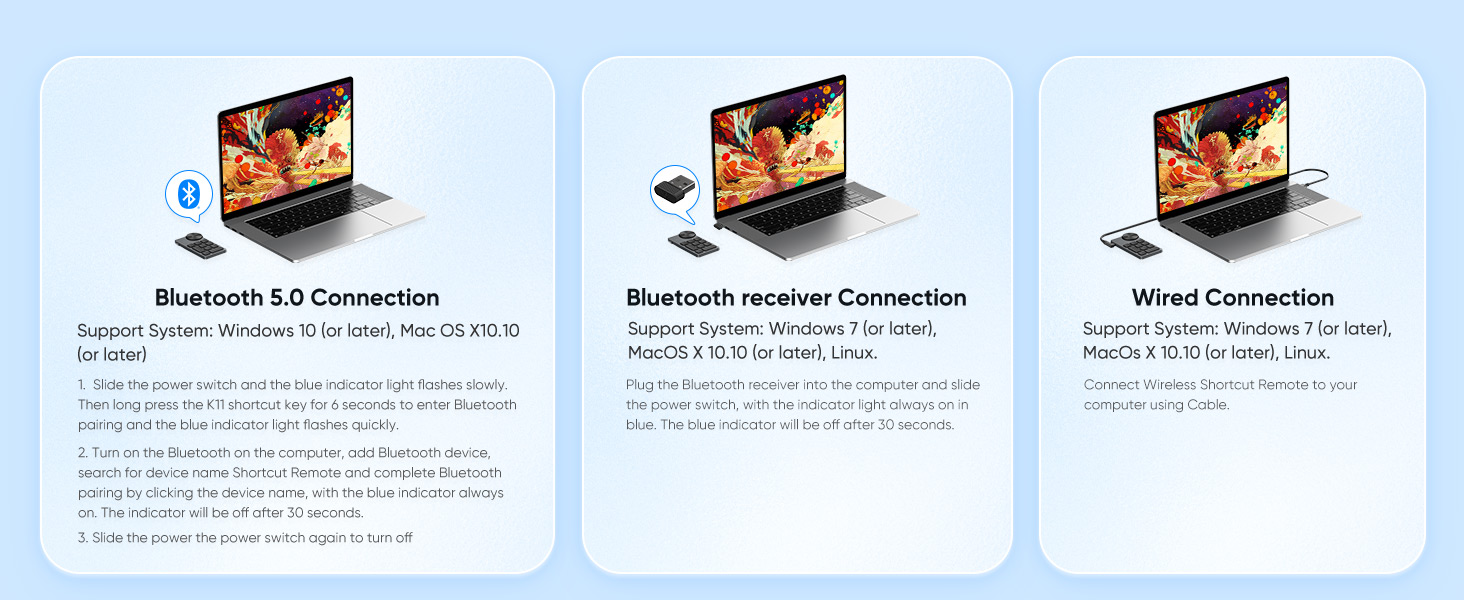
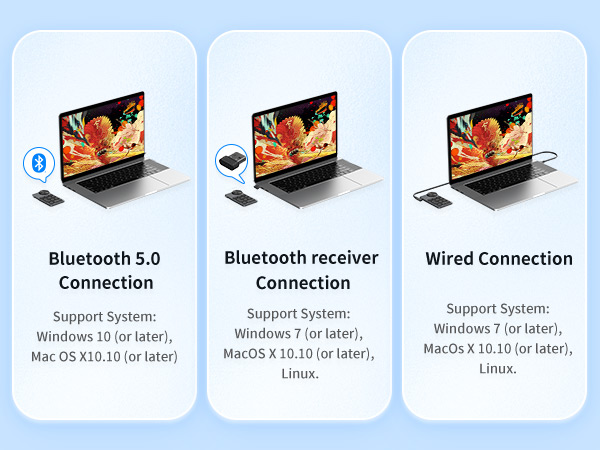
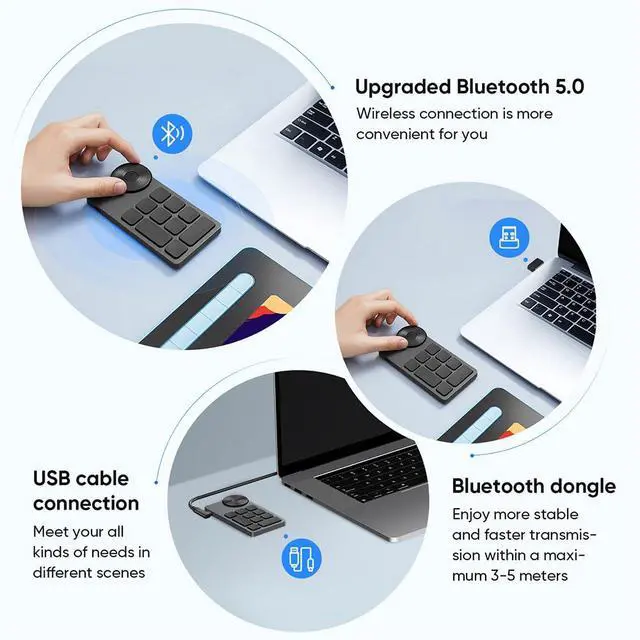
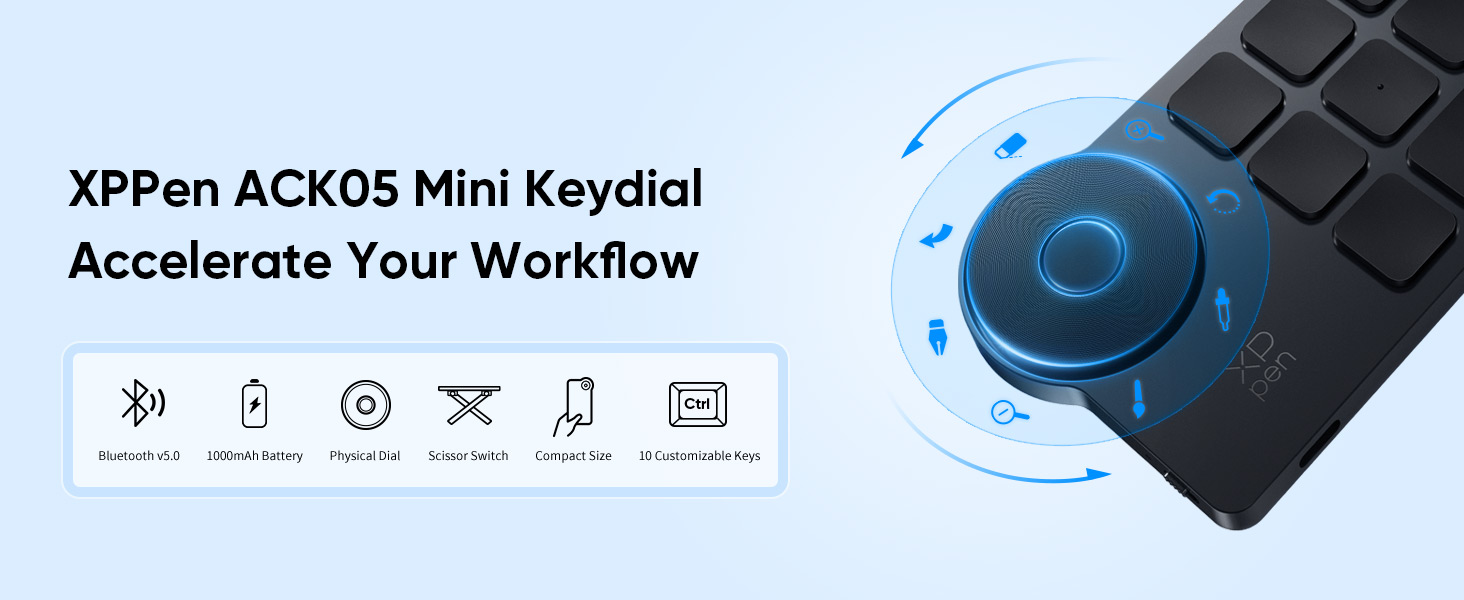
    • Wireless Connection: ACK05 wireless shortcut keyboard supports bluetooth 5.0 connection directly, which is Good Design Award 2023 Winners, providing you a more flexible and clean workspace. You can also connect it via a Bluetooth dongle or USB cable. Total three ways connection bring you stable and fast transmission, also can meet your different work scenarios
    • Please Note: If you do not download the driver, it can only be used as a regular shortcut keyboard. However, if you wish to customize the keys or program it, you must download the driver and configure it accordingly. If your device is an iPad or runs on iOS, after receiving the product, you need to download the "Shortcut Remote" app on your device in order to properly set up and use this product properly.
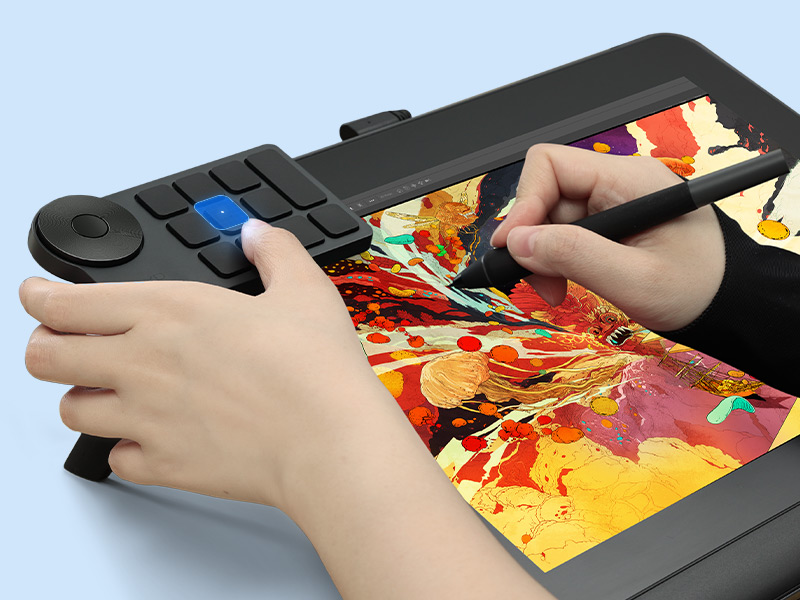
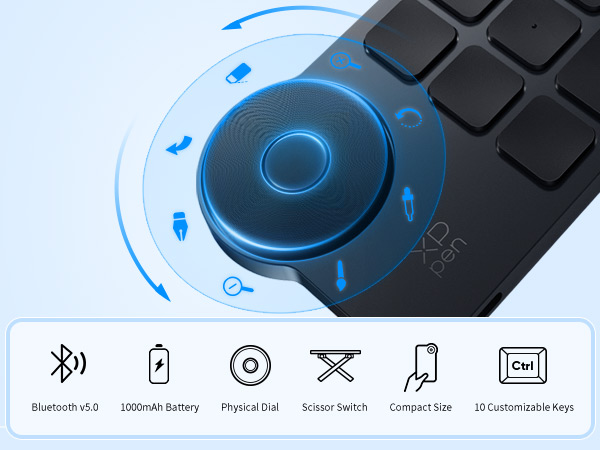
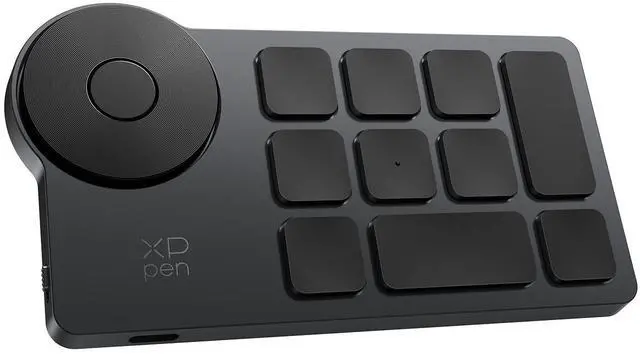
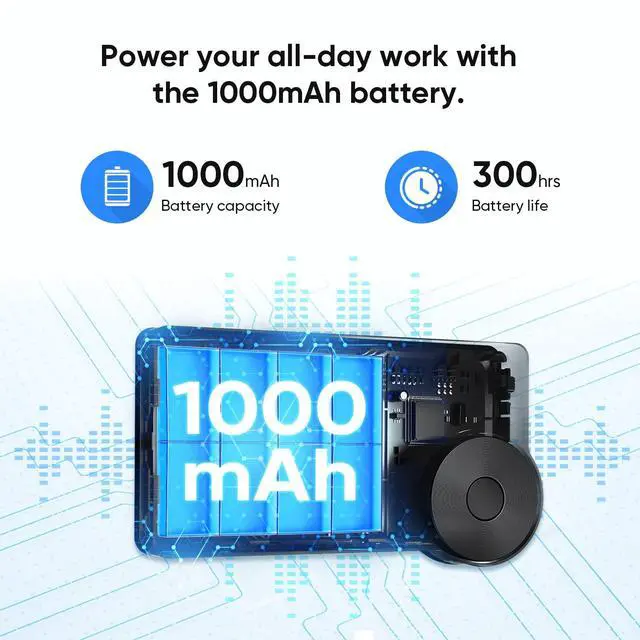
    • Compact Size with Large 1000 mAh Battery: The Wireless Shortcut Remote features a thin profile and weighs only 75 g, easy for one hand to hold. With built-in 1000 mAh battery ensures the continuous working for about 300 hours. Ready to speed up your creation whenever you grab it
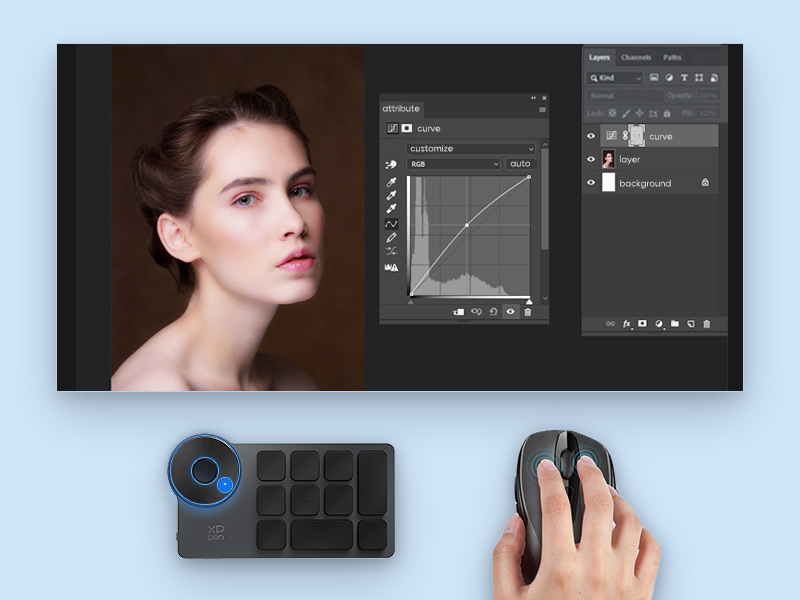
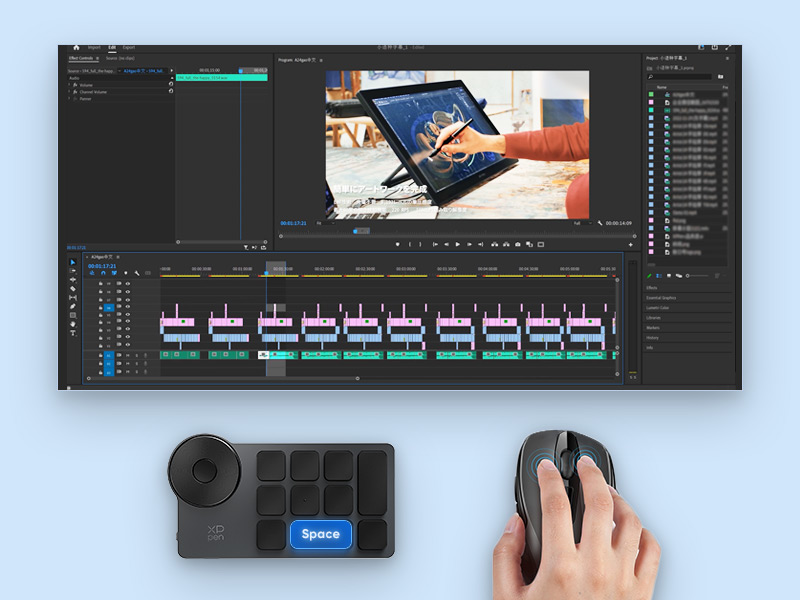
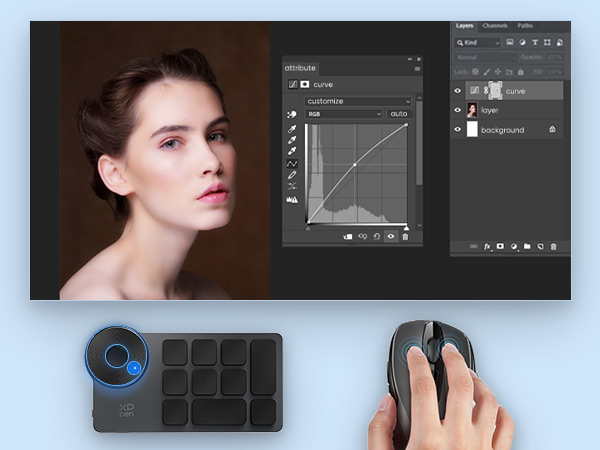
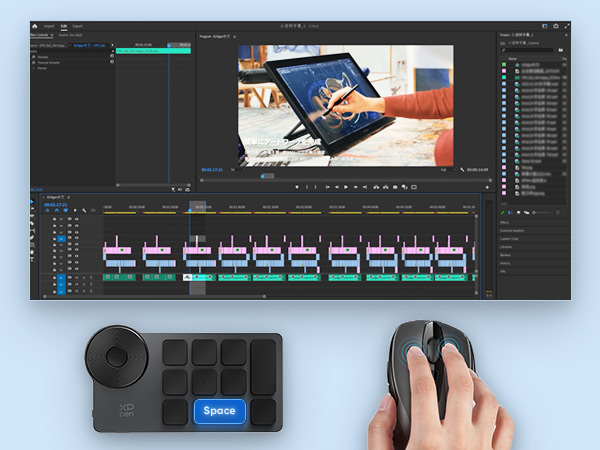
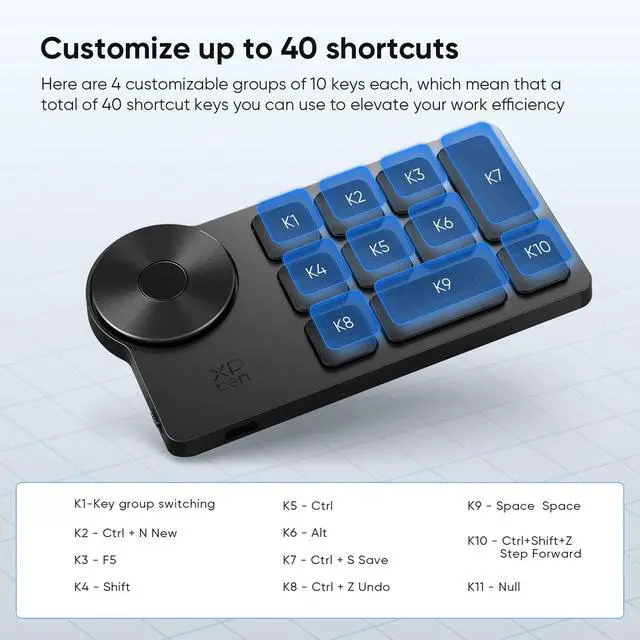
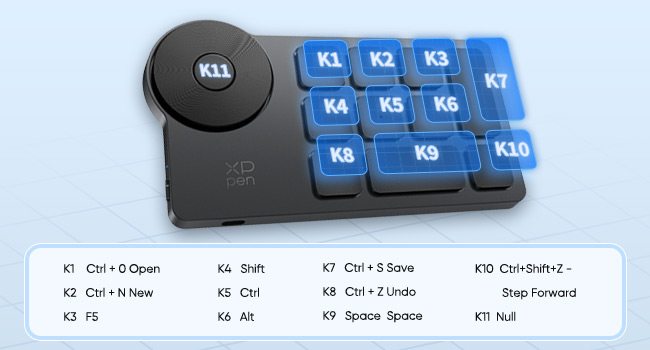
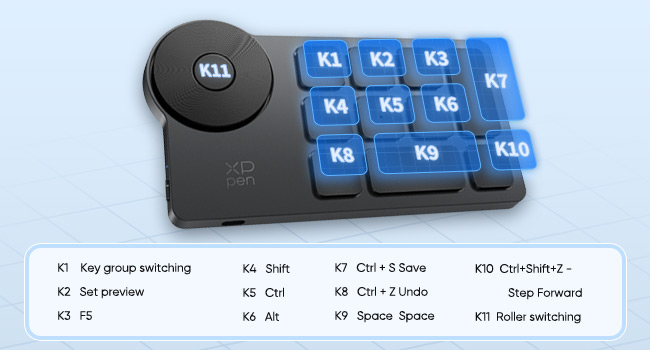
    • Customize up to forty Shortcuts: The Wireless Shortcut Remote has ten keys. You are allowed to customize four sets through the driver -- up to forty shortcuts. To switch between the sets, you only need to press a single key. Its capability to work with different applications makes itself a powerful productivity tool not only for creation, but also for study, work, and gaming
    +
    +
    Overview
    Specs
    Reviews
    avatar

    Any questions? Our AI beta will help you find out quickly.

    XPPen mini keydial
    wireless shortcut keyboard

    Plug-and-play Default Settings
    wireless mini keydial

    Driver default settings

    bluetooth connection
    ACK05 keyboard
    wireless shortcut keyboard

    Plug-and-play Default Settings

    wireless mini keydial

    Driver default settings

    3 connection ways

    Product information

    Brand XP-Pen
    Compatible Devices Laptop, PC, Smartphone, Tablet
    Connectivity Technology Bluetooth
    Keyboard Description Wireless
    Recommended Uses For Product Video Editing
    Special Feature Lightweight
    Color blue
    Keyboard backlighting color support Single Color
    Style Modern
    Product Dimensions 3.94"L x 3.15"W x 0.79"H
    Item Weight 2.65 ounces
    Manufacturer XP-PEN
    Item model number ACK05
    Batteries 1 A batteries required. (included)
    Is Discontinued By Manufacturer No
    Date First Available June 1, 2023

    Additional Features

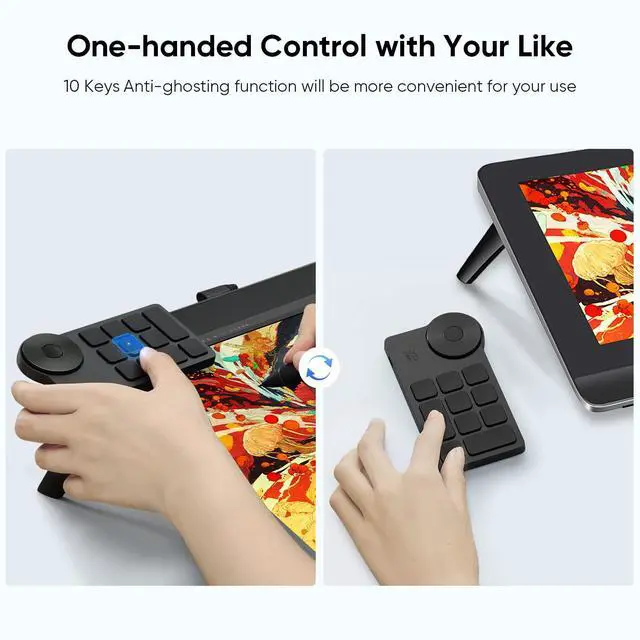
    • Anti-Ghosting Performance: The Mini Keydial features a new technology of Anti-ghosting for all ten keys, you can control with multi-keys at the same time, which will give you more customizable possibilities
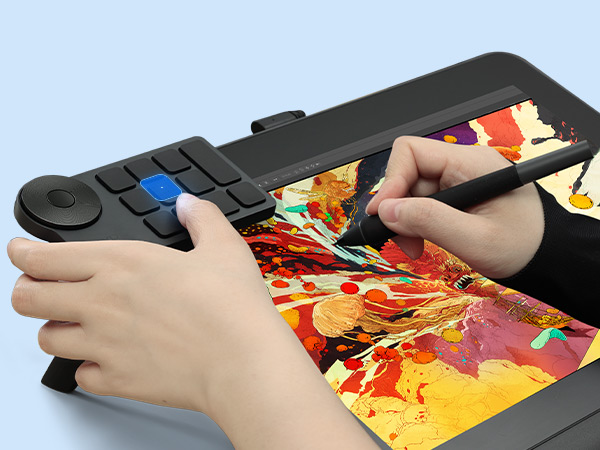
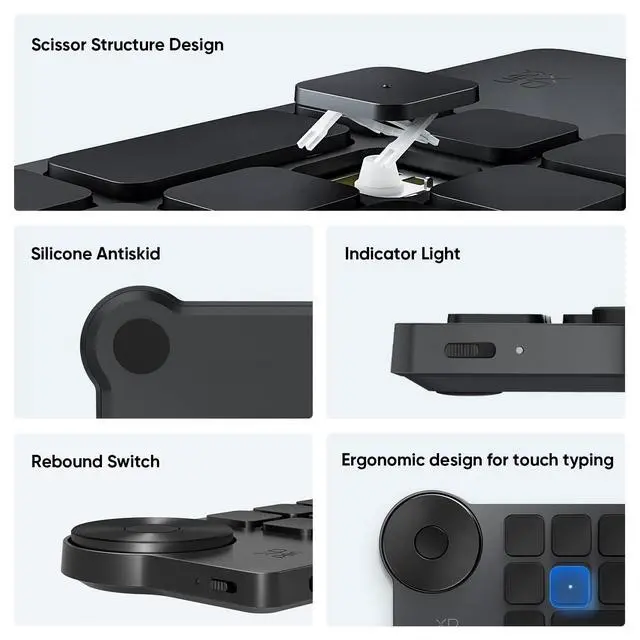
    • Ergonomic Design: Accelerate your workflow with a little dot protruding on the middle key for easy identification and access without even a glance. Suit both the left-handed and the right-handed
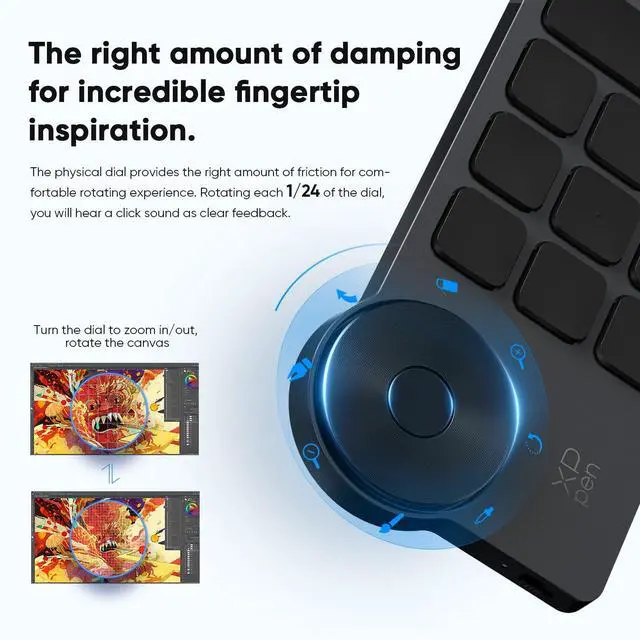
    • Convenient Dial Control: Rotating each 1/24 of the dial, you will hear a click sound as clear feedback. Turn the dial to zoom in/out, rotate the canvas, or adjust the brush size, and let your inspiration flow
    • Broad Compatibility: It works with Windows, Mac OS, and Linux operating systems (Please Note: Wired connection, connection via a Bluetooth dongle: Windows 7 or later, macOS 10.10 or later, or Linux; Bluetooth connection: Windows 10 or later, macOS 10.10 or later). Also compatible with many softwares such as Photoshop, Illustrator, Flash, SAI, CAD, Painter, and so on

    Warranty & Returns

    Warranty, Returns, And Additional Information

    Warranty

    • Please contact the Seller directly for warranty information. Warranty information may also be found on the Manufacturer's website.
    • CONTACT

    Return Policies

    Manufacturer Contact Info

    LOADING...