




 here!
here!
I’m your shopping assistant for PC builds, upgrades, and everything tech.
Got questions? Ask away!
Start a conversation
here!
I’m your shopping assistant for PC builds, upgrades, and everything tech.
Got questions? Ask away!
Start a conversation




Any questions? Ask CelesteSM will help you find out quickly.


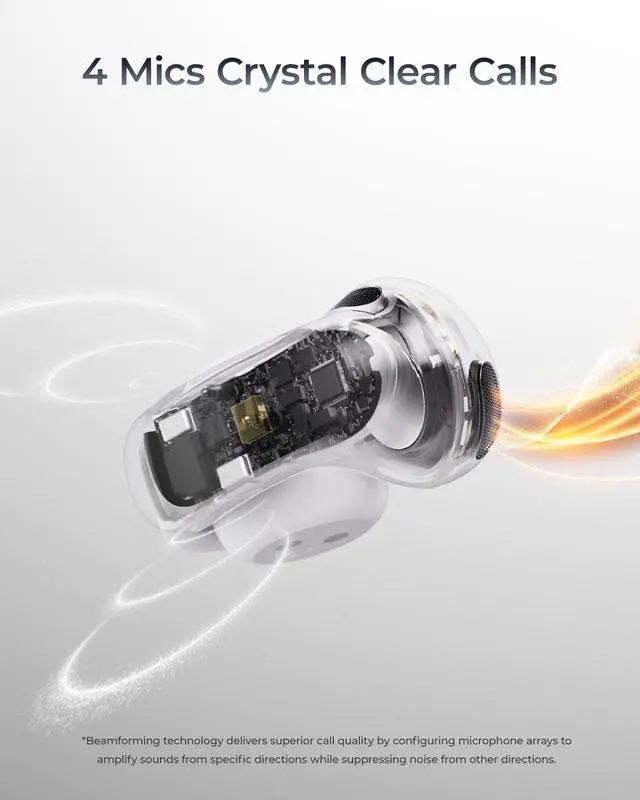
4-Mic VPU and ENC technology focus on your voice while reducing background noise, ensuring clear calls.

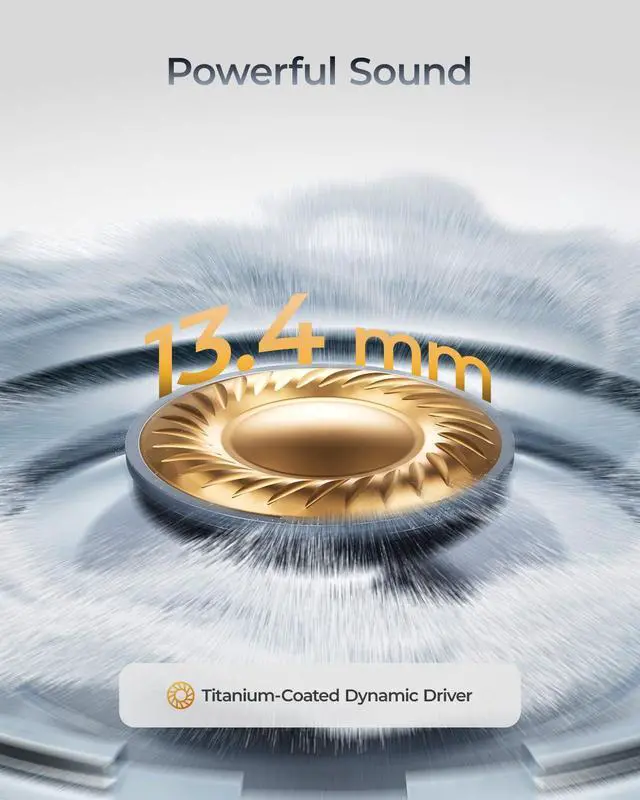
13.4mm custom driver with a titanium-coated diaphragm delivers deep bass, refined highs, and detailed sound.

Focused acoustic design minimizes sound leakage while preserving the open-ear experience, ideal for offices, cafés, and shared spaces.

Larger touch surface delivers faster, more precise control for music, calls, and settings with a simple tap.
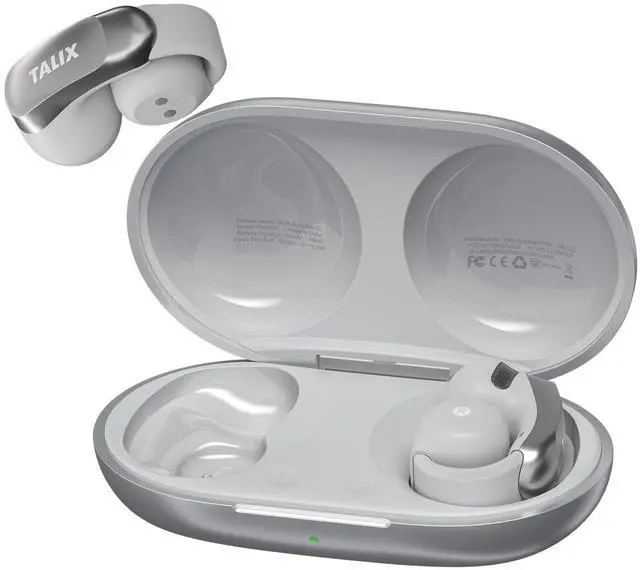
How do I find the right fit for TALIX AuraHalo G1?
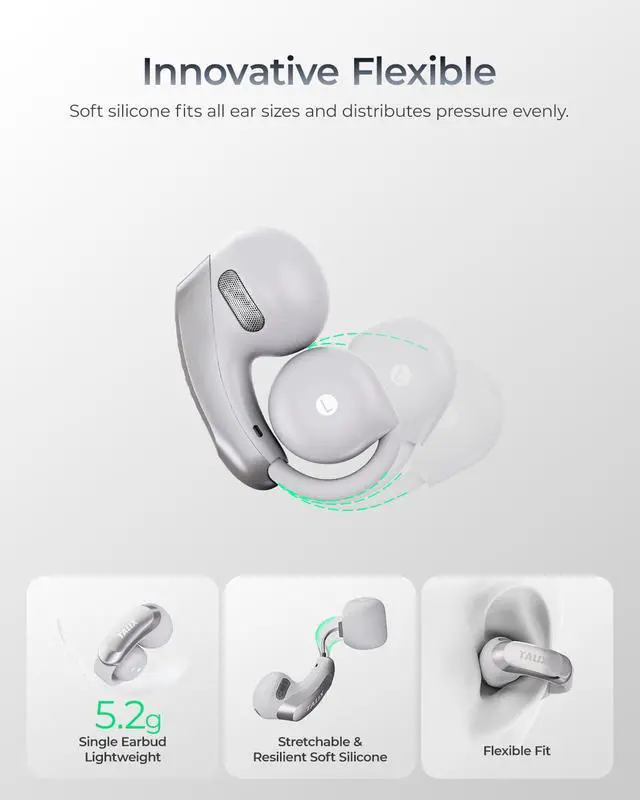
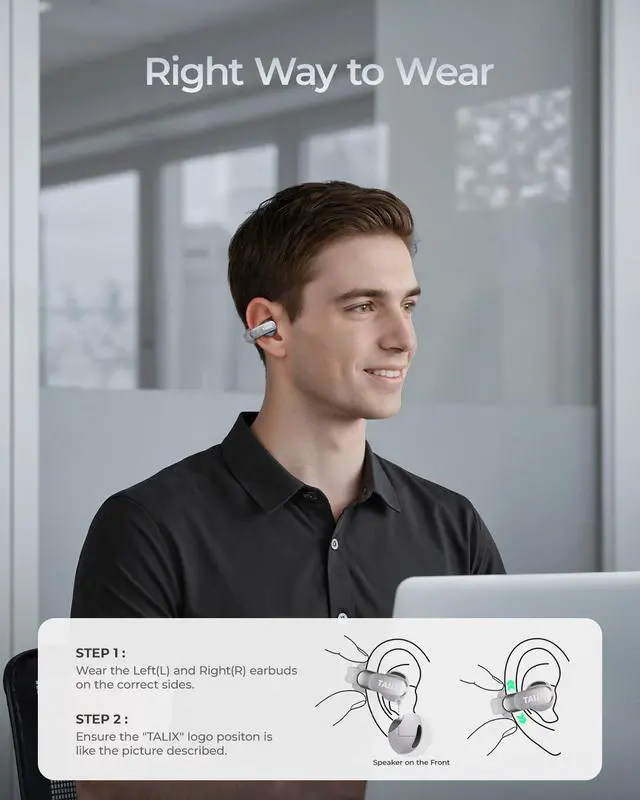
The open-ear fit may feel different at first. Place the earbuds on the correct ears (L for left and R for right) with the sound outlet positioned near your ear canal. Gently adjust the angle and position until you find a secure and comfortable fit.
What should I do if my ears feel uncomfortable after wearing the earbuds for a long time?
Everyone’s ears have different shapes. If you feel discomfort after extended use, try slightly adjusting the position or angle of the earbuds to find a more comfortable fit with less pressure. Small adjustments can help improve comfort.
How can I improve call quality?
For clearer calls, make sure the left and right earbuds are worn on the correct ears, with the sound outlets facing your ear canals. Keep the microphone ports clean and unobstructed, and use them in a relatively quiet environment.
How do I pair or reset TALIX AuraHalo G1?
First use: open the case and select “TALIX AuraHalo G1” from the Bluetooth list. To pair a new device, disconnect the current device. To reset, place earbuds in the case, keep it open, and hold the reset button 5s until the indicator flashes green.
How do I troubleshoot TALIX AuraHalo G1 if it doesn’t work properly?
If you experience issues, clean the charging pins on the earbuds and charging case to ensure proper contact. Charge the earbuds for 10 minutes, then reset and reconnect them to your device. (See Q4 for reset instructions.)


We’re built on “Joy, Passion, Innovation” — making tech feel warm, not cold. A spark for your daily life. Our mission? Help you live joyfully. We mix the latest tech, smooth vibes, and fresh design to create smart stuff you’ll actually love. Whether you’re grinding at work or just chilling, TALIX gives you confidence and style. Come vibe with us — joyful tech, fashionable living.


4-Mic VPU and ENC technology focus on your voice while reducing background noise, ensuring clear calls.
13.4mm custom driver with a titanium-coated diaphragm delivers deep bass, refined highs, and detailed sound.
Focused acoustic design minimizes sound leakage while preserving the open-ear experience, ideal for offices, cafés, and shared spaces.
Larger touch surface delivers faster, more precise control for music, calls, and settings with a simple tap.


How do I find the right fit for TALIX AuraHalo G1?
The open-ear fit may feel different at first. Place the earbuds on the correct ears (L for left and R for right) with the sound outlet positioned near your ear canal. Gently adjust the angle and position until you find a secure and comfortable fit.
What should I do if my ears feel uncomfortable after wearing the earbuds for a long time?
Everyone’s ears have different shapes. If you feel discomfort after extended use, try slightly adjusting the position or angle of the earbuds to find a more comfortable fit with less pressure. Small adjustments can help improve comfort.
How can I improve call quality?
For clearer calls, make sure the left and right earbuds are worn on the correct ears, with the sound outlets facing your ear canals. Keep the microphone ports clean and unobstructed, and use them in a relatively quiet environment.
How do I pair or reset TALIX AuraHalo G1?
First use: open the case and select “TALIX AuraHalo G1” from the Bluetooth list. To pair a new device, disconnect the current device. To reset, place earbuds in the case, keep it open, and hold the reset button 5s until the indicator flashes green.
How do I troubleshoot TALIX AuraHalo G1 if it doesn’t work properly?
If you experience issues, clean the charging pins on the earbuds and charging case to ensure proper contact. Charge the earbuds for 10 minutes, then reset and reconnect them to your device. (See Q4 for reset instructions.)
We’re built on “Joy, Passion, Innovation” — making tech feel warm, not cold. A spark for your daily life. Our mission? Help you live joyfully. We mix the latest tech, smooth vibes, and fresh design to create smart stuff you’ll actually love. Whether you’re grinding at work or just chilling, TALIX gives you confidence and style. Come vibe with us — joyful tech, fashionable living.


