

Your Browsing History


Featured Brands






SHOP BY Speed
Quick View
#1 Best Seller
in 30 days
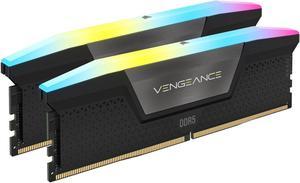
CORSAIR Vengeance RGB 32GB (2 x 16GB) 288-Pin PC RAM DDR5 6000 (PC5 48000) Desktop Memory Model CMH32GX5M2E6000C36Save even more w/ promo code BTSF989, limited offer
- CAS Latency: CL36
- Voltage: 1.40V
- Multi-channel Kit: Dual Channel Kit
- Timing: 36-44-44-96
- Model #: CMH32GX5M2E6000C36
- $489.99 –
- More options from $472.89 - $613.07
- Free Shipping
Quick View
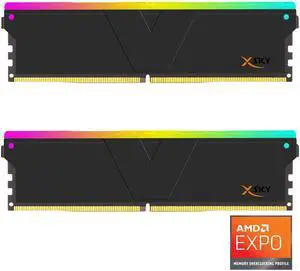
V-COLOR Manta XSky DDR5 32GB (2x16GB) 6000MHz CL30 SK Hynix IC RGB Gaming Desktop Memory Module Black, for AMD EXPO TMXSAL1660830KWK

+ $25 off w/ promo code BTSF979, limited offer
- CAS Latency: CL30
- Voltage: 1.35V
- Multi-channel Kit: Dual Channel Kit
- Timing: 30-38-38-96
- Model #: TMXSAL1660830KWK
- $429.99 –
- More options from $429.99 - $589.65
- Free Shipping
Quick View
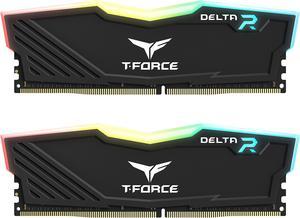
Team T-Force Delta RGB 16GB (2 x 8GB) 288-Pin PC RAM DDR4 3200 (PC4 25600) Desktop Memory Model TF3D416G3200HC16FDC01
Free McAfee Total Protection Product Key w/ purchase, limited offer
- CAS Latency: CL16
- Voltage: 1.35V
- Timing: 16-20-20-40
- Recommend Use: High Performance or Gaming Memory
- Model #: TF3D416G3200HC16FDC0
- $169.99
- $164.99 –
- More options from $164.00 - $199.77
- Free Shipping
Quick View
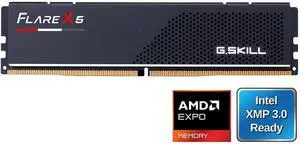
G.SKILL Flare X5 16GB 288-Pin PC RAM DDR5 6000 (PC5 48000) Desktop Memory Model F5-6000J3636F16GX1-FX5
- CAS Latency: CL36
- Voltage: 1.35V
- Timing: 36-36-36-96
- Brand: G.SKILL
- Model #: F5-6000J3636F16GX1-FX5
- $263.01
- $245.99 –
- Save: 6%
- More options from $228.99 - $359.89
- Free Shipping
Quick View
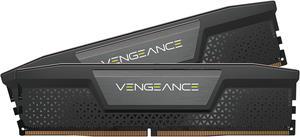
CORSAIR Vengeance 32GB (2 x 16GB) 288-Pin PC RAM DDR5 6000 (PC5 48000) Desktop Memory Model CMK32GX5M2B6000C30
Limited time offer, ends 08/31
- CAS Latency: 30
- Voltage: 1.40V
- Multi-channel Kit: Dual Channel Kit
- Timing: 30-36-36-76
- Model #: CMK32GX5M2B6000C30
- $519.99
- $509.99 –
- More options from $509.99 - $809.99
- Free Shipping
Quick View
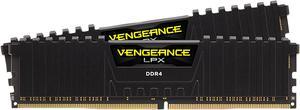
CORSAIR Vengeance LPX 32GB (2 x 16GB) 288-Pin PC RAM DDR4 3200 (PC4 25600) Desktop Memory Model CMK32GX4M2E3200C16
- CAS Latency: CL16
- Voltage: 1.35V
- Timing: 16-20-20-38
- Recommend Use: AMD 300 Series / AMD 400 Series / AMD X570 / Intel 300 Series / Intel 400 Series / Intel X299 / AMD 500 Series / Intel 500 Series
- Model #: CMK32GX4M2E3200C16
- $206.60 –
- More options from $203.99 - $319.99
- Free Shipping
Quick View
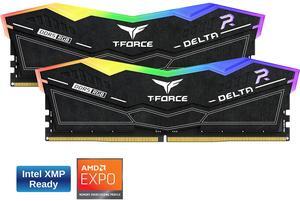
Team Group 16GB (2 x 8GB) 288-Pin PC RAM DDR5 6000 (PC5 48000) Memory Model FF3D516G6000HC38ADC01
- CAS Latency: CL38
- Voltage: 1.25V
- Multi-channel Kit: Dual Channel Kit
- Timing: 38-38-38-78
- Model #: FF3D516G6000HC38ADC01
- $259.99 –
- Free Shipping
Quick View
in 30 days
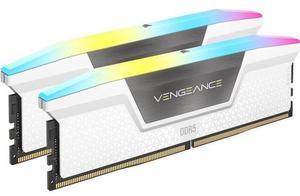
CORSAIR Vengeance RGB 32GB (2 x 16GB) 288-Pin PC RAM DDR5 6000 (PC5 48000) Desktop Memory Model CMH32GX5M2E6000C36W+ $68 off w/ promo code BTSF998, limited offer
- CAS Latency: CL36
- Voltage: 1.40V
- Multi-channel Kit: Dual Channel Kit
- Timing: 36-44-44-96
- Model #: CMH32GX5M2E6000C36W
- $489.99 –
- More options from $475.55 - $729.99
- Free Shipping

Quick View
Team Group 16GB (2 x 8GB) 288-Pin PC RAM DDR5 6000 (PC5 48000) Memory Model FLBD516G6000HC38ADC01
- CAS Latency: CL38
- Voltage: 1.25V
- Multi-channel Kit: Dual Channel Kit
- Timing: 38-38-38-78
- Model #: FLBD516G6000HC38ADC01
- $247.49
- $239.99 –
- Free Shipping
Quick View
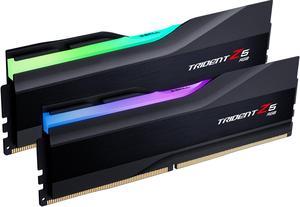
G.SKILL Trident Z5 RGB Series 32GB (2 x 16GB) 288-Pin PC RAM DDR5 6000 (PC5 48000) Desktop Memory Model F5-6000J3636F16GX2-TZ5RK
+ $100 off w/ promo code BTSF995, limited offer
- CAS Latency: CL36
- Voltage: 1.35V
- Multi-channel Kit: Dual Channel Kit
- Timing: 36-36-36-96
- Model #: F5-6000J3636F16GX2-TZ5RK
- $519.99 –
- More options from $435.55 - $699.99
- Free Shipping
Quick View
G.SKILL Ripjaws V Series 16GB (2 x 8GB) 288-Pin PC RAM DDR4 3200 (PC4 25600) Desktop Memory Model F4-3200C16D-16GVKB
- CAS Latency: CL16
- Voltage: 1.35V
- Multi-channel Kit: Dual Channel Kit
- Timing: 16-18-18-38
- Model #: F4-3200C16D-16GVKB
- $149.99
- $119.99 –
- Save: 20%
- More options from $119.99 - $212.99
- Free Shipping
Quick View
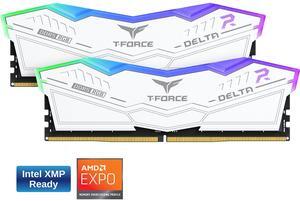
Team Group 16GB (2 x 8GB) 288-Pin PC RAM DDR5 6000 (PC5 48000) Memory Model FF4D516G6000HC38ADC01
+ $40 off w/ promo code BTSF2228, limited offer
- CAS Latency: CL38
- Voltage: 1.25V
- Multi-channel Kit: Dual Channel Kit
- Timing: 38-38-38-78
- Model #: FF4D516G6000HC38ADC01
- $267.99
- $259.99 –
- Free Shipping
Quick View
G.SKILL Ripjaws V Series 32GB (2 x 16GB) 288-Pin PC RAM DDR4 3200 (PC4 25600) Desktop Memory Model F4-3200C16D-32GVK
- CAS Latency: CL16
- Voltage: 1.35V
- Multi-channel Kit: Dual Channel Kit
- Timing: 16-18-18-38
- Model #: F4-3200C16D-32GVK
- $249.99
- $209.99 –
- Save: 16%
- More options from $97.10 - $349.34
- Free Shipping
Quick View
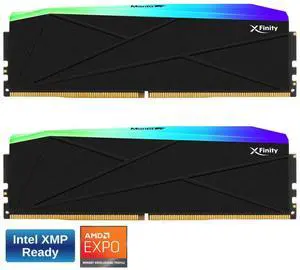
V-COLOR Manta XFinity RGB DDR5 32GB (16GBx2) 6000MHz XMP 3.0 & AMD EXPO CL30 1.35V RGB Gaming Desktop Upgrade RAM U-DIMM Memory Module SK Hynix IC - BLACK (TMXFL1660830KWK)
+ $20 off w/ promo code BTSF984, limited offer
- CAS Latency: CL30
- Voltage: 1.35V
- Multi-channel Kit: Dual Channel Kit
- Timing: 30-38-38-76
- Model #: TMXFL1660830KWK
- $450.69
- $419.99 –
- Save: 6%
- More options from $419.99 - $659.99
- Free Shipping
Quick View
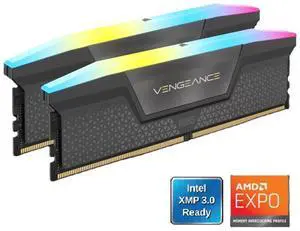
CORSAIR Vengeance RGB 16GB (2 x 8GB) 288-Pin PC RAM DDR5 6000 (PC5 48000) Desktop Memory Model CMH16GX5M2N6000Z36
- CAS Latency: CL36
- Voltage: 1.35V
- Multi-channel Kit: Dual Channel Kit
- Timing: 36-44-44
- Model #: CMH16GX5M2N6000Z36
- $284.99
- $269.99 –
- Save: 5%
- More options from $269.99 - $409.99
- Free Shipping
Quick View
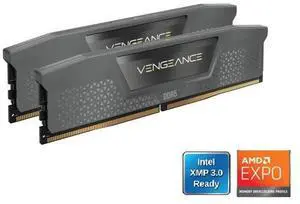
CORSAIR Vengeance 16GB (2 x 8GB) 288-Pin PC RAM DDR5 6000 (PC5 48000) Desktop memory Model CMK16GX5M2E6000Z36
- CAS Latency: CL36
- Voltage: 1.35V
- Multi-channel Kit: Dual Channel Kit
- Timing: 36-44-44-96
- Model #: CMK16GX5M2E6000Z36
- $269.99
- $249.99 –
- Save: 7%
- More options from $246.99 - $369.87
- Free Shipping
Quick View
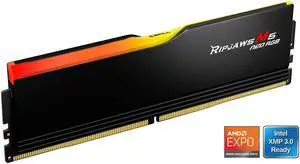
G.SKILL Ripjaws M5 Neo RGB Series 16GB 288-Pin PC RAM DDR5 6000 (PC5 48000) Desktop Memory Model F5-6000J3636F16GX1-RM5NRK
- CAS Latency: CL36
- Voltage: 1.10V
- Multi-channel Kit: Dual Channel Kit
- Timing: 36-36-36-76
- Model #: F5-6000J3636F16GX1-RM5NRK
- $249.99 –
- More options from $246.99 - $249.99
- Free Shipping
Quick View
CORSAIR Vengeance RGB 32GB (2 x 16GB) 288-Pin PC RAM DDR5 6400 (PC5 51200) Desktop Memory Model CMH32GX5M2N6400C36
- CAS Latency: CL36
- Voltage: 1.35V
- Multi-channel Kit: Dual Channel Kit
- Timing: 36-48-48-104
- Model #: CMH32GX5M2N6400C36
- $534.99 –
- More options from $432.99 - $534.99
- Free Shipping
Quick View
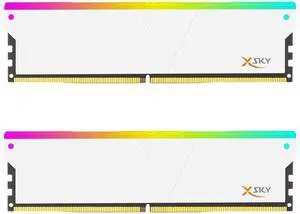
V-COLOR Manta XSky DDR5 32GB (2x16GB) 6000MHz CL30 SK Hynix IC RGB Gaming Desktop Memory Module White, for AMD EXPO TMXSAL1660830WWK
+ $25 off w/ promo code BTSF985, limited offer
- CAS Latency: CL30
- Voltage: 1.35V
- Multi-channel Kit: Dual Channel Kit
- Timing: 30-38-38-96
- Model #: TMXSAL1660830WWK
- $429.99 –
- More options from $429.99 - $599.99
- Free Shipping
Quick View
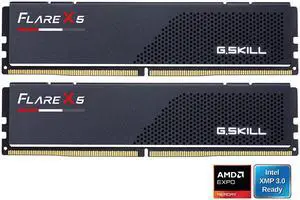
G.SKILL Flare X5 Series AMD EXPO 32GB (2 x 16GB) 288-Pin PC RAM DDR5 6000 Desktop Memory Model F5-6000J3636F16GX2-FX5
+ $30 off w/ promo code BTSF997, limited offer
- CAS Latency: CL36
- Voltage: 1.35V
- Multi-channel Kit: Dual Channel Kit
- Timing: 36-36-36-96
- Model #: F5-6000J3636F16GX2-FX5
- $479.99 –
- More options from $415.00 - $658.79
- Free Shipping
Quick View
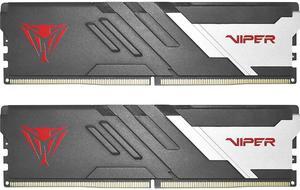
Patriot Viper Venom 32GB (2 x 16GB) 288-Pin PC RAM DDR5 6000 (PC5 48000) Desktop Memory Model PVV532G600C30K Compatible with AMD & Intel Gen14 Only
- CAS Latency: CL30
- Voltage: 1.35V
- Timing: 30-40-40-76
- Brand: Patriot
- Model #: PVV532G600C30K
- $422.49
- $409.99 –
- Free Shipping
Quick View
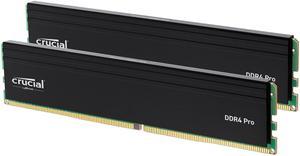
Crucial Pro 32GB (2 x 16GB) 288-Pin PC RAM DDR4 3200 (PC4 25600) Desktop Memory Model CP2K16G4DFRA32A
- CAS Latency: CL22
- Voltage: 1.20V
- Multi-channel Kit: Dual Channel Kit
- Recommend Use: Compatible with 8th–13th Gen Intel® Core and AMD Ryzen™ 1000–5000 Series Desktop CPUs
- Model #: CP2K16G4DFRA32A
- $230.00
- $229.99 –
- More options from $226.99 - $379.89
- Free Shipping
Quick View
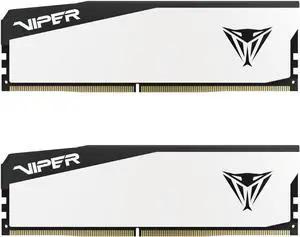
Patriot Viper Elite 5 32GB (2 x 16GB) 288-Pin PC RAM DDR5 6000 CL30(PC5 48000) Hynix Desktop Memory Model VEB532G6030KW Compatible with AMD & Intel Gen14 Only
- CAS Latency: CL30
- Voltage: 1.35V
- Multi-channel Kit: Dual Channel Kit
- Timing: 30-40-40-76
- Model #: VEB532G6030KW
- $409.99 –
- More options from $395.55 - $589.99
- Free Shipping
Quick View
CORSAIR Vengeance 32GB (2 x 16GB) 288-Pin PC RAM DDR5 6000 (PC5 48000) Desktop Memory Model CMK32GX5M2E6000C36
- CAS Latency: CL36
- Voltage: 1.35V
- Multi-channel Kit: Dual Channel Kit
- Timing: 36-44-44-96
- Model #: CMK32GX5M2E6000C36
- $479.99 –
- More options from $435.55 - $669.78
- Free Shipping
Quick View
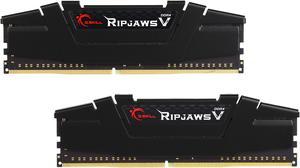
G.SKILL Ripjaws V Series 32GB (2 x 16GB) 288-Pin PC RAM DDR4 3600 (PC4 28800) Desktop Memory Model F4-3600C18D-32GVK
+ $30 off w/ promo code BTSF988, limited offer
- CAS Latency: CL18
- Voltage: 1.35V
- Multi-channel Kit: Dual Channel Kit
- Timing: 18-22-22-42
- Model #: F4-3600C18D-32GVK
- $249.99
- $239.99 –
- More options from $210.00 - $399.78
- Free Shipping
Quick View
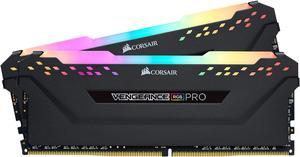
CORSAIR Vengeance RGB Pro 32GB (2 x 16GB) 288-Pin PC RAM DDR4 3200 (PC4 25600) Desktop Memory Model CMW32GX4M2E3200C16
- CAS Latency: CL16
- Voltage: 1.35V
- Timing: 16-20-20-38
- Recommend Use: AMD 400 Series / AMD X570 / Intel Z390 / AMD 500 Series
- Model #: CMW32GX4M2E3200C16
- $299.99
- $259.99 –
- Save: 13%
- More options from $224.95 - $449.99
- Free Shipping
Quick View
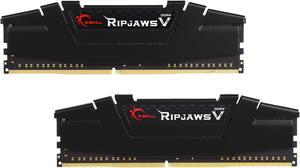
G.SKILL Ripjaws V Series 32GB (2 x 16GB) 288-Pin PC RAM DDR4 3600 (PC4 28800) Desktop Memory Model F4-3600C16D-32GVKC
- CAS Latency: CL16
- Voltage: 1.35V
- Multi-channel Kit: Dual Channel Kit
- Timing: 16-19-19-39
- Model #: F4-3600C16D-32GVKC
- $259.99
- $239.99 –
- Save: 7%
- More options from $223.00 - $354.17
- Free Shipping
Quick View
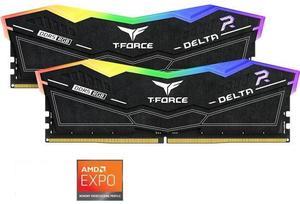
Team Group 16GB (2 x 8GB) 288-Pin PC RAM DDR5 6000 (PC5 48000) Memory Model FF7D516G6000HC38ADC01
- CAS Latency: CL38
- Voltage: 1.25V
- Multi-channel Kit: Dual Channel Kit
- Timing: 38-38-38-78
- Model #: FF7D516G6000HC38ADC01
- $257.49
- $249.99 –
- Free Shipping
Quick View
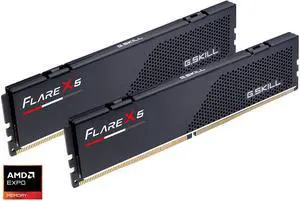
G.SKILL Flare X5 16GB (2 x 8GB) 288-Pin PC RAM DDR5 6000 (PC5 48000) Desktop Memory Model F5-6000J3038F8GH2-FX5
- CAS Latency: CL30
- Voltage: 1.35V
- Multi-channel Kit: Dual Channel Kit
- Timing: 30-38-38-96
- Model #: F5-6000J3038F8GH2-FX5
- $264.99 –
- More options from $209.59 - $369.89
- Free Shipping
Quick View
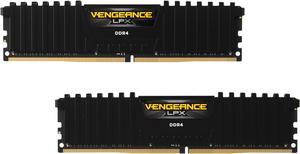
CORSAIR Vengeance LPX 16GB (2 x 8GB) 288-Pin PC RAM DDR4 3200 (PC4 25600) Desktop Memory Model CMK16GX4M2E3200C16
- CAS Latency: CL16
- Voltage: 1.35V
- Timing: 16-20-20-38
- Recommend Use: AMD 300 Series / AMD 400 Series / AMD 500 Series / AMD X570 / Intel 300 Series / Intel 400 Series / Intel 500 Series / Intel X299 / Intel 600 Series
- Model #: CMK16GX4M2E3200C16
- $144.99 –
- More options from $142.95 - $239.99
- Free Shipping
Quick View
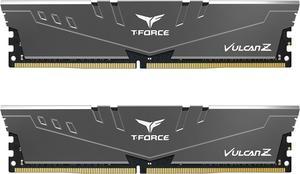
Team T-FORCE VULCAN Z 16GB (2 x 8GB) DDR4 3200 (PC4 25600) Desktop Memory Model TLZGD416G3200HC16FDC01
- CAS Latency: CL16
- Voltage: 1.35V
- Timing: 16-20-20-40
- Buffered/Registered: Unbuffered
- Model #: TLZGD416G3200HC16FDC01
- $129.99 –
- More options from $129.99 - $153.19
- Free Shipping
Quick View
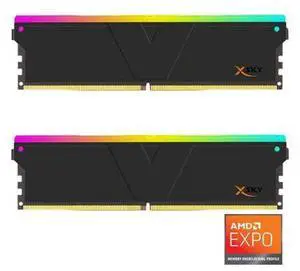
V-COLOR Manta XSky DDR5 32GB (2x16GB) 6400MHz CL32 1.4V SK Hynix IC RGB Gaming Desktop Upgrade Memory Module Black, for AMD EXPO (TMXSAL1664832KWK)
- CAS Latency: CL32
- Voltage: 1.40V
- Multi-channel Kit: Dual Channel Kit
- Timing: 32-39-39-102
- Model #: TMXSAL1664832KWK
- $469.99 –
- More options from $460.00 - $609.98
- Free Shipping
Quick View
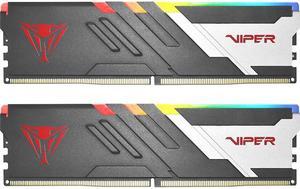
Patriot Viper Venom RGB 32GB (2 x 16GB) 288-Pin PC RAM DDR5 6000 (PC5 48000) Desktop Memory Model PVVR532G600C36K Compatible with AMD / Intel Gen14 Only
- CAS Latency: CL36
- Voltage: 1.35V
- Timing: 36-36-36-76
- Brand: Patriot
- Model #: PVVR532G600C36K
- $411.99
- $399.99 –
- More options from $385.55 - $638.74
- Free Shipping
Quick View
in 30 days
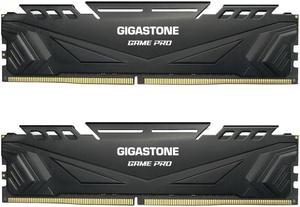
Gigastone GST Game Pro 32GB (2 x 16GB) 288-Pin PC RAM DDR4 3200 (PC4 25600) Memory (Desktop Memory) Model DDR4 3200 16U 2 GST Game Pro
+ $50 off w/ promo code BTSF986, limited offer
- CAS Latency: CL16
- Voltage: 1.35V
- Multi-channel Kit: Dual Channel Kit
- Timing: 16-18-18-38
- Model #: DDR4-3200-16U-2-GST-Game Pro-Black
- $249.99
- $229.99 –
- Save: 8%
- Free Shipping
Quick View
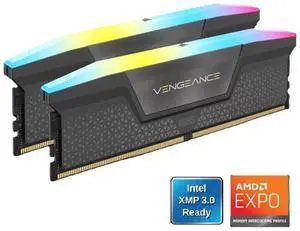
CORSAIR Vengeance RGB 16GB (2 x 8GB) 288-Pin PC RAM DDR5 6000 (PC5 48000) Desktop Memory Model CMH16GX5M2E6000Z36
- CAS Latency: CL36
- Voltage: 1.35V
- Multi-channel Kit: Dual Channel Kit
- Timing: 36-44-44-96
- Model #: CMH16GX5M2E6000Z36
- $269.99 –
- More options from $255.59 - $369.89
- Free Shipping
Quick View
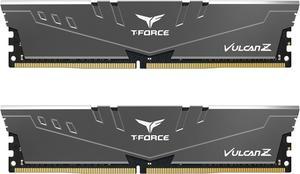
Team T-FORCE VULCAN Z 32GB (2 x 16GB) 288-Pin PC RAM DDR4 3200 (PC4 25600) Desktop Memory Model TLZGD432G3200HC16FDC01
- CAS Latency: CL16
- Voltage: 1.35V
- Timing: 16-20-20-40
- Buffered/Registered: Unbuffered
- Model #: TLZGD432G3200HC16FDC01
- $247.49
- $239.99 –
- More options from $239.99 - $287.27
- Free Shipping
Why Desktop Memory (RAM)?
RAM is the short-term memory of your computer. RAM capacity directly impacts how many applications and browser tabs you can operate simultaneously and the smoothness of graphics, which is crucial for tasks like video editing or 3D rendering. For such intensive activities, ample high-quality desktop memory is essential. Keep in mind that not all desktop RAM is suitable for every system. Your motherboard determines the number of memory slots, their maximum capacity, and the specific type of desktop computer RAM you can install.
Maximize Desktop Computer RAM Performance by Matching Speeds
Desktop RAM clock speed determines how quickly the memory can process data, which is vital for tasks that require rapid data access. The quicker the clock speed of your new RAM, measured in Megahertz (MHz), the faster the memory processes data. If your system only supports 2,666MHz speeds, you should not buy 3,000MHz RAM. If your system supports multiple modules, it will only run at the speed of the slowest RAM. Try to match module speeds when possible.
The best type of RAM for your desktop depends on your system’s motherboard and specific needs. DDR4 RAM is currently the most common for new systems, offering faster speeds and lower power consumption than DDR3. For users prioritizing performance, look for higher speed ratings (measured in MHz) and lower latency. Always ensure your motherboard supports the RAM type (e.g., DDR4, DDR3) and speed. Some systems will only work with DDR4, while others can only run DDR3. Check with the instructions that came with your motherboard to see if it is a home-built PC, or check with your computer if it was pre-built.
Enhance Integrated Graphics with High-Quality Desktop Memory
Heavy-duty Graphics Processing Units (GPUs) and dedicated graphics cards include RAM, but some systems and laptops have integrated graphics. This means the main processor is responsible for graphics processing and utilizes system RAM. It places a more significant load on desktop or laptop memory, and this type of setup will benefit most from improved RAM. It could prevent you from having to invest in a more expensive computer while enabling you to eliminate choppy frame rates and improve video quality.
Boost Multitasking on Desktop PCs with New Desktop RAM
Multitaskers can enjoy noticeable improvements with new computer memory. Every piece of software, every browser window, and every tab requires the use of RAM. By increasing the amount of desktop PC RAM, the system avoids using the hard drive, improving software and web browsing performance.
Expand Your Capabilities by Increasing Desktop PC RAM
At its simplest, RAM allows your computer to do more and enables your machine to do more quickly. The most important factor is identifying how much you need. Use Newegg’s Memory Finder Tool to help you configure the amount of memory you need. Additionally, when buying memory cards, check the requirements for software that you regularly use. In your calculations, include operating system specifications and allow some web browsing memory. Consider that new and updated applications have different requirements. If you install new software regularly, allow extra RAM.
Determining how much RAM your desktop needs depends on your usage. For basic tasks like web browsing and document editing, 8GB of RAM should be sufficient. However, if you frequently engage in more intensive activities like video editing, gaming, or running multiple applications simultaneously, 16GB or more is recommended. Always consider future needs, as software updates and new applications may increase RAM requirements.
Find the Perfect Desktop Memory Upgrade at Newegg
Ready to boost your computer's performance? Shop our extensive selection of desktop RAM at Newegg and discover the ideal upgrade for your PC. Explore our full range of memory products, including laptop RAM, to find precisely what you need. Use our handy Memory Finder tool to simplify your purchase and ensure you get the right amount of memory for your needs. Start enhancing your system today with Newegg!
Bestselling Desktop Memory Reviews:
Anonymous
5/6/2025 10:28:06 AM
Working for me
“ CORSAIR Vengeance 32GB (2 x 16GB) 288-Pin PC RAM DDR5 6000 (PC5 48000) Desktop Memory Model CMK32GX5M2B6000Z30 Found on the mobo supported list, EXPO is working. ”
CORSAIR Vengeance 32GB (2 x 16GB) 288-Pin PC RAM DDR5 6000 (PC5 48000) Desktop Memory Model CMK32GX5M2B6000Z30