Skip to: |

Newegg.com - A great place to buy computers, computer parts, electronics, software, accessories, and DVDs online. With great prices, fast shipping, and top-rated customer service - once you know, you Newegg.

If you are reading this message, Please click this link to reload this page.(Do not use your browser's "Refresh" button). Please email us if you're running the latest version of your browser and you still see this message.

Newegg.com - Computer Parts, Laptops, Electronics, HDTVs, Digital Cameras and More!

  • | Wish List
  • Help
Home
Home > 
Computer Hardware > 
Hard Drives > 
Laptop Hard Drives > 
Western Digital > 
Item#: N82E16822136567

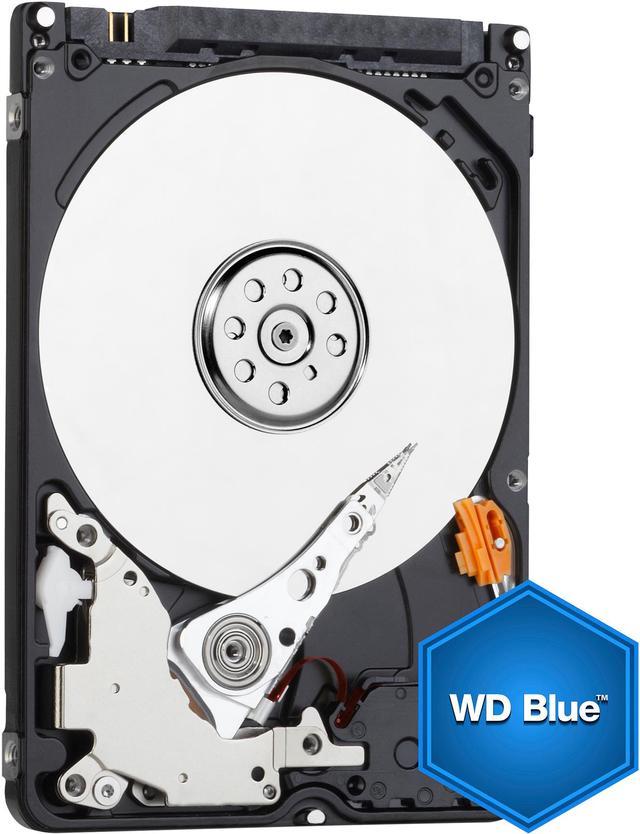
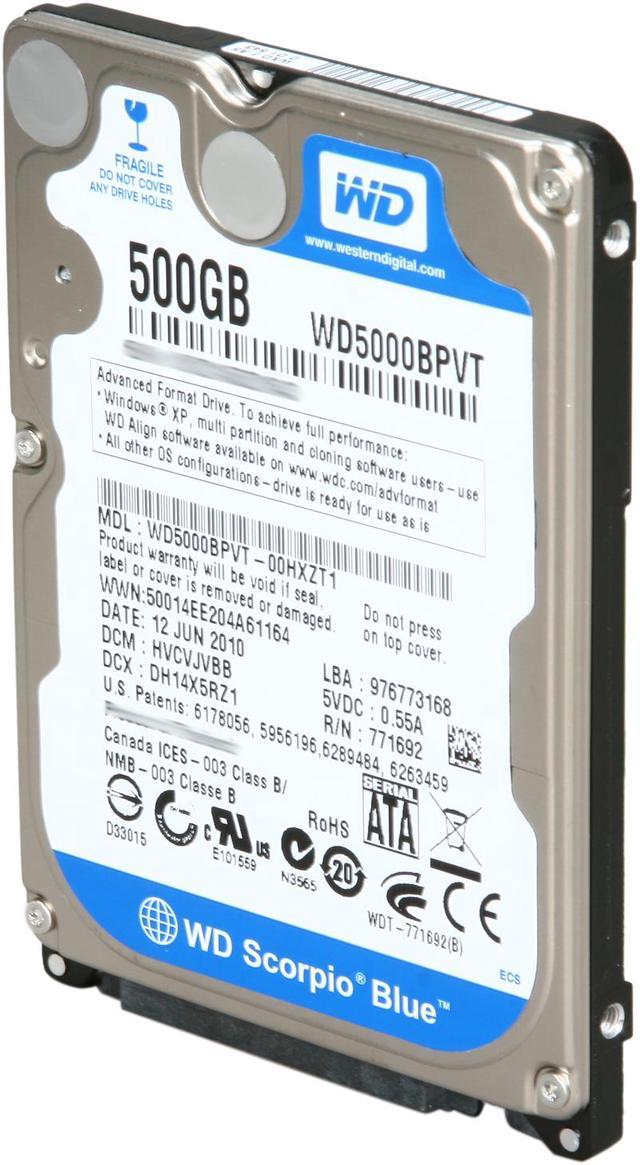
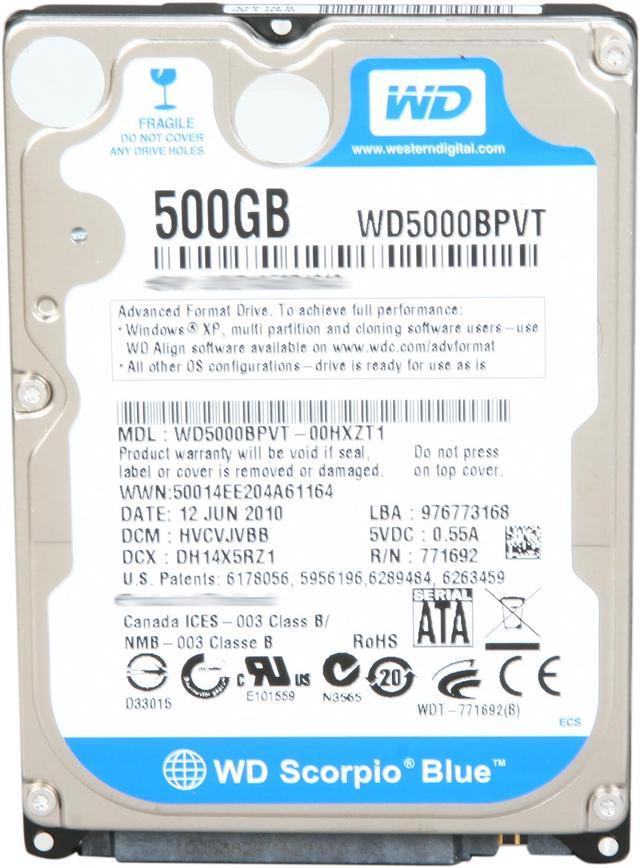
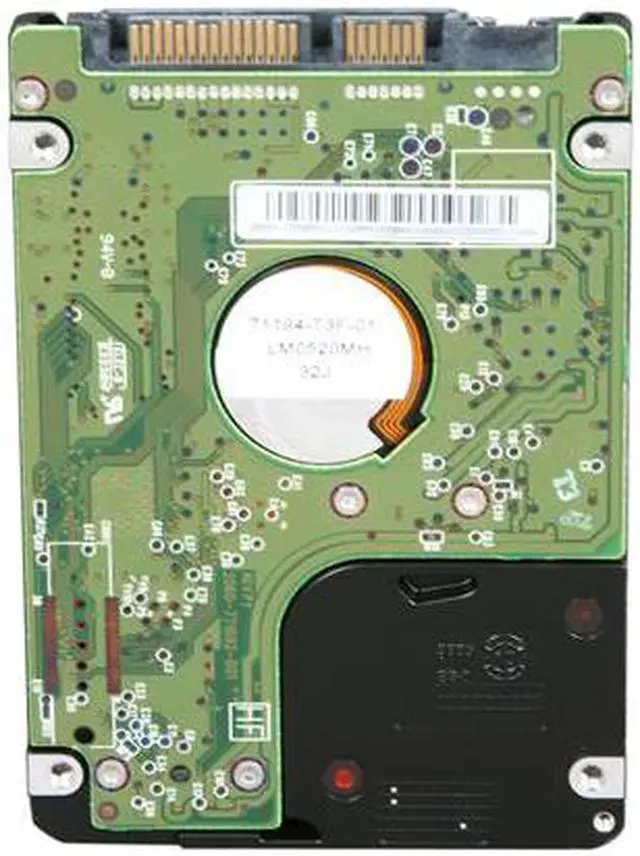
Western Digital Scorpio Blue WD5000BPVT 500GB 5400 RPM RPM 8MB Cache SATA 3.0Gb/s 2.5" Internal Notebook Hard Drive

  • 5400 RPM RPM 8MB Cache
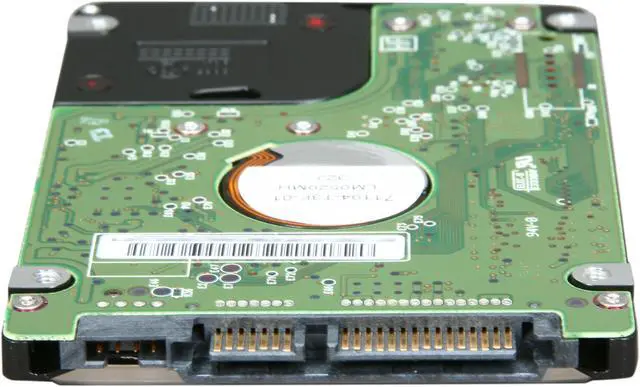
  • SATA 3.0Gb/s
  • For Daily Computing
  • 2 years limited
  • Pin It
  • Email this page
ICON Loading...

  • newegg 2.5" Form Factor The Western Digital Scorpio Blue internal hard drive is specifically designed for notebook computers equipped with 2.5" SATA drive bays.
  • newegg SATA 3.0 Gb/s Interface The 2.5” SATA internal notebook hard drive features the high performance SATA II interface supporting up to 3.0 Gb/s data transfer rates, Native Command Queuing (NCQ) and hot-pluggable point-to-point connections for optimum performance, efficiency, convenience and flexibility.
  • newegg High Performance Hard Drive This drive features a high performance 5400 RPM hard drive with a total capacity of 500GB so you can store your movies, music, applications and documents for easy sharing with your friends and even back up your system.
  • newegg Advanced Format Technology (AF) Adopted by WD and other manufactures as one of multiple ways to continue growing hard drive capacity, the Advanced Format Technology (AF) is a more efficient media format that enables increased areal densities. (PVT models only)

Learn more about the Western Digital WD5000BPVT

Model

Brand
Western Digital
Series
Scorpio Blue
Model
WD5000BPVT
Packaging
Bare Drive

Performance

Interface
SATA 3.0Gb/s
Capacity
500GB
Cache
8MB
Average Latency
5.5ms
RPM
5400 RPM

Physical Spec

Form Factor
2.5"
Height (maximum)
9.5mm
Width (maximum)
69.75mm
Length (maximum)
100.3mm

Features

Features
Advanced Format Technology - Technology being adopted by WD and other drive manufacturers to increase media format efficiencies, thus enabling larger drive capacities.
Usage
For Daily Computing

Manufacturer Warranty

Parts
2 years limited
Labor
2 years limited

Quick Info

Warranty

  • Limited Warranty period (parts): 2 years
  • Limited Warranty period (labor): 2 years


Customer Reviews of the Western Digital WD5000BPVT

Do you own this product? Write a Review

Filter Results

Go
  • Moose9
  • 5/10/2013 2:30:48 AM
  • Tech Level: Somewhat High
  • Ownership: 1 month to 1 year
  • Verified Owner

5 out of 5 eggsBudget laptop drive

Pros: -Great price(bought it on sale)
-Small form factor, I like to use these in tower cases that way i can pull the drive bays to install water cooling radiators.
-fast and quiet

Cons: none

Did you find this review helpful? Yes No

  • N/A
  • 5/6/2013 7:00:22 PM
  • Tech Level: Somewhat High
  • Ownership: 1 month to 1 year
  • Verified Owner

5 out of 5 eggs

Pros: price

Cons: none

Other Thoughts: replaced a dead toshiba laptop harddrive.
used recovery cd and hd image from windows 7 64 bit.

Did you find this review helpful? Yes No

  • N/A
  • 5/6/2013 2:06:04 PM
  • Tech Level: High
  • Ownership: 1 month to 1 year
  • Verified Owner

1 out of 5 eggsPURCHASED FIVE, TWO ARE BAD.

Pros: Purchased five of these drives for my repair shop. Two are bad and I haven't gotten through the rest of the five yet. I used to have allot of trust in WD drives and this experience has left me questioning whether I should continue buying WD.

Cons: I used to purchase WD drives en masse thinking I could save time / money but after this experience it makes me rethink this strategy.

Manufacturer Response:

We appreciate your feedback and apologize for any inconvenience you may have experienced with the WD Black, as this is not the typical experience with the product. We are very sorry to hear that your drives did not function so soon after they were delivered. Western Digital does rigorously test and verify all of our drives, prior to shipping, with burn-in and diagnostic tests.
As a troubleshooting step, it is advisable to run a diagnostics on your drives, to ensure they have arrived to you in good working condition as well. Please visit the following link for further information and assistance.
http://wdc.custhelp.com/app/answers/detail/a_id/940
For warranty replacement, you may contact us directly, or browse to the below link.
How to get an RMA (Return Merchandise Authorization) or replace a defective product under warranty
http://wdc.custhelp.com/app/answers/detail/a_id/8
We would appreciate the opportunity to further assist you, and resolve any further concerns you may have with the device and/or your experience. You may reach us at 1 (800) 275-4932, or via our support website at: http://support.wdc.com/rs/. Please indicate within the online case creation or with the first support agent you speak with, that you are responding to a Newegg review, so we route you and your information to the correct team members.

Did you find this review helpful? Yes No

  • Stevo
  • 4/9/2013 10:04:39 PM
  • Tech Level: Somewhat High
  • Ownership: 1 month to 1 year
  • Verified Owner

5 out of 5 eggsNot the greatest but good

Pros: Perfect and works great.

Cons: No cons.

Other Thoughts: Is it the fastest drive? NO
Is it the biggest drive? NO
Am I very happy with its performance? YES

Did you find this review helpful? Yes No

  • saharette
  • 4/7/2013 9:08:42 AM
  • Tech Level: High
  • Ownership: 1 month to 1 year
  • Verified Owner

1 out of 5 eggsgarbage -- WD lied about the geometry of Advanced Format drives

Pros: Do yourself a favor and stay away from WD Advanced Format, including the black such as WD5000BPKT that had the same issue described in "Other thoughts" below.

Cons: failed after one month of light use because WD lied about the geometry reporting Normal Format for an Adcanced Format drive. WD seeking to make the AF transition at consumer expense, making it as if it is a transparent migration by forcing a Normal Format on AF drive. Drive will be working hard to seek data when writing to sector because WD lied and forcing a Normal Format that will fool the OS when seeking to this drive. See other thoughts what this mean.

Other Thoughts: Model Family: Western Digital Scorpio Blue Serial ATA (Adv. Format)
Device Model: WDC WD5000BPVT-08HXZT3
Firmware Version: 03.01A03
User Capacity: 500,107,862,016 bytes [500 GB]
Sector Sizes: 512 bytes logical, 4096 bytes physical <<<<<< 4K PHYSICAL

# fdisk -l /dev/sdh
Disk /dev/sdh: 500.1 GB, 500107862016 bytes
255 heads, 63 sectors/track, 60801 cylinders, total 976773168 sectors
Units = sectors of 1 * 512 = 512 bytes
Sector size (logical/physical): 512 bytes / 512 bytes <<<< NORAML FORMAT
I/O size (minimum/optimal): 512 bytes / 512 bytes

RESULT:
===========
# mount /dev/sdh1 /1
mount: wrong fs type, bad option, bad superblock on /dev/sdh1,
missing codepage or helper program, or other error
In some cases useful info is found in syslog - try
dmesg | tail or so

WD should be charged to compensate consumer for such intentional lies.

WD, THE END CONSUMER IS NOT A BETA TESTER. AND IF YOU INSIST ON FORCING NORMAL FORMAT ON ADVANCED FORMAT, THEN YOU SHOULD LABEL THE DRIVE:
"FAULTY DRIVE GEOMETRY FOR MY BETA TESTER" and YOU SHOULD PAY YOUR CONSUMER FOR TESTING IT, NOT VICE VERSA.

garbage

Manufacturer Response:

We appreciate your feedback and apologize for any inconvenience you may have experienced with the WD Blue, as this is not the typical experience with the product. WD drives with Advanced Format include special installation information on the drive label.
For a list of current drives and their specifications, please visit this link.
http://www.wdc.com/en/products/catalog/
WD Advanced Format drives are specifically optimized for Mac and the latest Windows operating systems such as Windows Vista and later. Advanced Format Technology is being adopted by WD and other drive manufacturers to increase media format efficiency, thus enabling larger drive capacities.
Please read our knowledge base article regarding Advance Format drives. http://wdc.custhelp.com/app/answers/detail/a_id/5655
A WD Advanced Format drive will format properly on most systems; however, if the drive was formatted using Windows XP or an alternative OS, the alignment of the sectors on the drive may be offset. This will lead to performance loss on the drive. By using the Acronis Alignment Tool, you can fix the alignment on the drive. You can get the tool from the link below. http://www.wdc.com/global/products/features/?id=7&language=1
We would appreciate the opportunity to further assist you, and resolve any further concerns you may have with the device or your experience. You may contact us at 1 800) 275-4932, or via our support website at the link below. http://websupport.wdc.com/rdsfdc.asp?linktype=home&portaltype=wd&custtype=end&fs=&ss=&lang=en Please indicate within the online case creation or with the first support agent you speak with, that you are responding to a Newegg review, so we route you and your information to the correct team members.

2 out of 2 people found this review helpful. Did you? Yes No

  • N/A
  • 3/11/2013 7:20:38 PM
  • Tech Level: High
  • Ownership: 1 month to 1 year
  • Verified Owner

1 out of 5 eggstakes couple of seconds to wake up

Pros: Not good for Linux install. Not good for PS3.

Cons: The drive power cycle count is too high. It goes to sleep quickly, and awaking it even with a simple command (ls -l) will take couple of seconds.

Other Thoughts: Need to change the drive parameters after every restart to remedy the issue.

If you have a PS3, get a seagate momentus, or a WD 320GB black.
Horrible drive for PS3.

I will give it one lemon.

Manufacturer Response:

We appreciate your feedback and apologize for any inconvenience you may have experienced with the Scorpio Blue, as this is not the typical experience with the product. If you notice that your drive is not having a good performance, we recommend running a test with our DLG tool. Please click on the following link for the steps.
How to test a drive for problems using Data Lifeguard Diagnostics for Windows http://wdc.custhelp.com/app/answers/detail/a_id/940
We would appreciate the opportunity to further assist you, and resolve any further concerns you may have with the device and/or your experience. You may contact us at 1 (800) 275-4932, or via our support website at: http://support.wdc.com/rs/. Please indicate within the online case creation or with the first support agent you speak with, that you are responding to a Newegg review, so we route you and your information to the correct team members.

1 out of 1 people found this review helpful. Did you? Yes No

  • N/A
  • 3/8/2013 2:47:46 PM
  • Tech Level: High
  • Ownership: 1 week to 1 month
  • Verified Owner

5 out of 5 eggs

Pros: drive worked great formatted and installed windows 7 back onto with no problems.

Cons: none i can think of

Did you find this review helpful? Yes No

  • Douglassimi
  • 3/8/2013 9:47:18 AM
  • Tech Level: High
  • Ownership: 1 week to 1 month
  • Verified Owner

5 out of 5 eggsWorks perfect

Pros: Its a WD drive, it works, it fits, and performs like it should, scores well in WEI for being a blue drive.

Cons: None

Did you find this review helpful? Yes No

  • Avid Gamer
  • 3/8/2013 2:43:56 AM
  • Tech Level: High
  • Ownership: 1 month to 1 year

3 out of 5 eggsNot A Good Drive For Your PS3!

Pros: Tons of space, easy to install, low power usage.

Cons: I was looking for a new hd to replace the one in my ps3 as it was running out of space. I looked at several hard drives before settling for this, and I tell you this drive just doesn't get it done. The drive parks way too much, therefore causing major delays in your gaming on the ps3. The constant delays from this hard drive is more than enough to ruin all the positives it had. If you're an avid gamer and you want the best for your PS3, avoid this drive, because the constant head parking will drive you up a wall. Having more space for your new console is always a good thing, however the speed of this drive subpar for gaming unless you have a great deal of patience or you're not very tech savy.

Other Thoughts: I should of went with the Western Digital Black series instead of this drive because the performance of this drive stinks!

Manufacturer Response:

We appreciate your feedback and apologize for any inconvenience you may have experienced with the WD Blue, as this is not the typical experience with the product.
We recommend checking with the manufacturer of the game console to see if there is any settings that need to be changed within the particular environment you are working with, as well as whether or not the 3rd party has a list of qualified and supported drives for that environment.
To test our drives health, we have our Data Lifeguard Diagnostics for Windows (WinDLG) utility, and Mac users can of course use Disk Utility and First Aid. For information on how to use the WinDLG utility, please view the information provided by the following link.
How to tell if the noise or sound the drive is making is normal
http://wdc.custhelp.com/app/answers/detail/a_id/568
How to test a drive for problems using Data Lifeguard Diagnostics for Windows
http://wdc.custhelp.com/app/answers/detail/a_id/940
How to access Disk Utility on a Mac computer
http://wdc.custhelp.com/app/answers/detail/a_id/1362
We would appreciate the opportunity to further assist you, and resolve any further concerns you may have with the device and/or your experience. You may contact us at 1 (800) 275-4932, or via our support website at: http://support.wdc.com/rs/. Please indicate within the online case creation or with the first support agent you speak with, that you are responding to a Newegg review, so we route you and your information to the correct team members.

1 out of 2 people found this review helpful. Did you? Yes No

  • Bubba
  • 2/27/2013 11:25:28 PM
  • Tech Level: High
  • Ownership: 1 day to 1 week

5 out of 5 eggsIdle Timer

Pros: It works.

Cons: I know about the idle timer problem with Western Digital drives. Out of curiosity I checked the Load Cycle Count on this drive. After 7 hours of use it was at 397. That means that it parked the head 397 times in those 7 hours. Way to much!

Other Thoughts: I ran the Western Digital utility WDIDLE3 to see what the time count was set at for head parking. To my amazement it was set at 3 seconds!!! That is an insanely short number! WD increased their Load Cycle lifespan to 600,000 parks but this is still to much. At that rate it would be maybe 2 years before it reached it's life expectancy. I bumped up the park time to something that I find more acceptable & all is good.

Did you find this review helpful? Yes No

ICON Loading...

Protect Your Investment!

    • (more options) read warranty details
    • (more options) read drive saver details
Are you an E-Blast Insider? Subscribe Newegg e-Blast

Buzz

Nice drive

5 out of 5 eggs
Cool, quiet, no vibration. Decent size for the price.
— malifiss- 8/29/2011

Good Drive

4 out of 5 eggs
Half a Terabyte, I can run Win7 plus 3 other of my favorite linux distros and still have ample room for storage. 4k sector ...
— Tony 5/15/2012


PayPal
Shop without retyping payment details. Secure shopping made faster.
Check out with PayPal.

Financing


Home
Home > 
Computer Hardware > 
Hard Drives > 
Laptop Hard Drives > 
Western Digital > 
Item#: N82E16822136567
LOADING... LOADING...
Shop by Region: United States | Canada | China
Follow us:   RSS Feeds Youtube
VeriSign Reliability Seal1This site protected by Trustwave's Trusted Commerce program Inc500
Policy & Agreement | Privacy Policy  © 2000-2013 Newegg Inc.  All rights reserved.
If the Adobe Reader does not appear when you click on a link for a PDF file, you can download Adobe Reader from the Adobe web site. nassau