Skip to: |

Newegg.com - A great place to buy computers, computer parts, electronics, software, accessories, and DVDs online. With great prices, fast shipping, and top-rated customer service - once you know, you Newegg.

If you are reading this message, Please click this link to reload this page.(Do not use your browser's "Refresh" button). Please email us if you're running the latest version of your browser and you still see this message.

Newegg.com - Computer Parts, Laptops, Electronics, HDTVs, Digital Cameras and More!

  • | Wish List
  • Help
Home
Home > 
Computer Hardware > 
Hard Drives > 
Mac Hard Drives > 
Seagate > 
Item#: N82E16822178261

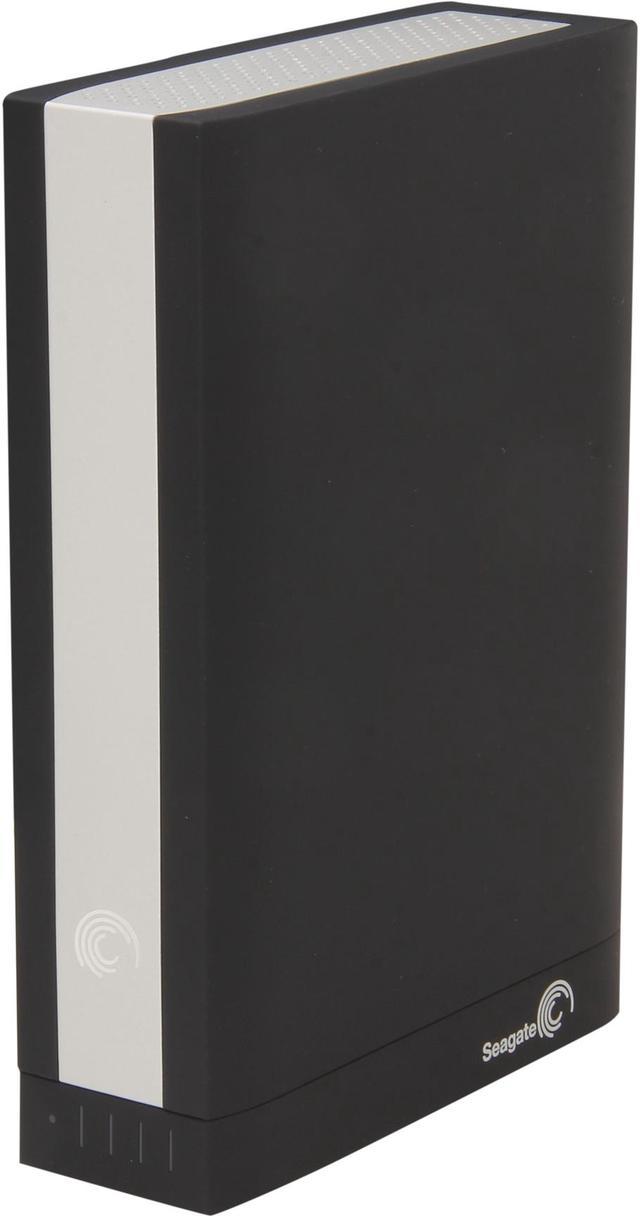
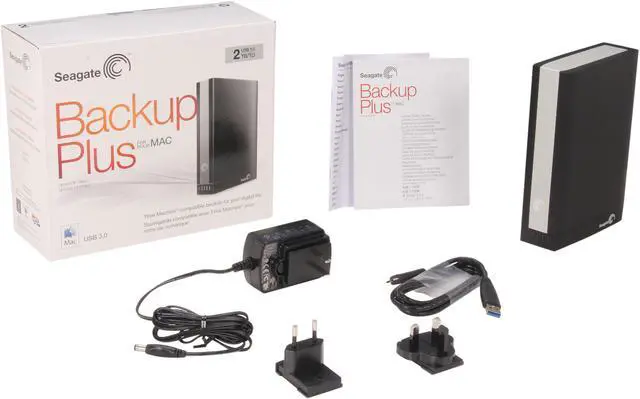
Seagate Backup Plus for Mac 2TB 3.5" USB 3.0 Mac Storage - Desktop Model STCB2000900

  • Model STCB2000900
  • USB 3.0
  • 3.5"
  • 2TB
  • Pin It
  • Email this page
ICON Loading...


Learn more about the Seagate STCB2000900

Model

Brand
Seagate
Series
Backup Plus for Mac
Model
STCB2000900
Type
External

Compatibility

Compatibility
Mac OS X 10.6 or higher or Windows 8, Windows 7, Windows Vista, Windows XP SP3 (32-bit and 64-bit) operating system

Performance

Capacity
2TB

Physical Spec

Form Factor
3.5"

Configuration

Interface
USB 3.0

Features

Features
Backup Plus for Mac desktop drive

Dimensions: 6.22" x 4.88" x 1.73"

Weight: 2.38 lbs.

System Requirements:
Mac OS X 10.6 or higher or Windows 8, Windows 7, Windows Vista, Windows XP SP3 (32-bit and 64-bit) operating system
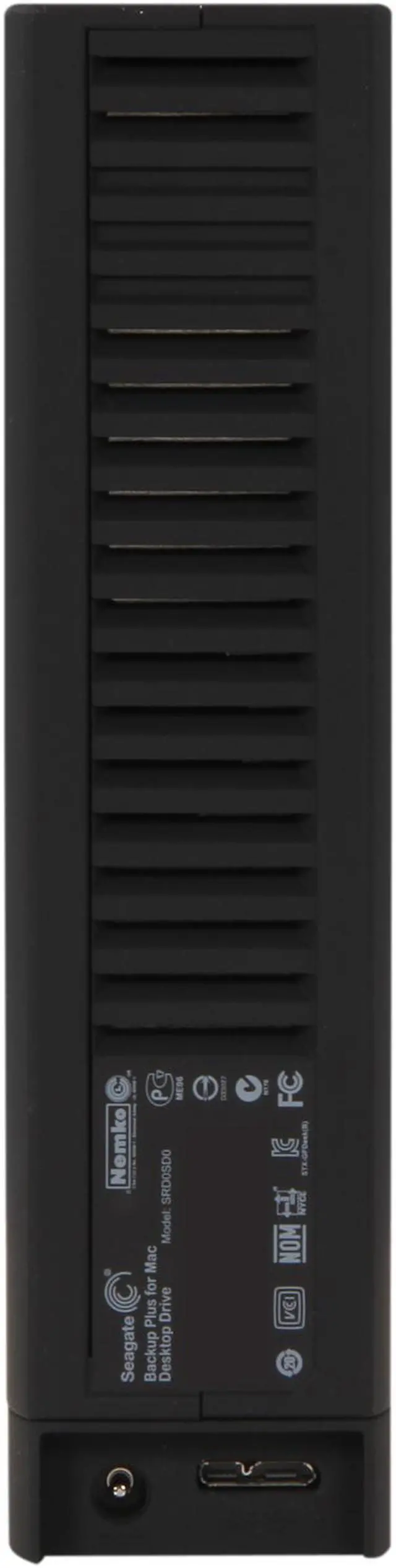
SuperSpeed USB 3.0 port (required for USB 3.0 transfer speeds or backwards compatible with USB 2.0 ports at USB 2.0 transfer speeds)

Packaging

Package Contents
Seagate Backup Plus drive
Power adapter
Seagate Dashboard pre-loaded on drive
Quick start guide
USB 3.0 interface adapter with capacity gauge
4-foot (1.2m) USB 3.0 cable

Manufacturer Warranty

Parts
2 years limited
Labor
2 years limited

Quick Info

Warranty

  • Limited Warranty period (parts): 3 years
  • Limited Warranty period (labor): 3 years


Customer Reviews of the Seagate STCB2000900

Do you own this product? Write a Review

Filter Results

Go
  • N/A
  • 5/5/2013 2:29:02 AM
  • Tech Level: High
  • Ownership: 1 day to 1 week
  • Verified Owner

1 out of 5 eggsAvoid like the plague

Pros: none really

Cons: This unit is NOT as advertised.
It does NOT come with a Firewire 800 cable, and Seagate does not make one for this drive.
The product advertises that it can also be converted to Thunderbolt... but BEWARE... the adapter costs almost as much as the drive.

Other Thoughts: You should ONLY purchase this drive if you ONLY have a requirement for a USB 3.0 connection. It is totally useless for older macs with firewire ports and it is incredibly overpriced for newer macs with thunderbolt (as the adapter is insanely expensive.. in fact... newegg has even discontinued it... so you can't even get it from them)

0 out of 1 people found this review helpful. Did you? Yes No

  • andyb
  • 4/30/2013 1:57:24 PM
  • Tech Level: High
  • Ownership: 1 day to 1 week
  • Verified Owner

5 out of 5 eggsBe sure to update the firmware if experiencing unmounting issues

Pros: Huge space. Got it for a great price with newegg promo. Good looking enclosure.

Cons: Until I updated the firmware, the drive had issues staying mounted during file transfer (running OS X Mountain Lion.)

Other Thoughts: Not that looks trump performance, but this is one of the best looking external drives I have owned. The black finish is smooth and ultra soft, almost feels like velvet. Wife-approved styling.

But more importantly I want to address the issue that some have reported with mounting problems under OS X. When I first plugged in the drive, it mounted and I began copying some files. Part way through the transfer, the drive unmounted and gave me an error. I tried again. Same thing. Transfer would get part way through and then unexpectedly unmount and fail.
So I downloaded a new firmware driver from Seagate, and it solved the problem completely. No more unmounting issues. The drive now works great.

The firmware update process was not super intuitive, so I want to make sure everyone knows the process (the first time I ran it, I was fooled into thinking my drive was already up to date, but it actually wasn't.)
First make sure your drive and all other external drives are disconnected.
Run the firmware updater.
The updater will tell you that no drive was detected.
Plug in your drive.
The updater will then detect your drive and give you the option to update firmware if your version is out of date.

*** When I first tried updating the firmware, I had the drive already plugged in. The updater then did not detect an eligible drive, thereby fooling me into thinking mine was already up to date.

So, run the updater, then plug in the drive.
I'm pretty tech savvy, so I'm bugged that Seagate phone support had to walk me through this, but there you have it. Their phone support was quick and helpful, by the way.

I've only had the drive a couple days, but I like it so far. I'll update down the road if any other issues come up. I considered giving it 4 eggs instead of 5, because of this issue, but since Seagate was quick and helpful, I am keeping it at 5.

Did you find this review helpful? Yes No

  • GObonzo
  • 4/12/2013 2:10:49 PM
  • Tech Level: Somewhat High
  • Ownership: 1 month to 1 year

1 out of 5 eggsupdate again:

Pros: ...

Cons: power block attached to the bottom of drive stopped working. detached and plugged straight to motherboard & psu and drive showed up as blank RAW drive, all data lost.

Other Thoughts: seagate has been giving me the runaround about help. keep offering data recovery services BUT: you only get a demo version of the service. if data is recoverable you have to pay $99.00 to actually TRY and recover it, no guarantees it will be usable data.

Did you find this review helpful? Yes No

  • Jug
  • 4/12/2013 12:30:09 AM
  • Tech Level: Average
  • Ownership: 1 month to 1 year
  • Verified Owner

4 out of 5 eggsSecond was a winner

Pros: 3T duh. Who doesn't need 3000GB

Cons: My first drive was defective and I had to send it back to newegg. The second one I receive works 100% fine and does what I need it to.

Did you find this review helpful? Yes No

  • GObonzo
  • 4/2/2013 7:58:17 PM
  • Tech Level: Somewhat High
  • Ownership: 1 month to 1 year

2 out of 5 eggsupdate for BackupPlus 3TB

Pros: large. USB 3.0. nice looking.

Cons: after a couple months of normal use:
problems being recognized at boot and after wakeup a lot of the time.
1 partition is now undetected by Windows 7 desktop or Windows 8 laptop. a 2nd partition is undetected some of the time.
speeds have started to drop from around 100MBs to around 20MBs over USB 3.0 some of the time.

Other Thoughts: the 2 partitions that Windows fails to detect are accessible through 1 wireless access hub I have if it's attached but my desktop nor my laptop can read\write when directly connected via USB cables. no options but delete for these partitions in Windows Manager.

getting very nervous about the 2TB+ of files I have stored on this thing. am now starting to slowly move them back to my internal drives and other storage devices before this thing stops working completely. will give it the benefit of the doubt and hope it's just accidental partition structure corruption and will reformat and construct after i've rescued all my files and retest over time.

Did you find this review helpful? Yes No

  • Disappointed...
  • 3/26/2013 8:26:41 AM
  • Tech Level: Average
  • Ownership: 1 week to 1 month
  • Verified Owner

1 out of 5 eggsThe Seagate Glitch Drive

Pros: It looks great...

Cons: I thoroughly reviewed this item b4 i made my purchase, so i thought! After receiving the Seagate Drive i immediately starting using it. I was able to transfer some files from my both my Mac Pro & Mac Book Pro, then out of nowhere Glitch came to life! This drive would dismount from my computers without any warning! I tried to trouble shoot the issue which lead me to believe that i had certain permissions on my Macs that needed to be corrected. After that didn't work i turned my attention to the Seagate Drive and i reformatted the drive as i was able to at that time bcoz i was in the early stages of file transferring! After reformatting i loaded this drive with about 500 gigs of data and files. These files were very important to me and by now i had a sense of confidence in the Seagate Drive. This proved to be a BIG mistake!!! Now the Seagate Glitch Drive is good for one thing, and that's reading the information that i have written to it. The files have somehow become scattered all over the Drive & some of them are no longer readable! It's almost as if i didn't designate a folder for these items to be put into. Now my disc manager kicks the drive out right away (as if i be darn if you put me through this again) however it now stays mounted with my OS much longer! But im stuck with this useless Drive until i order a relieve drive and try to salvage my information as best as possible, ugh!!! So as i read on all the different sites about people who purchased this drive i started to see a pattern in with a great number of the complaints. Yes you may have guessed it... people all over have problems with these drives un-mounting during a file transfer! When this happens it basically leaves some or all of your information in a none retrievable state! I also noticed that when transferring large blocks of data e.g. 40 gigs or better, this Drive is more likely to develop Alzheimers right in the middle of that task!!! I needed a backup drive 5 months ago so when i got this one i immediately opened up the dam and starting using it... Now i cant put the information back where it came from nor can i discard it! The Drive at this point is only useful to me as a ROM like device, there was an era code telling me that the Drives keys were displaces. Also one more note after all this happened and Disc Utility started to kick this drive out on start up, i installed a copy of OSX 10 on the drive hoping it would let me access my files through it. Now even that doesn't work! So after reading all the other post regarding mounting issues with this Drive, i have decided against purchasing this brand until this issue is resolved: rather it's an Apple issue or a Seagate issue. I have been descriptive, thorough and fair as possible despite my disappointment in this product also considering the money i have wasted. Best of wishes to anyone considering purchasing this product, i'm sure it works just fine in someone's home...

1 out of 2 people found this review helpful. Did you? Yes No

  • Disappointed...
  • 3/26/2013 8:02:37 AM
  • Tech Level: Average
  • Ownership: 1 week to 1 month
  • Verified Owner

1 out of 5 eggsSeagate Glitch Drive

Pros: It looks good...

Cons: I thoroughly reviewed this item b4 i made my purchase, so i thought! After receiving the Seagate Drive i immediately starting using it. I was able to transfer some files from my both my Mac Pro & Mac Book Pro, then out of nowhere Glitch came to life! This drive would dismount from my computers without any warning! I tried to trouble shoot the issue which lead me to believe that i had certain permissions on my Macs that needed to be corrected. After that didn't work i turned my attention to the Seagate Drive and i reformatted the drive as i was able to at that time bcoz i was in the early stages of file transferring! After reformatting i loaded this drive with about 500 gigs of data and files. These files were very important to me and by now i had a sense of confidence in the Seagate Drive. This proved to be a BIG mistake!!! Now the Seagate Glitch Drive is good for one thing, and that's reading the information that i have written to it. The files have somehow become scattered all over the Drive & some of them are no longer readable! It's almost as if i didn't designate a folder for these items to be put into. Now my disc manager kicks the drive out right away (as if i be darn if you put me through this again) however it now stays mounted with my OS much longer! But im stuck with this useless Drive until i order a relieve drive and try to salvage my information as best as possible, ugh!!! So as i read on all the different sites about people who purchased this drive i started to see a pattern in with a great number of the complaints. Yes you may have guessed it... people all over have problems with these drives un-mounting during a file transfer! When this happens it basically leaves some or all of your information in a none retrievable state! I also noticed that when transferring large blocks of data e.g. 40 gigs or better, this Drive is more likely to develop Alzheimers right in the middle of that task!!! I needed a backup drive 5 months ago so when i got this one i immediately opened up the dam and starting using it... Now i cant put the information back where it came from nor can i discard it! The Drive at this point is only useful to me as a ROM like device, there was an era code telling me that the Drives keys were displaces. Also one more note after all this happened and Disc Utility started to kick this drive out on start up, i installed a copy of OSX 10 on the drive hoping it would let me access my files through it. Now even that doesn't work! So after reading all the other post regarding mounting issues with this Drive, i have decided against purchasing this brand until this issue is resolved: rather it's an Apple issue or a Seagate issue. I have been descriptive, thorough and fair as possible despite my disappointment in this product also considering the money i have wasted. Best of wishes to anyone considering purchasing this product, i'm sure it works just fine in someone's home...

1 out of 2 people found this review helpful. Did you? Yes No

  • Sheepherder
  • 3/17/2013 4:30:41 AM
  • Tech Level: Somewhat High
  • Ownership: 1 month to 1 year

5 out of 5 eggsStill Tooling Along after 5 Months

Pros: See my previous reviews in October and November 2012. I'm really glad I got this drive. It is still working great.

Cons: None

Other Thoughts: I leave this connected to my computer.

Did you find this review helpful? Yes No

  • Don
  • 1/6/2013 9:10:18 PM
  • Tech Level: High
  • Ownership: 1 month to 1 year

5 out of 5 eggsTwo month follow-up review

Pros: Nothing has changed in regards to the pros. This external drive is SUPERB. No issues at all have presented themselves in the two months it has been in service. I am very pleased with this drive.

Cons: None other than what I originally pointed out by on 11/7/12. Hard to find any cons, though. This drive just performs. The Paragon driver is still "wonky." I am using this drive on a USB 3.0 connection on a PC 100% of the time so I simply repartitioned and reformatted as GPT and have all 3TB available.

Other Thoughts: Great drive, and Seagate has a real winner here. This is THE DRIVE TO GET if you need speed AND capacity.

1 out of 1 people found this review helpful. Did you? Yes No

  • Steve from Ohio
  • 12/7/2012 11:33:06 AM
  • Tech Level: Somewhat High
  • Ownership: 1 week to 1 month
  • Eggxpert Review

5 out of 5 eggsBig Fast Nice PC and Mac

Pros: I've had this drive now for about a month. In that month I have downloaded all my Blue Ray videos and tons of photos and music to the drive.I have both MAC and PC so this drive does double duty. I use it as a server drive for both via wireless and wired network. I also use it as a recorder drive for internet TV.

Being USB3, it is fast. I love USB3 and this drive does not disappoint.

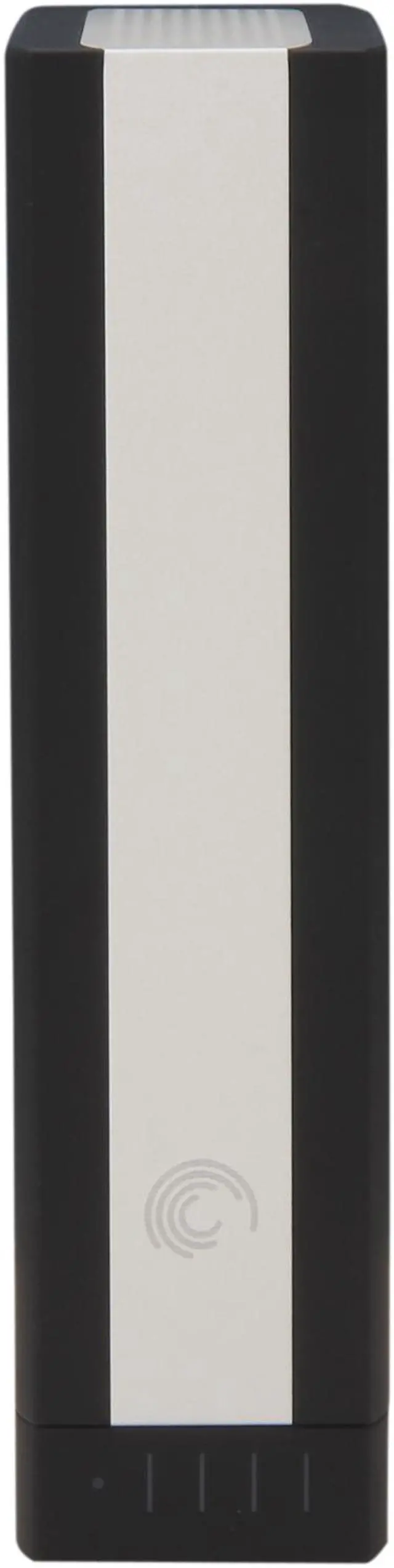
Some external drives have annoying LED lights. This has a tiny white LED in the lower part of the front to let you know it is on.

Very fast on downloads and access. Very quiet. I water cool my PC and have large fans that run slow to keep the sound down. I prefer to run 24/7/365 and so having a drive that is quiet and fast is a big plus. This drive is quiet. Like almost no noise at all.

This drive so far has been one awesome drive. The semi hard rubber case feels like it could go through a war and win.

So far, this drive has been flawless.

Cons: None other than it does get a little warm. I water cool so I am used to chilly computing. The drive does get a little warm but nothing to worry about.

Oh and the USB cable is kind of short. As most USB3 cables are.

It does require a separate power supply but that is not a deal breaker.

Other Thoughts: I like this drive a lot. No, the more I think about it, I really like this drive a whole lot.

3 TB, USB3 fast and quiet. Cross platform ability (Mac and PC). And for the price.... an excellent value...what's not to like.

It's not often that I say this..... I highly recommend this drive.

1 out of 1 people found this review helpful. Did you? Yes No

ICON Loading...
Capacity:
Are you an E-Blast Insider? Subscribe Newegg e-Blast

Buzz

Review for Seagate STCB3000900 Backup Plus for MAC

4 out of 5 eggs
INITIAL INSTALLATION:
Upon plugging in my Backup Plus for MAC, Windows 7 64-bit installed drivers flawlessly. However, ...
— Majestic One 11/23/2012

Time Machine King

5 out of 5 eggs
It's well made.
It's got a great look and feel with its rubberized mat finish.
It just feels more solid than ...
— Pc Doctor 11/8/2012


PayPal
Shop without retyping payment details. Secure shopping made faster.
Check out with PayPal.

Financing


Home
Home > 
Computer Hardware > 
Hard Drives > 
Mac Hard Drives > 
Seagate > 
Item#: N82E16822178261
LOADING... LOADING...
Shop by Region: United States | Canada | China
Follow us:   RSS Feeds Youtube
VeriSign Reliability Seal1This site protected by Trustwave's Trusted Commerce program Inc500
Policy & Agreement | Privacy Policy  © 2000-2013 Newegg Inc.  All rights reserved.
If the Adobe Reader does not appear when you click on a link for a PDF file, you can download Adobe Reader from the Adobe web site. nassau