Skip to: |

Newegg.com - A great place to buy computers, computer parts, electronics, software, accessories, and DVDs online. With great prices, fast shipping, and top-rated customer service - once you know, you Newegg.

If you are reading this message, Please click this link to reload this page.(Do not use your browser's "Refresh" button). Please email us if you're running the latest version of your browser and you still see this message.

Newegg.com - Computer Parts, Laptops, Electronics, HDTVs, Digital Cameras and More!

  • | Wish List
  • Help

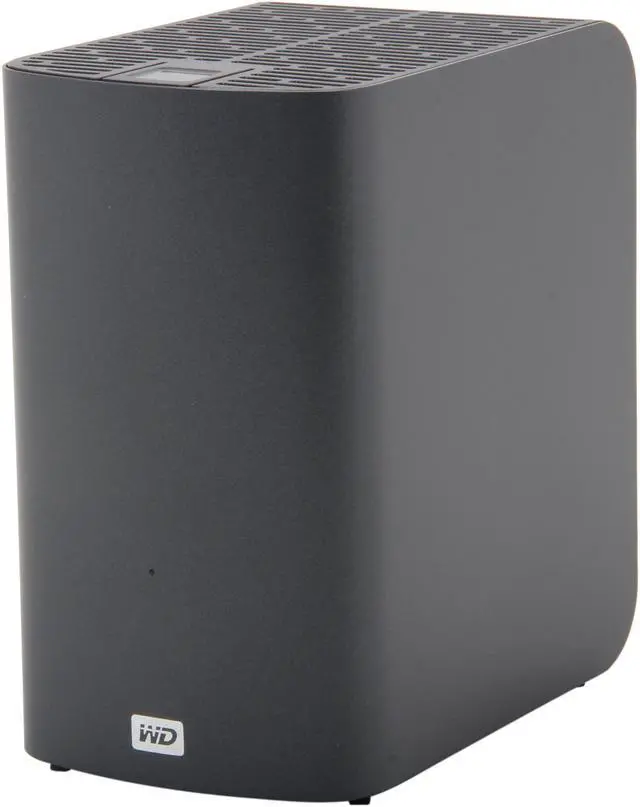
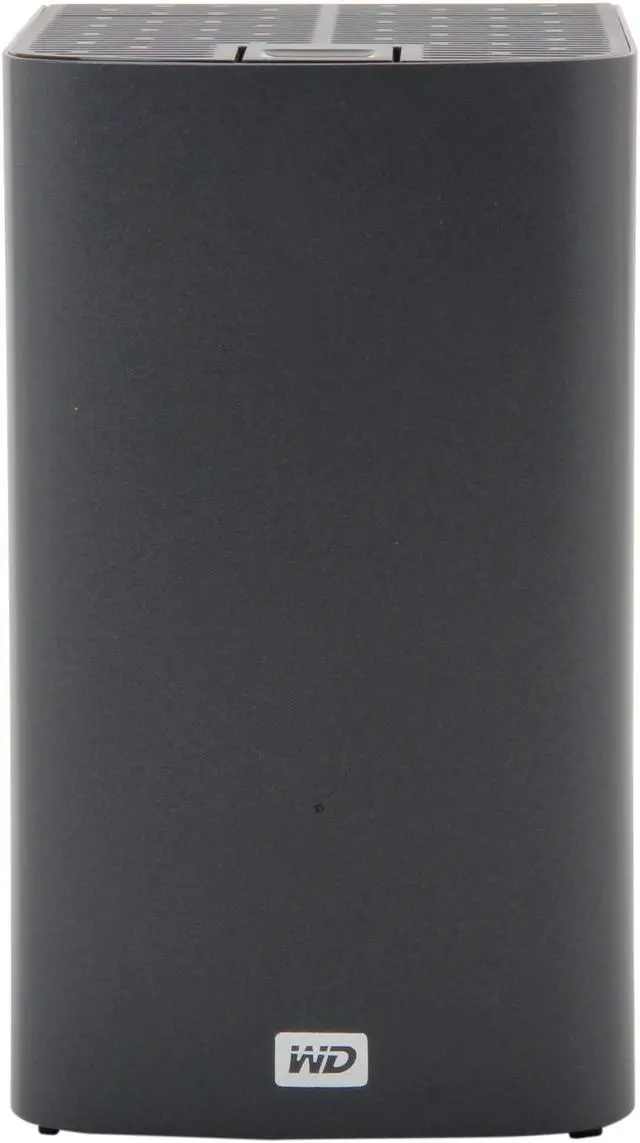
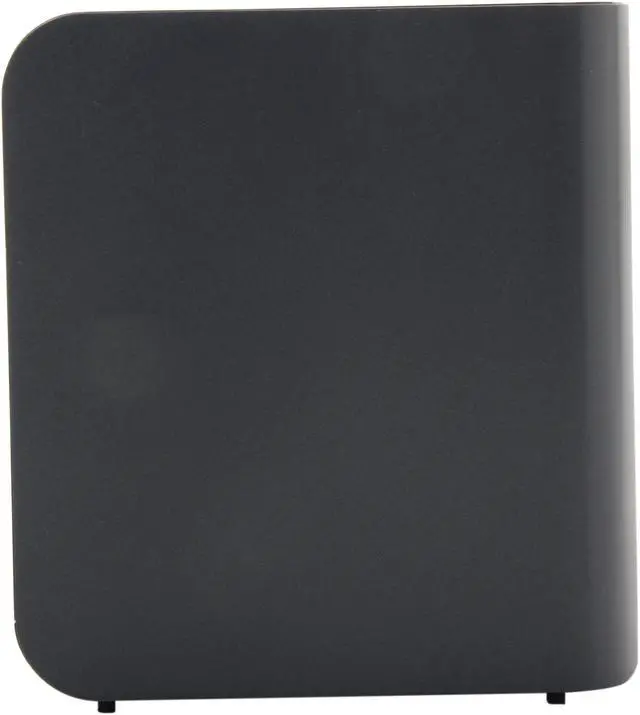
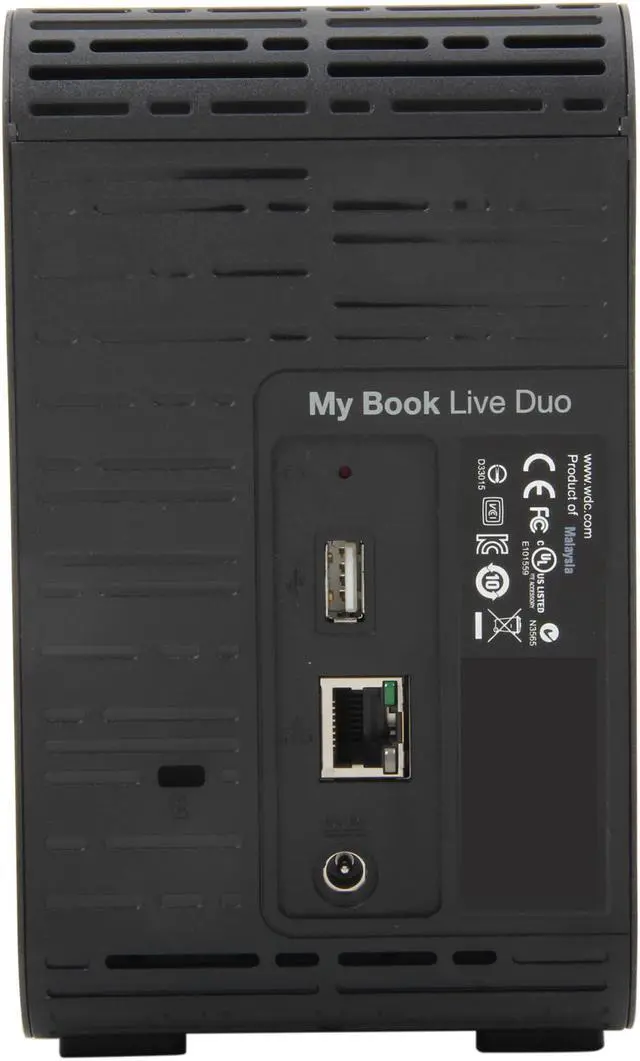
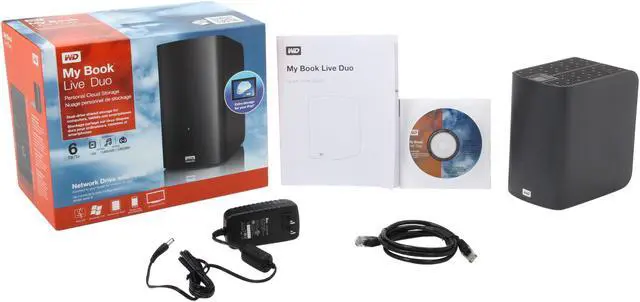
WD My Book Live Duo 4TB Personal Cloud Storage

  • WDBVHT0040JCH-NESN
  • 2 x 2TB
  • 800 MHz CPU Processor
  • Pin It
  • Email this page
ICON Loading...


Learn more about the Western Digital WDBVHT0040JCH-NESN

General

Brand
WD
Model
WDBVHT0040JCH-NESN

Interfaces

HDD Interface
2 x SATA (2 x Bay)

Configuration

Form Factor
2-Bay
Processor
800 MHz CPU

Hard Drive Performance

Included HDD Capacity
4TB (2 x 2TB)
RAID
RAID 1

Power

Power
AC input voltage: 100 – 240V
AC input frequency: 47 – 63 Hz

Features

Features
Storage and backup for all the PC and Mac computers on your network

View photos and files with apps for your iOS, Android, and BlackBerry smartphones and tablets

Securely access media and files remotely over the Internet

Stream videos, music, and photos to your entertainment center

Built-in 800 MHz CPU for maximum performance and speed

Ideal for
- Storing your digital media collection on your wired or wireless network
- Double-safe data protection with RAID 1 mirroring and dual drives
- Sharing videos, music, and photos with all the computers on your network
- Backing up data from all the PCs and Mac computers in your home
- Viewing photos and files with your iPhone, iPad, iPod touch, BlackBerry, Android smartphone, or tablet
- Streaming media to your Blu-ray Disc players, game consoles, media players, or other DNLA/UPnP devices on your home network
- Secure remote access from any computer with an Internet connection

Compatibility
- Windows XP (SP 3), Windows Vista, Windows 7
- Mac OS X Leopard, Snow Leopard, or Lion
- DLNA/UPnP enabled devices
- Internet connection for remote access
Usage
High read/write performance with RAID

Dimensions / Weight

Dimensions
6.5" x 6.2" x 3.9"
Weight
4.73 lbs.

Environment

Temperature
Operating temperature: 5°C to 35°C
Non-op. temperature : –20°C to 65°C

Package Contents

Package Contents
Network drive
Ethernet cable for network connection
AC power adapter
Installation and software CD
Quick Install Guide

Quick Info

Warranty

  • Limited Warranty period (parts): 2 years
  • Limited Warranty period (labor): 2 years


Customer Reviews of the Western Digital WDBVHT0040JCH-NESN

Do you own this product? Write a Review

Filter Results

Go
  • N/A
  • 4/5/2013 11:16:55 AM
  • Tech Level: Somewhat High
  • Ownership: 1 month to 1 year

1 out of 5 eggs

Pros: Worked for almost a whole week.

Cons: I've had 2 of these fail on me now both were in a raid 0 configuration, they've given me nothing but headaches their support team wasn't helpful at all, I wasn't shipped a replacement until a month after I submitted my RMA request.

Manufacturer Response:

We appreciate your feedback and apologize for any inconvenience you may have experienced with the My Book Live Duo, as this is not the typical experience with the product.
We are very sorry to hear that your drive did not function so soon after it was delivered. Western Digital does rigorously test and verify all of our drives prior to shipping. We stand behind our warranty for the duration of the products provided warranty period, and as such, we are here to support our products regardless of the circumstances. We would appreciate the opportunity to further assist you, and resolve any further concerns you may have with the device and/or your experience directly, resulting in a positive resolution to your issue. You may contact us at 1 (855) 842-5370, or via our support website at http://support.wdc.com/contact/contact.asp?lang=en&ct=networking Please indicate within the online case creation or with the first support agent you speak with, that you are responding to a Newegg review, so we route you and your information to the correct team members.

1 out of 2 people found this review helpful. Did you? Yes No

  • N/A
  • 1/15/2013 10:58:45 AM
  • Tech Level: Average
  • Ownership: 1 month to 1 year
  • Verified Owner

3 out of 5 eggsso so

Pros: lots of storage

Cons: slow and software is not the greatest. fails to locate drive. I've updated, uninstalled, gone back to original files. tried everything to get this thing to do backups

Other Thoughts: wish I had returned it

Manufacturer Response:

Thank you for your feedback and we apologize for the inconvenience that you may be experiencing with the My Book Live Duo. For troubleshooting purposes, please connect the My Book Live directly to the computer to verify that the unit is properly working. If there is any light other than green on the front LED, then the device is not properly connected to the network either physically or logically. Secondly, check if the My Book Live Duo is connected to a router/switch, run the WD Link software that was provided with your drive to verify that your computer can connect to the User Interface. This link will give you a step-to-step instruction to accomplish this.
Title: How to install a My Book Live or My Book Live Duo on Windows or Mac OSX for the first time
Link: http://wdc.custhelp.com/app/answers/detail/a_id/5724
Typing the name of the drive in your browser will also allow you to connect to the dashboard and configure the drive.
http://mybookliveduo (Windows) OR http://mybookliveduo.local (Mac)
If you require additional support, we would appreciate the opportunity to further assist you, and resolve any further concerns you may have with the device and/or your experience. You may contact us at 1 (800) 275-4932, or via our support website at: http://support.wdc.com/rs/.
Please indicate within the online case creation or with the first support agent you speak with, that you are responding to a Newegg review, so we route you and your information to the correct team members.

1 out of 1 people found this review helpful. Did you? Yes No

  • Ahumado
  • 12/11/2012 2:32:35 PM
  • Tech Level: Somewhat High
  • Ownership: 1 month to 1 year
  • Eggxpert Review

4 out of 5 eggsWorth your consideration

Pros: The My Book Live Duo is a sophisticated piece of hardware capable of many duties. It is 6 TB of local or remote RAID 1 capable backup storage, it may function as an FTP server or a media server to DLNA (Digital Living Network Alliance) devices and has iTunes support built in. The admin may create shares (folders) for any number of users while permitting local or remote access to their files. Imagine being in China and having access to all your data. The admin can choose what level of security permitted to users; read or read write. The package includes 2 three tb WD Green hard drives enclosed in a sturdy black plastic passively cooled enclosure, an 800mhz RISC processor, power brick, proprietary network cable and a CD with the starter software. I write starter because you will need to update the firmware and the WD Smartware after setup. WD bills these devices as your own personal cloud; an effective ad campaign. Whoever successfully got the idea of storing YOUR stuff on their server across to the masses is quite a guy. The folk are chomping at the bit to be part of that experience. What WD is doing with My Book makes sense to me. I don't store my data "in the cloud". I have never signed up to store stuff at the various cloud services so I have never read their user agreement which I am sure states...if we lose your data we are not going to do anything about it. I imagine cloud storage is secure from hackers though (wink, wink). Seriously, who wants your pictures of Aunt Betty? WD wants you to store your data on the cloud but they want it to be on your cloud. That is an excellent idea and they developed this product to meet that need. Wise people should realize it is much better WD's way. The hardware implementation of this strategy is the easy part. The software and end user experience is where is gets difficult. The first thing I was capable of removing from the package was a card presenting WD's Concierge Service. Need help? Call 1-xxx-xxx-xxxx. I did. Buying any product means you are trusting a company with your money and it is OK to have expectations from that company. I didn't expect that the other end of my concierge call would be entirely in a language I don't speak or understand. Anyone can make a mistake so I don't hold that against WD even though the card is entirely English. If I may I would like to analogize. You can buy a game like Doom and figure how it's played in 10 minutes or you can buy a game like STALKER and spends hours just getting the idea of the games capabilities and nuances. The WD My Book is STALKER. A hard drive is DOOM. As most guys do I read the Quick Install Guide, thankfully it was not a fold open poster but a concise 4 page pamphlet. That meant getting started was a cinch. After initial software install and device discovery the user is brought to the Dashboard. One can then delve into settings which is what I did. One can then delve into settings which is what I did.

Cons: I wanted to see what I could figure out from what info WD gave to me on any dashboard page. Settings is further subdivided into system, network, utilities, remote access, media and storage. So far so good. I am most concerned with remote access as you should be too. After all this is cloud storage Baby! and what this product is principally for. Remote access is very easy to configure, maybe. The options are straight forward. My connection status is...ready and my connections options are ...automatic. Great ! Next I select the Web Access option, after all this is my cloud and I need to access it. OOpppss! Got to register first. No problem. Select a username, put in your real name and e-mail address click submit, check your e-mail a link arrives for you to access your cloud ! HUZZAH ! In e-mail I read..."Your account has been successfully verified and can be accessed here." I follow the link and am at wd2go.com where I merely have to fill in my email and create a password. I have done all this without so much as looking at a manual. That is truly eggcellent work on WD's part. They developed software that allowed a user with somewhat high tech level to setup cloud access with their product. The unit comes with 30 FREE toll-free technical support. WD really wants the user to succeed with their product or they would not offer such service. I called because I could not access the unit remotely. The connection status reported: Cannot establish remote access connection Error 31520. I printed and READ the My Book manual.
On page 99 I read: "...some ISP's implement double-NATing which renders your routers IP address unreachable for direct connection(port forwarding)". I am aware that my ISP does this. My modem is also a router that cannot be assigned a static IP address unless I pay. I did not tell this to support because to judge their worth I had to see if they could come up with it by themselves. Support originates from the Dominican Republic. I don't care if support comes from guys in Chad or from Pluto as long as I can understand them both aurally and cognitively. I can understand WD support just fine. They are unfailingly polite and versed in the product. Congratulations to them and WD. They follow a routine which is the way to go at level 1 support so all players are on the same page. Over the course of a week and several calls they tried many formulas to get my remote access running. None were effective. The manual reads..."If you can access the internet...you can securely access...from anywhere...". The Duo uses WebDAV technology for remote access. If you want this technology to work for you insure your ISP allows it. Mine does not and as hard as WD tried to find a workaround they could not. At one point I asked the level 1 tech if they had access to the manual. I read him the excerpt from page 99 and he replied that he didn't want to go there yet which means to me they know of the problem
but hope to work around it I was bumped to Level 2 tech

Other Thoughts: support. The tech remotely accessed my computer fiddled and diddled with the WD UI, my router firmware. Nothing worked. I asked if the problem was double NATing and he wouldn't say that it was or wasn't. I am doing a complete as opposed to quick factory restore before his call tomorrow. Support decided the problem was with the unit and shipped me a new one. I doubted this but wanted to give them their due. The new unit functioned like the old unit.
The unit ships as a spanned drive. The two units appear as one for a huge 6TB volume. I want to use the device in RAID 1. The software informs me that the process will take several hours. Without any additional data on the drives the process took 12 hours. Whether that is fast or slow I leave to you. As long as the unit is intended for backups the user may as well do all to insure data is safe and RAID 1 does that. Confusingly, after RAID was created I had two units appear in explorer. But, I supposed, if I was mirroring the drive two visible units wasn't unreasonable. Subsequently I set the unit back to factory default spanning and one drive appeared. I am pleased with the WD Smartware backup software. The home page presents a screen graphically representing the C: on the left and My Book on the right. By default the My Book decides for you what it will back up ; Documents, movies, pictures, mail and other. The help screen lets you know what specific file extensions each category includes and covers most users needs. The next tab is BACKUP. More advanced options are selectable here. The user can switch to FILE backup and decide for themselves what to select. I prefer this option. Backup was fast and retrieval allows you to restore to original or alternate locations. I printed the Smartware manual AND read it. The manual mostly duplicates the online help and that's good. All the questions that popped into my head while using the software were answered in the manual. The software for back-up is well implemented by WD. One need not use WD's software. Windows backup is a presented alternative in initial setup. Your choice.

WD has an extensive help system at their web site. The help includes FAQ's, options for phone support and a forum. I signed to the forum to post questions I think I know answers to so I can properly evaluate it's effectiveness. Initially I found the forum lacking in usefulness as regards the My Book. I received replies from guys that merely want "Kudos" and a high ranking. I received replies from what I thought to be knowledgeable posters yet they were one sentence posts that read as if they didn't want to give you their important info. I didn't see anyone from WD posting. It is a user to user non-WD supported forum in my opinion. Unless you are in the RMA forum.
Conclusion:
I recommend this product for all it's capabilities and good phone support. Research before you buy to insure there are no issues with your ISP.

4 out of 8 people found this review helpful. Did you? Yes No

  • Eryxx
  • 12/10/2012 1:30:51 PM
  • Tech Level: High
  • Ownership: 1 week to 1 month
  • Eggxpert Review

4 out of 5 eggsGreat storage solution at an attractive price

Pros: Voluminous storage, 6TB as a spanned-volume or 3TB in RAID1. Very good device for the home-user or SOHO.

Easily installed and configured, once set up it needs very little user-management. All of the user-applications software is stored on the drive itself, just connect, install, configure and you're all set.

Clean, simple appearance.

Should you not wish to install the user-apps on all your PCs or devices, you can map to this unit like any normal network drive.

Compact in size, leaves a small footprint on a desktop or "IT-shelf."

RAID1 (mirrored-drives) offers peace-of-mind data storage.

Decent passive ventilation, stays reasonably cool. Numerous perforations in the bottom-plate and top cover allow ample airflow via natural convection.

WD Green-series drives are energy-efficient, at least as HDDs go. This unit shouldn't make much of a dent in your energy budget.

Impressive data-transfer rates, considering these are not enterprise-class data server HDDs. Internal Gigabit adapter works quite well. So far averaging ~25-28MB/sec. sustained.

Very reasonably priced for this level of storage, redundancy and access.

Failed drives are surprisingly easy to replace.

Running for a solid month, reliability has been 100% so far, no need to restart.

Easy mobile-access via the WD Personal Cloud, login at WD2Go.com and access your data securely from anywhere (and with nearly any device) you can access the internet. It was easy to register on the cloud site, as well.

USB 2.0 port for even more flash-based storage or external power.

Self-updating firmware as long as internet access is available on the network.

Decent-quality (Cat5e or better) Ethernet cable is included.

Cons: Heavy, but there's not much that can be done about that, the two internal HDDs contribute the great majority of the weight.

External plastic housing feels pretty flimsy, it flexes noticeably when you pick up the unit, and the top-cover -- while quite well ventilated --- looks and feels like it could snap in two without that much errant force being applied. I can appreciate WD's efforts at keeping the price of such a device affordable (which they have certainly accomplished,) but a metal housing and top-cover would have been a better choice for something this small and hefty.

Not super-fast, but while using the Green-series of drives, performance feels very acceptable.

USB port isn't 3.0-spec, which is a little surprising when it is starting to become the standard. In all honesty, though, I wouldn't expect a lot of users to really even use this port to any great extent, so the decision to leave it at 2.0 is somewhat understandable.

Uses an external power supply, an internally-powered device would have been very welcome, but certainly not a deal-breaker.

Appearance is visually uninteresting, which can appeal to some, but others prefer a little "more to look at." No network connection-speed indicator, at least not in the front of the unit, no LCDs to indicate remaining capacity, etc., just a green LED to indicate both power and activity. I am fine with the appearance, however, my spouse finds it a little "plain-Jane."

Product registration was very easy from within the user application, but once registered, the WD site only gave it a 30-day warranty, instead of the 2-years it should have been granted. I contacted WD support, who advised I would need to forward them a copy of my invoice or shipping receipt in order to receive the full duration, which I found rather disconcerting.

Other Thoughts: This unit has been a welcome relief in our household, and I'll tell you why:

My wife, who is a professional photographer, relies on me for all of her data (photo) management needs, and following every one of her shoots I have to download all of her RAW photos from her camera(s) for her to edit. This, in and of itself, is not a great chore, but at that point we'd have only two copies of her data -- one set now on the PC, and the originals still on the SD card(s) in the camera(s.) My problem was that in order to safely clear out the SD cards so she could use them for her next shoot, I had to backup her most recent photos to an external HDD or other media, and this was getting quite tedious. Even though she has several SD cards, it was becoming more and more of a hassle to ensure she had at least two copies of her photos available at all times. Heaven help me if any of her data had become corrupted and I didn't at least have original copies of the photos. Even should she have to edit them all over again, this would certainly have been better than losing them entirely.

Now, insert the WD MyBook Live Duo into our lives, and everything is easy again! With the RAID1 option setup, as soon as I copy the RAW photos to this device, they're automatically backed-up onto the second HDD without lifting a finger or investing another minute of time. Once I visually scan the download folder (just to ensure they copied correctly from the camera,) I can clear the SD card(s) and know her data is backed-up securely. Should one drive fail, you just replace it and the unit automatically rebuilds the array until you have two perfect copies once again. Naturally, should both HDDs fail simultaneously then we'd have a serious problem, but the odds of this are highly improbable.

Replacing a drive in this unit is also remarkably easy, you just open the top-cover, unscrew a small clip and both drives will slide right up and out. Drop in a new HDD, replace the retainer, close the lid and hook it back up, it really could not get much easier.

Had I known how much time and aggravation such a data-solution would have saved us I would have invested in one of these a few years ago. I now no longer have to obsess about which files are backed-up, which SD cards can be erased, etc.. it's all done automatically and in real-time.

This unit also holds a HUGE amount of data, even in the RAID1 3TB configuration. 3TB doesn't sound like a lot of storage these days, but I've copied ALL of the wife's professional pictures (these average 16MB-18MB each) and ALL of our personal photos for the past 15 YEARS, and we've only used barely 6% of the available storage on this device! At this rate we've got many years to go before we have any worries about capacity, which is wonderful.

Kudos, WD, for this well-executed and effective storage solution for the average user. It isn't 100% perfect, but it sure does the job, and I cannot imagine ever going back to the way things used to be.

1 out of 5 people found this review helpful. Did you? Yes No

  • JOHNNIEDOO
  • 11/14/2012 6:18:53 PM
  • Tech Level: Somewhat High
  • Ownership: 1 week to 1 month
  • Eggxpert Review

5 out of 5 eggsWESTERN DIGITAL: MY BOOK LIVE DUO Personal Cloud Storage 4TB

Pros: I have used this multi featured multi service combination drive from about 15mins after opening the box; it was that easy to get set up and working. I have never had to jiggle cables, try tricks of any sort. It was just plug in and begin to use it. I had looked at the 2drive set up inside the nice subdued enclosure that had a light on the front. I have put it out of the way, so looks are not real important, but they do count. Mine is black and fits in along side my other stereo, home theater AVR products and quietly does its task. It does have an internal fan which i could not hear though felt. Apparently, there is a temp sensor but only sends back 'good' reading.It comes with software I installed which makes it easy to use and monitor. I can use it as a full 4TB(3.8 useable) for public and private file sharing and storage . Or, set up a RAID 1 Mirrored to add a layer of protection for what I plan to keep on the device. It is seamless in its ability to change over or keep as it came and proceed with the net based Dashboard where all its set up and config goes on. Password equipped, I have to have the internet connection for making anything happen with it. An icon resides in the Win7 task bar which gives access to folders, a basic status overview and other options once software is installed.
I really like the device and have used it for storing my video iso files which had been taking up 3 1T drives in 2 computers and a LAN necessitating having both running to have access. now all in one place and can access, wirelessly or via LAN with out all that power consumption. I have it connected through my router/gateway and added an external 2T drive through its external usb2 provided for this use. they all work together perfectly, just plugged in and it was discovered and into use with the ability to password protect and work with its own password.
Here are a few more ""Pros"": the WD My Book Live Duo comes complete with two removable and serviceable Caviar Greens and it is built with an 800MHz RISC processor.
Turn any USB 2.0 drive into an instant shared drive
On Windows computers you can use the included WD SmartWare software and every time you save something and I found the SmartWare Network Link to be invaluable, as well as the QuickView Task Bar resident with a pull down.
It is a secure wireless access to your media and files from any computer, tablet, or
Smartphone when connected to a wireless router. Share files with Macs and
PCs, stream media to your entertainment center, and access files remotely via the Internet or with apps you can get for your mobile devices. I use iso storage and DNLA isnt available but it works just fine with over 3Gb I have already transferred.
Set up is a snap. In just a few minutes,
I got up and running. Mac, Windows 7, and Vista computers will
automatically find your My Book Live Duo system in seconds. If you're running XP there are instructions specific

Cons: I have used this device for about 3weeks, through my area's bout with Sandy , Hurricane or Tropical storm, and ths WD MyBook LIve Duo kept cranking , but I did get time to nit pick it for a few, and came up wth only a couple of Cons. These are personal and I almost feel like apologizing for criticizing this device that is really quite competent and easy to use.
Nonetheless: On dashboard, the web management page, under back up, 'create' cant create there, no shares though it locates all computers , can not do anything. I had most trouble following the 'Help' directions trying to set up back ups. I am not sure if it was the instructions being vague, but I kept getting prohibited from establishing 'shares' but was only allowed to set up back ups in established shares. No 'shares' anywhere. Though i do have 6 1Tb drives all shared to 'everyone' Never have worked that out
I had difficulty having more than one person accessing data at a time. Got slow enough I thought there might be a problem. The access was to 2 totally separate folders
Rather slow to respond sometimes and copy to and from time is slow compared to other drives, but that is only relative. 40Mb/Sec is not really slow, only slow on the gigabit LAN where other drives transfer at up to 120Mb/sec with bursts to as much as 300Mb/s. Must have 5400rpm drives which seems to be a large factor in other drive's transfer rates.
Had some trouble with my LAN connected/wifi using Network Magic and computers when I did turn it on. Froze when it got to network discovery but was corrected after several uses...
After a reboot my task bar generates a balloon with cant find or connect to network drives (specifically to Live Duo) 2nd error 'some or all network drives"" yet it is there, The control panel is there with the identifying information as well as the USB extension 2Tb hard drive I have plugged into the WD MyBook Live Duo. All my partitions and shares show up as well. So, I am not sure what that means, it continues to flash on the TaskBar each boot and I have no trouble
the drive, it shows its IP address as well in the left pane of the Windows Explorer tree.
In 'Backups', again, 'Safepoints' network drives were not located/listed, and cant find any drive it will accept, took forever to even load the network, I began thinking it was frozen. However after I put a usb ext drive in I could use that, and then no problem. But to make a safepoint would take almost 3days. And that was not in 'background'.... all else was gigabit speed. I just used another method of storing backups to the drive. The instructions were not helpful to me in these cases. These issues are using the web based management page. I used the desktop utilities I downloaded and had absolutely no trouble finding everything I had. I strongly suggest downloading and using those desktop tools . Mac has tools which are different and did not test any Mac only tools.

Other Thoughts: The large black Book, the non descript box with one led on the front that comes in 4 or 5 different colors: Sleep state blue light. green light means go, plus it only takes a second to cone to come to life after a call for data. There is a red light, must be danger of some sort and yellow, I think. I have seen blue and green, so far. It is quiet and unassuming, yet is a very powerful and diverse device. It can run as a protective secure wireless or gigabit RAID 1 back up; a double safe place for important items, with encryption. It can be, as I chose to do, use it as a network server for music, video , files of anything I might want from some distant place,in the house or across the web. I didnt fit that in the Pros, just set up an account and have port forwarding automatically and securely, access anything I so deem, from anywhere I can connect to the web,and also, with my phone or tablet. It is as staid as it is advanced. I can not help but enjoy using the device for more things than I imagined it could be use for and learning how to make even better use of it. I like the power saver state. I had been afraid to check off that option due to failures with other things I put to sleep crashing or never coming back on. This tunes off after a little idle time, yet pops right back to life immediately. hardly noticeable that it was asleep. I had to look directly at it to tell when it was asleep.
I have a normal home LAN with a brand new build, a couple a year, and 2 yrs old- all rating 7.5 to 7.8 on the WEI,and then my trusty laptop which is as low as the wei goes. I have network LCD tv, BD players, a gigabit router and unmanaged gigabit switch as well, so anything can be set up wirelessly that i can plug into the switch. Having the network interface of this storage server device makes it almost universally useful for my needs. It comes in a larger 6TB size. The USB port allows addition of another drive
It is quite easy for me to find things to praise about the MyBook Live Duo personal Cloud because my experience was almost flawless. I had no trouble from the moment I plugged it in and began to go through the steps to configure it. I found it to be set up well so that one thing just flowed into the next. While it was certainly not perfect, it worked very well at a variety of things that it was designed to achieve. It is real easy to access and it happens without interfering with any thing else I have going on. I can easily access any one of hundreds of songs, videos, pictures or files in milliseconds and be watching or using those files with no hiccups or wait time. It is the Gigabit LAN connection and its built in RISC processor, 800Mhz , faster than 3rd generation Macs by a lot, and is to power the 2 Caviar Green 2Tb hard drives, fan cooled and readily accessible. It provides a large amount of territory to store and/or protect valuable data with minimum fuss. I can certainly recommend this device wholeheartedly.

4 out of 5 people found this review helpful. Did you? Yes No

  • SnakeMan
  • 10/24/2012 5:29:10 PM
  • Tech Level: Somewhat High
  • Ownership: 1 day to 1 week
  • Eggxpert Review

5 out of 5 eggsThe WOW factor

Pros: Have you ever wanted to put all of your personal information onto your own personal cloud and be able to access it locally or remotely via your network or the internet? The WD My Book Live Duo gives you that capability and it does the task extremely well. The unit comes pre-configured with folders for your videos, photos, music, and backups in a public share that you can use or rename as you desire.

Physically, the unit contains two WD 2TB SATA 3.0 GBs green drives in a raid arrangement that supports RAID 0 or RAID 1. Logic would say to use RAID 1 so that you always have an exact functional copy of your data however, if you are greedy you will opt for the default RAID 0 which gives you the maximum capacity of the unit.

The unit was very easy to set up once you allow the unit to fully initialize which takes a few minutes (approximately 3) and is distinguishable by the status light turning a steady green. If you don’t wait and try to continue you may have difficulties finding the drive (I did initially). The drives default network mode configuration is to use DHCP when connecting to your network which also adds a few minutes to the initial setup. This can be changed to a static IP address for those who wish to do so, but I have had no problems whatsoever, running the unit with the default set to DHCP.

The unit comes with a quick install guide and a CD that contains the WD Smartware software which was very helpful. The drive itself contains a complete user’s guide along with other software utilities. You can install the software on each computer on your network creating a shortcut on your desktop to access the public share in the cloud or you can simply map the drive using the utilities available in Windows XP or Windows 7. You will however, need to install the WDC quick view software on at least one machine if you want to have access to the dashboard and be able to check the status or change the available options. The software, by default, runs when windows starts, but can be changed to only run when you want it to by removing the option in the MSCONFIG utility.

If you find the installation beyond your capabilities, which I doubt, WD provides a concierge service where WD’s technicians will assist you or set up and configure the unit on your network. They will also walk you through how to install their mobile applications on your mobile devices. This is very reassuring to know that help is there if it is needed and WD certainly went above and beyond offering that level of support for this unit.

Cons: The drives in the WDC unit can only be replaced with WDC green drives. Using any other drive jeopardizes the integrity of the unit and voids the warranty. The only conclusion that I can come to is that the reason is because the unit uses convection cooling and WD only knows the specifications on drives they manufacture. It would be nice if WD would allow other drives to be supported.

The WD Smartware software allows you to perform data file backups. While the software package backs up all of your data files and allows multiple copies of the files it does not back up the entire partition images. This would be beneficial if you ever had a catastrophic hard disk crash that you had to recover from.

The unit comes with a 4 foot Ethernet cable which can be a bit short depending on where you want to place the unit. The recommendation of WD is that you use the supplied cable when connecting the unit.

Other Thoughts: I used the free application, lan speed test, to perform some simply benchmarks on the unit. Over my 1GB network I saw write speeds of 349 Mbps and read speeds of 595 Mbps. The write speed was slightly below what I expected to see on my network (400 to 600 Mbps), but the read speed was fine.

On the back of the drive is a USB 2.0 port for connecting an external drive. The unit will support up to 7 external hard drives if they are connected to the USB port via a powered USB hub. The external drive shows up in the WD dashboard and can be mapped as another network drive. It is unfortunate, but the unit does not support USB 3.0.

The unit also has an option that puts the drives to sleep when not in use. This option is configurable as are all of the other options, but this one saves wear and tear on the drives and also the amount of energy used by the unit. I also haven’t noticed any real objectionable lag time when the drives come out of the sleep mode.

If you change the unit name or description after the drive is mapped be prepared for a noticeable delay before you can access the unit again. The changes get made but then the unit disconnects and re-establishes itself possibly using a new IP address if you are using DHCP. This task takes enough time that a reasonable person may think that the unit is broken. You will also have to disconnect the old mapped drive and remap the drive using the new name.

The built-in DLNA media server is also very nice. I was able to stream video from the Cloud storage unit to my Blu-Ray player over my wired network. This worked extremely well too.

This two-disc Live Duo unit offers a lot of capacity for the buck and streams large files very well. Perfect for the home or small business and since it has no fans it is absolutely silent. I do not think that you will be disappointed by this unit if you have a pure 1GB LAN network.

5 out of 5 people found this review helpful. Did you? Yes No

  • jaymz13
  • 10/19/2012 9:28:35 PM
  • Tech Level: High
  • Ownership: 1 month to 1 year

5 out of 5 eggsSolid

Pros: Easy set up, quiet, great speed (100Mbps), works with everything in my house over wifi (PS3, iPhones, MacBook Pro, Windows 7 desktop running iTunes, and SuSe Linux). Shares weren't visible from PS3 until I restarted DLNA service (disable/enable). iPhone apps work well including uploading 4 Meg pics over 3G network. Important personal documents are now accessible!
Idle, my PS3 is louder than the drive. I reconfigured to RAID 1 to store critical data - I get about 1.8Tb due to RAID overhead. I added an old 500Gb Western Digital USB drive which is now accessible over the network and dedicated it to Time Machine backups.
Easy enough to set up Remote Access and secure enough to prevent mother-in-law from deleting the pictures of my kid's first few years.

Cons: Removing a share deletes all of the data in that share. Huge warning in the user manual but I can see people not reading it and losing everything. Consider this a second warning.

Other Thoughts: Recovery from hard drive sleep (Energy Saver mode) is pretty quick. About 3-5 seconds

Did you find this review helpful? Yes No

  • Sim
  • 9/7/2012 8:39:03 PM
  • Tech Level: Somewhat High
  • Ownership: 1 month to 1 year

5 out of 5 eggsGood product

Pros: No problem installing in my network. I should have bought a 4TB instead of a 2TB because it is not enough to backup my whole system.

Cons: None at the moment.

Other Thoughts: I want to see a USB to piggy back at least one hard drive to expand the capacity. Just a thought.

Did you find this review helpful? Yes No

  • Doctor Nick
  • 8/30/2012 3:34:04 PM
  • Tech Level: High
  • Ownership: 1 month to 1 year
  • Verified Owner

4 out of 5 eggsVery Good NAS for the Price!

Pros: • Network performance is good for streaming audio, video, photos, & backing up files due to the 800 MHz RISC CPU & Gigabit Ethernet port for connecting to your home router.
• Small form factor that is well ventilated on top & bottom.
• DLNA/UPnP Media Server works well and easily streams A/V to my network devices (PS3, xBox360, Yamaha Home Theater, Sharp Smart TV, Panasonic Blu-Ray, & all PC’s.
• The iTunes Server also worked well and iTunes on my iMac (OS X Lion) had no problem seeing the library in the Shared Music folder.
• Easy to configure user interface.
• Drives can be spanned to access the full 6TB, or configured as RAID 1 Mirror (cuts capacity in half but provides data redundancy and if a drive goes bad it can be replaced without losing data).
• Power Saver feature seems to work well when not in use and doesn’t take too long to become active again when something is trying to access files (maybe a 10 – 20 second lag depending on what you are trying to stream/access).

Cons: • USB port only supports version 2.0 (anything made in 2012 should have version 3.0).
• Does not have the ability to turn off Guest access or modify guest privileges to the Public share and it automatically has full privileges (Read/Write).
• Setting up new User accounts also does not have the ability to assign Read Only privileges to the Public Share. I don’t always want every user on my network to have Write privileges to Public because my shared iTunes library, and shared photo library are stored on this share and I don’t want anyone to have full access to them but me.
• WD’s Personal Cloud website (wd2go.com) uses secure SharePoint to access this device. Unfortunately most Media Players on Win 7 (WMP, VLC, QuickTime, RealPlayer, etc.) can’t handle streaming video on the SharePoint protocol. The only Media Player I found that handled streaming video from this type of mapped drive is XBMC. Maybe someone knows how to fix this for the above players, but I never found any Google sear

Other Thoughts: Overall I’m very happy with the price, features, & performance of this NAS. Even though it is vented well, I found a small laptop cooler w/fan at Five Below for $5 and plugged it into the USB port. Cooler air is pushed up through the bottom and the hotter air leaves the top. This is ok for me since I never plug any extra drives into the USB port.
This supports AFP (Apple File Protocol) and originally I had no problems connecting to my private shares with AFP. However, about 2 weeks after it was setup, Apple came out with a security update to AFP and I could no longer see or connect to private shares. Apple Support said WD is using an open source AFP provider (probably Netatalk) and they need to update their security model. I contacted WD Support with this information and they had a new firmware released in 7 days that fixed this problem. I give WD a lot of credit for responding so quickly to this issue as most companies would have taken months to resolve.

6 out of 6 people found this review helpful. Did you? Yes No

  • IShouldBePainting
  • 8/6/2012 9:23:00 PM
  • Tech Level: Somewhat High
  • Ownership: 1 month to 1 year
  • Verified Owner

4 out of 5 eggsSweet, just short of perfect

Pros: Small footprint (love that it's vertical), continuous RAID backup, WD HDs (my faves). Faster than expected for mega amounts of data transfer. Personal cloud sounds fantastic.

Cons: The installation wasn't perfect, but not horrid...if WD ran a short usability test, they'd see how to make their installation really crisp.

But my one real complaint is that when I reboot any Win7 computer on the network, the server is red-X'd out until I click on it. Don't know if it happens on other OSs.

Other Thoughts: I would buy this again in a heartbeat. I have three wired and two wireless computers on our home network, running on a NG router with this little hummer for backup & storage. What a relief.
Haven't tried the personal cloud storage yet, but will... no storing personal data on other people's hardware!!!

3 out of 4 people found this review helpful. Did you? Yes No

ICON Loading...
Included HDD Capacity:
Are you an E-Blast Insider? Subscribe Newegg e-Blast

Buzz

It Does What I Bought It For

4 out of 5 eggs
This is doing exactly what I wanted it for. I didn’t like backing up to a cloud and not knowing where my files were. ...
— FB 2/15/2012

So far, so good

4 out of 5 eggs
1) 6TB of cloud storage for $400? Can't beat that with a stick!

2) It's quiet ^_^

3) ...
— ChrisH 7/8/2012


PayPal
Shop without retyping payment details. Secure shopping made faster.
Check out with PayPal.

Financing


LOADING... LOADING...
Shop by Region: United States | Canada | China
Follow us:   RSS Feeds Youtube
VeriSign Reliability Seal1This site protected by Trustwave's Trusted Commerce program Inc500
Policy & Agreement | Privacy Policy  © 2000-2013 Newegg Inc.  All rights reserved.
If the Adobe Reader does not appear when you click on a link for a PDF file, you can download Adobe Reader from the Adobe web site. nassau