
Your Browsing History


Jason F.
Joined on 12/03/04
0
0
product reviews
- 22
Good Program
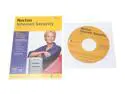
Symantec Norton Internet Security 2007 Single User
Pros: Provides excellent protection from internet treats. Regardless to what people may say the OEM version is the same as the higher priced Retail version, it just doesn't come in a big box or have a paper manual. The OEM version is cheaper than renewing your current version online.
Cons: If upgrading from a older version of Norton Internet Security you need to manually delete all "Symantec" folders from your drive after uninstalling the program. If you do not it will still use your old product ID and not give you the one year of live update support that you payed for. If you disable any feature such as the Phishing protection it always displays a big red warning symbol and tells you that you need to fix this problem. My web browser already has a phishing filter so I wanted to disable the symantec one. One disavantage of the OEM version is that it can not be used for a mail-in upgrade rebate.
Overall Review: Go to the Symantec web site and download the free add on pack. It gives you AntiSpam, Parental Control, Add Blocking, and Confidential Information Blocking.
1/13/2007See more detail
Not what I expected
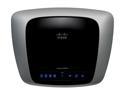
Linksys E2000 Wireless Router Selectable Dual Band Gigabit 802.11a/b/g/n 2.4/5GHz up to 300Mbps
Pros: Looks nice, has gigabit ports.
Cons: When using N and G wireless devices together you don't get the max N speed of 300Mbps and you can only use the 2.4ghz band. It's advertised as a "Dual Band" but doesn't clearly state that only one band can be used at a time.
Overall Review: Don't make the same mistake I did, be sure you understand what "Simultanious Dual band" and "Selectable Dual Band" means before you purchase.
3/3/2011See more detail
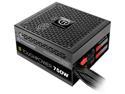
Thermaltake Toughpower TPD-0750M - SLI / CrossFire Ready 80 PLUS Gold Certification and Semi Modular Cables Black Active PFC Power Supply Intel Haswell Ready (PS-TPD-0750MPCGUS-1)
Pros: Good price for a 750w power supply. Flat cables reduced clutter inside computer case. Had all the right connectors that I needed. Quiet fan, makes less noise than my video card fan.
Cons: All the wires on the cables are black, which can make it difficult to measure test voltages if needed.
Overall Review: This was a replacement for an old 750w Thermaltake Power Supply that died after about 10 years, I found that they usually don't last any longer than that.
7/6/2015See more detail
Nice Router
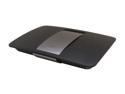
Linksys EA6500 V2 AC1750 Wi-Fi Wireless Dual-Band+ Router with Gigabit, Smart Wi-Fi App Enabled, Open Source supported
Pros: Fast speed on wireless N band. Gigabit LAN ports. Very easy to configure through a PC web browser. Supports future devices with wireless AC band and 5GHz. Has USB 3.0 and 2.0 jacks for printers and storage devices. Firmware updates automatically overnight when available, so you never need to even think about it.
Cons: The G band seemed slower than my old E2000 router, so I ended up daisy chaining my old router to the new one and set it as a AP for the G band, it runs more than twice as fast on G and now I have a triple band network with N and 5ghz AC / N on the EA6500. The range of the 5GHz band is about 1/4th of the 2.4Ghz band, in my basement I get 4 out of 5 bars on 2.4ghz and barely one bar on 5Ghz. My Nook tablet was not able to configure the router through a web browser. I have a Roku2, Nook HD+, Kindle Fire, and 2 laptops and only one laptop was able to run on the 5GHz band, all the other devices did not support it, not really a fault of the router, I just thought more devices would support 5GHz. There are no indicator lights on front of the router like the old ones had. Beam forming is a nice feature but it only works with wireless AC and nothing that I know of uses AC unless you buy an extra adaptor for each device. Strange wall mount holes only allow for a sideways wall mount.
Overall Review: Be aware that there are 2 versions of this router with the same name (EA6500). The newer version 2 is much better with a faster processor, twice as much RAM and USB 3.0 support. Also remember that an average internet connection is around 15MB / sec so your speed will not be more than that unless you are transferring files within your own home network.
3/9/2015See more detail
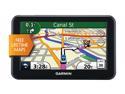
GARMIN 5.0" GPS Navigation w/ Lifetime Map Updates
Pros: Large screen, simple to use, shows exit lanes in a dual screen mode, tells you the current speed limit, good price. Works good on my motorcycle; even when wearing leather gloves I can still use the touch screen.
Cons: Sometimes it doesn't display the road that I'm driving down. Also fails to display the speed limit on certain roads or shows the wrong speed limit. Baterries go dead in less than one hour, so you always need to use the power plug.
Overall Review: A good GPS for the money. More expensive units are available with higher resolution displays and thinner sizes, but they cost way too much.
12/18/2012See more detail
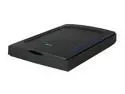
Mustek ScanExpress A3 USB 2400 Pro Flatbed Scanner for Win/Mac (A3 USB 2400Pro)
Pros: A great A3 sized scanner for the price, other ones can cost 1000's of dollars. Scans very fast; a 600dpi color scan only takes a few seconds. My old scanner would take 20 minutes to scan the same thing! Works with Windows XP, Windows 7 and even my old Photoshop 6 software. Came with the latest software / drivers on the CD, it was even a newer version than they had online.
Cons: Uses older CIS image sensor technology. Image preview in the Twain software is way too small, only around 2" x 3" on my 24" monitor. The top lid is not permanently attached to the scanner, you can just pull it off when it's open. It's not really a con though if you want to scan thick books. When scanning my pencil drawings the whites look a little gray, I need to whiten them up with Photoshop. I have to store it under my bed because it's too big to fit anywhere else.
Overall Review: When the lid is opened an annoying little scanning panel automatically pops up on screen every time. To disable this go to the scanner properties in the Control Panel (on XP) and set it to open your imaging program instead, or you can just disable it.
3/14/2011See more detail