
Your Browsing History
 Holiday Shipping Details & Extended Holiday Returns Holiday Shipping Details & Extended Holiday Returns

Joined on 02/16/06
I love this case
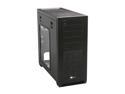
Pros: Very attractive, sleek minimalist design. Well ventilated. Wonderful tool-less and easy access for component installs. Great cable management features.
Cons: The only downside I have which is the same downside I've had with every Corsair product I've bought...documentation. The only documentation is a fold out explode diagram of the removable parts. There is zilch info on the cables, front panel, hotswap docking bay, etc. I had to google the location of the tiny fan controller switch.
Overall Review: I bought this case from somewhere other that Newegg, only because Newegg was out of stock at that time.
Not very ergonomic
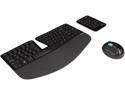
Pros: Palm rest for keyboard is nicely placed.
Cons: The keyboard reminds me of "chicklet" keyboards of many years ago. There's very little feedback on key presses. You can't have both the function keys and special keys usable at the same time -- you have to flip a switch on the keyboard to use either one or the other. The didn't find the shape of the mouse fits in the hand very well. Mouse button three is oddly placed so that you have to move your thumb uncomfortably to get to it. After only a month of use mouse button one started to stick as though it was rubbing inside it's slot. I had to force press. I found it particularly annoying in video games where quick mouse responsiveness is critical.
Overall Review: The previous ergonomic keyboard and mouse was MUCH better but unfortunately they only offer those in wired keyboards now which sucks.
Bad Microphone Quality
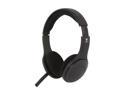
Pros: It's comfortable to wear and the audio quality from the headphones when listening is good.
Cons: Unfortunately the microphone is not good. The pickup on the microphone is quite horrible. At maximum recording level it barely registers my voice. And the Logitech driver, such as it is, doesn't have a mic boost feature. I just bought it today at Be$t-buy and I'm returning it tomorrow.
Audio Problems Galore
Pros: Nothing in particular.
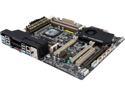
Cons: My audio completely stopped working all the sudden -- I have generic speakers connected via the single green audio plug in the back of the computer and a headset plugged into the front panel green audio plug. An internet search revealed that MANY other people are having the same audio problem. All connections are well seated and I double verified to be in the correct connectors. All the latest drivers. The realtek sound manager GUI displays all of the audio ports dimmed as though no speakers are plugged in. Very frustrated after 3 days of unsuccessful troubleshooting. A computer without audio is basically a brick. I'm sure it isn't a hardware problem but some kind of software/driver problem. Sabertooth X79 EVGA GTX 789 Ti Corsair Obsidian 650D Samsung 840 evo 250G LG Blu-ray burner Corsair AX750 PSU G.skill ripjaw Z (4x4) 16 gig. Seagate barracuda 2 TB Windows 8.1
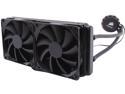
Nice but challenging to mount
Pros: So far so good.
Cons: Documentation is sparse.
Overall Review: I mounted it to the top of my Obsidian 650D. Mounting it was somewhat challenging. Holding the fans, radiator, and screws in place while lining up all the screw holes without them tumbling down was difficult. The best way I found was to flip the case on it's head so that gravity keeps the radiator and fans in place while you screw up through the case vent and screw holes. The documentation, little that there is, recommended an intake configuration. (Screws-->Vent-->Fans-->Radiator.) This actually is the only configuration my Obsidian 650 would allow. Screws-->Vent-->Radiator-->Fans won't work because you can't put the radiator flush against the vent, it's obstructed by pieces of the case. Thank goodness I didn't buy extra fans for a push/pull config.
So far so good
Pros: so far so good
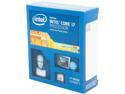
Cons: A minor con which is my fault I suppose is that I assumed it includes a stock cooling fan as did my previous Intel CPU I bought but it doesn't. You need to buy an after market cooling solution.