
Your Browsing History


Mark S.
Joined on 01/04/04
0
0
product reviews
- 11
Fast and reliable!

OCZ ARC 100 2.5" 480GB SATA III MLC Internal Solid State Drive (SSD) ARC100-25SAT3-480G
Pros: VERY fast! I will not rehash the benchmark data stated in many other reviews, but my results were in line with those. However, this thing boots FAST! From pressing the power button to Windows 10 fully booted: < 20 seconds! A fresh install of Windows on a standard HDD took over one minute. It is very stable. I've been using it as a primary drive for nearly a month and have had no issues with it at all. I do not know how it will do in the long term, and I have a standard HDD set up just in case, but I have no hesitation in using this as my primary boot drive. The software is rather nice, but unnecessary for day to day use.
Cons: The software is VERY hard to find on the site, if you do not know the link, and while the link is printed in the manual, it is so small you will get eye strain trying to read it. Which leads to... The manual requires a magnifying glass to read. It is tiny and the text is very small. I have perfect vision and it gave me a headache reading it. I didn't even notice the link to the software on my first read through. It would be nice if it were in a 3.5” form factor. I had to buy an adapter to install it in my case. It only cost me $5, but I wouldn't have had to spend anything if it were in a 3.5” form factor. It should also be noted that it lacks mounting screws.
Overall Review: I took off one star for the tiny and hard to read manual. It is just simply too hard to read. Overall, the drive performs great.
9/13/2015See more detail
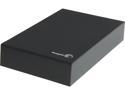
Seagate Expansion 5TB USB 3.0 Desktop Desktop External Hard Drive STBV5000100
Pros: Massive amount of storage. Plug and play. Reasonably fast for an external drive. I copied a 1 GB file from my internal drive in under 30 seconds. Went through a HD Tune Pro stress test without a scratch. Seems pretty reliable, although I am somewhat worried about long term reliability.
Cons: The drive is rather noisy. There is a persistent low-level whine and occasional clicks. This happens even if the device is unmounted. The drive does not sleep when unmounted. For that matter, the device does not seem to sleep at all. This will reduce the life expectancy of the drive in the long term. No software is provided, other than the set up software. Massive amount of storage. This is the drive's single greatest weakness. This drive will fail in time. 5TB in a RAID array makes sense. In a single drive, not so much. While I have not tried this yet, all prior indications show that this drive does not work reliably outside of its enclosure. This is more than a little odd as it is nothing more than a 5TB SATA internal drive with an SATA to USB conversion board attached.
Overall Review: It is tempting to use such a large drive to its full potential and fill it up. This is a recipe for disaster, especially if the drive is used as a back up. If/when it fails, you've just lost 5 TB of data. In this age of downloadable digital content, with nearly everyone capturing their lives in pictures and video, we can no longer assume that 5TB is too much.
8/30/2014See more detail
Decent and fast, but has issues.
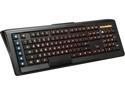
SteelSeries Apex M800 Mechanical Gaming Keyboard
Pros: The software is very easy to use and is very well thought out. The keys are relatively quiet and the LEDs are very bright. The inclusion of two USB 2.0 ports is awesome! I've used a larger and more expensive gaming keyboard that lacked this and it was problematic. The keyboard requires two USB ports on the PC due to power requirements.
Cons: The keyboard will not allow me to get into my BIOS. I have to use an older Dell keyboard to enter the BIOS, however, the m800 works perfectly thereafter. This is a big problem if this is your only keyboard. The rubber feet used to raise the keyboard seemed novel at first, but it is, in fact, problematic. Since the feet are not attached to the keyboard, it is easy to lose them. So long as you never change them out, you should be fine.
Overall Review: It comes with stickers... Because everyone want to put a sticker of their keyboard's manufacturer on their PC... I guess? It's a keyboard. I'm not that proud of it.
11/14/2015See more detail
Works, but noisy.
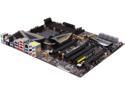
ASRock 990FX Extreme9 AM3+ AMD 990FX + SB950 USB 3.0 ATX AMD Motherboard with UEFI BIOS
Pros: Works out of the box.
Cons: Once I was booted into Windows, I immediately started hearing what sounds like electrical arcing. This is different than coil buzzing. I thought it might be something interfering with a fan, but after stopping each fan with my finger, I could rule that out. The MB seems to work fine. There is no smoke or burned electrical smell, but the noise is alarming and distracting. If I cannot find the cause and fix it, I will be RMAing the board.
7/31/2015See more detail
Cool concept, but flawed implementation.
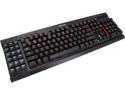
Corsair Gaming K95 RGB Mechanical Gaming Keyboard - Cherry MX Red Switches (CH-9000082-NA)
Pros: * Nice palm rest * The volume control is a knurled cylinder with full 360° rotation. This is far superior to the typical up and down buttons. * The lit keys are awesome for use in a dark room. * Very nice woven cable sheath. * Extra long cable. * Very nice mechanical key presses. I like the audible click. * Multiple keys can be selected in the software by either holding down the Ctrl key or by clicking and dragging. This is great if you want to make all but a few keys a certain color. A well thought out feature in an otherwise poorly designed piece of software.
Cons: * The software is a monster! Corsair tried to pack in every conceivable feature into this without much thought to GUI layout. Even with the manual, which I have to say is poorly laid out, it is a beast to figure out. After using this for more than a week, I still cannot figure out how to make my custom profile the default profile, cannot figure out how to delete the three preset profiles, cannot figure out how to get the color cycling to stop in the preset profiles and so on. They really need to rewrite the software from the ground up and an easy/advanced mode select would be awesome! I just want to set certain keys to certain colors. To do so with the current software requires a multi-step process that is less than clear. This has great potential, but it has a very flawed implementation. * The G-keys are an awesome idea, in theory. However, for RPG players like myself, and most FPS players that are right handed, it poses a challenge. I use the "WASD" set up. If my character is fleeing and I have the G-keys set as hotkeys to some game feature, I either must stop my character or use my left hand. Neither is preferable. When I unboxed the keyboard, my original impression was that the G-key section is removable, and would thus allow it to be moved to the right side. There is even a dividing line between the G-keys and the rest of the keyboard to support this thought. Unfortunately, that is not the case. They are firmly affixed to the left side. This doesn't make them useless, but does negate their usefulness somewhat. * The keys do not turn off with the computer. This might pose a problem. There are 108 keys, and I am not even counting the indicators LEDs. While the most this keyboard can draw from the USB ports is 500mA each, assuming that they have followed USB standards, and the LEDs are undoubtedly wired to reduce current draw as much as possible, there is still the possibility of the keyboard drawing a full amp of current from the PSU while it is in standby mode. This may not be a problem for a good PSU, but not everyone has a good PSU and this may be a problem for some. Worse yet, there are times when the manual power button will not work after shutting off the PC. Oddly, if I do shut the keyboard off, it comes back on when the computer starts back up. Windows does send a shutdown event to applications, so an auto power off is most definitely possible. Another software issue... * There are two USB plugs. This is needed to supply power to all of the LEDs. Not a big issue, but one to consider. I've owned PCs where this would be a big issue. *The LED brightness is restricted to 0% (off), 33%, 66% and full brightness. I'm sure this is a hardware cost saving issue, but it seems a little odd considering how much they packed into this keyboard and software.
Overall Review: This keyboard really has the potential to be great. However, it is very flawed, both in construction and software. Some of this can be fixed through software updates, but the G-key placement is a killer. If Corsair were to put USB ports on both sides of the keyboard and folding USB plugs on the G-key portion, not only would it be possible to relocate the G-keys, but it would add an additional USB port. That would be nice considering that the keyboard requires two. The software is the real deal breaker though. As it currently stands, I cannot recommend this keyboard for the software alone. It is far too cumbersome and difficult to use, even for what should be simple tasks. If I want to set all of the keys to blue, I should be able to do so without jumping through hoops and they should stay blue until I set them to another color. There really is no excuse for the lack of an easy/advanced mode. Having a ton of features is awesome, but not if the user is forced to learn them to perform a basic task. The lack of an auto power off feature at shutdown is just bizarre.
11/8/2014See more detail
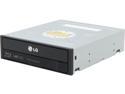
LG Black 12X BD-ROM 16X DVD-ROM 48X CD-ROM SATA Internal Blu-ray Disc Drive Model UH12NS30
Pros: It has the potential to play blu-ray discs!
Cons: While this isn't specific to the drive, it should be noted that you WILL NOT be able to play blu-ray movies right after installing this drive, unlike with a DVD drive. To do so, you will require software to circumvent the blu-ray encryption. Your own ethics and morals will determine how expensive that ends up being. For me, including the price of the drive, it will end up costing me more than a high end blu-ray player. I seen it mentioned that Sony does not allow blu-ray discs to be played over an analog (VGA) connection. It should also be noted that it will not work over a digital DVI interface as well. I have yet to try HDMI, but my hopes are not all that high.
8/30/2014See more detail