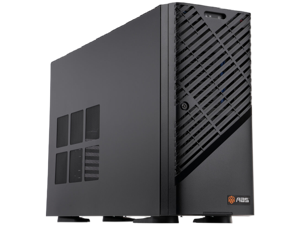
ABS AI Workstation
Configurable AI workstations for AI training, fine-tuning,
large-scale inference & enterprise AI.
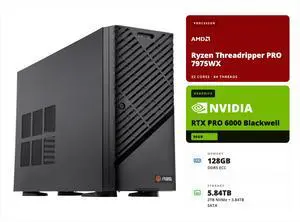

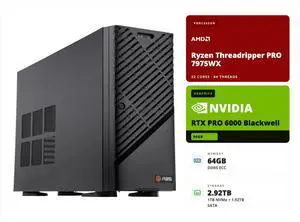
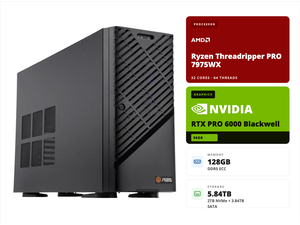
- CPU Type: AMD Ryzen Threadripper PRO 7975WX
- GPU Type: NVIDIA RTX Pro 6000 Blackwell
- Video Memory: 96 GB GDDR7
- Installed Memory Size: 128GB
- Model #: ZRP7975WX-RP60002
- Item #: N82E16859991007
- Return Policy: Manufacturer Warranty Only Return Policy

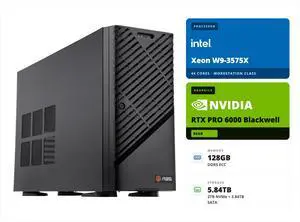
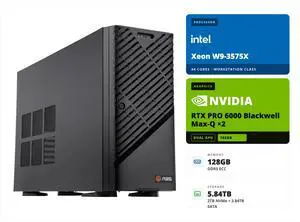
- CPU Type: Intel Xeon W9-3575X
- GPU Type: NVIDIA RTX Pro 6000 Blackwell
- Video Memory: 96 GB GDDR7
- Installed Memory Size: 128GB
- Model #: ZAW9-3575X-RP6000
- Item #: N82E16859991051
- Return Policy: Manufacturer Warranty Only Return Policy

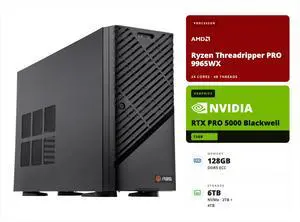
- CPU Type: AMD Threadripper PRO 9965WX
- GPU Type: NVIDIA RTX Pro 5000 Blackwell
- Video Memory: 72GB
- Installed Memory Size: 128GB
- Model #: ZRP9965WX-RP500072
- Item #: N82E16889850011
- Return Policy: Manufacturer Warranty Only Return Policy

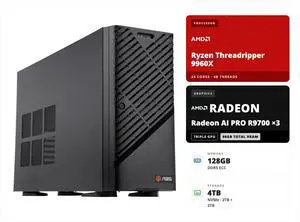
- CPU Type: AMD Ryzen Threadripper 9965WX
- GPU Type: AMD Radeon AI PRO R9700
- Video Memory: 3x 32GB GDDR6
- Installed Memory Size: 128GB
- Model #: ZRT9965WX-3XR9700
- Item #: N82E16859991069
- Return Policy: Manufacturer Warranty Only Return Policy

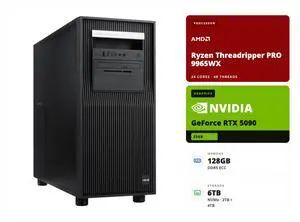
- CPU Type: AMD Ryzen Threadripper PRO 9965WX
- GPU Type: GeForce RTX 5090
- Video Memory: 32GB GDDR7
- Installed Memory Size: 128GB
- Model #: KR-TP9965WX-AR5090
- Item #: N82E16889850020
- Return Policy: Manufacturer Warranty Only Return Policy

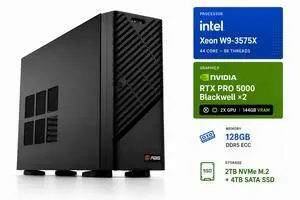
- CPU Type: Intel Xeon W9-3575X
- GPU Type: NVIDIA RTX Pro 5000 Blackwell
- Video Memory: 144GB
- Installed Memory Size: 128GB
- Model #: ZAW9-3575X-RP500072X2
- Item #: N82E16889850012
- Return Policy: Manufacturer Warranty Only Return Policy

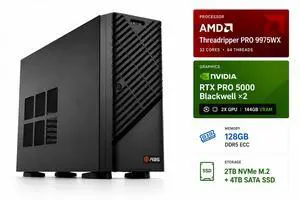
- CPU Type: AMD Threadripper PRO 9975WX
- GPU Type: NVIDIA RTX Pro 5000 Blackwell
- Video Memory: 144GB
- Installed Memory Size: 128GB
- Model #: ZRP9975WX-RP500072X2
- Item #: N82E16889850013
- Return Policy: Manufacturer Warranty Only Return Policy

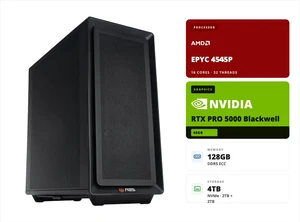
- CPU Type: AMD EPYC 4005 (5th Gen) 4545P
- GPU Type: NVIDIA RTX Pro 5000 Blackwell
- Video Memory: 48GB GDDR7 ECC
- Installed Memory Size: 128GB
- Model #: ZRE4545P-RP5000
- Item #: N82E16859991054
- Return Policy: Manufacturer Warranty Only Return Policy

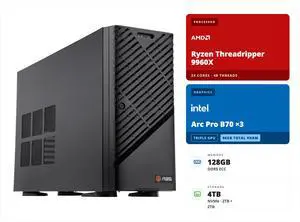
- CPU Type: AMD Ryzen Threadripper Pro 9965WX
- GPU Type: Intel Arc Pro B70
- Video Memory: 3x 32GB GDDR6
- Installed Memory Size: 128GB
- Model #: ZRT9965WX-3XB70
- Item #: N82E16859991068
- Return Policy: Manufacturer Warranty Only Return Policy

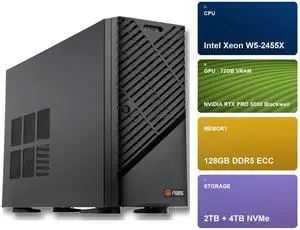
- CPU Type: Intel Xeon W5-2455X
- GPU Type: NVIDIA RTX Pro 5000 Blackwell
- Video Memory: 72GB
- Installed Memory Size: 128GB
- Model #: ZAW5-2455X-RP500072
- Item #: N82E16889850010
- Return Policy: Manufacturer Warranty Only Return Policy

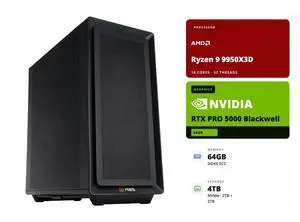
- CPU Type: AMD Ryzen 9950X3D
- GPU Type: NVIDIA RTX Pro 5000 Blackwell
- Video Memory: 48GB GDDR7 ECC
- Installed Memory Size: 64GB
- Model #: ZRR9950X3D-RP5000
- Item #: N82E16889850016
- Return Policy: Manufacturer Warranty Only Return Policy

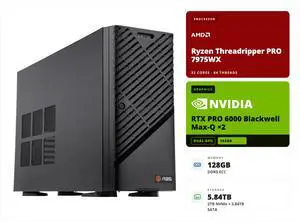
- CPU Type: AMD Ryzen Threadripper PRO 7975WX
- GPU Type: NVIDIA RTX Pro 6000 Blackwell MaxQ
- Video Memory: 96 GB GDDR7
- Installed Memory Size: 128GB
- Model #: ZRP7975WX-RP60002M
- Item #: N82E16859991011
- Return Policy: Manufacturer Warranty Only Return Policy

- CPU Type: Intel Xeon W9-3575X
- GPU Type: NVIDIA RTX Pro 6000 Blackwell MaxQ
- Video Memory: 96 GB GDDR7
- Installed Memory Size: 128GB
- Model #: ZAW9-3575X-RP6000MQ
- Item #: N82E16859991052
- Return Policy: Manufacturer Warranty Only Return Policy

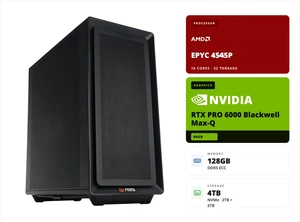
- CPU Type: AMD EPYC 4005 (5th Gen) 4545P
- GPU Type: NVIDIA RTX Pro 6000 MaxQ Blackwell
- Video Memory: 96GB GDDR7 ECC
- Installed Memory Size: 128GB
- Model #: ZRE4545P-RP6000MQ
- Item #: N82E16859991055
- Return Policy: Manufacturer Warranty Only Return Policy

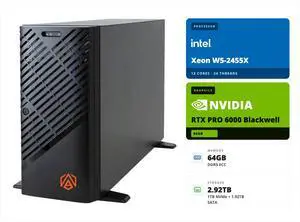
- CPU Type: Intel Xeon W5-2455X
- GPU Type: NVIDIA RTX Pro 6000 Blackwell
- Video Memory: 96GB
- Installed Memory Size: 64GB
- Model #: ZAW5-2455X-RP6000
- Item #: N82E16859991004
- Return Policy: Manufacturer Warranty Only Return Policy

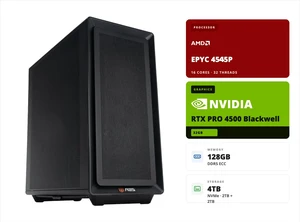
- CPU Type: AMD EPYC 4005 (5th Gen) 4565P
- GPU Type: NVIDIA RTX Pro 4500 Blackwell
- Video Memory: 32GB GDDR7 ECC
- Installed Memory Size: 128GB
- Model #: ZRE4545P-RP4500
- Item #: N82E16859991053
- Return Policy: Manufacturer Warranty Only Return Policy

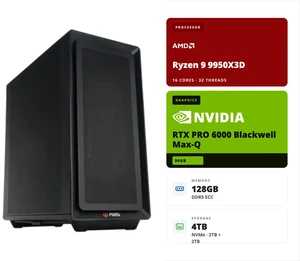
- CPU Type: AMD Ryzen 9950X3D
- GPU Type: NVIDIA RTX Pro 6000 Blackwell MaxQ 300W
- Video Memory: 96GB GDDR7 ECC
- Installed Memory Size: 128GB
- Model #: ZRR9950X3D-RP6000MQ
- Item #: N82E16889850017
- Return Policy: Manufacturer Warranty Only Return Policy

- CPU Type: AMD Ryzen Threadripper PRO 7975WX
- GPU Type: NVIDIA RTX Pro 6000 Blackwell
- Video Memory: 96 GB GDDR7
- Installed Memory Size: 64GB
- Model #: ZRP7975WX-RP60001
- Item #: N82E16859991006
- Return Policy: Manufacturer Warranty Only Return Policy

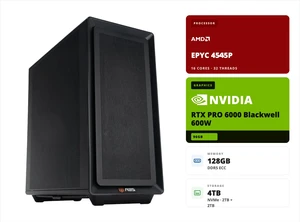
- CPU Type: AMD EPYC 4005 (5th Gen) 4545P
- GPU Type: NVIDIA RTX Pro 6000 Blackwell 600W
- Video Memory: 96GB GDDR7 ECC
- Installed Memory Size: 128GB
- Model #: ZRE4545P-RP6000
- Item #: N82E16859991056
- Return Policy: Manufacturer Warranty Only Return Policy

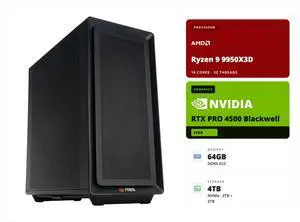
- CPU Type: AMD Ryzen 9950X3D
- GPU Type: NVIDIA RTX Pro 4500 Blackwell
- Video Memory: 32GB GDDR7 ECC
- Installed Memory Size: 64GB
- Model #: ZRR9950X3D-RP4500
- Item #: N82E16889850015
- Return Policy: Manufacturer Warranty Only Return Policy

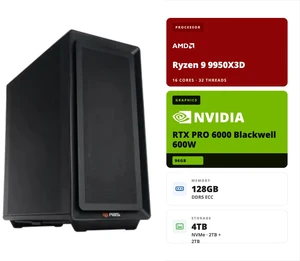
- CPU Type: AMD Ryzen 9950X3D
- GPU Type: NVIDIA RTX Pro 6000 Blackwell 600W
- Video Memory: 96GB GDDR7 ECC
- Installed Memory Size: 128GB
- Model #: ZRR9950X3D-RP6000
- Item #: N82E16889850018
- Return Policy: Manufacturer Warranty Only Return Policy
ABS AI Workstation Systems for Advanced Machine Learning and Data Science
Find the latest ABS AI Workstation models designed for high-performance computing, featuring powerful GPUs and scalable architectures suited for AI research, deep learning, and data-intensive workflows. This store offers a wide range of configurations perfect for professionals and enthusiasts needing reliable hardware with fast shipping and support.
How to Choose ABS AI Workstation
Key Features and Technologies to Consider in ABS AI Workstations
- GPU Capability: Look for workstations equipped with the latest NVIDIA RTX 40-series GPUs, which are essential for accelerating AI tasks thanks to their specialized Tensor Core architecture.
- CPU Performance: High-core-count CPUs, particularly Intel Xeon processors, deliver the multi-threaded power needed for handling extensive data preprocessing and model training without bottlenecks.
- Memory and Storage: Ample RAM and fast NVMe SSD storage are critical to sustain the large datasets and frequent read/write operations characteristic of AI workloads.
- Cooling and Power Delivery: Efficient thermal management and robust power supplies ensure stable long-duration performance during intensive computational tasks.
- Expandability: The ability to add multiple GPUs, upgrade storage capacities, and increase memory allows the workstation to grow alongside evolving AI project demands.
Deep Dive: Why NVIDIA RTX 40-Series GPUs Are the AI Workstation's Heart
The GPU is the cornerstone component of any AI workstation, and the NVIDIA RTX 40-series GPUs stand out as the definitive choice for demanding AI applications. These GPUs combine raw CUDA core power with dedicated Tensor Cores specifically designed to accelerate AI model training and inference. Their optimized architecture supports faster matrix multiplications and specialized AI operations, allowing users to train complex deep learning models more efficiently than previous generations. Additionally, the RTX 40-series includes improvements in ray tracing and AI-enhanced workflows, which benefit creators working on generative AI content and simulation tasks. Investing in a system AI Ready ensures you leverage the full capabilities of this cutting-edge GPU technology.
Advanced and Professional Use: Unlocking Maximum Potential with High-Core CPUs and Memory
For developers and AI professionals pushing the boundaries of machine learning, workstation-grade components are non-negotiable. Systems built around Intel Xeon processors paired with high-bandwidth memory provide the parallelism and speed required to process massive neural network architectures and datasets. These components minimize latency and reduce computation times, which proves invaluable in iterative model development and hyperparameter tuning. Numerous options within the AI Workstation category feature modular, customizable setups perfect for demanding workloads requiring consistent uptime and reliability. Such rigs also support enterprise-level workloads that go beyond standard desktop solutions.
Performance and Setup Tips
- Ensure your workstation drivers, especially for GPUs and chipsets, are always up to date to tap into the latest performance optimizations.
- Configure your workstation’s BIOS settings to prioritize performance modes and maximize thermal headroom for sustained AI training sessions.
- Invest in a high-quality cooling solution—liquid or advanced air cooling options—to prevent thermal throttling during heavy-duty computations.
- Utilize fast NVMe storage not only for your datasets but also for your operating system and AI frameworks to minimize latency in data access.
- Keep your workspace clean and well-ventilated to maintain hardware longevity and avoid dust buildup that could impair cooling efficiency.
- Consider syncing your setup with cloud or network storage options for dataset backup and collaboration, expanding beyond local compute limits.
Newegg shopping tip: When choosing an ABS AI workstation, focus on the GPU and CPU specs first, since these directly affect your machine’s ability to handle complex AI models and data processing. Also, check memory capacity and upgrade options to ensure your setup can grow with your projects.
Explore ABS AI Workstation & Related Categories
Equipped with NVIDIA RTX 40-series GPUs and optimized for Tensor Core acceleration, these systems handle AI workloads straight out of the box.
Designed for heavy-duty AI training and inference, these PCs blend workstation-grade CPUs with cutting-edge GPU compute to power deep learning models.
Browse the full lineup, from entry-level AI rigs to robust servers loaded with multi-GPU arrays and next-gen NVMe storage.
Getting Started with ABS AI Workstations
If you’re new to the world of AI computing, ABS AI Workstations provide a versatile entry point to explore machine learning and data analysis. These systems are designed to be AI Ready, meaning they come pre-configured with the latest GPUs and hardware optimized for AI tasks. Whether your focus is experimenting with models or running basic inference workloads, ABS workstations offer a smooth ramp-up experience powered by cutting-edge technology.
For AI Developers and Data Scientists
Professionals building and training complex AI algorithms need workstations equipped to handle massive datasets and parallel computation efficiently. The AI Developer PC category within ABS AI Workstations is tailored precisely for this. Featuring high-core-count CPUs, ample RAM, and specialized GPUs, these systems accelerate iterative model development, tuning, and training, cutting down project timelines and boosting productivity.
Creative Professionals Using Generative AI Tools
Content creators leveraging generative AI, video editing, or 3D rendering require a workstation that delivers both raw power and optimized software support. The AI Creator PC lineup within the ABS AI Workstation collection is designed to meet these demands. With NVIDIA Studio drivers and RTX GPUs, these machines offer smooth handling of creative apps, significantly reducing rendering times and enabling the seamless generation of AI-augmented content.
Before You Buy
- Confirm your primary use case: Are you training models, developing AI solutions, or creating AI-driven content?
- Check GPU specifications — NVIDIA RTX 40-series cards ensure you have the latest Tensor Core capabilities for optimal AI performance.
- Review CPU and RAM configurations based on workload intensity; AI training demands high core counts and memory for large dataset handling.
- Consider storage needs: fast NVMe drives improve data access speeds critical for model training and real-time processing.
- Verify compatibility with your preferred AI software frameworks and drivers, such as those optimized by NVIDIA Studio.
- Explore related categories like AI Workstation or AI PC & Workstation if your requirements scale beyond entry-level models.
Research more: When choosing an ABS AI Workstation, consider the balance between CPU power, GPU capabilities, and RAM to match your specific AI workloads. For deeper insights and comparisons, check out Newegg Insider’s expert buying guides tailored to AI and workstation systems.
Last Updated: October 2026 | Newegg ABS AI Workstation Buying Guide
ABS AI Workstation FAQs:
How does the ABS AI Workstation compare to a regular gaming PC in terms of performance?
The ABS AI Workstation is built specifically for AI and data processing tasks, so it has more powerful CPUs and GPUs optimized for machine learning. It usually outperforms gaming PCs in AI workloads but may cost more and lack gaming-specific features like RGB lighting or certain GPU models.
Between different ABS AI Workstation models, what should I look at when comparing configurations?
Focus on the CPU type, GPU power, RAM capacity, and storage speed, since these directly impact AI training and inference speeds. Also, check cooling solutions and expandability if you plan to upgrade or run heavy tasks for long periods.
What kind of processors do ABS AI Workstations typically come with?
ABS AI Workstations usually feature high-performance Intel Xeon or AMD Threadripper CPUs to handle intensive AI tasks and large data workloads efficiently.
Can I customize the GPU setup in an ABS AI Workstation?
Yes, these workstations often allow you to customize the GPU configuration with options for multiple Nvidia RTX or A6000 cards, which are optimized for AI model training and inference.
Is an ABS AI Workstation overkill if I just want to start learning machine learning on a budget?
If you're new to AI and working with smaller projects, you might find an ABS AI Workstation more powerful—and pricier—than you need. Consider starting with a less expensive setup or a cloud service before investing in a full workstation.
How do I decide which ABS AI Workstation specs are worth paying extra for?
Focus on the GPU and RAM since AI tasks rely heavily on parallel processing and memory. Also, check if the CPU and storage match your workload, but don't overspend on features that don’t speed up your specific AI applications.
Are ABS AI Workstations generally reliable for long hours of heavy use?
Yes, ABS AI Workstations are built for intense workloads like data processing and machine learning. Just remember to check user reviews for any reported overheating or hardware glitches.
What common problems should I watch out for when reading reviews on ABS AI Workstations?
Pay attention to mentions of driver issues, noise levels, and build quality. These are the most frequent headaches users report, so it’s good to know upfront before committing.
How do I set up my ABS AI Workstation for the first time?
Start by connecting your workstation to a power source and monitor, then power it on and follow the on-screen instructions to complete the operating system setup. Make sure to install the latest drivers from ABS or hardware component manufacturers for optimal performance.
What’s the best way to optimize an ABS AI Workstation for AI workloads?
Focus on installing the necessary AI frameworks like TensorFlow or PyTorch and ensure your GPU drivers are fully updated. Also, configure your workstation’s cooling system to prevent overheating during extended training sessions.