here!
I’m your shopping assistant for PC builds, upgrades, and everything tech.
Got questions? Ask away!
Start a conversation
here!
I’m your shopping assistant for PC builds, upgrades, and everything tech.
Got questions? Ask away!
Start a conversation

Limited time offer, ends 11/09

Limited time offer, ends 11/09

Limited time offer, ends 11/08



Free Intel AI Software Bundle 2026 with purchase, limited offer

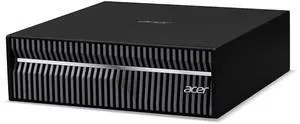




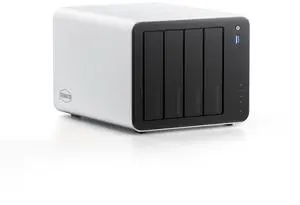
Find powerful AI-ready PCs and workstations designed for demanding workloads and innovative projects. Explore Black November deals and Black Friday deals to enhance your setup with the latest technology and reliable performance.
Selecting the right AI PC or workstation depends on balancing multiple technical aspects tailored to your AI workload demands. Here are the crucial features to factor into your choice:
For AI PCs and workstations, the GPU is paramount because it drives the massively parallel computations crucial for machine learning models. Unlike CPUs, GPUs accelerate matrix multiplications and tensor calculations that underlie deep learning. The NVIDIA RTX A6000, available in specialist machines, offers expansive VRAM and CUDA cores optimized for intensive AI workloads. In consumer and creator-focused builds, NVIDIA GeForce RTX 40-series GPUs strike a balance between performance and affordability while supporting CUDA and AI-specific Tensor cores. Selecting a GPU with ample VRAM ensures that large datasets fit into memory during training, reducing the need to swap data between CPU and GPU, which slows down processes. Additionally, GPUs with stronger AI inference capabilities enhance real-time performance for deployment scenarios.
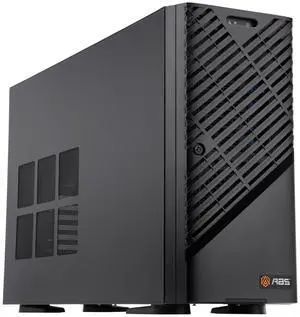
For developers and professionals pushing the boundaries of AI, performance and reliability are key. Consider specialized AI Workstation models engineered with top-tier components like Intel Xeon processors paired with NVIDIA RTX A6000 GPUs. These setups are designed to sustain continuous high-load training cycles without performance dips. Meanwhile, the ABS AI Workstation lineup is tailored for multi-GPU configurations with advanced liquid cooling to maintain thermal efficiency. Developers working with complex AI frameworks like TensorFlow, PyTorch, or JAX will benefit from systems that offer expansive RAM, GPU scalability, and compatibility with CUDA and AI inference libraries. These workstations also simplify debugging and model iteration times, accelerating project timelines.
Newegg shopping tip: When comparing AI PCs and workstations, focus on the processor’s core count and clock speed alongside dedicated AI acceleration hardware like GPUs or TPUs. Also, consider memory capacity and storage speed to ensure smooth performance with large datasets and complex models. Black November deals and Black Friday deals are great opportunities to find configurations that meet these criteria within your budget.
Built for heavy AI training, these workstations pack NVIDIA RTX A6000 GPUs and Intel Xeon CPUs to speed through deep learning models without throttling.
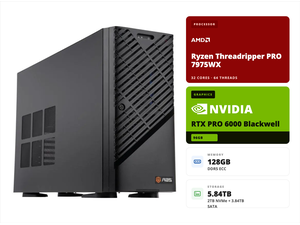
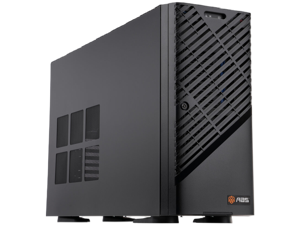
ABS AI Workstations feature liquid cooling and AMD Ryzen Threadripper processors, optimized for multi-GPU setups and sustained AI workloads.
Agent Computers streamline intelligent automation with embedded AI inference engines and edge computing to boost responsiveness in real-time applications.
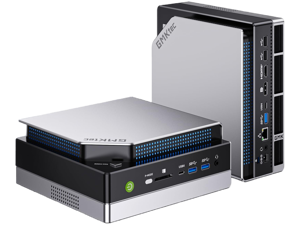
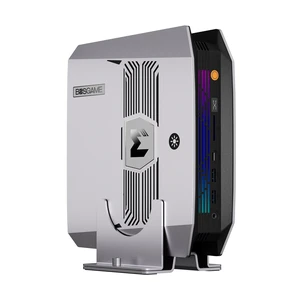
If you're new to the AI PC and workstation world, it helps to understand the basic categories of systems designed for different levels of AI computing power. Whether you're exploring machine learning for the first time or building a home lab, these machines combine powerful CPUs and GPUs to accelerate training and inference tasks. For beginners, compact Mini AI PCs offer a great introduction: they pack efficient processing power in small form factors, ideal for desktop experimentation without the complexity of larger towers. Keep an eye on Black November deals to find approachable systems that won’t overwhelm budget or setup time.
If you’re working with deep learning models or conducting advanced AI research, your system needs robust computational muscle. High-end AI Workstations deliver premium performance tailored to processing large datasets quickly. Equipped with NVIDIA RTX A6000 GPUs and Intel Xeon processors, these machines handle sustained AI workloads without slowing down. Black Friday deals on AI PC & Workstation packages often include configurations suited for demanding research environments, allowing you to build or upgrade your AI compute infrastructure with confidence.
The creative industries are embracing AI-powered tools to streamline video editing, rendering, and visual effects. If your work involves AI-driven creative software, an AI Creator PC presents an optimized blend of AMD Ryzen processors and NVIDIA GeForce RTX 40-series graphics cards designed to speed up these tasks. By leveraging AI acceleration in your video and image workflows, these PCs help you push creative boundaries efficiently. Look for Black November deals to access high-performance workstations that fit your artistic and technical requirements.
Research more: For deeper insights into choosing the right AI PC or workstation, explore Newegg Insider’s detailed buying guides. These resources can help you navigate features and performance options ahead of Black November deals and Black Friday sales.
Last Updated: November 2026 | Newegg AI PC & Workstation Buying Guide
AI workstations focus on powerful GPUs optimized for machine learning tasks, larger RAM, and often include professional-grade CPUs, whereas gaming PCs prioritize high frame rates with GPUs tailored for rendering. The AI gear usually handles data processing and training models better than gaming rigs.
Prebuilt AI PCs come finely tuned for common AI workloads and save setup time, but custom builds let you pick components suited exactly to your projects, potentially offering better value and upgrade paths. It depends on your comfort with hardware and how specialized your needs are.
AI workstations often feature high-performance GPUs like NVIDIA RTX or Tesla series that are optimized for parallel processing and neural network training, which speeds up AI computations significantly.
Most AI PCs and workstations are built with expandability in mind, allowing users to add more RAM and swap or add storage drives to handle larger datasets and enhance performance.
Focus on a powerful GPU with lots of VRAM and a strong multi-core processor since those are key for handling large datasets and complex computations efficiently.
If you’re new to this or want guaranteed compatibility and support, a prebuilt system is safer, but building your own can save money and let you customize exactly what you need if you’re comfortable with the parts.
These machines are built to handle intensive workloads, but it’s wise to check reviewer feedback on thermal management and system stability during prolonged use to avoid overheating or crashes.
Users often mention issues like noisy fans or driver compatibility hiccups; look out for repeated mentions of hardware glitches or software support in customer reviews before deciding.
Start by installing the latest GPU drivers and AI software frameworks like TensorFlow or PyTorch. Make sure your system’s BIOS and operating system are updated to support your hardware fully before beginning any heavy workloads.
Use fast NVMe SSD storage and plenty of RAM to speed up data loading times. Also, consider setting up a high-bandwidth network connection if you’re pulling data from a server or cloud source.