




 here!
here!
I’m your shopping assistant for PC builds, upgrades, and everything tech.
Got questions? Ask away!
Start a conversation
here!
I’m your shopping assistant for PC builds, upgrades, and everything tech.
Got questions? Ask away!
Start a conversation



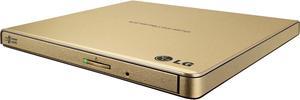
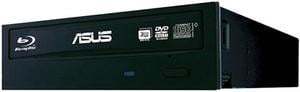
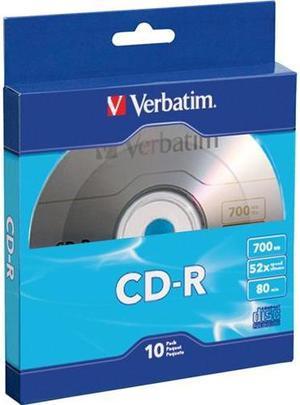
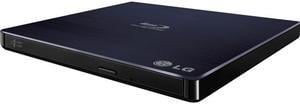
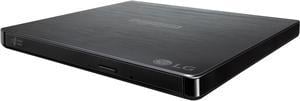
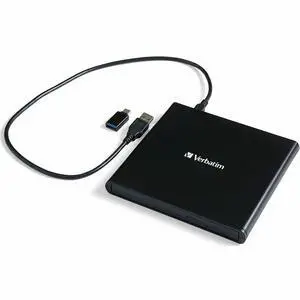
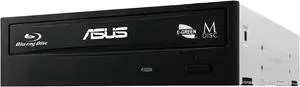
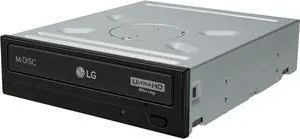
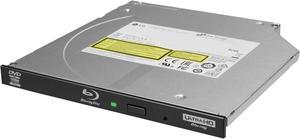
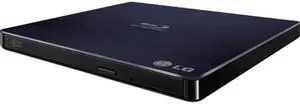
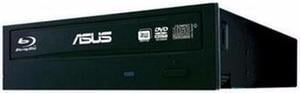
Examining the benefits of using CD, DVD, Blu-Ray™ burners and media begins with understanding how much storage each disc associated with the burner holds, including its picture quality and audio sound. The CD contains between 737 to 847 MB, and primarily delivers music to the ears. The DVD holds 4.7 GB and plays a standard video format. The Blu-ray offers more storage at 50 GB, and plays high-definition video (1920 x 1080) with the audio, enabling you to get the most out of your speakers. The Blu-ray storage format performs as an optical disc. Another consideration is all Blu-ray drives can burn data on both CDs and DVDs, but you read the stored files on a CD in both a DVD or Blu-ray player.
If you use CDs and DVDs for your home or office, consider benefiting from utilizing CD and DVD accessories. Such accessories may include an optical media repair kit, label-making device and jewel cases or paper sleeves. The whole idea of using the accessories is to allow for easy maintenance, cataloging and storing of the discs. An optical repair kit for Blu-ray duplicators ensures they remain safely clean, with a longer and high-quality lifespan for the coming years. The label-making device helps the reader know what is on the disc. Each accessory enables you to decide how you want to maintain your equipment and store your media, based on the frequency of use and overall need. For instance, protected by the jewel case or paper sleeve, the discs remain clean, so your CD, DVD, Blu-ray burners and media stay clean as well. As with any backup devices, determine your needs before purchasing.
Constructing or upgrading your computer with CD, DVD or Blu-ray drives requires internal power cables that will connect your power supply to the new burner or duplicator. Power cables also power up graphic cards, CPUs, water cooling systems and more. Each power cable can come with the connector you need for your device and computer, including wattages to fit not only your burners, but all your computer accessories, while helping your system perform even better.
The choices you have available as a backup device include zip drive, CD, DVD and Blu-ray drives and tape drive. The zip drive stores data as a removable storage system at a medium-capacity. The CD, DVD and Blu-ray drive to store data by merely burning the information onto the respective disc. The tape drive is also a data storage device, reading and writing data that stores on a magnetic tape. Most tape drives are for archival storage of data, usually also stored on HDDs. Tape media shelf-life is favorable and long with stability.
“ Will still Rip Blu-Ray Discs as is. ”
ASUS Black 16X BD-R 2X BD-RE 16X DVD+R 5X DVD-RAM 8X BD-ROM SATA ultra-fast 16X Blu-ray burner with M-DISC support for lifetime data backup BW-16D1HT (90DD0200-B30000)“ Works so far for my home media server. ”
Pioneer Internal 3D Blu-ray Burner 8X BD DVD CD Writer Bluray Drive for Computer Desktop PC - Supports Burning Blu ray Disc - With SATA Cable and Mounting Screws“ The thought is that optical media is more or less being discontinued, and when my existing one dies (they all do eventually) I wanted to guarantee its replacement (at a reasonable price at least). ”
Pioneer Internal 3D Blu-ray Burner 8X BD DVD CD Writer Bluray Drive for Computer Desktop PC - Supports Burning Blu ray Disc - With SATA Cable and Mounting Screws“ It said bundled with DVD-Cloner software but there was no software installation code. ”
ASUS Blu-ray Burner Bundle with DVD-Cloner Software Download Installation Code“ it's nice to have an optical drive for occasionally watching DVDs on my computer, and has also enabled me to install some old games I still have that would otherwise be large downloads. ”
ASUS DVD Burner 24X DVD+R 8X DVD+RW 12X DVD+R DL 24X DVD-R 6X DVD-RW 16X DVD-ROM 48X CD-R 24X CD-RW 48X CD-ROM Black SATA Model DRW-24B3ST/BLK/G/AS“ It's hard to tell what the good physical media is in this day and age. ”
Verbatim DataLifePlus 43754 DVD Recordable Media - DVD+R DL - 8x - 8.50 GB - 50 Pack Spindle“ It's a DVD-ROM drive... it works as expected. ”
PLEXTOR CD/DVD Burners (RW Drives) 24X DVD+R 8X DVD+RW 12X DVD+R DL 24X DVD-R 6X DVD-RW 16X DVD-ROM 48X CD-R 32X CD-RW 48X CD-ROM SATA Model PX-891SAF-R“ Felt a couple desktop dual layer DVD work just fine ”
ASUS DVD Burner 24X DVD+R 8X DVD+RW 12X DVD+R DL 24X DVD-R 6X DVD-RW 16X DVD-ROM 48X CD-R 24X CD-RW 48X CD-ROM Black SATA Model DRW-24B3ST/BLK/G/AS


