• In Stock
  • Sold by Newegg
  • Make an Offer
  • New
Brands
Show More
Price
Show More
Type
Show More
Sold by
All Top Brands
Availability
Condition
Current Promotion
Discount
Useful Links
Customer Ratings
  • LEVEL UP YOUR GAME LIBRARY
Sort By:
View:
12V 4 Pin CPU PC Computer Case Fan 120mm High Speed Dual Ball Bearing Cooling Fan Heatsink Laptop Fans Accessories 3000RPM
Quick View
  •  
  • $30.33 
  • Free Shipping
5Pin to 4Pin Fan Connector Adapter Converter Extension Cable Wire for Dell styles 5 pin Latch styles PC Laptop props
Quick View
  •  
  • $22.59 
  • Free Shipping
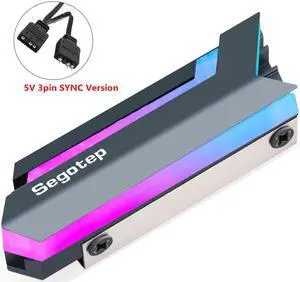
M.2-3 SSD Heatsink For M.2 2280 NGFF NVME PCI-E SSD Hard Disk Cooler Vest Heat Aluminum Heat Sink Radiator Thermal Pads
Quick View
  •  
  • $27.69 
  • Free Shipping
Delta BFB0712H 7530 DC 12V 0.36A projector blower centrifugal fan cooling fan
Quick View
Delta BFB0712H 7530 DC 12V 0.36A projector blower centrifugal fan cooling fan
  • Type: Case Fan
  • Bearing Type: Ball
  • RPM: 2500-2999 RPM
  • Air Flow: 10-15 CFM
  • Model #: BFB0712H
Phanteks PH-A45_CR_12 12mm Hard Tube Adapter 45
Quick View
Phanteks PH-A45_CR_12 12mm Hard Tube Adapter 45
  • Type: Fittings
  • Color: Gray
  • Model #: PH-A45_CR_12
  •  
  • $4.99 
  • $4.99 Shipping
120mm Fan Dust Filter Dustproof Screen PC Computer Case Mesh PC Case Fan Dust Sponge Filter Black
Quick View
OLED Digital Display Water Flow Meter Water Cooler System Double G1/4'' Flow Sensor Fitting
Quick View
  •  
  • $93.39 
  • Free Shipping
Aquacomputer USB cable A-plug to 5 pin miniature connector VISION, length 200 cm
Quick View
Aquacomputer USB cable A-plug to 5 pin miniature connector VISION, length 200 cm
  • Block Compatibility: False
  • Pump Bearing: 2.8
  • Pump Capacity: SEN Aquacomputer USB-Kabel A-Stecker auf Miniaturstecker VISION, Länge 200 cm
  • Pump Noise: USB Kabel
  • Model #: 53213
Watercool MO-RA IV 600 - Black Radiator, 200mm, G1/4, 75mm, Copper (26600)
Quick View
Kingpin Cooling KPx Thermal Grease 1g
Quick View
Kingpin Cooling KPx Thermal Grease 1g

Limited time offer, ends 09/26

  • Model #: VB088DL27ZY
  •  
  • $27.69 
  • Free Shipping
Kingpin Cooling KPx Thermal Grease 1.5g
Quick View
Kingpin Cooling KPx Thermal Grease 1.5g

Limited time offer, ends 09/26

  • Model #: VB081HGP7PR
  •  
  • $31.69 
  • Free Shipping
Kingpin Cooling KPx Thermal Grease 3g
Quick View
Kingpin Cooling KPx Thermal Grease 3g

Limited time offer, ends 09/26

  • Model #: VB07XB2W2J7
  •  
  • $47.69 
  • Free Shipping
Kingpin Cooling KPx Thermal Grease 30g
Quick View
Kingpin Cooling KPx Thermal Grease 30g

Limited time offer, ends 09/26

  • Model #: VB07ZDJ4MK1
  •  
  • $147.69 
  • Free Shipping
SUNON KD1204PFB2-8 40mm Case Cooling Fan - OEM
Quick View
SUNON KD1204PFB2-8 40mm Case Cooling Fan - OEM
  • Type: Case Fan
  • Bearing Type: Ball
  • RPM: 6500 RPM
  • Air Flow: 7.5 CFM
  • Model #: KD1204PFB2-8
  •  
  • $45.00 
Watercool HEATKILLER RAD 480-S Black (24103)
Quick View
Watercool HEATKILLER RAD 480-S Black (24103)
  • Brand: Watercool
  • Part Number: WAT-0303
  • Type: Liquid Cooling System
  • Color: Black
  • Model #: WAT-0303
Watercool MO-RA IV Passive Control 200/400 (26081)
Quick View
Watercool MO-RA IV Passive Control 200/400 (26081)
  • Type: Accessories
  • Model #: 4251312607104
Watercool MO-RA IV 400 - Black (26400)
Quick View
Watercool MO-RA IV 400 - Black (26400)
  • Type: Radiator
  • Model #: 4251312606473
Watercool WCP D5 Pump - Vario
Quick View
Watercool WCP D5 Pump - Vario
  • Model #: VB00YEJP4E0
Watercool HEATKILLER Replacement Tube Reservoir Bottom - D5
Quick View
Watercool HEATKILLER Replacement Tube Reservoir Bottom - D5
  • Brand: Watercool
  • Model: 30255
  • Part Number: WAT-0091
  • Type: Reservoir
  • Model #: 30255

DIY cooling is one of the most cost-effective ways of boosting the performance of a computing system. Speed is usually the first casualty of an overheating rig. When a system becomes too hot, temperature sensors on the motherboard send a signal to the processor requesting it to slow down. Excessive heat also has the potential to cause irreversible damage to system components. For example, if hard drive cooling fails to maintain the temperature below 86 degrees, you run the risk of data loss or corruption. Newegg has all the accessories you need to set-up the cooling system of your choice.

Air Cooling for Fast and Affordable Cooling

Air DIY cooling uses fans to keep the internal environment of your system cool. They are easy to set up and are very durable. As this cooling option does not have an abundance of components, there is very little that can go wrong. CPU fans and heatsinks work together to dissipate excess heat, and can be set up in one of two methods:

  • Positive pressure configuration
  • Negative pressure configuration

Positive Pressure Configuration for Quick Setup

Under this setup, the Cubic Feet Per Minute (CFM) of the intake fans exceeds that of the relevant exhaust fans. The effect is that the pressure within the system exceeds the pressure without. This pushes air and dust out of the rig, using every opening as an exhaust avenue. One drawback of this setup is that it can only manage average cooling. This configuration cannot sufficiently cool GPUs that utilize Direct Heat Exhaust (DHE). To enhance the cooling capacity of this type of cooling, place your DIY heatsink strategically. That means putting these metal sheets at the rear, sides, and front of your CPU.

Negative Pressure Configuration for Better Cooling

In a negative pressure configuration, the exhaust fans have a higher CFM than their equivalent intake fans. This creates a pseudo-vacuum within the system, which proves very useful for keeping the rig cool. It cools the system better than the positive pressure setting, and can even work well with DHE GPUs.

Liquid Cooling for the Most Efficient Cooling

Liquid cooling is the preferred cooling system for gamers and other performance-reliant users. To max out the cooling effects of this setup, use a DIY radiator to dissipate excessive heat from the liquid coolant. The faster the DIY radiator loses the heat via the fins, the cooler the system and the faster it operates. There are two ways you can go about this DIY cooling strategy:

  • Closed-loop
  • Open-loop

Closed-Loop for Easy Installation

These rigs are ready for fitting right out of the box. They're cheaper than open-loops, easier to maintain and require minimal maintenance. They'll integrate with your current cooling mechanisms without forcing you to do an overhaul of your system. You'll not need any extra CPU accessoriesto get this configuration up and running.

Open-Loop With GPU Mounting Kit for Aesthetics

Open-loop cooling is very appealing to the eye, but that is at the cost of ease-of-use. It is very maintenance-reliant and equally hard to set up. A GPU mounting kit should help, however.

Bestselling DIY Cooling Reviews:

MnM1298
5/13/2025 6:20:23 AM
Better than Expected

“ EKWB open cooling loop ”

Alphacool HDX Pro Water - M.2 NVMe 2280 SSD - MCX Version (11769)