• In Stock
  • Sold by Newegg
  • Make an Offer
  • New
Brands
Show More
Price
Show More
Capacity
Memory Components
Interface
Show More
Form Factor
Thunderbolt
Sold by
All Top Brands
Availability
Condition
Current Promotion
Discount
Useful Links
Customer Ratings
  • Featured Brands

    See Deals from SAMSUNG
Sort By:
View:
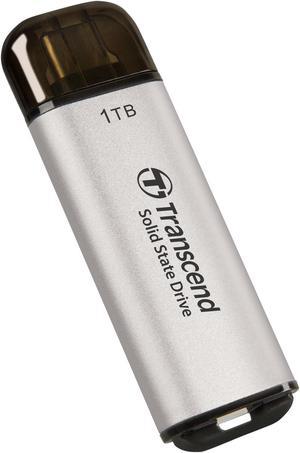
Transcend ESD300 1TB Portable SSD USB Type-C Silver Model TS1TESD300S
Quick View
  •  
  • $326.99 –
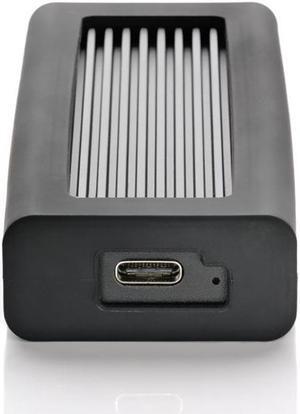
Oyen Digital Helix Dura 2TB USB-C (USB 3.2 Gen2) NVMe Portable SSD, Up to 1050MB/s
Quick View
Oyen Digital Helix Dura 2TB USB-C (USB 3.2 Gen2) NVMe Portable SSD, Up to 1050MB/s
  • Brand: Oyen Digital
  • Series: Helix Dura
  • Form Factor: M.2 2280
  • Capacity: 2TB
  • Model #: DM2-P8-2T-BK
  •  
  • $399.00 –
  • Free Shipping
Crucial X10 1TB USB 3.2 Gen 2x2 SSD
Quick View
Crucial X10 1TB USB 3.2 Gen 2x2 SSD
  • Brand: Crucial
  • Series: X10
  • Capacity: 1TB
  • Interface: USB 3.2 Gen 2x2
  • Model #: CT1000X10SSD9
  •  
  • $223.90 –
  • Free Shipping
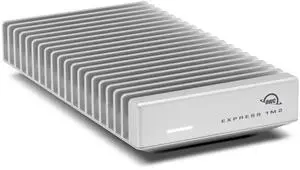
OWC Express 1M2 80G 1 TB Portable Rugged External Solid State Drive - PCI Express NVMe - Silver - USB4 Type C - 6362 MB/s Maximum Read Transfer Rate  (OWCUS4V2EXP1MT01)
Quick View
OWC Express 1M2 80G 1 TB Portable Rugged External Solid State Drive - PCI Express NVMe - Silver - USB4 Type C - 6362 MB/s Maximum Read Transfer Rate (OWCUS4V2EXP1MT01)
  • Part Number: US4V2EXP1MT01
  • Color: Silver
  • Features: Portable, Bus-Powered
  • System Requirements: Mac OS 14.x or higher, Windows 11 or higher
  • Model #: OWCUS4V2EXP1MT01
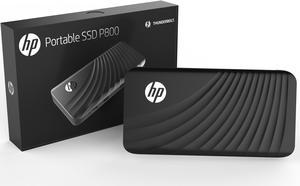
HP P800 512GB Portable Thunderbolt 3 PCIe NVMe external SSD 3SS20AA#ABC
Quick View
HP
HP P800 512GB Portable Thunderbolt 3 PCIe NVMe external SSD 3SS20AA#ABC
  • Max Sequential Read: Up to 2400 MBps
  • Max Sequential Write: Up to 1200 MBps
  • 4KB Random Read: Up to 260,000 IOPS
  • 4KB Random Write: Up to 180,000 IOPS
  • Model #: 3SS20AA#ABC
  •  
  • $289.90 –
  • Free Shipping
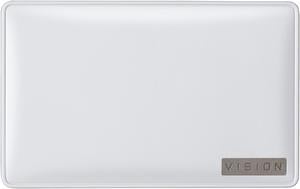
GIGABYTE Vision Drive 1TB USB 3.2 Gen 2x2 (USB-C) 3D TLC External Solid State Drive
Quick View
GIGABYTE Vision Drive 1TB USB 3.2 Gen 2x2 (USB-C) 3D TLC External Solid State Drive
  • Cache: 1GB
  • Max Sequential Read: Up to 2000 MBps
  • Max Sequential Write: Up to 2000 MBps
  • MTBF: 1,770,000 hours
  • Model #: GP-VSD1TB
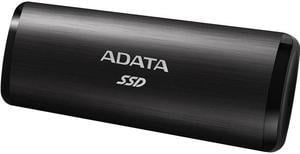
ADATA 512GB USB 3.2 Gen2 Type-C (Backward Compatible with USB 2.0) SE760 External Solid State Drive Black
Quick View
ADATA
ADATA 512GB USB 3.2 Gen2 Type-C (Backward Compatible with USB 2.0) SE760 External Solid State Drive Black
  • Part Number: ASE760-512GU32G2-CBK
  • Color: Black
  • Operating Temperature: 0°C ~ +35°C
  • Width: 1.73"
  • Model #: ASE760-512GU32G2-CBK
  •  
  • $89.90 –
  • Free Shipping
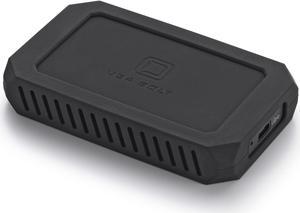
U34 Bolt 8TB USB-C (USB4 40Gbps) NVMe Portable SSD, Up to 2800MB/s
Quick View
  •  
  • $2,099.00 –
  • Free Shipping
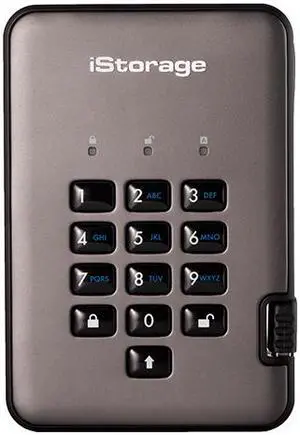
iStorage diskAshur PRO2 SSD 512GB Secure portable solid state drive FIPS Level 3 certified - password protected, dust and water resistant, military grade hardware encryption IS-DAP2-256-SSD-512-C-X
Quick View
iStorage diskAshur PRO2 SSD 512GB Secure portable solid state drive FIPS Level 3 certified - password protected, dust and water resistant, military grade hardware encryption IS-DAP2-256-SSD-512-C-X
  • Part Number: IS-DAP2-256-SSD-512-C-X
  • Max Sequential Read: Up to 361 MBps
  • Max Sequential Write: Up to 358 MBps
  • Width: 3.31
  • Model #: ISDAP2256SSD512CX
  •  
  • $344.95 –
  • Free Shipping
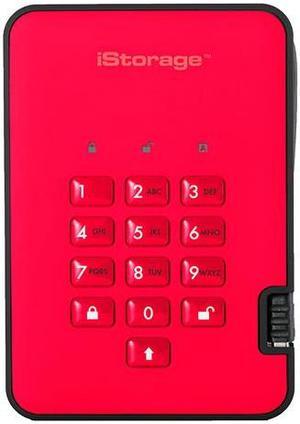
iStorage diskAshur2 SSD 1TB Red - Secure portable solid state drive - Password protected, dust and water resistant, portable, military grade hardware encryption USB 3.2 IS-DA2-256-SSD-1000-R
Quick View
iStorage diskAshur2 SSD 1TB Red - Secure portable solid state drive - Password protected, dust and water resistant, portable, military grade hardware encryption USB 3.2 IS-DA2-256-SSD-1000-R
  • Part Number: IS-DA2-256-SSD-1000-R
  • Color: Red
  • Max Sequential Read: Up to 361 MBps
  • Max Sequential Write: Up to 358 MBps
  • Model #: ISDA2256SSD1000R
  •  
  • $479.95 –
  • Free Shipping
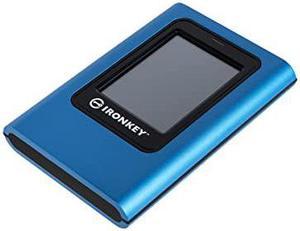
Kingston IronKey Vault Privacy 80 960GB External SSD | FIPS 197 | XTS-AES 256GB Encrypted | Touch Screen PIN | Secure Data Protection | IKVP80ES/960G
Quick View
Kingston IronKey Vault Privacy 80 960GB External SSD | FIPS 197 | XTS-AES 256GB Encrypted | Touch Screen PIN | Secure Data Protection | IKVP80ES/960G
  • Max Sequential Read: Up to 250 MBps
  • Max Sequential Write: Up to 250 MBps
  • Operating Temperature: 0°C ~ +45°C
  • Storage Temperature: -20°C ~ +60°C
  • Model #: IKVP80ES/960G
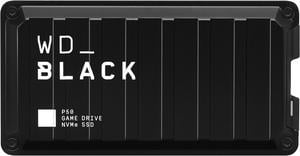
WD_Black 2TB P50 Game Drive Portable External SSD, Compatible with PS4, Xbox One, PC, Mac - WDBA3S0020BBK-WESN
Quick View
WD_Black 2TB P50 Game Drive Portable External SSD, Compatible with PS4, Xbox One, PC, Mac - WDBA3S0020BBK-WESN
  • Color: Black
  • Width: 2.44"
  • Depth: 4.65"
  • Height: 0.55"
  • Model #: WDBA3S0020BBK-WESN
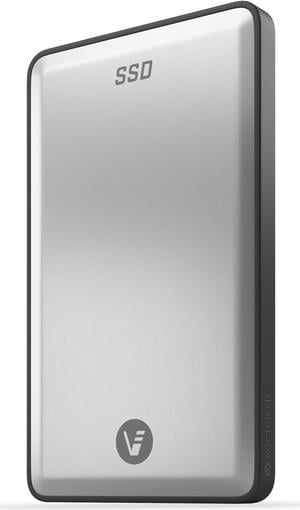
VectoTech Rapid 8TB External SSD USB-C Portable Solid State Drive (USB 3.1 Gen 2)
Quick View
VectoTech Rapid 8TB External SSD USB-C Portable Solid State Drive (USB 3.1 Gen 2)
  • Color: Black
  • Max Sequential Read: Up to 540MBps
  • Max Sequential Write: Up to 540MBps
  • Storage Temperature: -25ºC ~ +85ºC
  • Model #: VT8TBB
  •  
  • $2,699.00 –
  • Free Shipping
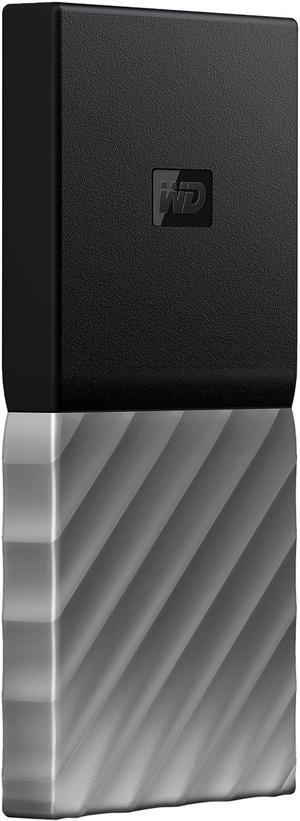
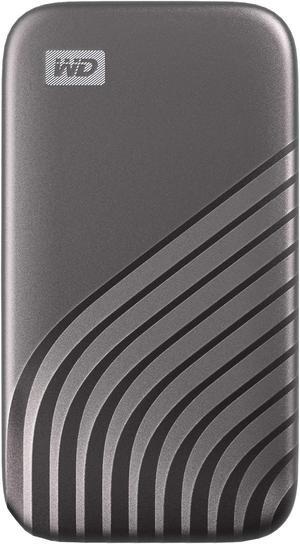
WD My Passport SSD 512GB USB 3.1 External Solid State Drive
Quick View
WD My Passport SSD 512GB USB 3.1 External Solid State Drive
  • Part Number: WDBKVX5120PSL
  • Color: Black top with gunmetal (medium metallic gray) bottom
  • Operating Temperature: +5°C ~ +35°C
  • Storage Temperature: -20°C ~ +65°C
  • Model #: WDBKVX5120PSL-WESN
  •  
  • $294.26 –
  • Free Shipping
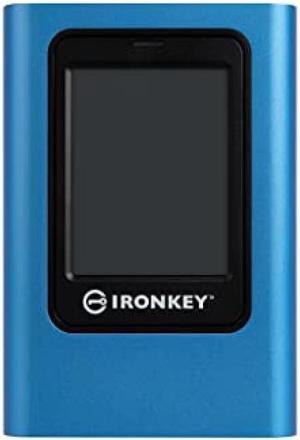
Kingston IronKey Vault Privacy 80 3840GB External SSD IKVP80ES/3840G
Quick View
Kingston IronKey Vault Privacy 80 3840GB External SSD IKVP80ES/3840G
  • Color: Blue
  • Max Sequential Read: 230MB/s read
  • Max Sequential Write: 250MB/s write
  • Width: 122.5mm
  • Model #: IKVP80ES3840G
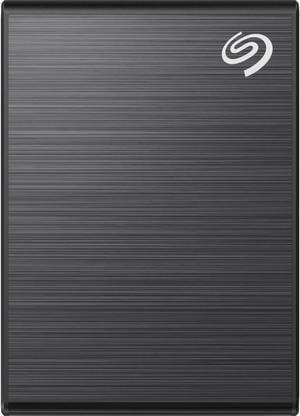
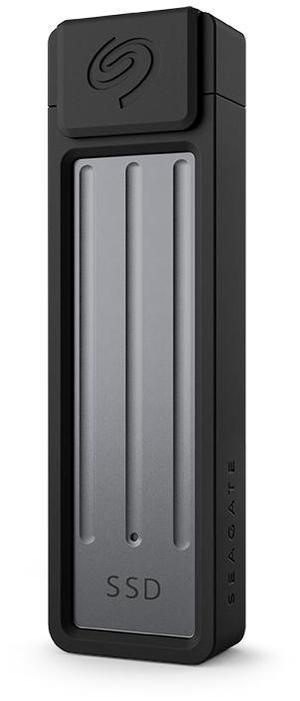
Seagate Ultra Compact 2TB USB 3.2 Gen 2 SSD
Quick View
Seagate
Seagate Ultra Compact 2TB USB 3.2 Gen 2 SSD
  • Brand: Seagate
  • Series: Ultra Compact
  • Part Number: STMX2000400
  • Capacity: 2TB
  • Model #: STMX2000400
  •  
  • $425.58 –
  • Free Shipping
Transcend 1TB ESD310 Portable SSD USB Type-A & Type-C [SILVER]
Quick View
Transcend 1TB ESD310 Portable SSD USB Type-A & Type-C [SILVER]
  • Brand: Transcend
  • Series: ESD310
  • Part Number: TS1TESD310S
  • Form Factor: 2.5-inch
  • Model #: TS1TESD310S
  •  
  • $379.90 –
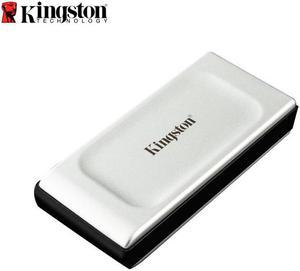
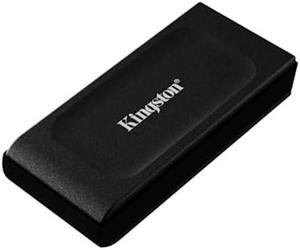
Kingston XS2000 1TB USB 3.2 Gen 2x2 Type-C External Solid State Drive
Quick View
Kingston XS2000 1TB USB 3.2 Gen 2x2 Type-C External Solid State Drive
  • Color: Silver
  • Max Sequential Read: Up to 2000 MBps
  • Max Sequential Write: Up to 2000 MBps
  • System Requirements: Windows 10, 8.1, Mac OS (v. 10.14.x +) Linux (v. 2.6.x +), Chrome OS
  • Model #: SXS2000/1000G
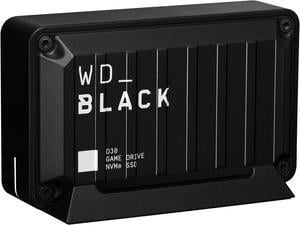
Western Digital WD_BLACK D30 2TB USB 3.2 Gen 2 (Type-C) Game Drive SSD WDBATL0020BBK-WESN
Quick View
Western Digital WD_BLACK D30 2TB USB 3.2 Gen 2 (Type-C) Game Drive SSD WDBATL0020BBK-WESN
  • Color: Black
  • Operating Temperature: 0°C ~ +45°C
  • Storage Temperature: -20°C ~ +65°C
  • Width: With Stand: 1.80" Without Stand: 1.37"
  • Model #: WDBATL0020BBK-WESN
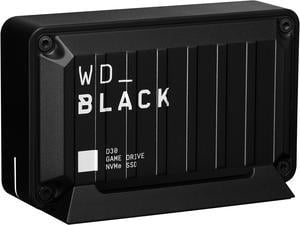
Western Digital WD_BLACK D30 500GB USB 3.2 Gen 2 (Type-C) Game Drive SSD WDBATL5000ABK-WESN
Quick View
Western Digital WD_BLACK D30 500GB USB 3.2 Gen 2 (Type-C) Game Drive SSD WDBATL5000ABK-WESN
  • Color: Black
  • Operating Temperature: 0°C ~ +45°C
  • Storage Temperature: -20°C ~ +65°C
  • Width: With Stand: 1.80" Without Stand: 1.37"
  • Model #: WDBATL5000ABK-WESN
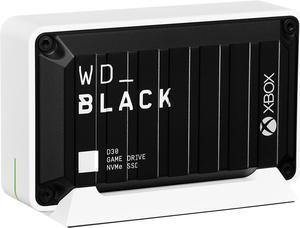
Western Digital WD_BLACK D30 1TB USB 3.2 Gen 2 (Type-C) Game Drive SSD for Xbox WDBAMF0010BBW-WESN
Quick View
Western Digital WD_BLACK D30 1TB USB 3.2 Gen 2 (Type-C) Game Drive SSD for Xbox WDBAMF0010BBW-WESN
  • Color: Black
  • Operating Temperature: 0°C ~ +45°C
  • Storage Temperature: -20°C ~ +65°C
  • Width: With Stand: 1.80" Without Stand: 1.37"
  • Model #: WDBAMF0010BBW-WESN
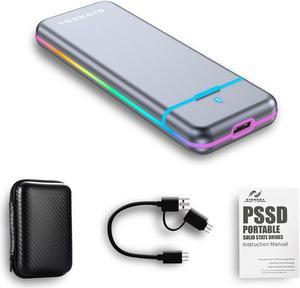
Gioneda RGB Portable External Solid State Disk - High-Speed Data Transfer Up to 1000MB/s- USB 3.1 TypeC - Shockproof - 1TB
Quick View
  •  
  • $139.99 –
  • Free Shipping
SABRENT 1TB External Aluminum SSD, Rocket Nano V2, USB 3.2 Gen 2x2 [SB-1TB-NAV2]
Quick View
SABRENT 1TB External Aluminum SSD, Rocket Nano V2, USB 3.2 Gen 2x2 [SB-1TB-NAV2]
  • Part Number: SB-1TB-NAV2
  • Controller: Phison
  • Color: Black
  • Max Shock Resistance: 1500G
  • Model #: SB-1TB-NAV2
  •  
  • $359.99 –
SABRENT 4TB External Aluminum SSD, Rocket Nano V2, USB 3.2 Gen 2x2, 1500 MB/s Transfer Speeds [SB-4TB-NAV2]
Quick View
SABRENT 4TB External Aluminum SSD, Rocket Nano V2, USB 3.2 Gen 2x2, 1500 MB/s Transfer Speeds [SB-4TB-NAV2]
  • Part Number: SB-4TB-NAV2
  • Controller: Phison
  • Color: Black
  • Parts: 3 Years
  • Model #: SB-4TB-NAV2
  •  
  • $899.99 –
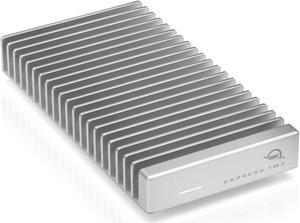
OWC 8TB Express 1M2 Portable NVMe Thunderbolt (USB-C) SSD USB4 Ultra Fast External SSD Drive with Aluminum Heat Sink Enclosure
Quick View
  •  
  • $2,299.99 –
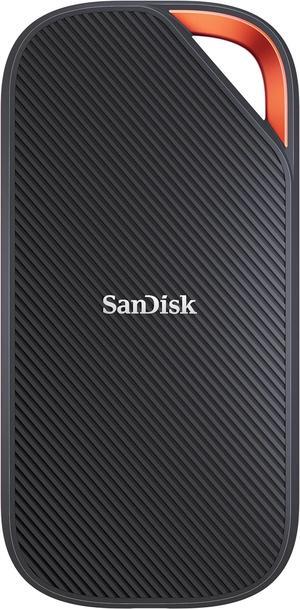
SanDisk Extreme PRO with USB4, 2TB, 40Gbps, up to 3800 MB/s read speed and up to 3700MB/s write speed
Quick View
SanDisk
SanDisk Extreme PRO with USB4, 2TB, 40Gbps, up to 3800 MB/s read speed and up to 3700MB/s write speed
  • Max Sequential Read: Up to 3800 MBps
  • Max Sequential Write: Up to 3700 MBps
  • Width: 140mm
  • Depth: 68.7mm
  • Model #: SDSSDE82-2T00-G25
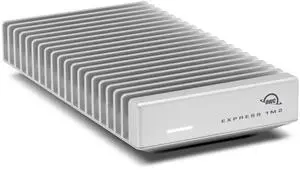
OWC 8TB Express 1M2 80Gb/s Portable NVMe SSD USB4 (Thunderbolt Compatible/USB-C) Ultra Fast External SSD Drive with Aluminum Heat Sink Enclosure
Quick View
OWC 8TB Express 1M2 80Gb/s Portable NVMe SSD USB4 (Thunderbolt Compatible/USB-C) Ultra Fast External SSD Drive with Aluminum Heat Sink Enclosure
  • Part Number: US4V2EXP1MT08
  • Color: Silver
  • Features: Portable, Bus-Powered
  • System Requirements: Mac OS 14.x or higher, Windows 11 or higher
  • Model #: US4V2EXP1MT08
  •  
  • $2,429.99 –
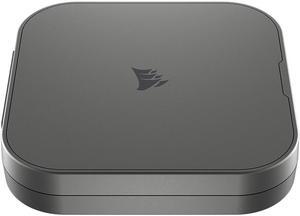
Corsair EX400U 1TB USB4 Type C Portable SSD
Quick View
Corsair EX400U 1TB USB4 Type C Portable SSD
  • Brand: Corsair
  • Series: EX400U
  • Part Number: CSSD-EX400U1TB
  • Capacity: 1TB
  • Model #: CSSD-EX400U1TB
SanDisk SANDISK Extreme PRO Portable SSD4TB
Quick View
SanDisk
SanDisk SANDISK Extreme PRO Portable SSD4TB
  • Brand: SanDisk
  • Series: Extreme PRO
  • Part Number: SDSSDE83-4T00-G25
  • Form Factor: Portable External
  • Model #: SDSSDE83-4T00-G25

External SSDs and Portable Solid State Drives at Newegg

External SSDs offer fast USB-C connectivity and durable, compact designs ideal for on-the-go storage and quick data transfers. Browse Newegg’s selection of external SSDs from brands like Samsung, SanDisk, and Verbatim suited for PC backups, media editing, and expanding your device's storage.

How to Choose External SSDs

Key Features to Consider When Choosing an External SSD

  • Storage Capacity: Determine your needs based on usage; ranges from fast and compact 480GB to massive 8TB external SSDs are available for everything from casual backups to large media projects.
  • Connection Interface: USB-C is dominant for speed and compatibility, but make sure your device supports the port and protocol to maximize transfer rates.
  • Speed and Performance: Look for NVMe or PCIe Gen 3/Gen 4 SSDs to ensure lightning-fast file transfers and reduced load times, crucial for gaming and editing.
  • Portability and Durability: External SSDs should be compact and often ruggedized to withstand travel, drops, or shock, unlike traditional hard drives.
  • Price versus Value: Weigh cost against capacity and speed; higher performance often demands more investment but offers greater long-term usability.
  • Compatibility: Confirm the external SSD works seamlessly with your PC, Mac, or other devices to avoid frustrational setup issues.

Why Connection Interface Matters Most for External SSDs

The single most impactful factor when choosing an external SSD is the connection interface, as it directly affects transfer speeds, latency, and compatibility. USB-C has become the industry standard because it supports the highest transfer protocols like USB 3.2 Gen 2, Thunderbolt 3/4, and USB4, enabling blazing-fast data movement. These interfaces unlock the true potential of NVMe-based SSDs inside, so you're not bottlenecked by your cable or port limitations. For professionals needing to move large files quickly—be it 4K video footage, high-res images, or huge game libraries—the right connection means less waiting and a more fluid workflow. Also, USB-C's reversible plug and broad device support add to user convenience. While USB-A drives exist, opting for USB-C external SSDs aligns better with current and future tech trends, making this the cornerstone specification to get right.

Advanced Use Cases and Professional External SSD Options

For developers, content creators, or IT pros looking to maximize portability and performance, consider external SSDs designed specifically for heavy workloads. High-capacity models like 480GB to 999GB or even 1TB to 1.9TB drives provide a balanced option for mobile workflows. When you need expansive space for large-scale video projects or datasets, jumping up to 4TB or even 2TB & Up SSDs is ideal. Leveraging SSD models built on the latest PCIe Gen 4 controllers ensures you get superb throughput. For custom setups, check out Components & Storage to tailor your external storage exactly how you want it.

Performance and Setup Tips

  • Always connect your external SSD to the highest-speed port available on your PC or device, preferably USB-C with Thunderbolt 3 or USB 3.2 Gen 2 support.
  • Ensure your operating system’s drivers are up to date to achieve optimum transfer rates and stability.
  • Use quality cables certified for the interface, as counterfeit or low-grade cables can throttle speeds significantly.
  • Consider formatting the external SSD to a file system compatible with your primary devices (exFAT for cross-platform, NTFS for Windows-centric setups).
  • Keep firmware updated by checking the manufacturer’s site—this can resolve bugs and improve performance.
  • For professional workflows, regularly benchmark transfer speeds after setup to verify you are getting the expected performance.
  • Store your external SSD safely in a padded case or sleeve when traveling to prevent physical damage.
  • If encryption or password protection is required, use built-in software tools or manufacturer utilities to secure your data without sacrificing speed.
  • Use safely eject/eject hardware functions before unplugging to avoid data corruption.

Newegg shopping tip: Look closely at the connection type—USB-C and Thunderbolt 3 offer faster data transfer speeds than older USB-A ports. Also, consider the SSD’s read/write speeds and storage capacity to match your file sizes and usage needs.

Explore External SSDs & Related Categories

SSD

Harness NVMe speeds in a portable form factor with this external SSD, ideal for heavy file transfers and quick backups on the go.

2TB & Up

Need serious space? These 2TB+ SSDs balance capacity and speed, perfect for creatives managing massive 4K video libraries.

1TB to 1.9TB

Between 1TB and 1.9TB, these SSDs offer versatile storage sizes with fast PCIe Gen 3 or Gen 4 controllers for gaming or media editing.

External SSDs for First-Time Shoppers

If you're new to external solid state drives, think of these as lightning-fast, portable storage devices that plug into your computer via USB or USB-C ports. Unlike traditional external hard drives, external SSDs deliver quicker load times, faster file transfers, and better durability since they have no moving parts. Whether you want to save photos, documents, or backup your system, starting with a reliable SSD means your files are safer and your workflow is smoother. Look for user-friendly sizes, like those in the 480GB to 999GB range, which offer plenty of space for everyday use without the complexity of managing massive storage.

External SSDs for Creative Professionals

For photographers, videographers, and designers, an external SSD can be a game-changer when managing large files and complex projects on the go. These users often require high-capacity drives with blazing fast read/write speeds to keep up with 4K video editing, RAW image processing, or large graphic design portfolios. External SSDs in the 1TB to 1.9TB class strike an excellent balance between capacity and speed, while models like those found in 2TB & Up categories handle the heaviest workloads without compromise. These drives typically support USB-C connections for seamless integration with modern laptops and workflows.

External SSDs for Gamers and PC Enthusiasts

Gamers and PC enthusiasts often need external storage that can keep pace with fast-paced gaming sessions and frequent data transfers. An external SSD is ideal for storing your games, downloadable content, or serving as a quick backup drive to free up space on your primary machine. Look for external SSDs that support USB-C or USB 3.2 Gen 2 interfaces to minimize loading times and maximize throughput. The popular 1TB options offer just the right amount of speed and capacity to handle your gaming library or quick workflow boosts without bulk or fuss.

Before You Buy

  • Check compatibility with your device’s ports—ensure the external SSD supports USB-C, USB 3.2, or the specific interface you need.
  • Decide on the right capacity for your needs, whether that’s a compact 480GB to 999GB, a versatile 1TB to 1.9TB, or larger sizes for professional use.
  • Look at the endurance and durability features if you plan to carry the SSD frequently—rugged or shock-resistant models provide extra peace of mind.
  • Confirm the data transfer speeds and whether you need NVMe or SATA protocols depending on your performance requirements.
  • Consider cable and connector types included, making sure you have or can get any adapters required to connect to your device.
  • Think about brand reliability and warranty service—top brands often provide better customer support and longer warranties.

Research more: When choosing an external SSD, consider your device’s compatibility and the type of connection, like USB-C or USB 3.1, for faster transfer speeds. For a deeper dive into specs and user needs, check out Newegg Insider’s buying guides to help find the right fit.

Last Updated: October 2026 | Newegg External SSDs Buying Guide


External SSDs FAQs:

How much faster is a Thunderbolt 3 external SSD compared to a USB 3.1 model for everyday use?

Thunderbolt 3 drives generally offer much higher speeds, up to 40 Gbps, which is about four times faster than USB 3.1’s 10 Gbps. For big file transfers or video editing, Thunderbolt 3 makes a noticeable difference, but for casual file storage, USB 3.1 is usually plenty fast.

Are Samsung external SSDs better than SanDisk ones when it comes to durability and speed?

Both brands deliver reliable performance, but Samsung SSDs often lead in write speeds and endurance ratings. SanDisk drives tend to be more budget-friendly while still offering solid speed and good durability for average users.

What kind of connection should I look for in an external SSD to get the fastest transfer speeds?

USB-C with Thunderbolt 3 or USB 3.2 Gen 2 is your best bet for speed, as it can handle faster data transfers compared to older USB standards. Make sure your device supports these protocols to get the most out of the SSD.

Are external SSDs compatible with both Windows and Mac computers?

Most external SSDs work with both Windows and Mac, but sometimes you might need to reformat the drive to a compatible file system like exFAT or APFS to use it smoothly across both operating systems.

How do I decide between different storage sizes when buying an external SSD?

Think about what you’ll store; if you’re handling lots of videos or games, go bigger like 1TB or more. For documents and casual use, 500GB can be enough and often costs less.

Is it worth paying extra for faster transfer speeds on an external SSD?

If you frequently move large files or edit media directly from the drive, faster speeds save time and frustration. For simple backups or occasional use, a slower model might be just fine.

How reliable are external SSDs compared to traditional hard drives?

External SSDs are generally more reliable because they have no moving parts, which reduces the risk of mechanical failure. They’re better at handling drops and shocks, but you still want to check for good warranty coverage just in case.

What should I look for in user reviews to spot common issues with an external SSD?

Pay attention to comments about connection stability, read/write speeds that match specs, and any early failure reports. If multiple users mention overheating or the drive disconnecting unexpectedly, it’s a red flag.

How do I get my new external SSD running with my laptop?

Just plug it into a USB port and your computer should recognize it right away. If it doesn’t, you might need to format the drive first using your operating system’s disk management tool.

Is there anything I should do to make my external SSD last longer?

Avoid dropping it or exposing it to extreme temperatures, and don’t fill it to full capacity since SSDs perform best when they have some free space. Regularly updating your device’s firmware can also help keep it running smoothly.

Bestselling External SSDs Reviews: