




 here!
here!
I’m your shopping assistant for PC builds, upgrades, and everything tech.
Got questions? Ask away!
Start a conversation
here!
I’m your shopping assistant for PC builds, upgrades, and everything tech.
Got questions? Ask away!
Start a conversation



OUT OF STOCK

OUT OF STOCK
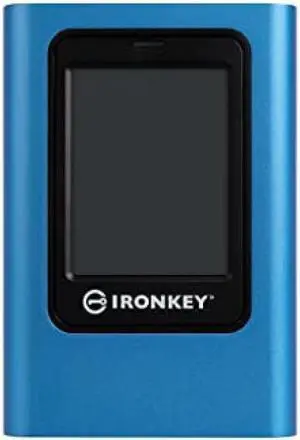
OUT OF STOCK
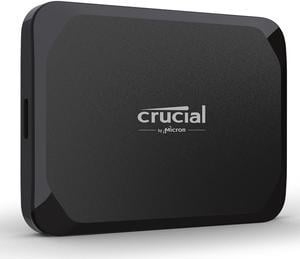

OUT OF STOCK
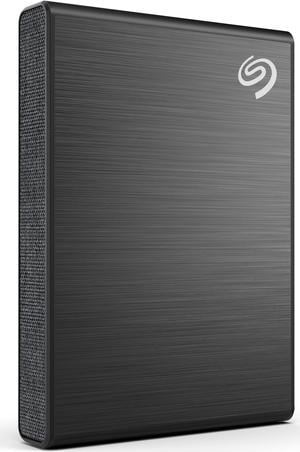
OUT OF STOCK
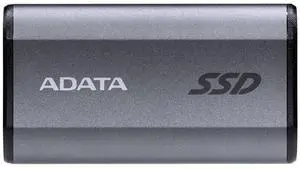

OUT OF STOCK
Discover a wide selection of external SSDs designed for fast, reliable storage compatible with both PC and Mac. Explore 1TB USB-C portable SSDs and take advantage of Black November and Black Friday deals on top brands like Samsung, SanDisk, and Verbatim.
Choosing the right external SSD involves weighing several important features that directly impact your storage experience. Here are the key points to consider:
Among all the features, the interface and protocol used by an external SSD often dictate the overall performance and compatibility:
Professional creators, developers, and power users demand more from their external SSDs. High-capacity models—such as 2TB & Up drives—offer the storage space and endurance required for complex workflows, including high-resolution video editing and extensive gaming libraries.
Rugged external SSDs, sometimes found in the 3.84TB range, provide protection from environmental hazards, making them ideal for on-location shoots or data capture in demanding fieldwork scenarios.
For professionals prioritizing security, models with AES 256-bit encryption keep sensitive information protected. Pairing these drives with fast USB-C or Thunderbolt 3 ports ensures you don't sacrifice speed for security during transfers.
Newegg shopping tip: When choosing an external SSD, pay close attention to the drive’s read and write speeds as well as its connection type, like USB-C or Thunderbolt, to ensure compatibility with your devices. During Black November deals and Black Friday deals, comparing durability features such as shock resistance can also help you find a reliable portable drive for everyday use.
Experience blazing NVMe speeds with external SSDs that leverage PCIe Gen3 or Gen4 interfaces for rapid file transfers and low latency.
Ideal for pros and power users, 2TB+ external SSDs combine large capacity with high endurance, perfect for complex video editing and gaming libraries.
Find a sweet spot with 1TB to 1.9TB SSDs, offering plenty of space and speed for mainstream creatives and everyday backups.
External SSDs are portable storage devices that offer fast data transfer speeds and reliable performance, making them a great upgrade from traditional external hard drives. If you’re new to this category, it’s helpful to know that these drives connect easily via USB-C or USB 3.2 ports for compatibility across PC and Mac systems. With capacities ranging from 480GB to 999GB and up to 1TB to 1.9TB, these drives deliver blazing-fast access to your photos, videos, games, and important files. Be sure to explore SSD options that suit your particular needs, whether it’s portable convenience or maximum performance.
Gamers require storage that keeps up with large game installs and quick load times, and an external SSD delivers just that. With high-speed USB-C connectivity and rugged, compact designs, portable SSDs make it easy to carry your gaming library on the go or expand your console’s storage. Popular capacity choices, like the versatile 1TB size, blend affordability with ample room for multiple games. When shopping this Black November season, keep an eye on Newegg’s Black Friday deals on external SSDs to find the perfect drive to boost your gaming setup without compromising speed or reliability.
Creative professionals such as photographers, videographers, and graphic designers often need large, fast storage solutions for working with high-resolution content. External SSDs with bigger capacities like 2TB & Up offer the endurance and speed required to handle large files and smooth workflows. Many professional drives also feature data encryption and durable builds that safeguard your work during travel. With Black November deals and Black Friday deals at Newegg, it’s an excellent time to invest in a high-capacity external SSD to meet demanding project needs.
Research more: When choosing an external SSD, consider factors like storage capacity, transfer speed, and compatibility with your devices. For a deeper dive into which models suit different needs—whether gaming, work, or everyday use—check out the Newegg Insider buying guides. These guides are especially helpful as you explore Black November deals and Black Friday deals to find the right portable SSD.
Last Updated: November 2026 | Newegg External SSDs Buying Guide
The Samsung T7 generally offers faster read/write speeds, making it better for large file transfers, while the SanDisk Extreme Portable is built tougher with water and dust resistance, ideal if you need extra durability on the go.
If you mainly play a few games, 500GB can be enough, but 1TB gives you more breathing room for multiple games and future installs without swapping files constantly. For most gamers, 1TB strikes the best balance between cost and storage.
External SSDs typically offer much faster read and write speeds compared to traditional external hard drives, often several times quicker. This makes them better for tasks like transferring large files or running applications directly from the drive.
Most external SSDs work with both PC and Mac, but you might need to reformat the drive for full compatibility depending on the file system it uses. Common file systems like exFAT are supported by both operating systems.
Think about how much data you’ll regularly move or back up. If you’re mostly storing documents and a few media files, 256GB to 512GB might be enough, but for video editing or large game libraries, 1TB or more is a safer bet.
If you often transfer big files or work with high-res video, faster read/write speeds can save you time and frustration. But if it’s just for occasional backups or casual use, a standard speed drive will do just fine without breaking the bank.
External SSDs are generally more reliable because they have no moving parts, which makes them less prone to physical damage from drops or bumps. However, their lifespan depends on the total data written, so heavy use can degrade them over time.
Keep an eye on consistent reports of connectivity issues, slow transfer speeds, or unexpected disconnects. Also, check if users mention overheating or unexplained data loss, as these can be red flags for quality or design problems.
Just plug the SSD into your computer’s USB or Thunderbolt port, and it should appear as a new drive. If it doesn’t show up, you might need to format it first using your system’s disk utility.
Yes, external SSDs have fast transfer speeds that allow you to run apps or games smoothly, but make sure your connection is USB 3.0 or better for the best performance.
“ This is a nice little external SSD. ”
Nusyn NSP33 1TB Magnetic Portable SSD, Up to 2000MB/s, USB-C, USB 3.2 Gen 2x2, Aluminum+Glass Housing, Supports iPhone 15/16/17 Pro & Pro Max ProRes HDR Recording, Compatible with Tablets, Computers, Smartphones, PC - Black“ External SSDs are great for gamers on-the-go who need the extra storage for game installs. ”
Crucial X9 2TB Portable SSD - Up to 1050MB/s Read - PC and Mac, Lightweight and small - USB 3.2 External Solid State Drive - CT2000X9SSD9



