• In Stock
  • Sold by Newegg
  • Make an Offer
  • New
  • Combo Deals Only
Brands
Show More
Price
Show More
Screen Size
Resolution
Refresh Rate
Panel
Show More
Adaptive Sync Technology
Curved Surface Screen
VESA Compatibility - Mountable
Stand Adjustments
Show More
Response Time
Video Ports
DisplayPort
HDMI
Display Colors
Aspect Ratio
Built-in Webcam
Built-in Speakers
USB Ports
Monitor Pixel Density
VESA Certified DisplayHDR
All Top Brands
Availability
Condition
Current Promotion
Discount
Sold by
Useful Links
Customer Ratings
  • Asus monitor
  • Monitor Banner
  • Beyond borders
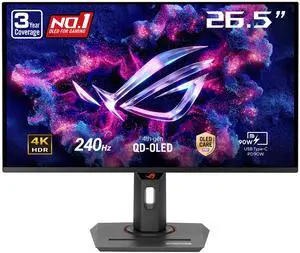
  • ASUS Monitor OLED PG27AQWP-W
  • Featured Brands

    See Deals from GIGABYTESee Deals from ASUSSee Deals from MSISee Deals from LG ElectronicsSee Deals from Acer AmericaSee Deals from SAMSUNG
Sort By:
View:
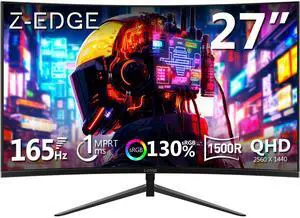
Z-EDGE 24" 1080P Full HD 200Hz 1ms Ultra Thin Frame Curved Gaming Monitor, FreeSync Compatible, HDMI, DP
Quick View
Z-EDGE 24" 1080P Full HD 200Hz 1ms Ultra Thin Frame Curved Gaming Monitor, FreeSync Compatible, HDMI, DP

Limited time offer, ends 02/17

  • Screen Size: 24"
  • Refresh Rate: 200Hz
  • Resolution: 1920 x 1080
  • Response Time: 1 ms
  • Model #: NEUG24
  • $119.99
  •  
  • $99.99 
  • Save: 16%
  • Free Shipping
MSI G275L E14 27" FHD Gaming Computer Monitor 1920x1080 144Hz 1ms FreeSync IPS HDR Ready Anti-Glare HDMI DisplayPort Adaptive-Sync Frameless Design VESA Mount Compatible
Quick View
Acer Nitro 27" WQHD 2K 1440P 180hz IPS with AMD FreeSync Premium Technology 0.5ms Gaming Computer Monitor VG271U M3bmiipx
Quick View
in 30 days
Acer Nitro 27" WQHD 2K 1440P 180hz IPS with AMD FreeSync Premium Technology 0.5ms Gaming Computer Monitor VG271U M3bmiipx
  • Screen Size: 27"
  • Refresh Rate: 144Hz Using HDMI Port, 180Hz Using Display Port
  • Resolution: 2560 x 1440 (2K)
  • Response Time: 1ms (G to G) - Up to 0.5ms (G to G)
  • Model #: UM.HV1AA.301
MSI 27"  WQHD 2K 1440P 360Hz IPS with NVIDIA G-SYNC Pulsar 0.5ms HDR10 PS5 & Xbox Compatible PC & Console Gaming Computer Monitor with Height Adjustable, Swivel, Pivot and Tilt stand MPG 272QRF X36
Quick View
MSI 27" WQHD 2K 1440P 360Hz IPS with NVIDIA G-SYNC Pulsar 0.5ms HDR10 PS5 & Xbox Compatible PC & Console Gaming Computer Monitor with Height Adjustable, Swivel, Pivot and Tilt stand MPG 272QRF X36
  • Screen Size: 27"
  • Refresh Rate: 360Hz (1000Hz motion clarity)
  • Resolution: 2560 x 1440 (2K)
  • Response Time: 0.5ms (GTG)
  • Model #: MPG 272QRF X36
  •  
  • $649.99 
  • Free Shipping
MSI Gaming Computer Monitor 27" 2560 x 1440 180 Hz Rapid VA WQHD 0.50 ms FreeSync (AMD Adaptive Sync) MAG 275CQF E18
Quick View
MSI
MSI Gaming Computer Monitor 27" 2560 x 1440 180 Hz Rapid VA WQHD 0.50 ms FreeSync (AMD Adaptive Sync) MAG 275CQF E18
  • Screen Size: 27"
  • Refresh Rate: 180Hz
  • Resolution: 2560 x 1440 (2K)
  • Response Time: 0.50 ms
  • Model #: MAG 275CQF E18
LG Ultragear 34" WQHD 2K 1440P 240Hz with FreeSync Premium 1ms HDR400 USB-C DCI-P3 95% Built-in Speakers Curved Gaming Computer Monitor with Height Adjustable, Swivel & Tilt stand 34G630A-B
Quick View
KTC 25 Inch FHD 180Hz Gaming Monitor, 1080P Fast IPS Frameless Computer Monitor with Adaptive Sync, Eye Care PC Gamer Monitor,HDMIx2, DisplayPort, VESA Mountable, Tilt Adjustable, H25T7
Quick View
in 30 days
KTC 25 Inch FHD 180Hz Gaming Monitor, 1080P Fast IPS Frameless Computer Monitor with Adaptive Sync, Eye Care PC Gamer Monitor,HDMIx2, DisplayPort, VESA Mountable, Tilt Adjustable, H25T7

+ $10 off w/ promo code EDF3637, limited offer

  • Screen Size: 24.5"
  • Refresh Rate: 180Hz
  • Resolution: 1920 x 1080
  • Response Time: 1 ms
  • Model #: 25'' FHD 180Hz
  • $129.99
  •  
  • $94.99 
  • Save: 26%
  • Free Shipping
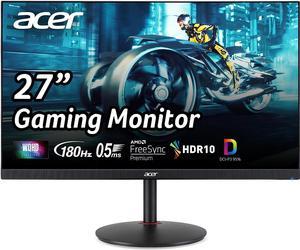
Acer Nitro 27" Full HD 1080P 240Hz IPS with AMD FreeSync Premium (AMD Adaptive Sync) Height adjustable stand Gaming Computer Monitor KG273 W3BIIP
Quick View
Acer America
Acer Nitro 27" Full HD 1080P 240Hz IPS with AMD FreeSync Premium (AMD Adaptive Sync) Height adjustable stand Gaming Computer Monitor KG273 W3BIIP
  • Screen Size: 27"
  • Refresh Rate: 240Hz
  • Resolution: 1920 x 1080
  • Response Time: 0.5 ms
  • Model #: UM.HX3AA.312
LG 32GX850A-B 32" UltraGear 4K UHD (3840 x 2160) Glossy OLED Gaming Computer Monitor, Dual-Mode 165Hz/330Hz, G-SYNC, FreeSync Premium Pro, TrueBlack 400, HDMI, DP, Tilt/Height/Swivel/Pivot Stand
Quick View
SAMSUNG Curved Gaming Computer Monitor 37" 165 Hz 3840x2160 VA WUHD FreeSync Premium Pro (AMD Adaptive Sync) sRGB 99% Odyssey G7 G75F LS37FG75DENXZA
Quick View
SAMSUNG Curved Gaming Computer Monitor 37" 165 Hz 3840x2160 VA WUHD FreeSync Premium Pro (AMD Adaptive Sync) sRGB 99% Odyssey G7 G75F LS37FG75DENXZA
  • Screen Size: 37"
  • Refresh Rate: 165Hz
  • Resolution: 3840 x 2160 (4K)
  • Response Time: 1 ms
  • Model #: LS37FG75DENXZA
  •  
  • $899.99 
  • Free Shipping
KTC 24 Inch Curved Gaming Monitor, 165Hz FHD 1080P Frameless Computer Monitor, Freesync/G-Sync Support, 99% sRGB, 3000:1 Contrast, HDMI, DisplayPort, Wall Mountable/Tilt Adjustable, H24S17
Quick View
  • $149.99
  •  
  • $94.99 
  • Save: 36%
  • Free Shipping
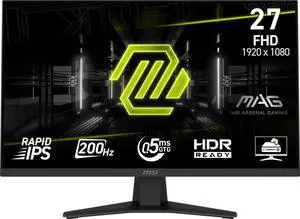
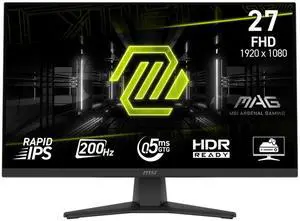
MSI 27" 1920x1080 240 Hz Rapid VA FHD Gaming Computer Monitor FreeSync (AMD Adaptive Sync) MAG 275CF X24
Quick View
MSI 27" 1920x1080 240 Hz Rapid VA FHD Gaming Computer Monitor FreeSync (AMD Adaptive Sync) MAG 275CF X24
  • Screen Size: 27"
  • Refresh Rate: 240Hz
  • Resolution: 1920 x 1080
  • Response Time: 0.50 ms
  • Model #: MAG 275CF X24
ASUS TUF 24" (23.8" viewable) 1080P Gaming Computer Monitor (VG249QL3A) - Full HD, 180Hz, 1ms, Fast IPS, ELMB, FreeSync Premium, G-SYNC Compatible, Speakers, DisplayPort, Height Adjustable
Quick View
GIGABYTE - AORUS FO32U2 - 32" QD OLED Gaming Monitor - UHD 3840x2160 - 240Hz - 0.03ms GTG - AMD FreeSync Premium Pro - Type C KVM - HDMI, DP, Type C - Height Adjustable - Black
Quick View
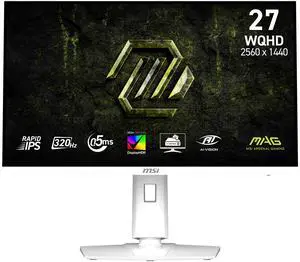
MSI 27" 320 Hz Rapid IPS 2560 x 1440 (QHD) Gaming Computer Monitor FreeSync (AMD Adaptive Sync) MAG 274QRFW MAG 274QRFW X32
Quick View
MSI 27" 320 Hz Rapid IPS 2560 x 1440 (QHD) Gaming Computer Monitor FreeSync (AMD Adaptive Sync) MAG 274QRFW MAG 274QRFW X32
  • Screen Size: 27"
  • Refresh Rate: 320Hz
  • Resolution: 2560 x 1440 (2K)
  • Response Time: 0.50 ms
  • Model #: MAG 274QRFW X32
MSI 27" UHD 4K 160Hz Mini LED IPS 0.5ms HDR1000 USB-C Dual Mode Gaming Computer Monitor Height Adjustable, Pivot, Swivel & Tilt stand for both PC and Console Gaming MPG 274URDFW E16M
Quick View
KTC 24 inch Gaming Monitor QHD 180Hz, Fast IPS 1440p Computer Monitor, Up to 185Hz, 1ms, G-Sync/FreeSync, HDR400, Height Adjustable, 2 x HDMI, 1 x DP H24T7
Quick View
KTC 24 inch Gaming Monitor QHD 180Hz, Fast IPS 1440p Computer Monitor, Up to 185Hz, 1ms, G-Sync/FreeSync, HDR400, Height Adjustable, 2 x HDMI, 1 x DP H24T7
  • Maximum Resolution: 2560 x 1440
  • Resolution: 2560 x 1440 (2K)
  • Aspect Ratio: 16:9
  • Brightness: 400 cd/m2
  • Model #: H24T7
  • $189.99
  •  
  • $149.99 
  • Save: 21%
  • Free Shipping
SAMSUNG Odyssey G5 27" QHD 2K 1440P 165Hz with AMD FreeSync Premium 1ms HDR10 1000R Curved Gaming Computer Monitor LS27CG552ENXZA
Quick View
SAMSUNG Odyssey G5 27" QHD 2K 1440P 165Hz with AMD FreeSync Premium 1ms HDR10 1000R Curved Gaming Computer Monitor LS27CG552ENXZA
  • Screen Size: 27"
  • Refresh Rate: 165Hz
  • Resolution: 2560 x 1440 (2K)
  • Response Time: 1 ms
  • Model #: LS27CG552ENXZA
  •  
  • $299.99 
  • Free Shipping
MSI 32"(31.5" viewable) 180 Hz Rapid VA QHD (2560 x 1440) Gaming Computer Monitor-180Hz, 0.50ms, Adaptive Sync, HDR Ready, HDMI, VGA Port, VESA Mountable, Tilt, 4-Side Slim Bezel, MAG 321CQF E18
Quick View
MSI 27" Full HD 240Hz IPS with AMD FreeSync Premium 0.5ms HDR Ready Ai Navigator Ai Crosshair Ai Vision Gaming Computer Monitor MAG272F X24
Quick View
in 30 days
MSI 27" Full HD 240Hz IPS with AMD FreeSync Premium 0.5ms HDR Ready Ai Navigator Ai Crosshair Ai Vision Gaming Computer Monitor MAG272F X24
  • Screen Size: 27"
  • Refresh Rate: 240Hz
  • Resolution: 1920 x 1080
  • Response Time: 0.5ms (GTG)
  • Model #: MAG 272F X24
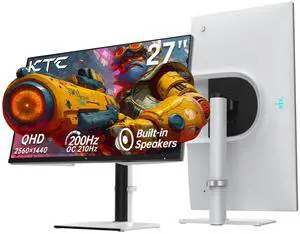
KTC QHD Mini LED Monitor 27 Inch , 1440P 180Hz Gaming PC Monitor, HDR 1400, HDMI2.0, DP1.4, USB, Swivel/Height/Pivot/Tilt Adjustable, VESA Wall Mount, White, M27T6
Quick View
LG 27" 4K 240 Hz IPS Black UHD Gaming Computer Monitor Nvidia G-Sync Compatible DCI-P3 99% (CIE1976) DUAL MODE Full HD 480Hz UltraGear 27G850A-B
Quick View
LG 27" 4K 240 Hz IPS Black UHD Gaming Computer Monitor Nvidia G-Sync Compatible DCI-P3 99% (CIE1976) DUAL MODE Full HD 480Hz UltraGear 27G850A-B
  • Screen Size: 27"
  • Refresh Rate: 240Hz
  • Resolution: 3840 x 2160 (4K)
  • Response Time: 1ms (GtG at Faster)
  • Model #: 27G850A-B
MSI 27" Full HD 200Hz with Adaptive Sync 0.5ms HDR Ready Ai Vision Anti-Flicker 1500R Curved Gaming Computer Monitor MAG 27C6F E20
Quick View
MSI 27" Full HD 200Hz with Adaptive Sync 0.5ms HDR Ready Ai Vision Anti-Flicker 1500R Curved Gaming Computer Monitor MAG 27C6F E20
  • Screen Size: 27"
  • Refresh Rate: 200Hz
  • Resolution: 1920 x 1080
  • Response Time: 0.5ms (GTG)
  • Model #: MAG 276CF E20
Sealan 34 Inch Ultrawide Curved Monitor Gaming, 1500R, WQHD 3440x1440p (4K), 165Hz Monitor with RGB Backlight,PIP/PBP,127% sRGB,Crosshair/Timer/FPS/RTS, FreeSync HDMI 2.0 x2 & DP1.4 x 2, VESA 100mm
Quick View
  • $199.99
  •  
  • $189.99 
  • Save: 5%
  • Free Shipping
MSI 27'' Full HD 180Hz IPS with Adaptive Sync 0.5ms HDR Ready Ai Vision Anti-Flicker Blue Light Reduction Gaming Computer Monitor MAG 275F
Quick View
MSI 27'' Full HD 180Hz IPS with Adaptive Sync 0.5ms HDR Ready Ai Vision Anti-Flicker Blue Light Reduction Gaming Computer Monitor MAG 275F
  • Screen Size: 27"
  • Refresh Rate: 180Hz
  • Resolution: 1920 x 1080
  • Response Time: 0.5ms (GtG, Min.)
  • Model #: MAG 275F
Acer Nitro 27" WQHD 2K 1440P 320HZ IPS with AMD FreeSync Premium 0.5ms, sRGB 99% Gaming Computer Monitor XF273U F3bmiiprx
Quick View
Acer Nitro 27" WQHD 2K 1440P 320HZ IPS with AMD FreeSync Premium 0.5ms, sRGB 99% Gaming Computer Monitor XF273U F3bmiiprx
  • Screen Size: 27"
  • Refresh Rate: 320Hz
  • Resolution: 2560 x 1440 (2K)
  • Response Time: 1ms (G to G) - Up to 0.5ms (G to G)
  • Model #: UM.HX3AA.310
  • $399.99
  •  
  • $299.99 
  • Save: 25%
  • Free Shipping
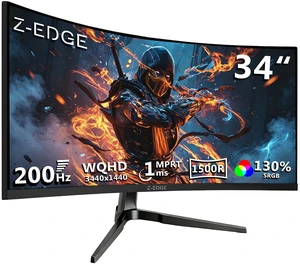
Z-EDGE 32 inch 1080P Full HD 1920 x 1080 240 Hz 1 ms Curved Gaming Monitor, FreeSync Compatible, HDMI + DP, Support Wall Mount 75x75mm
Quick View
in 30 days
Z-EDGE 32 inch 1080P Full HD 1920 x 1080 240 Hz 1 ms Curved Gaming Monitor, FreeSync Compatible, HDMI + DP, Support Wall Mount 75x75mm

Limited time offer, ends 02/17

  • Screen Size: 32"
  • Refresh Rate: 240Hz
  • Resolution: 1920 x 1080
  • Response Time: 1 ms
  • Model #: NEUG32P
  • $229.99
  •  
  • $199.99 
  • Save: 13%
  • Free Shipping
ASUS ROG Strix 32" Dual Mode UHD 4K 240Hz Full HD 480Hz with AMD FreeSync Premium Pro & G-Sync Compatible 0.03ms HDR400 USB-C KVM OLED Gaming Computer Monitor XG32UCWMG
Quick View
  • $1,099.00
  •  
  • $850.49 
  • Save: 22%
  • Free Shipping
UPERFECT 16" 4K Portable Monitor - 1200 Nits True Brightness, 1MS FreeSync, 2000:1 Contrast, USB-C/HDMI, VESA & Smart Case for Laptops, Consoles & More
Quick View
  • $269.99
  •  
  • $189.99 
  • Save: 29%
  • Free Shipping
Z-EDGE 27 inch 1920 x 1080 Full HD 240Hz 1ms 16.7 Million Colors Flat Panel IPS Gaming Monitor, FreeSync Compatible, Low Blue Light, Support Wall Mount
Quick View
in 30 days
Z-EDGE 27 inch 1920 x 1080 Full HD 240Hz 1ms 16.7 Million Colors Flat Panel IPS Gaming Monitor, FreeSync Compatible, Low Blue Light, Support Wall Mount

Limited time offer, ends 02/17

  • Screen Size: 27"
  • Refresh Rate: 240Hz
  • Resolution: 1920 x 1080
  • Response Time: 1 ms
  • Model #: NEUG27PJ
  • $179.99
  •  
  • $149.99 
  • Save: 16%
  • Free Shipping
ASUS TUF 24" (23.6" viewable) Full HD 180Hz with AMD FreeSync (Adaptive Sync) 1ms HDR10 Curved Gaming Computer Monitor VG24VQER
Quick View
ASUS TUF 24" (23.6" viewable) Full HD 180Hz with AMD FreeSync (Adaptive Sync) 1ms HDR10 Curved Gaming Computer Monitor VG24VQER
  • Screen Size: 24" (23.6" Viewable)
  • Refresh Rate: 180Hz
  • Resolution: 1920 x 1080
  • Response Time: 1ms MPRT
  • Model #: 90LM0AF0-B011B0
  • $184.12 - $194.81
CRUA 34" Curved Gaming Monitor, IPS WQHD(3440x1440P) 120Hz 1900R 21:9 UltraWide PC Display, 130% sRGB, AMD FreeSync, Blue Light Filter, HDMI/DP Ports, Wall Mountable Installs Black
Quick View

Find Your Perfect Gaming Monitor

Elevate Your Gaming Experience: The Monitor Matters

Your gaming monitor isn't just a screen—it's your window into virtual worlds. Whether you're dodging bullets in competitive shooters or getting lost in cinematic RPGs, the right display can make all the difference. Let's break down what really matters when choosing your gaming monitor.

Read our complete step-by-step walkthrough here: How to choose the right gaming monitor in 2026.

Size: Find Your Sweet Spot

Bigger isn't always better when it comes to gaming monitors. Here's what works best:

  • 24-27 inches: The esports sweet spot. Smaller screens keep everything in your field of view for faster reactions.
  • 32+ inches: Perfect for immersive single-player games where you want to soak in every detail.
  • Ultrawide (34+ inches): Curved screens that wrap around your vision for next-level immersion.

Pro tip: Measure your desk space first—you don't want a monitor that overwhelms your setup!

Resolution & Refresh Rate: The Speed vs. Clarity Balance

These two specs work together to create buttery-smooth gameplay:

  1. Resolution:
    • 1080p(Full HD): 1920 X 1080 pixel, still great for competitive gaming and budget builds, offering a good between quality and performance.
    • 1440p(QHD): 2560 x 1440 pixels, The sweet spot for most gamers—sharp visuals without crushing your GPUs
    • 4K(UHD): 840 x 2880 pixels,Stunning detail and clarity, but only if your graphics card can handle it,suitable for gaming, video editing, and multitasking
    • 5K(WUHD): 512 x 2880 pixels, a premium resolution for large, high-end monitors, offering even great detail and clarity
  2. Refresh Rate:
    • 60Hz or 75Hz: It might be sufficient for casual gamers and can offer a more comfortable experience for tasks like scrolling and working with spreadsheets
    • 144Hz: The baseline for serious gaming—everything feels smoother
    • 240Hz+: For esports pros who need every competitive edge

Remember: A high refresh rate means nothing if your GPU can't keep up!

Response Time: Speed in Every Frame

Monitor response time refers to how quickly a monitor can change the color of a pixel, measured in milliseconds (ms).

  • Lower is Better: A lower response time means the monitor can switch colors faster, resulting in smoother visuals—especially during fast-paced action and gaming.
  • Gaming: In competitive gaming, a lower response time reduces motion blur and ghosting (where motion trails follow fast-moving objects), creating a more responsive and immersive experience.
  • General Use: For tasks like browsing or streaming, a response time below 5ms is usually sufficient, as most users won’t notice the difference between 1ms and 5ms.
  • 1ms Response Time: Ideal for high-speed gaming, a 1ms response time ensures pixel transitions are nearly instantaneous.
  • Real-World Performance: Manufacturer specs may exaggerate performance—refer to third-party reviews for accurate results.
  • 0.03ms Response Time: Seen in premium OLED and QD-OLED monitors, this ultra-fast response delivers near-instant pixel changes for the smoothest motion clarity.

Panel Technology: Choose Your Strength

Different panel types excel at different things:

  • IPS (In-Plane Switching): Gorgeous colors and wide viewing angles—perfect for visually stunning games.
  • TN (Twisted Nematic): Lightning-fast response times (1ms), ideal for competitive gaming.
  • VA (Vertical Alignment): Deep blacks and high contrast—offering a balanced experience for gaming and media.
  • OLED (Organic Light Emitting Diode): Delivers true blacks by turning off individual pixels. Known for high contrast, wide viewing angles, and ultra-fast response times.
  • QD-OLED (Quantum Dot OLED): Combines OLED with a quantum dot layer to enhance brightness and color vibrancy—great for immersive visuals.
  • W-OLED (White OLED): Uses a white light-emitting layer and an extra white subpixel for improved brightness efficiency and accurate color reproduction.

Game-Changing Features

These technologies can take your gaming to the next level:

Adaptive Sync (G-Sync/FreeSync)

No more screen tearing or stuttering! These technologies sync your monitor's refresh rate with your GPU's output for perfectly smooth gameplay.

HDR & Advanced Display Tech

For visuals that pop:

  • HDR: Makes colors more vibrant and lifelike
  • OLED/QLED: Incredible contrast with perfect blacks
  • Curved Screens: Wrap around your vision for deeper immersion
  • 2025 Dealcember & Christmas Gaming Monitor Deals
  • Get ready for the biggest display savings of the year! Newegg’s Gaming Monitor Deals are here — featuring deep discounts on top-rated 4K, 240Hz, and OLED gaming monitors. Upgrade to the latest ASUS ROG Swift, MSI G Series, and Samsung Odyssey displays with HDR, G-SYNC, and FreeSync Premium support for the smoothest gameplay experience. Don’t wait until Dealcember & Christmas — these limited-time early deals bring exclusive upgrade offers and the lowest prices of the season on the most advanced gaming displays.

    Built-in Crosshair Features

    Many modern gaming monitors now include built-in crosshair overlays—ideal for first-person shooters like Counter-Strike 2, Valorant, Apex Legends, or Overwatch 2. These features can enhance accuracy by helping you line up shots more effectively, giving you a competitive edge without relying on in-game settings.

    In competitive first-person shooters like Counter-Strike 2, Valorant, Apex Legends, or Overwatch 2, hardware features can significantly enhance accuracy by helping you line up shots more effectively, giving you a competitive edge without relying on in-game settings.

    To truly maximize this advantage, modern setups now prioritize the smoothness of high refresh rates and sync technology which has become a daily standard for fluid motion. For those seeking a balance between speed and visual fidelity, understanding 4K gaming and GPU balance is essential to maintain high frame rates at crisp resolutions.

    Beyond performance, the visual experience is further refined by HDR and panel evolution offering lifelike contrast, while higher pixel density ensures clarity that matches professional workloads. Finally, choosing the right monitor size and curved trends can provide the ergonomic comfort needed for long gaming sessions.

    Last Updated: February 2026| Newegg Content team: Newegg Monitor Buying Guide


    Gaming Monitor FAQs:

    What is the difference between a 60Hz and a 144Hz (or higher) gaming monitor, and how does it affect gameplay?

    144Hz+ shows more frames, so motion looks smoother and feels snappier—especially in shooters. On Newegg, filter by refresh rate to see what competitive players actually buy.

    How do TN, IPS, and VA panels compare for gaming in terms of response time, color accuracy, and viewing angles?

    TN is usually fastest but weaker on color/angles; IPS has better color/angles (fast IPS is solid for gaming ); VA has great contrast but can smear in dark scenes. Newegg reviews often call out “smearing” or “glow,” so skim those before checkout.

    For gaming, how does a 1080p high-refresh-rate monitor compare to a 1440p or 4K lower-refresh-rate monitor?

    1080p high-Hz is all about speed and higher FPS; 1440p/4K is sharper but needs a stronger GPU to stay smooth. On Newegg, match resolution + refresh to your GPU tier so you’re not paying for specs you can’t drive.

    Curved versus flat gaming monitors: which provides a better experience for different game genres?

    Curved shines for ultrawide immersion (racing/sims/RPGs). Flat is usually preferred for competitive shooters and clean UI work. If you’re shopping on Newegg, filter by “curved” plus size (like 34”) to narrow fast.

    How do G-SYNC, FreeSync, and generic Adaptive-Sync gaming monitors compare in terms of smoothness and compatibility?

    All VRR can reduce tearing by matching refresh to FPS, but compatibility depends on your GPU and the monitor’s validation. On Newegg, check specs for “G-SYNC Compatible / FreeSync Premium” notes before you buy.

    What does refresh rate mean on a gaming monitor, and why do gamers care about 120Hz, 144Hz, or 240Hz?

    Refresh rate is how many times the screen updates per second. Higher Hz boosts motion clarity and responsiveness—if your PC can push the FPS. Newegg tip: check your GPU + game FPS first, then pick the Hz that makes sense.

    What is response time (such as 1ms vs 5ms) on a monitor, and how noticeable is it in games?

    Response time is pixel transition speed; lower can mean less ghosting. Real tuning matters more than the box number—reviews tell the truth. On Newegg, look for buyer comments mentioning “ghosting” or “overshoot.”

    What do resolutions like 1080p, 1440p, and 4K actually mean for image sharpness on different screen sizes?

    Higher resolution increases pixel density, so text and edges look sharper—most noticeable at 27” and larger. On Newegg, pair 27” with 1440p for a clean everyday sweet spot.

    What is HDR on a gaming monitor, and what HDR certifications or levels should I look for?

    HDR boosts brightness and color range, but “entry HDR” can look like SDR. Look for real peak brightness + local dimming. Newegg trick: check the spec sheet for brightness nits and HDR level, then confirm in reviews.

    What are variable refresh rate, G-SYNC, and FreeSync, and how do they help reduce tearing and stutter in games?

    VRR syncs monitor refresh to your GPU’s frame output, reducing tearing and smoothing frame pacing. On Newegg, filter for “Adaptive-Sync” and confirm your GPU brand supports it.

    Do I really need a 144Hz or 240Hz gaming monitor, or is 75Hz or 60Hz enough for my style of gaming?

    If you play esports shooters, 144Hz+ is a huge upgrade. For slower single-player/casual, 60–75Hz is fine. Newegg move: sort by Best Sellers in your size range—those are usually the safest picks.

    Is it better to invest in a higher resolution (1440p or 4K) monitor or a higher refresh rate monitor for my current PC hardware?

    Midrange GPUs usually feel best at 1440p + 144Hz. If you already hit high FPS, go higher refresh; if you care about detail, go higher resolution. On Newegg, compare monitors side-by-side to avoid overbuying.

    For competitive shooters, is a 24–25 inch gaming monitor better than a 27 inch or ultrawide monitor?

    Many competitive players prefer 24–25” because everything stays in a tighter field of view for quick scanning. On Newegg, filter 24–25” + 240Hz if you’re building a pure esports setup.

    Should I prioritize an IPS panel for color and image quality or a TN/fast IPS panel for speed when choosing a gaming monitor?

    Fast IPS is the popular middle ground: great color with strong speed. TN is still king for pure latency focus; IPS is nicer for mixed gaming + content. On Newegg, check panel type + response tuning notes in reviews.

    How can I match a gaming monitor's resolution and refresh rate to the performance of my graphics card?

    Pick a monitor spec your GPU can actually feed: esports rigs love 1080p 240Hz, mainstream builds fit 1440p 144Hz, and 4K is best with high-end GPUs. On Newegg, use GPU tier + monitor filters to keep the combo balanced.

    Are IPS gaming monitors more prone to backlight bleed or IPS glow, and will it be distracting in dark scenes?

    IPS can show glow/bleed, especially in dark rooms at high brightness, and it varies by unit. If you’re sensitive, stick to sellers with easy returns and read the Newegg buyer photos—those usually reveal it fast.

    Do high-refresh-rate monitors (144Hz and above) suffer from ghosting or overshoot, and how can I spot this in reviews?

    They can if overdrive is too aggressive. In reviews, look for “inverse ghosting/overshoot” notes at your target Hz. On Newegg, check both pro reviews (if linked) and buyer comments about motion clarity.

    Should I worry about dead or stuck pixels when buying a gaming monitor, and what kind of pixel policies are typical?

    It’s rare but possible. Pixel policies vary by brand, so check return windows and the manufacturer threshold. Newegg tip: read the listing warranty/return details first, then buy with confidence.

    Without G-SYNC or FreeSync enabled, how much screen tearing or stutter should I expect in fast-paced games?

    If FPS doesn’t match refresh, tearing is common. V-Sync reduces tearing but can add latency; VRR is usually the better balance. On Newegg, filtering for Adaptive-Sync is the quickest way to avoid this headache.

    Are there any downsides to using HDR on a gaming monitor, such as washed-out colors or increased input lag?

    On weak HDR implementations, HDR can look dim or washed out, and Windows/game settings may need tuning. Newegg pro-tip: check the monitor’s real brightness and local dimming in reviews before paying extra for “HDR.”

    How do I make sure Windows and my games are actually running my monitor at its full refresh rate (for example, 144Hz)?

    Set the refresh rate in Windows display settings and your GPU control panel, then confirm the game is set correctly (fullscreen/borderless + refresh option). If something feels off, Newegg Q&A often has quick fixes from other owners.

    What settings should I adjust, such as brightness, contrast, color profile, and overdrive, to calibrate my gaming monitor?

    Start with comfortable brightness, use the default color mode, apply the right profile if available, and set overdrive to a “normal/fast” level that avoids overshoot. Newegg reviews usually mention the best overdrive setting for that exact model.

    What cable or port (DisplayPort, HDMI, USB-C) do I need to get the full resolution and refresh rate from my gaming monitor?

    DisplayPort is usually the safest for high refresh at 1440p/4K. HDMI/USB-C can work too—just confirm the exact versions on both monitor and GPU. On Newegg, double-check the “Inputs/Ports” section before you order cables.

    How do I set up dual or triple monitors for gaming, and what should I consider about bezels, resolutions, and scaling?

    Match size/resolution for consistency, align panels physically, and tune scaling in Windows. Thinner bezels help for surround setups, but performance demands rise fast. Newegg tip: filter by “thin bezel” and buy identical models for the cleanest setup.

    How do I enable and configure G-SYNC, FreeSync, or variable refresh rate on my gaming monitor and in my GPU drivers?

    Enable Adaptive-Sync/VRR in the monitor OSD, then turn it on in NVIDIA/AMD driver settings. Validate in-game and cap FPS slightly below max refresh for smoother results. On Newegg, picking a “G-SYNC Compatible / FreeSync Premium” model makes setup easier.

    Bestselling Gaming Monitor Reviews:

    Anonymous
    2/7/2026 9:05:40 PM
    Unreal Picture Quality and Performance MSI QDOLED Wins

    “ The MSI MPG 321CURV QDOLED is easily one of the most impressive gaming monitors Ive ever used. ”

    MSI 32" UHD 4K 240Hz G-Sync Compatible 0.03ms HDR400 USB-C KVM RGB Ai Vision OLED Gaming Computer Monitor with Height Adjustable, Swivel, Pivot & Tilt stand for PC & Console Gaming MPG 321CURX QD-OLED
    Justin J
    2/5/2026 7:54:08 PM
    MAG 271QP QD-OLED X24

    “ Overall, the MSI MAG 271QP QD-OLED X24 is an excellent monitor that delivers premium OLED visuals and top-tier gaming performance at a competitive price. ”

    MSI 27" QHD 2K 1440P 240Hz with Adaptive Sync 0.03ms HDR400 OLED Gaming Computer Monitor with Height Adjustable, Swivel, Pivot & Tilt stand MAG271QP QD-OLED X24
    Chris Q.
    2/4/2026 3:56:53 PM
    Amazing Monitor! Looks beautiful and easy to set up.

    “ I was looking around for some time for a gaming monitor that was an OLED, high refresh rate, 1440p resolution, and HDR functionality. ”

    MSI 27" WQHD 2K 1440P 240Hz with Adaptive Sync 0.03ms OLED Gaming Computer Monitor with Height Adjustable, Pivot, Swivel & Tilt stand MAG 272QP QD-OLED X24
    Anonymous
    2/2/2026 8:49:16 PM
    Incredible Oled Monitor

    “ The MSI MAG 272QPW QD-OLED X28 is a great gaming monitor for people who want fast performance and a really good picture. ”

    MSI 27" QHD 2K 1440P 280Hz with FreeSync Premium Pro & G-Sync Compatible 0.03ms HDR400 USB-C White OLED Gaming Computer Monitor with Height Adjustable, Swivel, Pivot & Tilt stand MAG272QPW QD-OLED X28
    Anonymous
    1/6/2026 8:32:40 AM
    Great Product!!

    “ The MSI MAG 275UPD E14 is one of the best value 4K gaming monitors available. ”

    MSI 27" Dual Mode UHD 4K 144Hz Full HD 288Hz IPS with Adaptive-Sync 1ms HDR400 Ai Crosshair Gaming Computer Monitor with Height Adjustable, Swivel, Pivot & Tilt Stand MAG 275UPD E14
    watermountain
    12/9/2025 3:18:56 PM
    great product and good deal for the holiday

    “ I would highly recommend this monitor. Especially for gaming. ”

    MSI 27" Dual Mode UHD 4K 144Hz Full HD 288Hz IPS with Adaptive-Sync 1ms HDR400 Ai Crosshair Gaming Computer Monitor with Height Adjustable, Swivel, Pivot & Tilt Stand MAG 275UPD E14