• In Stock
  • Sold by Newegg
  • Make an Offer
  • New
Brands
Show More
Price
Show More
Speed
Show More
Connectors
Show More
Interface
Show More
Wake On LAN
Sold by
All Top Brands
Availability
Condition
Current Promotion
Discount
Useful Links
Customer Ratings
  • Ethernet SuperNICs
  • Ethernet SuperNICs
  • Likewize Home Tech Protect
  • Featured Brands

    See Deals from IntelSee Deals from NVIDIASee Deals from TP-LinkSee Deals from ASUSSee Deals from Netgear Inc.
Sort By:
View:
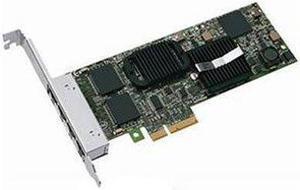
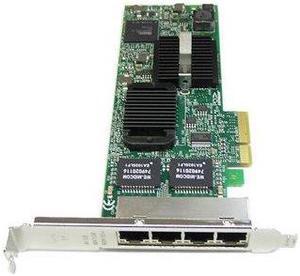
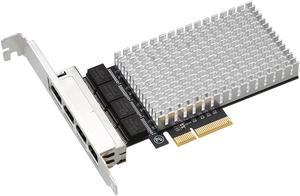
Dell PRO/1000 VT Quad Port Server Adapter LP PCI-E H092P
Quick View
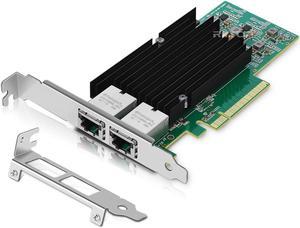
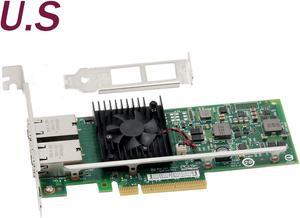
10Gb Dual LAN Base-T PCI-e Network Card, Intel X540 Controller, RIITOP 10Gbps Ethernet Adapter, 2 * 10Gbe RJ45 Port , Support Windows/Windows Server/Linux/Vmware/ESX
Quick View
  •  
  • $99.99 –
  • Free Shipping
  • $98.00 - $99.99
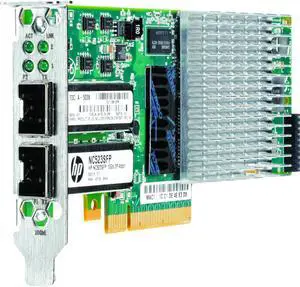
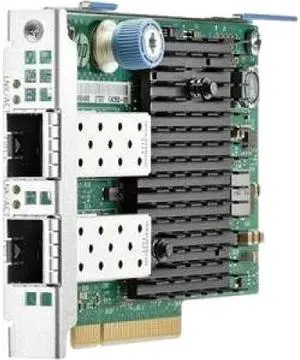
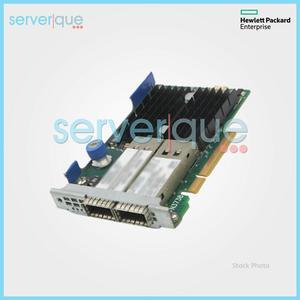
HPE 593742-001 NC523SFP 10Gb 2-Port Server Adapter
Quick View
HP
HPE 593742-001 NC523SFP 10Gb 2-Port Server Adapter
  • Connectors: 10GBase-SR 10GBase-CR
  • Model #: 593742-001
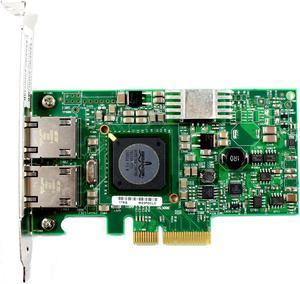
Genuine Dell Broadcom Gigabit Ethernet Dual Port PCI-E x4 Network Interface Card G218C 0G218C
Quick View
Intel Ethernet Converged Network Adapter X710-DA4 FH
Quick View
IBM 00P4501 Ethernet Adapter
Quick View
  •  
  • $89.94 –
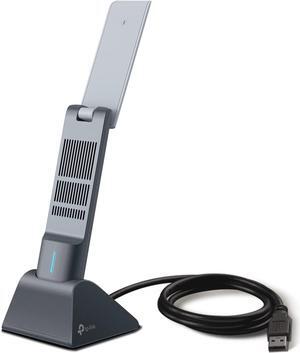
TP-Link AX1800 WiFi 6 USB Adapter for Desktop PC (Archer TX21UH)
Quick View
  •  
  • $56.74 –
  • Free Shipping
DELL HM9JY#1 430-4999 GBE PCIE RJ45 4PORT
Quick View
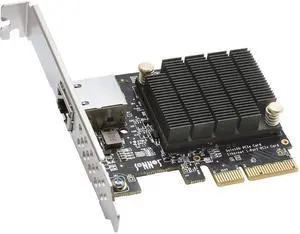
Sonnet Presto 10Gigabit Ethernet Card
Quick View
Sonnet Presto 10Gigabit Ethernet Card
  • Parts: 1 Year
  • Model #: G10E-1X-E3
  •  
  • $124.92 –
  • $7.85 Shipping
HPE Ethernet 10Gb 2-port 562FLR-SFP+ Adapter - 727054-B21
Quick View
Intel/Dell X540-T2 Genuine CONVERGED DUAL PORT NETWORK ADAPTER K7H46/3DFV8 10GbE
Quick View
DELL
Intel/Dell X540-T2 Genuine CONVERGED DUAL PORT NETWORK ADAPTER K7H46/3DFV8 10GbE
  • Parts: 30 days warranty
  • Labor: 30 days warranty
  • Model #: 205-738025000192312
MELLANOX MCX515A-CCAT CONNECTX-5 EN ADAP CARD 100GBE
Quick View
Mellanox MHQH19B-XTR  Infiniband Host Bus Adapter
Quick View
Mellanox MHQH19B-XTR Infiniband Host Bus Adapter
  • Type: Correction Tape
  • Model #: MHQH19B-XTR
MCX653106A-ECAT MELLANOX ConnectX-6 VPI Dual-port Adapter Card HDR100/EDR/100GbE
Quick View
MCX653106A-ECAT MELLANOX ConnectX-6 VPI Dual-port Adapter Card HDR100/EDR/100GbE
  • Type: Control Module
  • Model #: MCX653106A-ECAT, MCX653106AECAT
  •  
  • $939.99 –
  • Free Shipping
Dell Broadcom NetXtreme II 57711 10GBE
Quick View
  •  
  • $250.00 –
  • Free Shipping
Original Dell HN10N Broadcom 57810S Dual Port 10Gb BASE-T Converged Network Adapter
Quick View
DELL
Original Dell HN10N Broadcom 57810S Dual Port 10Gb BASE-T Converged Network Adapter
  • Parts: 30 DAYS WARRANTY
  • Labor: 30 DAYS WARRANTY
  • Model #: HN10N-N1
Juniper Networks QFX-EM-4Q
Quick View
Juniper Networks QFX-EM-4Q
  • Model #: QFX-EM-4Q
HPE 647594-B21 Ethernet 1Gb 4-Port 331T Adapter
Quick View
HP
HPE 647594-B21 Ethernet 1Gb 4-Port 331T Adapter
  • Weight: 0.2800
  • Model #: 647594-B21
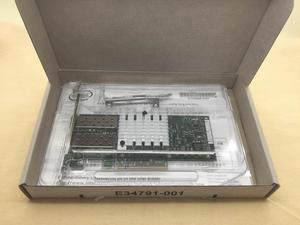
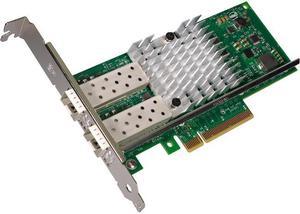
Intel® E10G42BTDA Ethernet Converged Network Adapter X520-DA2
Quick View
Intel
Refurbished Intel® E10G42BTDA Ethernet Converged Network Adapter X520-DA2
  • Parts: 30 DAYS WARRANTY
  • Labor: 30 DAYS WARRANTY
  • Model #: E10G42BTDA
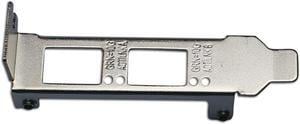
Generic Low Profile Bracket for Intel E10G42BTDA X520-DA2 E10G42BFSR X520-SR2
Quick View
Generic Low Profile Bracket for Intel E10G42BTDA X520-DA2 E10G42BFSR X520-SR2
  • Parts: 30 days warranty
  • Labor: 30 days warranty
  • Model #: B06XKWTT41
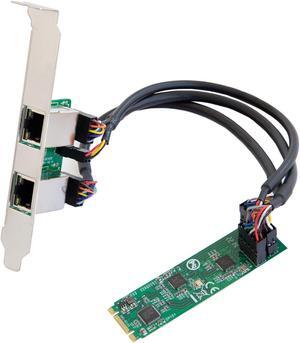
Dual 2.5 Gigabit M.2 B+M Key Ethernet Network Expansion Card
Quick View
  •  
  • $59.99 –
  • Free Shipping
HP Ethernet 10/25Gb 2-port 640FLR-SFP28 Adapter 817747-001 840139-001
Quick View
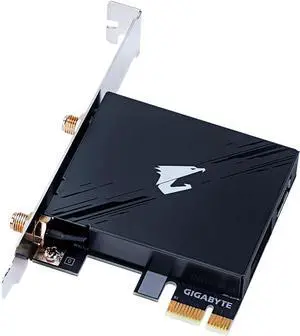
GIGABYTE WiFi 7 GC-WIFI7 Network PCIe Expansion Card
Quick View
  •  
  • $29.99 –
  • Free Shipping

Network Interface Cards (NICs) – Ethernet & Wireless | Newegg

Network Interface Cards provide direct connectivity between computers and networks, supporting speeds from 1Gbps Ethernet to multi-gig wireless standards. This page offers a range of NICs including PCIe Ethernet adapters and wireless cards, designed for desktops, servers, and laptops to enhance network performance.

How to Choose Network Interface Cards

Key Features and Technologies to Consider When Choosing a Network Interface Card

  • Connection Type: Decide between Ethernet or wireless NICs depending on your environment and the reliability you need. Wired NICs typically offer more stable connections, while wireless cards provide flexibility.
  • Speed Ratings: Network speeds vary widely, from basic 1000Mbps up to enterprise-grade 100Gbps solutions. Select the card speed based on your current and future bandwidth needs.
  • Interface Compatibility: Ensure the NIC fits your PC or server hardware. PCIe slots are standard for desktops and servers, but laptops may require mini PCIe or USB adapters.
  • Additional Features: Look for support of advanced capabilities like Wake-on-LAN, jumbo frames, or VLAN tagging if relevant to your network setup.
  • Form Factor: Full-size cards are common for desktops and servers, but low-profile options exist for compact PCs.

Why Network Speed Ratings Matter Most for NICs

The defining specification for any Network Interface Card is its supported throughput. Bandwidth dictates how fast data moves between your device and the network, directly affecting performance. For everyday users, the jump from 100Mbps to 10/100/1000Mbps Gigabit connectivity provides a compelling speed boost without overhauling existing cabling or hardware. Power users or data centers will look toward NICs offering 10Gbps, 25Gbps, or even 100Gbps for ultra-fast, low-latency transfers. Understanding your current network infrastructure and anticipating future upgrades will help you pick a NIC with the right performance tier, ensuring efficient data flow and reduced bottlenecks.

Professional Applications and Advanced Use Cases

For developers, IT administrators, and professionals managing complex network environments, selecting the right NIC can be mission-critical. High-performance NICs with capabilities such as SR-IOV virtualization support, RDMA offloading, or multi-queue processing enable servers to handle heavy workloads with improved efficiency. For instance, upgrading to a 25Gbps or 50Gbps NIC can dramatically reduce latency in virtualization clusters or AI training setups. Additionally, fiber channel cards rated at 4Gbps through 8Gbps provide reliable connections for Storage Area Networks (SANs), enhancing data throughput and storage efficiency.

Performance and Setup Tips

  • Verify compatibility of the NIC’s interface (e.g., PCIe version) with your motherboard slot for optimal bandwidth utilization.
  • Install the latest drivers from the manufacturer’s site to ensure maximum stability and feature support.
  • For Ethernet NICs, use quality, shielded cables (Cat5e or better) rated to handle the card’s maximum speed.
  • Configure your network settings to enable features like Jumbo Frames or Flow Control if supported and beneficial for your workload.
  • Secure wireless NIC connections using WPA3 or latest encryption standards to protect your data from interceptions.
  • Monitor network utilization via software tools to detect bottlenecks or packet loss that could indicate further optimizations.
  • When upgrading speeds beyond Gigabit, ensure your switch, router, and cabling infrastructure also support those speeds to avoid chokepoints.

Newegg shopping tip: When choosing a network interface card, make sure to check compatibility with your system's slot type and supported connection speeds, like Gigabit Ethernet or Wi-Fi standards. Also consider the number of ports and any additional features such as wake-on-LAN or advanced network management tools.

Explore Network Interface Cards & Related Categories

1000Mbps

Supports stable 1Gbps speeds, perfect for basic high-speed home or office setups using standard Gigabit Ethernet over copper cables.

10/100/1000Mbps

Automatically adjusts between 10, 100, and 1000Mbps speeds for versatile compatibility with legacy and modern network gear.

10/100/1000/2000Mbps

Dual-speed option up to 2Gbps for bandwidth-hungry tasks, ideal when upgrading beyond Gigabit without switching infrastructure.

Getting Started with Network Interface Cards (NICs)

If you’re new to network interface cards, think of them as the bridge between your computer and the network—whether wired or wireless. For most typical home or office setups, a basic Ethernet NIC that supports 1000Mbps is enough to ensure smooth internet and local network connectivity. These cards usually fit into a PCIe slot on your desktop or come as USB adapters for laptops. Wireless NICs, by contrast, connect through Wi-Fi adapters, ideal if running cables isn’t feasible. Before choosing, consider what devices you'll connect and whether you need a wired or wireless connection.

For Gamers and High-Performance Desktop Users

Gamers and power users demand low latency and solid bandwidth to keep gameplay smooth and streaming uninterrupted. Network interface cards with speeds that can go beyond the standard Gigabit are common in this space. Many gaming motherboards include on-board NICs, but upgrading to a dedicated PCIe NIC offering 10/100/1000/2000Mbps or higher can significantly reduce lag and increase overall network stability. Wireless NICs supporting the latest standards also offer an alternative for those preferring a cable-free setup, but for ultimate speed, a wired connection using a high-quality NIC is preferred.

For Small and Medium Business Servers

SMB environments require NICs capable of handling more traffic and delivering reliable uptime. These scenarios often call for advanced NICs supporting 10Gbps or higher speeds to manage multiple simultaneous connections without bottlenecks. For organizations using storage area networks (SANs), fiber channel NICs with 4Gbps or 8Gbps speeds can optimize data flow while minimizing latency. When networking between multiple servers or to cloud services, options supporting 10Gbps or greater ensure future-proof performance for growing infrastructure demands.

Before You Buy

  • Confirm your computer’s expansion slot type—most NICs require PCIe slots, but laptops may need USB or M.2 adapters.
  • Identify whether you need Ethernet (wired) or wireless NICs based on your usage environment and mobility needs.
  • Check the supported speeds of the NIC to match your network hardware and internet plan—consider 10/100/1000Mbps for broad compatibility or faster options if available.
  • For business or high-performance use, confirm compatibility with fiber channel or advanced Ethernet standards if needed.
  • Verify operating system support and driver availability, especially for newer or less common NIC models.
  • Consider physical size and cooling requirements if installing in compact or already crowded systems.
  • Look out for additional features like Wake-on-LAN, VLAN support, or advanced security if relevant to your network setup.

Research more: When picking a Network Interface Card, consider whether you need wired Ethernet or wireless connectivity, along with the supported speeds to match your network setup. For a deeper dive into choosing the right card and understanding compatibility, check out the Newegg Insider buying guides.

Last Updated: October 2026 | Newegg Network Interface Cards Buying Guide


Network Interface Cards FAQs:

How do PCIe network interface cards compare to USB NICs in terms of performance?

PCIe NICs generally offer faster and more stable connections with lower latency, making them better for gaming or heavy data transfer. USB NICs are easier to install and more portable but typically have lower throughput.

Are there noticeable differences between Intel and TP-Link network interface cards?

Intel NICs are known for superior driver support and reliability, especially in professional setups, while TP-Link cards tend to be more budget-friendly and good for casual home use. Your choice depends on whether you prioritize performance or cost.

What speeds do network interface cards typically support?

Most NICs support a range of speeds from 10/100 Mbps up to 1 Gbps for standard models, while more advanced ones can handle 10 Gbps or even higher for data-intensive applications.

Can I use a network interface card on a laptop, or are they just for desktops?

NICs are mostly designed for desktops and servers with PCI or PCIe slots, but laptops usually rely on built-in Wi-Fi or USB network adapters instead of internal cards.

How do I pick the right Network Interface Card for my gaming PC?

Look for a card that supports the highest speed your internet can handle, ideally Gigabit or faster, and check if it has low latency features to reduce lag. Also, make sure it’s compatible with your PC’s motherboard slot type.

Is it worth getting a more expensive NIC with advanced features for everyday home use?

For typical web browsing and streaming, a basic Gigabit NIC is usually enough, so spending extra on advanced options won’t make a noticeable difference. Save the higher-end cards for professional setups or heavy network traffic.

How can I tell if a network interface card is reliable from user reviews?

Look for consistent feedback about stable connections and long-term performance. If multiple users mention frequent disconnections or driver problems, it’s a red flag to consider.

What are the common issues I should watch out for with network interface cards?

Many problems come down to compatibility with your motherboard or outdated drivers, so check if others had trouble installing the card or needed multiple driver updates to get it working smoothly.

How do I install a network interface card in my desktop PC?

First, power down and unplug your computer, then open the case. Locate an empty PCIe slot, carefully insert the card, and secure it. After closing the case, power up your system and install any necessary drivers for the card to work properly.

What’s the best way to make sure my new NIC gives me faster network speeds?

Use a compatible high-quality Ethernet cable, like Cat6 or better, and connect to a router or switch that supports the same speed as your NIC. Also, double-check that your network settings on your computer are configured to utilize the full bandwidth available.

Bestselling Network Interface Cards Reviews:

Brandon Y.
6/21/2023 11:48:57 AM
Works as advertised

“ -Works without dropping connection (unlike like my onboard intel wired network adapter). ”

TP-Link TX201 Interface Cards 2.5Gbps PCI-Express 1 x RJ45