• In Stock
  • Sold by Newegg
  • Make an Offer
  • New
Brands
Show More
Price
Show More
Speed
Show More
Connectors
Show More
Interface
Show More
Wake On LAN
Sold by
All Top Brands
Availability
Condition
Current Promotion
Discount
Useful Links
Customer Ratings
  • Ethernet SuperNICs
  • Ethernet SuperNICs
  • Likewize Home Tech Protect
  • Featured Brands

    See Deals from IntelSee Deals from NVIDIASee Deals from TP-LinkSee Deals from Netgear Inc.See Deals from ASUS
Sort By:
View:
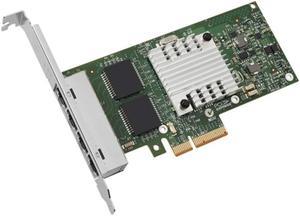
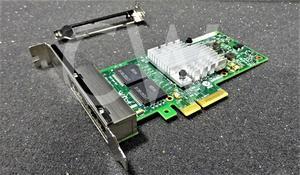
Intel Ethernet Server Adapter I340-T4 1Gbps RJ-45 Copper, PCI Express 2.0 x 4 Lane, OEM packaging (Renewed)
Quick View
Intel
Intel Ethernet Server Adapter I340-T4 1Gbps RJ-45 Copper, PCI Express 2.0 x 4 Lane, OEM packaging (Renewed)
  • Disclaimer: 30 days warranty
  • Registration Phone: 30 days warranty
  • Model #: E1G44HTBLK-cr
Intel e10gsfplr ethernet SFP+ 10GBase LR Optic Module (Mdl:E10GSFPLR)
Quick View
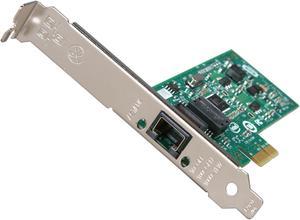
Intel EXPI9301CTBLK 10/100/1000Mbps PCI-Express Network Adapter
Quick View
Intel EXPI9301CTBLK 10/100/1000Mbps PCI-Express Network Adapter
  • Connectors: 1 x RJ45
  • Wake On LAN: Yes
  • Temperature: 0°C ~ 55°C
  • Humidity: 90% non-condensing relative humidity at 35° C
  • Model #: EXPI9301CTBLK
MELLANOX MNPA19-XTR 10GB CONNECTX-2 PCIe X8 SFP+ NETWORK CARD w/ SFP CABLE
Quick View
  •  
  • $69.99 –
  • Free Shipping
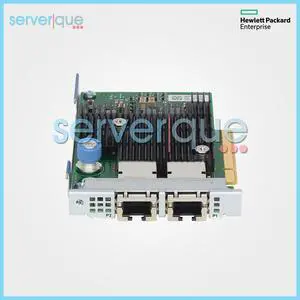
817745-B21 HPE Ethernet 10Gb Dual Port 562FLR-T Adapter 840138-001
Quick View
HP
Refurbished 817745-B21 HPE Ethernet 10Gb Dual Port 562FLR-T Adapter 840138-001
  • Part Number: 817745-B21
  • Parts: 30 Days
  • Labor: 30 Days
  • Model #: 817745-B21-REF
  •  
  • $32.00 –
  • Free Shipping
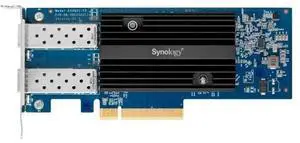
Synology Dual Port 10Gb Ethernet Adapter 2 SFP+ Ports E10G21-F2
Quick View
Refurbished Synology Dual Port 10Gb Ethernet Adapter 2 SFP+ Ports E10G21-F2
  • Brand: Synology
  • Port Others: 10 Gbps SFP+
  • Type: Accessory
  • Temperature: Operating Temperature: 0°C to 40°C (32°F to 104°F) Storage Temperature: -20°C to 60°C (-5°F to 140°F)
  • Model #: E10G21-F2
  •  
  • $215.99 –
  • $8.99 Shipping
Mellanox MCX4111A-ACAT ConnectX-4 EN 25Gbe PCIe 3.0 1-Port SFP28 Adapter Card
Quick View
Mellanox MCX4111A-ACAT ConnectX-4 EN 25Gbe PCIe 3.0 1-Port SFP28 Adapter Card
  • Part Number: MCX4111A-ACAT
  • Parts: 30 Days
  • Labor: 30 Days
  • Model #: MCX4111A-ACAT-REF
R43SG GEN4 M.2 M-Key to PCIE X16 4.0 External Graphics Card Stand Bracket Compatible with NVME SSD NUC Host Expansion Card Graphics Dock (50cm)
Quick View
  •  
  • $95.98 –
  • Free Shipping
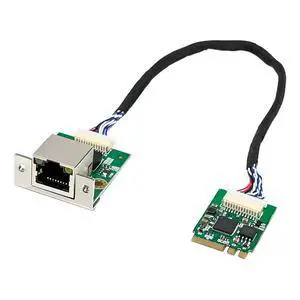
I226 M2 A E Key Single Port 2.5G 2500Mbps Ethernet LAN Server Network Card Industrial NIC Controller Board Adapter Converter Expansion Module for Gaming PC Industrial Desktop Computer System
Quick View
I226 M2 A E Key Single Port 2.5G 2500Mbps Ethernet LAN Server Network Card Industrial NIC Controller Board Adapter Converter Expansion Module for Gaming PC Industrial Desktop Computer System

Limited time offer, ends 11/22
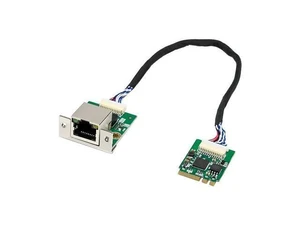
  • Speed: 2.5Gbps
  • Connectors: 1 x RJ45
  • Interface: PCI-Express
  • Drivers: Microsoft Windows 10 32-bit/64-bit
  • Model #: 953675332098
StarTech PEX867WAC22  PCI Express AC1200 Dual Band Wireless-AC Network Adapter - PCIe 802.11ac WiFi Card
Quick View
StarTech PEX867WAC22 PCI Express AC1200 Dual Band Wireless-AC Network Adapter - PCIe 802.11ac WiFi Card
  • Wireless Data Rates: 1.17 Gbps
  • Standards: IEEE 802.11ac
  • Color: Black
  • Features: Add high speed 802.11ac WiFi connectivity to a desktop PC through a PCI Express slot with dual band 2.4 / 5GHz frequencies and up to 867Mbps PCI Express AC1200 Dual Band Wireless-AC Network Adapter PCIe 802.11ac WiFi Card Wireless-AC Card - 802.11a/b/g/n/ac 2 Transmitter / 2 Receiver (2x2:2) antenna configuration
  • Model #: PEX867WAC22
  •  
  • $95.99 –
  • Free Shipping
Intel X520-DA2 10Gigabit Ethernet Card
Quick View
Intel
Intel X520-DA2 10Gigabit Ethernet Card
  • Brand: Intel
  • Model: X520-DA2
  • Part Number: X520-DA2
  • Speed: 10Gbps
  • Model #: E10G42BTDAG1P5
Intel Killer BE200 1750x & BT 5.4 Wi-Fi 7 Card with M.2. pcie Key E Interface for Intel Processors Single Pack. Ultra Low Latency Ideal for Gaming.
Quick View
Intel
Intel Killer BE200 1750x & BT 5.4 Wi-Fi 7 Card with M.2. pcie Key E Interface for Intel Processors Single Pack. Ultra Low Latency Ideal for Gaming.
  • Windows Vista: Windows 10, Windows 11, Linux
  • Dimensions: BE1750x
  • Parts: 30 Days
  • Labor: 30 Days
  • Model #: 735858547314
  •  
  • $71.71 –
  • Free Shipping
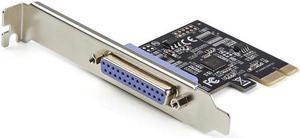
StarTech.com 1-Port Parallel PCIe Card, PCI Express to Parallel DB25 LPT Adapter Card, Desktop Expansion Controller for Printer, SPP/ECP
Quick View
StarTech.com 1-Port Parallel PCIe Card, PCI Express to Parallel DB25 LPT Adapter Card, Desktop Expansion Controller for Printer, SPP/ECP
  • Part Number: PEX1P2
  • Dimensions: Height: 0.7" Width: 2.9"
  • Weight: Weight (Approximate): 1.59 oz
  • Package Contents: 1-Port Parallel PCIe Card Full Profile Bracket Low Profile Bracket Quick Start Guidel
  • Model #: PEX1P2
NVIDIA ConnectX-7 NDR 400G InfiniBand Adapter Card - PCI Express 5.0 x16 - 400 Gbit/s Data Transfer Rate - 1 Port(s) - Optical Fiber - HHHL Bracket Height - OSFP | MCX75310AAS-NEAT
Quick View
NVIDIA
NVIDIA ConnectX-7 NDR 400G InfiniBand Adapter Card - PCI Express 5.0 x16 - 400 Gbit/s Data Transfer Rate - 1 Port(s) - Optical Fiber - HHHL Bracket Height - OSFP | MCX75310AAS-NEAT
  • Brand: NVIDIA
  • Part Number: MCX75310AAS-NEAT
  • Speed: InfiniBand (Default): NDR/NDR200/HDR/HDR100/EDR/FDR/ SDR Ethernet: 400/200/100/50/40/10/1 Gb/s Ethernet
  • Interface: PCI Express Gen 4.0/5.0: SERDES @ 16/32GT/s, x16 lanes (Gen 3.0 compatible) Networking Port: Single OSFP InfiniBand and Ethernet
  • Model #: MCX75310AAS-NEAT
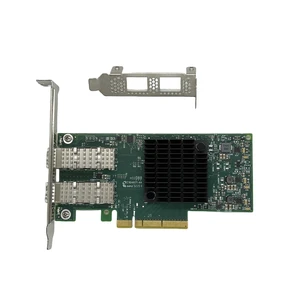
Intel X710DA2BLK PCIe 3.0, x8 Dual port Ethernet Converged Network Adapter
Quick View
Intel
Intel X710DA2BLK PCIe 3.0, x8 Dual port Ethernet Converged Network Adapter
  • Package Contents: Ethernet Converged Network Adapter X540-T1 Information CD Low-Profile Bracket
  • Parts: Manufacturers Limited Warranty: Lifetime / Parts Only
  • Model #: X710DA2BLK
SXTAIGOOD MCX4121A-ACAT ConnectX-4 25Gigabit PCIe X8 Network Card
Quick View
  •  
  • $121.99 –
  • $5.99 Shipping
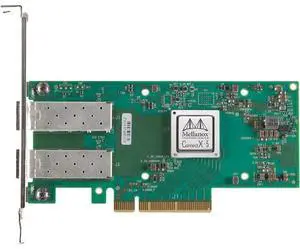
NVIDIA ConnectX-5 EN 25Gigabit Ethernet Card - PCI Express 3.0 x8 - 25 Gbit/s Data Transfer Rate - 2 Port(s) - Optical Fiber - OCP 2.0 Bracket Height - 25GBase-X - SFP28 - Plug-in Card | MCX512A-ACAT
Quick View
NVIDIA
NVIDIA ConnectX-5 EN 25Gigabit Ethernet Card - PCI Express 3.0 x8 - 25 Gbit/s Data Transfer Rate - 2 Port(s) - Optical Fiber - OCP 2.0 Bracket Height - 25GBase-X - SFP28 - Plug-in Card | MCX512A-ACAT
  • Brand: NVIDIA
  • Part Number: MCX512A-ACAT
  • Speed: Data Rate: 1/10/25 Gb/s Ethernet
  • Connectors: Dual SFP28 Ethernet (copper and optical)
  • Model #: MCX512A-ACAT
94Y5167 49Y4241 IBM I340-T4 Quad-Ports Gigabit Ethernet Server Network Adapter
Quick View
INTEL NIC WI-FI 6 AX210 2230
Quick View
Intel
INTEL NIC WI-FI 6 AX210 2230
  • Brand: Intel
  • Model #:
NVIDIA ConnectX-7 200Gigabit Ethernet Card - PCI Express 5.0 x16 - 200 Gbit/s Data Transfer Rate - 1 Port(s) - Optical Fiber - HHHL Bracket Height - OSFP - Standup | MCX75310AAS-HEAT
Quick View
NVIDIA
NVIDIA ConnectX-7 200Gigabit Ethernet Card - PCI Express 5.0 x16 - 200 Gbit/s Data Transfer Rate - 1 Port(s) - Optical Fiber - HHHL Bracket Height - OSFP - Standup | MCX75310AAS-HEAT
  • Brand: Nvidia
  • Part Number: MCX75310AAS-HEAT
  • Speed: DATA RATE InfiniBand (Default): NDR200/HDR/HDR100/EDR/FDR/ SDR Ethernet: 200/100/50/40/10/1 Gb/s Ethernet
  • Connectors: Single OSFP InfiniBand and Ethernet
  • Model #: MCX75310AAS-HEAT
NVIDIA ConnectX-7 200Gigabit Ethernet Card - PCI Express 5.0 x16 - 2 Port(s) - Optical Fiber - OCP 3.0 Bracket Height - QSFP112 - Plug-in Card | MCX753436MS-HEAB
Quick View
NVIDIA
NVIDIA ConnectX-7 200Gigabit Ethernet Card - PCI Express 5.0 x16 - 2 Port(s) - Optical Fiber - OCP 3.0 Bracket Height - QSFP112 - Plug-in Card | MCX753436MS-HEAB
  • Brand: NVIDIA
  • Part Number: MCX753436MS-HEAB
  • Speed: Data Rate InfiniBand: NDR200/HDR/HDR100/EDR/FDR/ SDR Ethernet: 200/100/50/25/10 Gb/s
  • Interface: PCI Express Gen 5.0/4.0: SERDES @ 16/32GT/s, x16 lanes (4.0 and 3.0 compatible) Networking Port: Dual-Port QSFP112 InfiniBand and Ethernet
  • Model #: MCX753436MS-HEAB
  •  
  • $1,699.99 –
  • Free Shipping

Network Interface Cards (NICs) – PCIe Ethernet & Wireless

For IT professionals, gamers, and PC builders looking to upgrade their connectivity, this page offers a wide range of PCIe ethernet adapters and wireless NICs featuring Intel, Realtek, and Broadcom chipsets. Explore our selection to find reliable network cards for desktops, servers, and laptops, with Black November deals and Black Friday deals available to enhance your setup.

How to Choose Network Interface Cards

Key Features and Technology to Consider When Choosing a Network Interface Card

When selecting a Network Interface Card (NIC), there are several critical features that can influence your network performance and compatibility:

  • Connection Type: Choose between PCIe Ethernet cards for wired connections or wireless NICs for flexible cable-free networking.
  • Speed: Options range from reliable 1000Mbps gigabit speeds to ultra-fast 10Gbps and beyond for data-intensive environments.
  • Chipset Brand: Intel, Realtek, and Broadcom chipsets contribute to stability, driver support, and advanced features.
  • Number of Ports: Single or multi-port NICs for expanded connectivity or link aggregation.
  • Compatibility: Verify that the NIC supports your device type—desktop, server, or laptop—and operating system.
  • Form Factor: Full-height vs. low-profile cards for fitting different PC cases and servers.
  • Additional Features: Offloading capabilities, VLAN support, and wake-on-LAN can add value in professional setups.

Why Connection Speed Defines Your Network Interface Card Choice

Speed remains the most decisive technical factor driving NIC selection. The throughput a NIC supports not only shapes your network’s bandwidth capacity but also impacts latency, file transfer times, and streaming quality. For everyday users, gigabit Ethernet (1Gbps) cards are a solid choice, as featured in the popular 10/100/1000Mbps models. Power users and creative professionals might opt for high-speed cards like 10Gbps or even faster to handle large-scale data transfers or demanding multimedia workflows. Matching your NIC speed to your network infrastructure and usage patterns ensures you aren’t bottlenecked by outdated hardware.

Advanced Use Cases for Network Interface Cards and Professional Networking

For system administrators, developers, and enterprise professionals, investing in NICs with higher throughput and specialized features is key to maintaining robust network performance. Many advanced users turn to NICs supporting speeds like 25Gbps, 50Gbps, and even 100Gbps for tasks like virtualization, big data analytics, and scientific research. These NICs often come equipped with advanced offloads, multi-queue support, and SR-IOV capabilities to optimize CPU usage while maximizing network throughput. For those managing servers or high-density compute clusters, selecting the right NIC technology can enhance reliability and reduce latency significantly.

Performance and Setup Tips

  • Ensure your motherboard supports the PCIe generation and lane width your NIC requires for optimal data flow.
  • Keep your NIC drivers updated for the latest security patches and performance improvements.
  • Use quality Ethernet cables (Cat5e or higher) to match the NIC’s speed capabilities and avoid connection drops.
  • For wireless NICs, position your device to minimize interference and maximize signal strength.
  • Configure network settings such as jumbo frames or VLAN tagging if supported and relevant to your environment.
  • Test your network speed after installation to confirm that the NIC is delivering expected performance.
  • During Black November deals and Black Friday deals, consider upgrading to a faster NIC to future-proof your connectivity.

Newegg shopping tip: Before picking a Network Interface Card, check the supported speeds (like 1GbE or 10GbE) and compatibility with your system’s PCIe slot. During Black November deals and Black Friday deals, comparing chipset brands like Intel or Realtek can help you find a card that fits both your performance needs and budget.

Explore Network Interface Cards & Related Categories

1000Mbps

Boost your desktop’s connectivity with a solid 1000Mbps Gigabit Ethernet port, perfect for steady streaming and gaming without lag.

10/100/1000Mbps

Switch seamlessly among 10, 100, and 1000Mbps speeds for versatile compatibility with older and newer network gear.

10/100/1000/2000Mbps

Upgrade your setup with dual-speed gigabit to 2Gbps support, ideal for bandwidth-hungry apps like 4K video editing or heavy file transfers.

Network Interface Cards for Beginners: What You Need to Know

If you’re new to network interface cards (NICs), think of them as the essential hardware that lets your computer connect to a network—whether wired or wireless. Most desktop users start with PCIe ethernet adapters, which plug into expansion slots to provide a stable, high-speed connection. Common chipsets from Intel, Realtek, and Broadcom power these cards, ensuring reliable performance for everyday needs. For typical home or office setups, a 1000Mbps card is more than enough to handle video streaming, web browsing, and even casual online gaming. Exploring wireless NICs? They’re ideal if you want to get online without dealing with cables, offering flexibility for laptops or where wired connections aren’t practical.

Upgrading Your Gaming or Streaming PC Network

For gamers and multimedia enthusiasts, minimizing lag and ensuring smooth data flow is crucial. A robust NIC can make a big difference by providing consistent speeds and low latency. Many choose cards that support 10/100/1000Mbps to optimize network performance based on your router’s capabilities. With Black November deals and Black Friday deals coming up, there’s a great opportunity to find a NIC that can handle everything from multiplayer online games to live 4K video streams. Look for models with high-quality components and features like advanced traffic prioritization to keep your gameplay or streaming uninterrupted even when others are sharing your network.

High-Speed Network Cards for Workstations and Servers

Professionals relying on data-intensive tasks—like video editing, software development, or server management—need NICs that push beyond standard gigabit speeds. Options like 10/100/1000/2000Mbps cards are excellent for demanding workflows, while higher-tier cards including 10Gbps, 25Gbps, or even 40Gbps and beyond are tailored for servers, virtualization, and big data operations. Shopping during Black November deals and Black Friday deals maximizes your chances to secure a powerful NIC that matches your enterprise or creative needs, keeping data moving fast and smooth without bottlenecks.

Before You Buy

  • Check compatibility with your desktop or server motherboard’s expansion slots (most commonly PCIe).
  • Confirm the supported speeds—whether you need basic 100Mbps, gigabit-level 1000Mbps, or multi-gigabit like 10Gbps or higher based on your use case.
  • Decide wired vs. wireless connectivity depending on your workspace setup and mobility requirements.
  • Review chipset brands—Intel, Realtek, and Broadcom are among the top performers for stability and driver support.
  • Consider the operating system compatibility and ensure drivers are available for your OS version.
  • If upgrading a server or workstation, verify support for advanced features like VLAN tagging, jumbo frames, or remote management.
  • Look for warranty and customer support options, especially if deploying in mission-critical environments.

Research more: When choosing a Network Interface Card, consider your system’s compatibility and whether you need wired or wireless connectivity to get the best performance. For deeper insights and comparisons, check out the Newegg Insider buying guides, especially useful during Black November deals and Black Friday deals to make a well-informed choice.

Last Updated: November 2026 | Newegg Network Interface Cards Buying Guide


Network Interface Cards FAQs:

How do PCIe network interface cards compare to USB network adapters in terms of speed and reliability?

PCIe NICs typically offer faster, more stable connections because they connect directly to your motherboard, while USB adapters are more convenient but often slower and subject to interference.

What’s the difference between branded NICs like Intel versus generic off-brand models?

Intel NICs generally provide better driver support, durability, and consistent performance, whereas generic cards might save you money upfront but can have compatibility or reliability issues.

What speeds do network interface cards typically support?

Most modern NICs support speeds ranging from 10/100 Mbps up to 10 Gbps, depending on whether they're designed for standard home use or high-performance servers. Make sure to pick one that matches your network infrastructure for the best results.

Can I use a network interface card in a laptop?

Generally, laptops don’t use traditional PCIe NICs since they have built-in Wi-Fi or Ethernet ports, but you can add a NIC via USB adapters or specific expansion slots if your laptop supports them.

What's the most important factor to consider when choosing a network interface card for gaming?

You want a card that supports gigabit speeds or higher and has low latency to keep your connection smooth and responsive during online gameplay. Also, check if it’s compatible with your motherboard and operating system.

Is it worth spending extra on a high-end NIC if I only do simple web browsing and streaming?

For everyday tasks, a basic network interface card that supports standard speeds should be enough. Investing in a premium card mainly benefits users with heavy data transfers or specialized networking needs.

How often do network interface cards fail, and what signs should I watch for?

NICs generally last a long time, but watch out for frequent connection drops, slow speeds, or your computer not detecting the card at all—those are red flags that it might be failing.

When reading reviews for network cards, what common issues do buyers usually report?

People often mention driver compatibility problems or slower-than-advertised speeds; checking if the card works well with your OS and has updated drivers can save headaches.

How do I install a network interface card in my desktop PC?

First, power down your computer and unplug it. Open the case, locate an empty PCI or PCIe slot, and firmly insert the card. Close the case, reboot, and install any necessary drivers for the card to function properly.

What’s the easiest way to make sure my new NIC is running at its best speed?

Check that your motherboard supports the NIC’s interface and that your cables are rated for the speed you want—Cat6 or better for gigabit or faster. Also, update your drivers and adjust your network settings to match the card’s maximum speed.

Bestselling Network Interface Cards Reviews:

Brandon Y.
6/21/2023 11:48:57 AM
Works as advertised

“ -Works without dropping connection (unlike like my onboard intel wired network adapter). ”

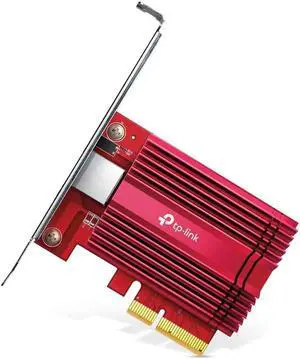
TP-Link TX201 Interface Cards 2.5Gbps PCI-Express 1 x RJ45