here!
here!
I’m your shopping assistant for PC builds, upgrades, and everything tech.
Got questions? Ask away!
Start a conversation
here!
I’m your shopping assistant for PC builds, upgrades, and everything tech.
Got questions? Ask away!
Start a conversation








ASUS Recommended PSU Table For GPU & CPU
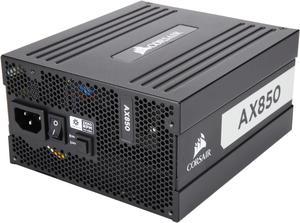
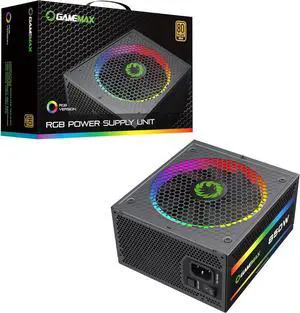
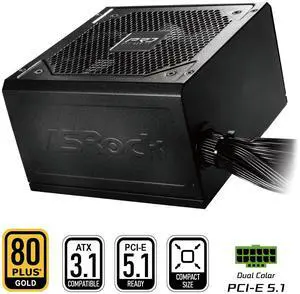
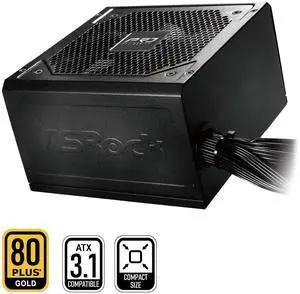
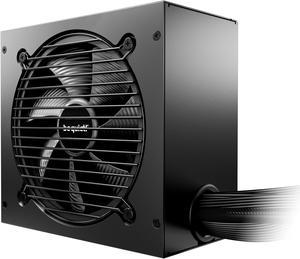
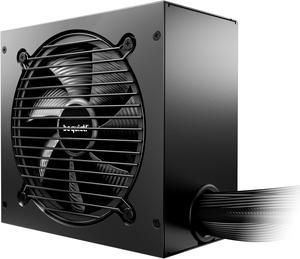
Find a wide range of reliable PC power supplies designed to provide stable and efficient power for desktops and gaming rigs. Whether upgrading your current setup or building a new system, explore trusted PSU options from leading brands.
Wattage is the most critical factor when selecting a PSU since it determines whether the unit can consistently deliver stable power to your entire system. Underpowered supplies risk system instability, random shutdowns, or hardware damage, while excessively oversized units often mean wasted expense and lower overall efficiency. For instance, a 900W - 1199W power supply is ideal for enthusiast gaming PCs running multiple GPUs and overclocked CPUs, balancing power headroom and efficiency. For general gaming and mainstream setups, options in the 700W - 799W range often provide ample wattage with excellent reliability. Knowing your system’s peak power demands and leaving an appropriate safety margin will ensure longevity and stable performance.
When building workstations or high-end gaming rigs that push hardware limits, investing in premium PSUs with robust power delivery and monitoring is essential. Professionals and developers relying on multiple GPUs, 3D rendering, or live streaming benefit from units offering not only high wattage but also advanced features like real-time voltage monitoring and high-quality Japanese capacitors for durability under sustained loads. For bleeding-edge setups, explore Newegg’s 1500W and above PSUs, which come equipped with digital controls and PCIe 5.0-ready connectors for future-proof compatibility. Fully modular cables and hybrid fan modes help maintain silent operation while delivering stability for professional-grade performance tasks.
Newegg shopping tip: When choosing a power supply, pay close attention to its wattage and efficiency rating to ensure it can handle your components without wasting energy. Also, check for the right connectors and modular design options to keep your build clean and compatible.
Ready to power extreme gaming rigs and multi-GPU setups? These 1500W+ PSUs deliver ample headroom with advanced digital control and PCIe 5.0-ready connectors.
Ideal for high-end systems running overclocked CPUs and GPUs, 1200W-1499W models balance efficiency and raw power with 80 PLUS Titanium options.
900W to 1199W units hit a sweet spot, supporting heavy-duty builds with modular cables, real-time monitoring, and active PFC for stable performance.
Choosing your first PC power supply can feel overwhelming, but it doesn’t have to be. Start by identifying the wattage needs of your components—your CPU, GPU, and peripherals all draw power, so adding their requirements together gives you a baseline. It’s a good idea to pick a PSU that offers a bit of headroom for future upgrades or added accessories. Look for features like 80 PLUS certification, which indicates energy efficiency, and modular cables that keep your build clean and airflow unobstructed. For most beginner builds, power supplies in the 400W - 499W or 500W - 599W range provide reliable, budget-friendly options that won't leave you short on power.
Gaming rigs with powerful graphics cards and CPUs demand robust and stable power delivery to maintain peak performance. These systems often incorporate overclocked components and multiple GPUs, which significantly increase power consumption. If you’re building or upgrading a gaming PC, consider PSUs rated from 1200W - 1499W or higher to ensure top-tier wattage with advanced connectivity options and premium components. Brands on Newegg offer 80 PLUS Gold and Titanium certifications, which help reduce heat generation and power waste so your rig runs cooler and quieter even in marathon sessions.
Workstations used for video editing, 3D rendering, and other content creation often require PSUs capable of delivering continuous, stable power for long hours at high loads. These builds sometimes incorporate multiple storage devices, professional GPUs, and high core-count processors. Here, reliability is paramount. Many pros opt for power supplies rated between 900W - 1199W or even 1500W and above for margin and future-proofing. Features like real-time power monitoring, hybrid fan modes, and high-quality Japanese capacitors can make a difference in system uptime and overall stability during demanding workflows.
Research more: Choosing the right power supply means matching wattage and efficiency to your build’s demands. For deeper insights on connectors, modular designs, and brand reliability, check out the Newegg Insider buying guides. They break down everything you need to power your PC with confidence.
Last Updated: October 2026 | Newegg Power Supplies Buying Guide
Modular power supplies let you attach only the cables you need, which makes your build cleaner and improves airflow. Non-modular units come with all cables permanently attached, often leading to more clutter inside the case.
Not necessarily. Getting a power supply with wattage just above your system’s peak demand is smarter; going too high can be less efficient and more expensive, while too low can cause stability problems. Choose based on your components and potential upgrades.
Add up the power requirements of all your components like the CPU, GPU, and drives, then choose a power supply with at least 20-30% more wattage to ensure stable performance and future upgrades.
It indicates the unit's energy efficiency at different loads, with higher ratings like Bronze, Silver, Gold, or Platinum meaning less wasted power and lower electricity bills.
Add up the power requirements of your CPU, GPU, and other components, then pick a power supply with a bit of extra capacity—around 20-30% more than your total—to keep things running smoothly and leave room for future upgrades.
If you want better efficiency and longer lifespan, going for 80 Plus Gold or Platinum makes sense, especially if your PC runs heavy loads often; it saves electricity and usually means higher-quality components inside.
Look for consistent praise about stable power output and quiet operation, along with few reports of premature failure or voltage issues. Pay attention to reviewers who mention the PSU’s performance over several months or years.
Many issues stem from overheating, coil whine, or sudden shutdowns. If multiple users mention these problems or warranty claims, it’s a good signal to avoid that model or choose one with better cooling and build quality.
Add up the power requirements for all your components—CPU, GPU, drives, etc.—and then choose a power supply that exceeds that total by about 20% to ensure stable performance and room for upgrades.
Plan your cable routes before plugging anything in, use zip ties or Velcro straps to bundle cables neatly, and try to keep them out of airflow paths to improve cooling and maintain a tidy build.
“ This was for daughter's first gaming pc build and probably best PSU I've seen. ”
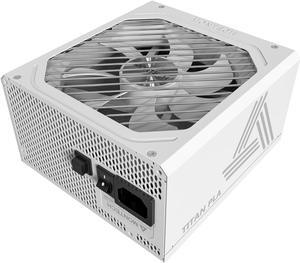
ASRock Steel Legend SL-850GW 850W 80 PLUS GOLD & Cybenetics PLATINUM Full Modular Power Supply, ATX3.1 & PCIe5.1 Ready with Dual Color 12V-2x6 Cable, 10 Years Warranty, White Edition“ Works great and fits well in my older PC! ”
CORSAIR RM850e (2025) Fully Modular Low-Noise ATX Power Supply - ATX 3.1 & PCIe 5.1 Compliant - 105°C-Rated Capacitors - Cybenetics Gold Efficiency“ My pc works great and has no issues whatsoever ”
MSI MPG A850G PCIE5, Fully Modular Compact Gaming 850W Power Supply, 80+ Gold, Native 12V-2x6 Cable, 100% Japanese Capacitor, ATX 3.1 & PCIe 5.1 Ready, Low-Noise, 10 Year Warranty“ Power supply not only fixed my PC but delivered enough power to improve the overall performance of my games. ”
CORSAIR RMx Series RM1000x ATX Power Supply - Fully Modular - ATX 3.1 - PCIe 5.1 - Cybenetics Gold - Low-Noise - Japanese Capacitors - 1000 Watts“ 3 years full time 30 hrs a week at max pc load. ”
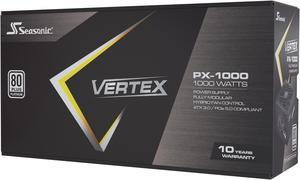
Seasonic VERTEX PX-1000, 1000W 80+ Platinum, ATX 3.0&PCIe 5.0 Ready, Full-Modular, ATX Form Factor, Low Noise, Premium Japanese Capacitor, 12 Year Warranty, Nvidia RTX 30/40 Super, AMD GPU Compatible“ it is an ample power supply for my pc with a little room for expanding since my rig only needed 850w. ”
MONTECH CENTURY II - 1050W High-End ATX Gaming Power Supply - 80 Plus Gold & Cybenetics Platinum - Fully Modular - ATX 3.1 & PCIe 5.1 Ready with 12V-2x6 Cable - 10 Years Warranty“ First time building a pc this pwr supply is well worth it! ”
CORSAIR RMe Series RM1000e 1000 W ATX 3.1 Compatible Cybenetics Gold Full Modular Power Supply“ The psu does make a clicking noise when you turn on the PC but it is normal and it is just a relay switch that protects the psu from putting too much voltage into your PC components. ”
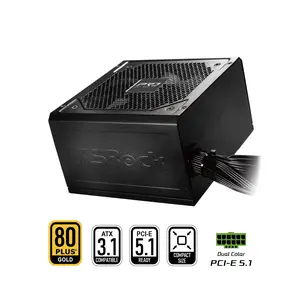
ASRock Steel Legend SL-850G 850W 80 PLUS GOLD & Cybenetics PLATINUM Full Modular Power Supply, ATX3.1 & PCIe5.1 Ready with Dual Color 12V-2x6 Cable, 10 Years Warranty