

Your Browsing History

Best Sellers
 Top Rated
- $59.99
- + $9.99 Shipping



Meet Your Seller

Get Educated
Make informed decisions with expert advice. Learn More

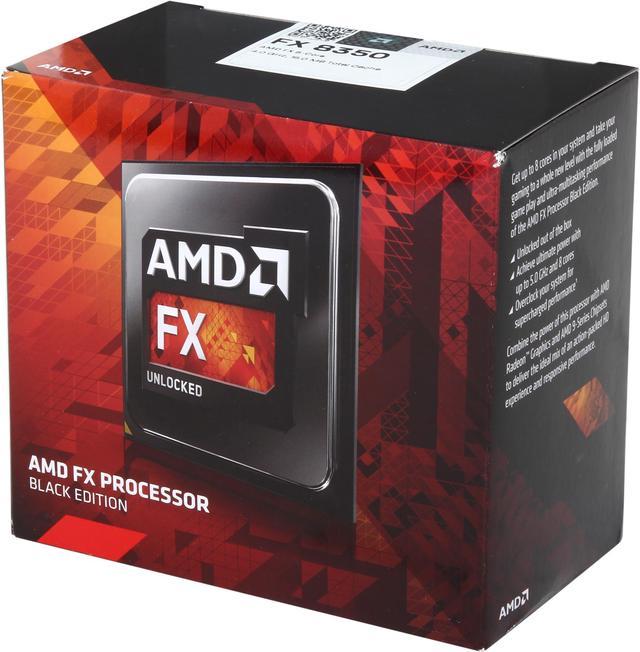
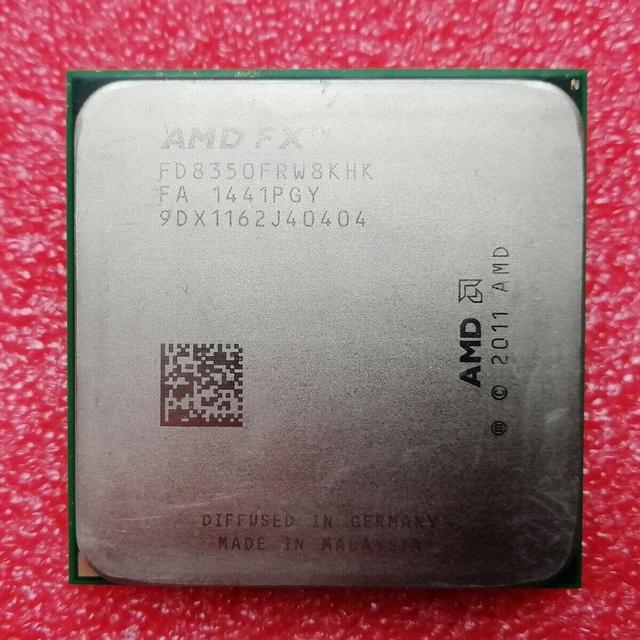


AMD FX-8350 Black Edition Vishera 8-Core 4.0 GHz (4.2 GHz Turbo) Socket AM3+ 125W FD8350FRHKBOX Desktop Processor
Used - Like New Product Type
100% Tested Well Before Shipping! Without Original Package! (Comes with CPU only, no cooler)
- 32nm 125W
- 8MB L3 Cache
- 8MB L2 Cache

+
+
Overview
Specs

Any questions? Our AI mode will help you find out quickly.
Try me now
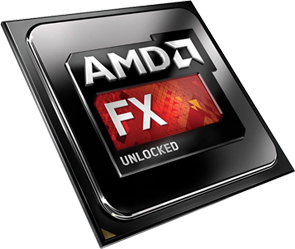
AMD FX Processors
Transform your PC into a multimedia powerhouseTake your PC's megatasking abilities to extreme levels with the first native 8-core desktop processor built with dynamic, tuneable performance to handle multiple intensive apps without breaking a sweat.
- Advanced 3D gaming
- Complex 3D modeling
- HD video editing
Get more with the AMD FX™ Series Processor in your system

Enjoy the highest clocks and the most cores you can get on a consumer desktop PC with the AMD FX™ Series Processor family, from the company behind proven high-performance processors in the PlayStation® 4 and Xbox One™ gaming consoles, and Radeon™ graphics cards.
Featuring a 220 Watt TDP, the AMD FX™ Series processors have special system requirements including a robust liquid cooling system.
AMD FX Processors unlock maximum, unrestrained processing performance for extreme responsiveness you can see and feel.
Maximum Performance- The industry's only 8-core desktop processor
- Overclock with easy to use AMD Overdrive™ technology and AMD Catalyst™ Control Center™ software suites
- Supreme power available from virtually every core configuration - also available in 6- and 4-core variants
- Aggressive performance for mega-tasking and intensive applications like video editing and 3D modeling
- The industry's first and only native 8-core desktop processor for unmatched multitasking and pure core performance with "Bulldozer" architecture
- New 32 nanometer die shrink designed to reduce leakage for improved efficiency, increased clock rate headroom and improved thermals
- Can deliver cores and performance you need without raising the power requirements
- Unlocked processors allow the maximum in tunable performance
- AMD Turbo CORE Technology dynamically adjusts performance to give you the best experience, no matter what you are doing
- Get superior performance at a competitive price with unlocked technology
Features
New Instruction Capabilities
- AVX - Advanced Vector Extensions increase parallelism for scientific and 3D apps using heavy floating point calculations
- FMA4 and XOP – Floating-Point Vector Multiply-Accumulate and eXtended Operations improves throughput and performance on many integer and floating point vector functions
- AES - Advanced Encryption Standard increases performance on encryption apps like TrueCrypt® and PCMark®
We call it the new AMD FX 8-Core Processor Black Edition and it's unlocked for your overclocking pleasure. Experience unmatched multitasking and pure core performance with the industry's first 32nm 8-core desktop processor. Get the speed you crave with AMD Turbo CORE Technology to push your core frequencies to the limit when you need it most. Go beyond the limits of maximum speed with easy-to-use AMD OverDrive™ technology and AMD Catalyst™ Control Center™ software suites. But the best part of all? You'll get all this impressive performance at an unbelievable price. You'll be asking yourself "what competition?" in no time.
AMD FX 8-Core Processors- The industry's first and only native 8-core desktop processor for unmatched multitasking and pure core performance with "Bulldozer" architecture.
- New 32 nanometer die shrink designed to reduce leakage for improved efficiency, increased clock rate headroom and better thermals.
- AMD FX Processors come equipped with AMD Turbo CORE Technology. AMD Turbo CORE Technology is a performance boosting technology that helps increase performance on the applications that need it the most.
- Shared L3 cache ( up to 8MB)
- Improved scheduling and pre-fetch capabilities
- 64-ways (16-ways/sub-cache)
- Increased data queue sizes
- Coherency for 8-cores
- Shared FP Scheduler
- Dual 128-bit Floating point engines – capable of teaming together for 256-bit AVX instructions or operating separately with each core
- One 16-bit link at up to 5600MT/s
- Up to 8.0GB/s HyperTransport™ I/O bandwidth; Up to 16GB/s in HyperTransport Generation 3.0 mode
- Up to 37GB/s total delivered processor-to-system bandwidth (HyperTransport bus + memory bus)
- A high-bandwidth, low-latency integrated memory controller
- Supports up to DDR3-1866
- Supports new low voltage memories of 1.35V and 1.2V
- Up to 29.9GB/s memory bandwidth for DDR3
- New Pre-Fetcher improvements
- Direct communications to each core in Dual-Core module (APIC registers in each core)
Benefit: Optimized memory controller to feed more cores.
AMD Virtualization™ (AMD-V™) Technology with IOMMU- Silicon feature-set enhancements designed to improve the performance, reliability and security of existing and future virtualization environments by allowing virtualized applications with direct and rapid access to their allocated memory.
- IOMMU is an extension to AMD64 architecture to support address translation and access protection on DMA transfers
- Security for User Level application and Virtual Machine guest operating system
- Address translation and access control
- Device isolation
- Device assignment in virtualized systems
- Security and trusted boot support
- Unified interrupt management
Benefit: Helps virtualization software to run more securely and efficiently enabling a better experience when dealing with virtual systems
AMD PowerNow!™ AMD Technology (Cool'n'Quiet™ Technology)- Enhanced power management features which automatically and instantaneously adjusts performance states and features based on processor performance requirements
- C6 power state flushes the cache and removes voltage from individual cores to help reduce power consumption
- CC6 power state puts all cores in C6 into an even lower power state
- for quieter operation and reduced power requirements
- Separate memory controller power control
- IO-based c-state interface
- Works automatically without the need for drivers or BIOS enablement.
- Power can be switched on or off within a single clock cycle, saving energy with minimal impact to performance
FX-8350 Black Edition
Brand: AMD
Series: FX-Series
Model: FD8350FRHKBOX
CPU Socket Type
CPU Socket Type: Socket AM3+
Product Details
Core Name: Vishera
Number of Cores: 8-Core
Number of Threads: 8
Operating Frequency: 4.0 GHz (4.2GHz Turbo)
L2 Cache: 4 x 2MB
L3 Cache: 8MB
Manufacturing Tech: 32nm
64-Bit Support: Yes
Virtualization Technology Support: Yes
Thermal Design Power: 125W
Cooling Device: Heatsink and fan included
Warranty & Returns
Warranty, Returns, And Additional Information
Warranty
- Please contact the Seller directly for warranty information. Warranty information may also be found on the Manufacturer's website.
- CONTACT
Return Policies
- Return for refund within: 30 days
- Return for replacement within: 30 days
- This item is covered by KeyComponents Return Policy
Manufacturer Contact Info
- For a directory of all our manufacturers, please click below.
- Manufacturers Directory
LOADING...
LOADING...