




 here!
here!
I’m your shopping assistant for PC builds, upgrades, and everything tech.
Got questions? Ask away!
Start a conversation
here!
I’m your shopping assistant for PC builds, upgrades, and everything tech.
Got questions? Ask away!
Start a conversationShipped by Newegg



Make informed decisions with expert advice. Learn More




Any questions? Ask CelesteSM will help you find out quickly.
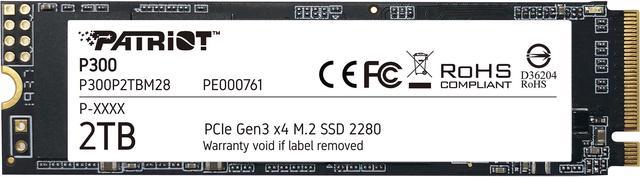
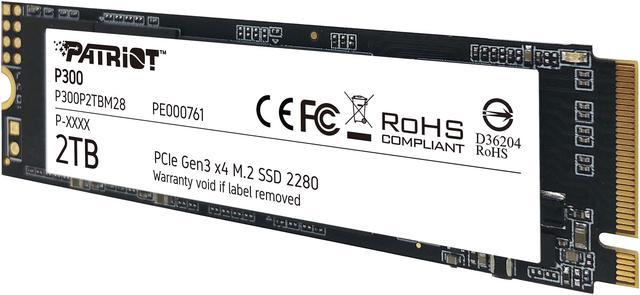
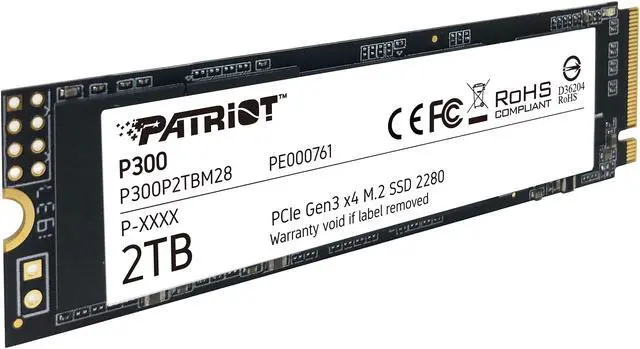
The Patriot P300 P300P2TBM28 is a 2TB M.2 2280 NVMe SSD for desktop and laptop users seeking faster startup, application loading, and file transfers on systems that support PCIe Gen3 x4 NVMe drives; it offers sequential speeds up to 2,100 MB/s read and 1,650 MB/s write.
| Attribute | Value |
|---|---|
| Best For | Consumer desktops and laptops needing 2TB of internal NVMe storage for general use, productivity, or heavy workloads |
| Capacity | 2TB of storage |
| Interface And Form Factor | M.2 2280 SSD using PCIe Gen3 x4 and NVMe 1.3 |
| Read Write Performance | Sequential speeds up to 2,100 MB/s read and 1,650 MB/s write; 4KB random performance up to 290,000 IOPS read and 260,000 IOPS write |
| Cache And Data Integrity | DRAM-less design with HMB; includes ECC, end-to-end data path protection, wear leveling, thermal management, and shock resistance |
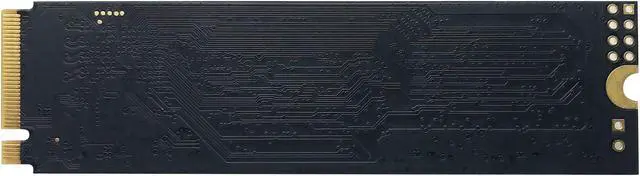
| Power And Operating Conditions | Uses 0.38W at idle and 2.38W when active; operating temperature 0°C to 70°C; supplied without a heatsink |
| Physical Specifications | 80 × 22 × 3.8 mm; weighs 9 g |
| Model Identifiers | Patriot P300 series; model P300P2TBM28 |
Q: Patriot P300 2TB or WD Blue SN570 2TB—which should I choose?
A: Choose the Patriot P300 when its price is lower and its rated speeds meet your needs. Choose the WD Blue SN570 if you prioritize higher advertised sequential performance: up to 3,500 MB/s read and write for the 2TB SN570, compared with up to 2,100 MB/s read and 1,650 MB/s write for the P300. Both are M.2 2280 PCIe Gen3 x4 NVMe drives.
Q: Patriot P300 2TB or Crucial P3 2TB for faster file transfers?
A: The Crucial P3 2TB has higher advertised sequential speeds—up to 3,500 MB/s read and 3,000 MB/s write—than the P300’s rated 2,100 MB/s read and 1,650 MB/s write. Choose the P3 if those rated speeds are a priority; choose the P300 if its lower stated speeds are sufficient and it is the better-priced option. Tom’s Hardware identifies the P3 as a DRAM-less, QLC drive, a consideration for workloads involving large sustained writes.
Q: Is the Patriot P300 2TB worth choosing over the 1TB version?
A: Choose the 2TB P300 when you want more room for games, applications, and files without changing the drive’s advertised sequential speed tier. Tom’s Hardware lists the 1TB and 2TB versions at the same rated sequential speeds: up to 2,100 MB/s read and 1,650 MB/s write. The 1TB model is the capacity-focused choice when it provides enough space and costs less.
Q: Should I get the Patriot P300 or a SATA SSD for a PC upgrade?
A: Choose the P300 if your computer has an M.2 slot that supports PCIe NVMe and you want an internal 2TB drive with higher rated sequential speeds than a SATA SSD can provide. Choose a SATA SSD if your system lacks a compatible NVMe M.2 slot or requires a SATA drive. Check the computer or motherboard specifications before buying, because an M.2 connector alone does not guarantee NVMe compatibility.
Q: Will this SSD work in my laptop or desktop?
A: It can work in a laptop or desktop with an available M.2 2280 slot that supports PCIe NVMe. Check the computer’s manual for slot type, supported capacity, and clearance before buying; an M.2 SATA-only slot is not sufficient.
Q: Does the SSD include a heatsink?
A: No. The Patriot P300 is listed without a heatsink. If the computer has an M.2 heatsink, check its manual for installation guidance; otherwise, consider whether the system’s cooling setup is suitable for your workload.
Q: Is this a good choice for everyday computing and game storage?
A: It is a 2TB consumer NVMe SSD with listed sequential speeds up to 2,100 MB/s read and 1,650 MB/s write, making it suitable for everyday applications, system storage, and game libraries on a compatible computer. Its PCIe Gen3 interface and listed speeds may be a limitation for buyers seeking higher transfer rates.
Q: Can I use it as a replacement boot drive?
A: Yes, if the computer supports an M.2 2280 PCIe NVMe SSD and its firmware can boot from that slot. The drive uses HMB and has no DRAM cache; plan to install or migrate the operating system and verify the computer’s compatibility before replacing an existing drive.
Q: Will the Patriot P300 work in a PCIe 4.0 M.2 slot?
A: It should work if the slot supports M.2 NVMe drives. The P300 is a PCIe Gen3 x4 drive, so in a PCIe 4.0 slot it will operate at Gen3 speeds; check the motherboard manual to confirm the slot supports NVMe.
Q: Is the Patriot P300 2TB a reasonable choice for games and general storage?
A: It can suit a budget-oriented game library or general storage if the system has a compatible M.2 NVMe slot. Its rated sequential speeds are up to 2100 MB/s read and 1650 MB/s write; it is a DRAM-less Gen3 drive, so consider a faster model for workloads where sustained transfer performance is a priority.
Q: Can the Patriot P300 be used as a Windows boot drive?
A: Yes, provided the computer supports booting from an M.2 NVMe drive. The P300 is an NVMe SSD, and its rated speeds are up to 2100 MB/s read and 1650 MB/s write. The 2TB capacity also leaves room for applications and files alongside the operating system.
Q: Is it worth choosing the P300 over a faster or DRAM-equipped SSD?
A: The P300 may suit buyers prioritizing 2TB capacity and basic NVMe storage over higher peak performance. It has no onboard DRAM and is rated up to 2100 MB/s read and 1650 MB/s write, so compare price and workload needs before choosing it over a faster drive for frequent, sustained transfers.


