• In Stock
  • Sold by Newegg
  • New
  • Combo Deals Only
Brands
Price
Show More
CPU Socket Type
CPU Type
Show More
CPU Socket Type
CPU Type
Show More
Form Factor
Chipset
Chipset
Number of Memory Slots
Sold by
Memory Standard
Maximum Memory Supported
Memory Performance Profile
PCI Express 5.0 x16
PCI Express 4.0 x16
PCI Express 5.0 x16
PCI Express 3.0 x16
M.2
Serial ATA (SATA)
Wireless LAN
Bluetooth
Back I/O Ports
CPU Socket Type
PCI Express 5.0 x16
PCI Express 3.0 x16
PCI Express 4.0 x16
All Top Brands
Availability
Condition
Discount
Useful Links
Customer Ratings
Page 1/1
Sort By:
View:
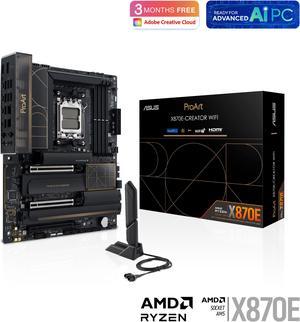
ASUS ProArt X870E-CREATOR WIFI AMD AM5 X870E ATX Motherboard PCIe 5.0 x16 slots with full support for next-gen GPUs, 16+2+2 power stages, DDR5, dual USB4, 10 Gb & 2.5 Gb LAN, WiFi 7, four M.2 slots
Quick View
#1 Best Seller
in Workstation Motherboards
ASUS ProArt X870E-CREATOR WIFI AMD AM5 X870E ATX Motherboard PCIe 5.0 x16 slots with full support for next-gen GPUs, 16+2+2 power stages, DDR5, dual USB4, 10 Gb & 2.5 Gb LAN, WiFi 7, four M.2 slots
  • Brand: ASUS
  • CPU Socket Type: AM5
  • M.2: AMD Ryzen 7000 & 8000 & 9000 Series Desktop Processors* M.2_1 slot (Key M), type 2242/2260/2280 (supports PCIe 5.0 x4 mode) M.2_2 slot (Key M), type 2242/2260/2280 (supports PCIe 5.0 x4 mode)** AMD X870 Chipset M.2_3 slot (Key M), type 2242/2260/2280 (supports PCIe 4.0 x4 mode) M.2_4 slot (Key M), type 2242/2260/2280/22110 (supports PCIe 4.0 x4 mode) ** PCIEX16(G5)_2 slot shares bandwidth with M.2_2.
  • Serial ATA (SATA): 4 x SATA 6Gb/s
  • Model #: ProArt X870E-CREATOR WIFI
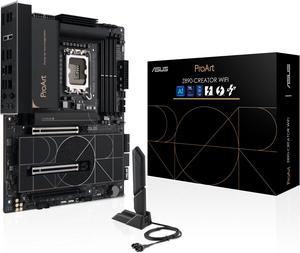
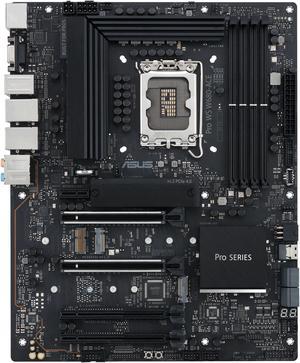
ASUS ProArt Z890-CREATOR WIFI Z890 LGA 1851 ATX Motherboard, Intel® Core™ Ultra Processor Series 2 Ready, 16+2+1+2 stages, PCIe® 5.0, DDR5, Thunderbolt™ 5 Type-C®, 10+2.5 Gb LAN, WiFi 7, 5x M.2, AI OC
Quick View
ASUS ProArt Z890-CREATOR WIFI Z890 LGA 1851 ATX Motherboard, Intel® Core™ Ultra Processor Series 2 Ready, 16+2+1+2 stages, PCIe® 5.0, DDR5, Thunderbolt™ 5 Type-C®, 10+2.5 Gb LAN, WiFi 7, 5x M.2, AI OC
  • Brand: ASUS
  • M.2: Intel Core Ultra Processors (Series 2) * M.2_1 slot (Key M), type 2242/2260/2280/22110 (supports PCIe 5.0 x4 mode) M.2_2 slot (Key M), type 2242/2260/2280 (supports PCIe 4.0 x4 mode) Intel Z890 Chipset M.2_3 slot (Key M), type 2242/2260/2280 (supports PCIe 4.0 x4 mode) M.2_4 slot (Key M), type 2242/2260/2280 (supports PCIe 4.0 x4 modes) M.2_5 slot (Key M), type 2242/2260/2280 (supports PCIe 4.0 x4 & SATA modes)** ** M.2_5 slot shares bandwidth with PCIe 4.0 x16 slot. When M.2_5 slot is operating, PCIe 4.0 x16 slot will be disabled.
  • Serial ATA (SATA): 4 x SATA 6Gb/s
  • CPU Socket Type: LGA 1851
  • Model #: PROART Z890-CREATOR WIFI
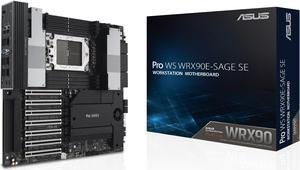
ASUS Pro WS WRX90E-SAGE SE EEB Workstation motherboard, AMD Ryzen™ Threadripper™ PRO 7000 WX-Series Processors, ECC R-DIMM DDR5, 32 power-stage,7xPCIe 5.0 x 16, PCIe 5.0 M.2, 10 Gb and 2.5 Gb LAN
Quick View
ASUS Pro WS WRX90E-SAGE SE EEB Workstation motherboard, AMD Ryzen™ Threadripper™ PRO 7000 WX-Series Processors, ECC R-DIMM DDR5, 32 power-stage,7xPCIe 5.0 x 16, PCIe 5.0 M.2, 10 Gb and 2.5 Gb LAN
  • Brand: ASUS
  • CPU Socket Type: sTR5
  • M.2: M.2_1 slot (Key M), type 2242/2260/2280/22110 (supports PCIe 5.0 x4 mode) M.2_2 slot (Key M), type 2242/2260/2280/22110 (supports PCIe 5.0 x4 mode) M.2_3 slot (Key M), type 2242/2260/2280 (supports PCIe 5.0 x4 mode) M.2_4 slot (Key M), type 2242/2260/2280 (supports PCIe 5.0 x4 mode)
  • Serial ATA (SATA): 4 x SATA 6Gb/s
  • Model #: Pro WS WRX90E-SAGE SE
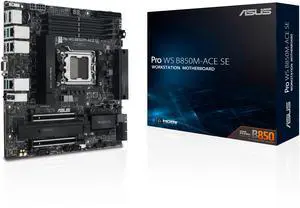
ASUS Pro WS B850M-ACE SE AMD AM5 B850 mATX MicroATX Business motherboard, PCIe 5.0 x 16, DDR5, 2x PCIe 5.0 M.2, PCIe 5.0 MCIO, U.2, 10G & 2.5G LAN, USB4, ASUS Control Center Express Remote Management
Quick View
ASUS
ASUS Pro WS B850M-ACE SE AMD AM5 B850 mATX MicroATX Business motherboard, PCIe 5.0 x 16, DDR5, 2x PCIe 5.0 M.2, PCIe 5.0 MCIO, U.2, 10G & 2.5G LAN, USB4, ASUS Control Center Express Remote Management
  • Brand: ASUS
  • CPU Socket Type: AM5
  • M.2: AMD Ryzen 9000 & 7000 Series Desktop Processors and AMD EPYC 4005 Series Processors M.2_1 slot (Key M), type 2280 (supports PCIe 5.0 x4 mode) M.2_2 slot (Key M), type 2280 (supports PCIe 5.0 x4 mode) MCIO connector (supports PCIe 5.0 x4 mode) AMD Ryzen 8000 Series Desktop Processors M.2_1 slot (Key M), type 2280 (supports PCIe 4.0 x4 mode) M.2_2 slot (Key M), type 2280 (supports PCIe 4.0 x4/x2 mode) MCIO connector (supports PCIe 4.0 x4/x2 mode) AMD B850 Chipset U.2_1 connector supports PCIe 3.0 x4 mode via an SFF-8643 adapter cable. The cable is purchased separately. Specifications vary by CPU types. MCIO connector shares bandwidth with M.2_2 slot. When MCIO connector is operating, M.2_2 slot will be disabled. U.2 shares bandwidth with SATA ports; Enable U.2 in BIOS menu to support a NVMe sto...
  • Model #: Pro WS B850M-ACE SE
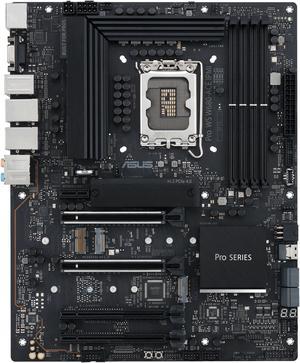
Pro WS W680-ACE Intel W680 LGA 1700 ATX workstation motherboard, dual PCIe 5.0x16 slot, DDR5, ECC memory and XMP support, dual Intel 2.5 Gb Lan, 3xPCIe 4.0 M.2 slots, USB 3.2 Gen 2x2 front panel.
Quick View
ASUS
Pro WS W680-ACE Intel W680 LGA 1700 ATX workstation motherboard, dual PCIe 5.0x16 slot, DDR5, ECC memory and XMP support, dual Intel 2.5 Gb Lan, 3xPCIe 4.0 M.2 slots, USB 3.2 Gen 2x2 front panel.
  • Brand: ASUS
  • M.2: Intel 13th & 12th Gen Processors - M.2_1 slot (Key M), type 2242/2260/2280 (supports PCIe 4.0 x4 mode) Intel W680 Chipset** - M.2_2 slot (Key M), type 2242/2260/2280 (supports PCIe 4.0 x4 mode) - M.2_3 slot (Key M), type 2242/2260/2280/22110 (supports PCIe 4.0 x4 mode) ** Intel Rapid Storage Technology supports Intel® Optane Memory H Series on PCH attached M.2 slots.
  • Serial ATA (SATA): 8 x SATA 6Gb/s
  • CPU Socket Type: LGA 1700
  • Model #: PRO WS W680-ACE
  •  
  • $339.99 –
  • Free Shipping
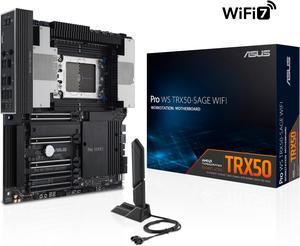
ASUS Pro WS TRX50-SAGE WIFI CEB Workstation motherboard, AMD Ryzen™ Threadripper™ PRO 7000 WX-Series Processors,ECC R-DIMM DDR5, 36 power-stage, WiFi 7,PCIe 5.0 x 16, PCIe 5.0 M.2, 10 Gb and 2.5 Gb LA
Quick View
ASUS Pro WS TRX50-SAGE WIFI CEB Workstation motherboard, AMD Ryzen™ Threadripper™ PRO 7000 WX-Series Processors,ECC R-DIMM DDR5, 36 power-stage, WiFi 7,PCIe 5.0 x 16, PCIe 5.0 M.2, 10 Gb and 2.5 Gb LA
  • Brand: ASUS
  • CPU Socket Type: sTR5
  • M.2: AMD RYZEN Threadripper PRO 7000 WX-Series and RYZEN Threadripper 7000 Series Processors M.2_1 slot (Key M), type 2242/2260/2280 (supports PCIe 5.0 x4 mode) M.2_2 slot (Key M), type 2242/2260/2280 (supports PCIe 5.0 x4 mode) AMD TRX50 Chipset M.2_3 slot (Key M), type 2280(supports PCIe 4.0 x4 mode)
  • Serial ATA (SATA): 4 x SATA 6Gb/s
  • Model #: PRO WS TRX50-SAGE WIFI
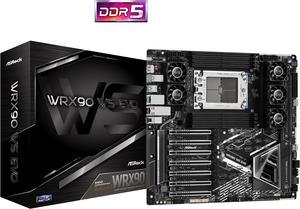
ASRock WRX90 WS EVO SATA 6Gb/s DDR5  AMD Ryzen Threadripper PRO 7 x PCIe 5.0 x16 Slots 2 x 10 Gigabit LAN Motherboards - AMD
Quick View
ASRock WRX90 WS EVO SATA 6Gb/s DDR5 AMD Ryzen Threadripper PRO 7 x PCIe 5.0 x16 Slots 2 x 10 Gigabit LAN Motherboards - AMD
  • Brand: ASRock
  • CPU Socket Type: sTR5
  • M.2: CPU: - 1 x Blazing M.2 Socket (M2_1, Key M), supports type 2260/2280/22110 PCIe Gen5x4 (128 Gb/s) mode* - 2 x MCIO Connectors (PCIe Gen5x4 or 4 x SATA3 6.0 Gb/s) - 1 x SlimSAS SFF-8654 Connector (SLIM1) (PCIe Gen4x4 or 4 x SATA3 6.0 Gb/s) Chipset: - 1 x Hyper M.2 Socket (M2_2, Key M), supports type 2260/2280 PCIe Gen4x4 (64 Gb/s) mode* - 1 x SlimSAS SFF-8654 Connector (SLIM2) (PCIe Gen4x4) - 4 x SATA3 6.0 Gb/s Connectors *Supports NVMe SSD as boot disks
  • Serial ATA (SATA): 4 x SATA3 6.0 Gb/s Connectors * Supports NVMe SSD as boot disks
  • Model #: WRX90 WS EVO
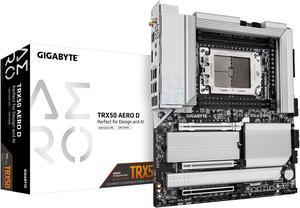
GIGABYTE TRX50 AERO D sTR5 AMD TRX50 EATX Motherboard - DDR5, PCIe 5.0 M.2, PCIe 5.0, USB4 Type-C, Wi-Fi 7, Marvell 10GbE
Quick View
GIGABYTE TRX50 AERO D sTR5 AMD TRX50 EATX Motherboard - DDR5, PCIe 5.0 M.2, PCIe 5.0, USB4 Type-C, Wi-Fi 7, Marvell 10GbE
  • Brand: GIGABYTE
  • CPU Socket Type: sTR5
  • M.2: CPU: - 1 x M.2 connector (Socket 3, M key, type 25110/2280 PCIe 5.0 x4/x2 SSD support) (M2C_CPU) - 2 x M.2 connectors (Socket 3, M key, type 22110/2280 PCIe 5.0 x4/x2 SSD support) (M2A_CPU/M2B_CPU) - 1 x M.2 connector (Socket 3, M key, type 2280 PCIe 4.0 x4/x2 SSD support) (M2D_CPU)
  • Serial ATA (SATA): 8 x SATA 6Gb/s connectors
  • Model #: TRX50 AERO D
ASUS Pro WS W890E-SAGE SE Intel W890 (LGA 4710-2) EEB workstation motherboard, PCIe 5.0 x16, M.2, MCIO, SlimSAS, 2x 10Gb LAN, Server-grade Remote Management, 16+(2+2)+1+2 stages, USB4, USB Type-C
Quick View
ASUS
ASUS Pro WS W890E-SAGE SE Intel W890 (LGA 4710-2) EEB workstation motherboard, PCIe 5.0 x16, M.2, MCIO, SlimSAS, 2x 10Gb LAN, Server-grade Remote Management, 16+(2+2)+1+2 stages, USB4, USB Type-C
  • Brand: ASUS
  • M.2: Intel Xeon 690/670/650 Series Processors** M.2_1 slot (Key M), type 2242/2260/2280/22110 (supports PCIe 5.0 x4 mode) M.2_2 slot (Key M), type 2242/2260/2280/22110 (supports PCIe 5.0 x4 mode) M.2_3 slot (Key M), type 2242/2260/2280 (supports PCIe 5.0 x4 mode) M.2_4 slot (Key M), type 2242/2260/2280 (supports PCIe 5.0 x4 mode) MCIO connector (supports PCIe 5.0 x8, and runs at x4/x4) Intel Xeon 630 Series Processor** M.2_1 slot (Key M), type 2242/2260/2280/22110 (supports PCIe 5.0 x4 mode) M.2_2 slot (Key M), type 2242/2260/2280/22110 (supports PCIe 5.0 x4 mode) M.2_3 slot (Key M), type 2242/2260/2280 (supports PCIe 5.0 x4 mode) M.2_4 slot (Key M), type 2242/2260/2280 (supports PCIe 5.0 x4 mode)
  • Serial ATA (SATA): 4 x SATA 6Gb/s
  • CPU Socket Type: LGA 4710-2
  • Model #: Pro WS W890E-SAGE SE
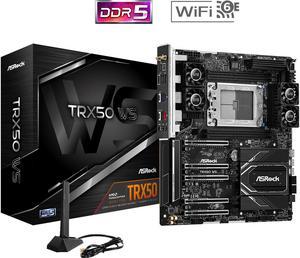
ASRock TRX50 WS Extended ATX  Motherboards supports AMD Ryzen Threadripper PRO 9000/7000 WX-Series, AMD Ryzen Threadripper 9000/7000 Series Processors
Quick View
ASRock TRX50 WS Extended ATX Motherboards supports AMD Ryzen Threadripper PRO 9000/7000 WX-Series, AMD Ryzen Threadripper 9000/7000 Series Processors
  • Brand: ASRock
  • CPU Socket Type: sTR5
  • M.2: 1 x Blazing M.2 Socket (M2_1, Key M), supports type 2260/2280 PCIe Gen5x4 (128 Gb/s) mode* - 1 x MCIO PCIe Gen5x4 Connector - 2 x SlimSAS SFF-8654 Connectors (PCIe Gen4x4 or 4 x SATA3 6.0 Gb/s) Chipset: - 1 x Hyper M.2 Socket (M2_2, Key M), supports type 2260/2280 PCIe Gen4x4 (64 Gb/s) mode*
  • Serial ATA (SATA): - 4 x SATA3 6.0 Gb/s Connectors
  • Model #: TRX50 WS
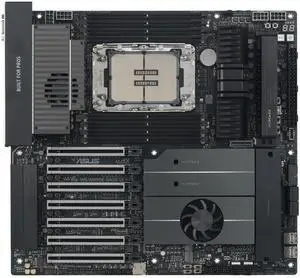
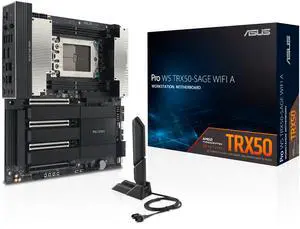
ASUS Pro WS TRX50-SAGE WIFI A workstation motherboard
Quick View
ASUS Pro WS TRX50-SAGE WIFI A workstation motherboard
  • Brand: ASUS
  • CPU Socket Type: sTR5
  • M.2: AMD Ryzen Threadripper PRO 9000 & 7000 WX-Series and AMD Ryzen Threadripper 9000 & 7000 Series Processors M.2_1 slot (Key M), type 2242/2260/2280 (supports PCIe 5.0 x4 mode)** M.2_2 slot (Key M), type 2242/2260/2280 (supports PCIe 5.0 x4 mode)** AMD TRX50 Chipset M.2_3 slot (Key M), type 2280(supports PCIe 4.0 x4 mode),shared bandwidth with SlimSAS_2*** SlimSAS_2 slot supports PCIe 4.0 x4 mode NVMe device, shared bandwidth M.2_3*** AMD Ryzen Threadripper PRO 9000 & 7000 WX-Series M.2_4 slot (Key M), type 2242/2260/2280 (supports PCIe 5.0 x4 mode)**** SlimSAS_1 slot supports PCIe 4.0 x4 mode NVMe device**** * AMD RAIDXpert2 Technology supports both PCIe RAID 0/1/5/10 and SATA RAID 0/1/5/10. ** M.2_1 & M.2_2 slots only support PCIe 4.0 x4 mode when using Threadripper 7000 non-pro series CPUs *** M.2_...
  • Model #: Pro WS TRX50-SAGE WIFI A
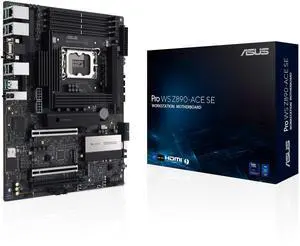
ASUS Pro WS Z890-ACE SE Z890 LGA 1851 ATX Motherboard - Intel Core Ultra Series 2 Ready - Advanced AI PC-Ready - PCIe 5.0  DDR5 - 10G & 2.5G LAN - 4X M.2 - USB 20Gbp  (PRO WS Z890-ACE SE)
Quick View
ASUS
ASUS Pro WS Z890-ACE SE Z890 LGA 1851 ATX Motherboard - Intel Core Ultra Series 2 Ready - Advanced AI PC-Ready - PCIe 5.0 DDR5 - 10G & 2.5G LAN - 4X M.2 - USB 20Gbp (PRO WS Z890-ACE SE)
  • Brand: ASUS
  • CPU Socket Type: LGA 1851
  • CPU Type: Intel Core Ultra Processors (Series 2)
  • Number of Memory Slots: 4x288pin (DDR5)
  • Model #: PRO WS Z890-ACE SE
ASUS PRO WS W790E-SAGE SE Intel W790 (LGA 4677) CEB motherboard, PCIe 5.0, 7 PCIe 5.0 x16 slots,M.2 PCIe 4.0 slots, 12+1+1 DrMOS, DDR5 R-DIMM, Dual 10G BMC LAN, LAN Server-grade Remote Management
Quick View
ASUS PRO WS W790E-SAGE SE Intel W790 (LGA 4677) CEB motherboard, PCIe 5.0, 7 PCIe 5.0 x16 slots,M.2 PCIe 4.0 slots, 12+1+1 DrMOS, DDR5 R-DIMM, Dual 10G BMC LAN, LAN Server-grade Remote Management
  • Brand: ASUS
  • M.2: Intel Xeon W-3400 Series Processors M.2_1 slot (Key M), type 2242/2260/2280/22110 (supports PCIe 5.0 x4 mode)*** M.2_2 slot (Key M), type 2242/2260/2280/22110 (supports PCIe 5.0 x4 mode)*** Intel W790 Chipet** M.2_3 slot (Key M), type 2242/2260/2280/22110 (supports PCIe 4.0 x4 mode) *** M.2_1 and M.2_2 slots will be disabled once an Intel Xeon W-2400 Series Processor is installed.
  • Serial ATA (SATA): 8 x SATA 6Gb/s
  • CPU Socket Type: LGA 4677
  • Model #: Pro WS W790E-SAGE SE
ASUS Pro WS W890-SAGE Intel W890 (LGA 4710-2) CEB workstation motherboard, PCIe 5.0 x16, M.2, SlimSAS, 10Gb+2.5Gb LAN, ready for IPMI Expansion Card, 12+(2+2)+1+2 stages, USB4, USB 20Gbps Type-C
Quick View
ASUS
ASUS Pro WS W890-SAGE Intel W890 (LGA 4710-2) CEB workstation motherboard, PCIe 5.0 x16, M.2, SlimSAS, 10Gb+2.5Gb LAN, ready for IPMI Expansion Card, 12+(2+2)+1+2 stages, USB4, USB 20Gbps Type-C
  • Brand: ASUS
  • M.2: Intel Xeon 690/670/650/630 Series Processors* M.2_1 slot (Key M), type 2242/2260/2280 (supports PCIe 5.0 x4 mode) M.2_2 slot (Key M), type 2242/2260/2280 (supports PCIe 5.0 x4 mode) M.2_3 slot (Key M), type 2242/2260/2280 (supports PCIe 5.0 x4 mode) M.2_4 slot (Key M), type 2242/2260/2280 (supports PCIe 5.0 x4 mode)
  • Serial ATA (SATA): 4 x SATA 6Gb/s
  • CPU Socket Type: LGA 4710
  • Model #: Pro WS W890-SAGE
ASUS Pro WS W790-ACE Intel® W790 (LGA 4677) CEB workstation motherboard, PCIe 5.0 x16, M.2, 10G and 2.5G LAN, Server-grade Remote Management, 12+1+1 power stages, front and Rear USB 3.2 Gen 2x2 Type-C
Quick View
ASUS Pro WS W790-ACE Intel® W790 (LGA 4677) CEB workstation motherboard, PCIe 5.0 x16, M.2, 10G and 2.5G LAN, Server-grade Remote Management, 12+1+1 power stages, front and Rear USB 3.2 Gen 2x2 Type-C
  • Brand: ASUS
  • M.2: Intel W790 Chipset M.2_1 slot (Key M), type 2242/2260/2280/22110 (supports PCIe 4.0 x4 mode) M.2_2 slot (Key M), type 2280 (supports PCIe 4.0 x4 mode)
  • CPU Socket Type: LGA 4677
  • CPU Type: Support Intel Xeon W-3400 and W-2400
  • Model #: Pro WS W790-ACE
ASRock W790 WS Intel® W790 (LGA 4677) CEB workstation Extended ATX Motherboard 4 PCIe 5.0 x16, Dual Marvell AQUANTIA® 10 GbE and Intel® i225LM 2.5 GbE LAN, 2 USB4 Thunderbolt™ 4 Type-C
Quick View
ASRock W790 WS Intel® W790 (LGA 4677) CEB workstation Extended ATX Motherboard 4 PCIe 5.0 x16, Dual Marvell AQUANTIA® 10 GbE and Intel® i225LM 2.5 GbE LAN, 2 USB4 Thunderbolt™ 4 Type-C
  • Brand: ASRock
  • M.2: 1 x Blazing M.2 Socket (M2_1, Key M), supports type 2230/2242/2260/2280 PCIe Gen5x4 (128 Gb/s) mode* 2 x Blazing M.2 Sockets (M2_2 and M2_3, Key M), support type 2260/2280 PCIe Gen5x4 (128 Gb/s) mode* 1 x Blazing M.2 Socket (M2_4, Key M), supports type 2260/2280 PCIe Gen5x4 (128 Gb/s) mode* * Supports Intel Volume Management Device (VMD) * Supports NVMe SSD as boot disks
  • Serial ATA (SATA): 8 x SATA3 6.0 Gb/s Connectors
  • CPU Socket Type: LGA 4677
  • Model #: W790 WS
ASUS Pro WS TRX50-SAGE WIFI CEB Workstation motherboard, AMD Ryzen™ Threadripper™ PRO 7000 WX-Series Processors,ECC R-DIMM DDR5, 36 power-stage, WiFi 7,PCIe 5.0 x 16, PCIe 5.0 M.2, 10 Gb and 2.5 Gb LA
Quick View
ASUS
Open Box ASUS Pro WS TRX50-SAGE WIFI CEB Workstation motherboard, AMD Ryzen™ Threadripper™ PRO 7000 WX-Series Processors,ECC R-DIMM DDR5, 36 power-stage, WiFi 7,PCIe 5.0 x 16, PCIe 5.0 M.2, 10 Gb and 2.5 Gb LA
  • Brand: ASUS
  • CPU Socket Type: sTR5
  • M.2: AMD RYZEN Threadripper PRO 7000 WX-Series and RYZEN Threadripper 7000 Series Processors M.2_1 slot (Key M), type 2242/2260/2280 (supports PCIe 5.0 x4 mode) M.2_2 slot (Key M), type 2242/2260/2280 (supports PCIe 5.0 x4 mode) AMD TRX50 Chipset M.2_3 slot (Key M), type 2280(supports PCIe 4.0 x4 mode)
  • Serial ATA (SATA): 4 x SATA 6Gb/s
  • Model #: PRO WS TRX50-SAGE WIFI
  • $899.99
  •  
  • $511.99 –
  • Save: 43%
  • $11.62 Shipping
ASUS Pro WS TRX50-SAGE WIFI A workstation motherboard
Quick View
ASUS
Open Box ASUS Pro WS TRX50-SAGE WIFI A workstation motherboard
  • Brand: ASUS
  • CPU Socket Type: sTR5
  • M.2: AMD Ryzen Threadripper PRO 9000 & 7000 WX-Series and AMD Ryzen Threadripper 9000 & 7000 Series Processors M.2_1 slot (Key M), type 2242/2260/2280 (supports PCIe 5.0 x4 mode)** M.2_2 slot (Key M), type 2242/2260/2280 (supports PCIe 5.0 x4 mode)** AMD TRX50 Chipset M.2_3 slot (Key M), type 2280(supports PCIe 4.0 x4 mode),shared bandwidth with SlimSAS_2*** SlimSAS_2 slot supports PCIe 4.0 x4 mode NVMe device, shared bandwidth M.2_3*** AMD Ryzen Threadripper PRO 9000 & 7000 WX-Series M.2_4 slot (Key M), type 2242/2260/2280 (supports PCIe 5.0 x4 mode)**** SlimSAS_1 slot supports PCIe 4.0 x4 mode NVMe device**** * AMD RAIDXpert2 Technology supports both PCIe RAID 0/1/5/10 and SATA RAID 0/1/5/10. ** M.2_1 & M.2_2 slots only support PCIe 4.0 x4 mode when using Threadripper 7000 non-pro series CPUs *** M.2_...
  • Model #: Pro WS TRX50-SAGE WIFI A
  •  
  • $552.99 –
  • $11.62 Shipping
ASUS Pro WS W680-ACE IPMI Intel W680 LGA 1700 ATX workstation motherboard, dual PCIe 5.0x16 slot, DDR5, ECC memory and XMP support, dual Intel 2.5 Gb Lan, 3xPCIe 4.0 M.2 slots.
Quick View
ASUS
Open Box ASUS Pro WS W680-ACE IPMI Intel W680 LGA 1700 ATX workstation motherboard, dual PCIe 5.0x16 slot, DDR5, ECC memory and XMP support, dual Intel 2.5 Gb Lan, 3xPCIe 4.0 M.2 slots.
  • Memory Standard: DDR5 4400
  • Number of Memory Slots: 4x288pin (DDR5)
  • Brand: ASUS
  • CPU Socket Type: LGA 1700
  • Model #: Pro WS W680-ACE IPMI
  •  
  • $299.99 –
  • $9.20 Shipping
Supermicro X14SAE ATX Workstation Motherboard - Bulk Packaging - MBD-X14SAE-B
Quick View
Supermicro
Supermicro X14SAE ATX Workstation Motherboard - Bulk Packaging - MBD-X14SAE-B
  • Brand: SUPERMICRO
  • M.2: 2 x M.2 (1 x PCIe 4.0 x4, 1 x PCIe 5.0 x4)
  • Serial ATA (SATA): 8 x SATA 6Gb/s
  • CPU Socket Type: LGA 1851
  • Model #: MBD-X14SAE-B
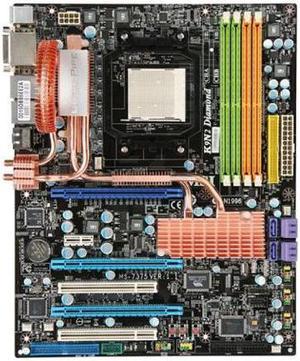
MSI K9N2 Diamond Socket-AM2+ NVIDIA nForce 780a SLI DDR2 SDRAM 1066Mhz ATX Motherboard (NOB)
Quick View
  •  
  • $149.00 –
  • Free Shipping
Tyan Thunder S2518 LE-T Dual Pentium III Socket 370 Server Board  - No Accessories
Quick View
  •  
  • $249.00 –
  • Free Shipping
Page 1/1

Workstation Motherboards for High-Performance Computing and Content Creation

Workstation motherboards support multi-core processors, ECC memory, and advanced I/O options designed for professionals in engineering, 3D rendering, and data analysis. This page helps you find reliable boards that enable robust performance, expandability, and stability for demanding workloads.

How to Choose Workstation Motherboards

Key Features and Technologies to Consider in Workstation Motherboards

  • Processor Socket Compatibility: Ensure the motherboard supports professional-grade CPUs like Intel Xeon or AMD Threadripper for handling demanding workloads.
  • Memory Support: ECC (Error-Correcting Code) memory compatibility is essential for data integrity and stability in mission-critical applications.
  • Expansion Slots: Multiple PCIe slots, especially PCIe 4.0 or newer, allow for high-bandwidth GPUs, storage controllers, and other add-in cards.
  • Storage Options: Look for support of NVMe M.2 slots and multiple SATA ports, enabling fast and flexible storage configurations.
  • Robust Power Delivery: Stable VRMs and enhanced power phases are crucial to maintain reliability during intense computational tasks.
  • Connectivity: Professional I/O including Thunderbolt, USB 3.2 Gen 2, and dual LAN (including 10GbE) supports versatile workstation networking needs.
  • Form Factor: Larger E-ATX boards often offer better expandability but require larger cases for proper airflow and installation.

Memory Support: The Cornerstone of Workstation Stability and Performance

In a workstation environment, memory isn't just about size—it's about reliability and error resilience. ECC memory support on workstation motherboards prevents data corruption by detecting and correcting memory errors, which is indispensable for professionals working with sensitive datasets or running long simulation builds. Beyond ECC, dual or quad-channel memory architecture significantly boosts bandwidth, allowing CPUs to process data-intensive tasks more efficiently. Many workstation boards also support large maximum RAM capacities, enabling complex multitasking and virtualization. Prioritizing these memory specifications ensures your system maintains uptime and delivers consistent performance under demanding workloads, such as 3D rendering, scientific modeling, or video editing.

Advanced Use Cases and Custom Build Insights

Professionals building high-end systems for AI training, content creation, or engineering simulations require motherboards that seamlessly integrate with top-tier components. For example, an AI Workstation motherboard must support the latest PCIe lanes to accommodate multi-GPU setups and ultra-fast NVMe storage, drastically cutting down processing times. Additionally, professional workflows benefit from features like onboard RAID controllers for data redundancy and reliable multi-channel networking for high-speed data transfer. Consulting the Workstation Components category can help you assemble a system optimized for your specific software and performance needs.

Performance and Setup Tips

  • Install ECC memory modules to maximize system stability and prevent silent data corruption during long runtimes.
  • Utilize the motherboard’s multi-channel memory slots correctly by populating all recommended slots to increase bandwidth efficiency.
  • Configure BIOS settings to prioritize workstation mode, enabling advanced power management and hardware error reporting features.
  • Ensure proper cooling by pairing your motherboard with high-quality case fans and CPU coolers tailored for sustained workloads.
  • Update firmware and drivers frequently to maintain compatibility with new processors, GPUs, and storage devices.
  • Leverage onboard RAID or software RAID configurations for faster data access and redundancy if your workload involves critical data storage.
  • Use Power Search tools to find motherboards that precisely fit your processor, connectivity, and expansion requirements before purchasing.

Newegg shopping tip: Focus on the type and number of PCIe slots, memory support, and chipset compatibility to match your CPU and workload requirements. Also, check for robust power delivery and cooling features if you plan to run demanding tasks or multiple GPUs.

Explore Workstation Motherboards & Related Categories

Workstation Components

Explore top-tier workstation components built for multi-core processors and ECC memory support, ensuring peak reliability and performance under heavy professional workloads.

AI Workstation

Build or upgrade an AI workstation that harnesses the latest PCIe 4.0 GPUs, NVMe storage, and DDR5 RAM to accelerate machine learning model training and inference.

Power Search

Narrow down your ideal workstation motherboard using powerful filters—chipset, socket type, expansion slots, and memory channels—to match your precise build specifications.

Workstation Motherboards: A Beginner's Introduction

Stepping into the world of workstation motherboards can feel a bit overwhelming at first, but it’s all about matching your hardware needs to your workload. These motherboards are designed to support high core-count CPUs, error-correcting code (ECC) memory, and robust connectivity options for professional-grade builds. Unlike standard consumer boards, workstation motherboards prioritize stability and expandability, making them ideal for tasks that demand consistent performance. If you're just starting your build, explore our Workstation Components page to understand compatible parts and key features.

For Creative Professionals: High-Performance Video Editing and Rendering

Video editors, 3D artists, and animators demand motherboards that can handle multi-threaded workflows and large memory capacities without hiccups. Workstation motherboards tailored for creatives typically support multiple GPUs, expansive DDR4 or DDR5 RAM, and fast NVMe storage configurations. This setup accelerates rendering times, enables smooth real-time previews, and facilitates multitasking across creative applications. Investing in a quality workstation motherboard ensures your creative pipeline stays fluid, enhancing productivity and output quality during intensive projects.

For Engineers and Scientists: Reliable Computing for CAD and Simulation

Users engaged in CAD design, simulation, or scientific computing often require workstation motherboards that emphasize reliability and precision. These motherboards support ECC memory to detect and correct data corruption, which is crucial when working with sensitive calculations or large datasets. Additionally, expanded PCIe lanes and robust power delivery are important to accommodate compute accelerators and high-speed storage devices critical in these fields. Prioritizing a stable foundation leads to fewer computational errors and system crashes, saving time on mission-critical tasks.

Before You Buy

  • Confirm CPU socket compatibility with your chosen workstation processor series.
  • Check support for ECC memory if data integrity is essential for your workload.
  • Review available expansion slots and PCIe generations to fit your GPUs or specialized cards.
  • Verify the number and type of storage interfaces, such as NVMe M.2 slots, for your storage needs.
  • Evaluate power delivery and cooling features relevant to your build’s performance level.
  • Use our Power Search tool for detailed filtering and to pinpoint motherboards tailored to your exact requirements.

Research more: When choosing a workstation motherboard, consider your needs for CPU compatibility, expansion slots, and memory support to ensure smooth handling of intensive tasks. For a deeper dive into the features and options available, check out Newegg Insider’s buying guides—they offer detailed insights to help you make an informed decision.

Last Updated: October 2026 | Newegg Workstation Motherboards Buying Guide


Workstation Motherboards FAQs:

How do workstation motherboards from ASUS compare to those from Gigabyte in terms of durability and performance?

ASUS motherboards are often praised for their robust build quality and extensive BIOS options, making them reliable for intensive workloads, while Gigabyte models tend to offer competitive pricing with solid performance, though sometimes with fewer advanced features.

Is it better to choose a workstation motherboard with multiple CPU sockets or one with a single but high-end CPU for video editing?

For video editing, a high-end single CPU motherboard usually provides better software compatibility and efficiency, whereas multi-socket boards excel in multitasking environments but can be more expensive and complex to set up.

What makes workstation motherboards different from regular desktop motherboards?

Workstation motherboards are designed to handle more powerful CPUs, larger amounts of memory, and advanced connectivity options to support professional-grade tasks like 3D rendering and data analysis, unlike standard desktop boards which prioritize general use.

Can workstation motherboards support multiple graphics cards for better performance?

Yes, many workstation motherboards have multiple PCIe slots allowing for multi-GPU setups, which can boost performance in specialized applications such as video editing, CAD, or scientific simulations.

How do I know if a workstation motherboard supports the processor I want to use?

Check the motherboard’s CPU socket type and chipset compatibility to match your processor model. Manufacturers list supported CPUs in the product specs, so make sure your chosen CPU is on that list before buying.

Is it worth spending more on a high-end workstation motherboard if I’m on a tight budget?

It depends on your workload; if you need reliability, multi-core support, and expandability for professional tasks, investing a bit more can save headaches later. But for lighter or occasional use, a mid-range board might be sufficient.

How reliable are workstation motherboards compared to regular desktop boards?

Workstation motherboards are built to handle heavier workloads and longer runtimes, so they tend to be more reliable under continuous use, but it's still important to check reviews for reported hardware failures or BIOS stability issues.

What common problems should I be aware of when reading reviews on workstation motherboards?

Watch out for recurring issues like overheating, BIOS bugs, or compatibility problems with certain CPUs or memory. Also, see if users mention the quality of onboard components such as VRMs and network controllers, as these affect long-term stability.

How do I know if my workstation motherboard supports my CPU and RAM right out of the box?

Check the motherboard’s CPU socket and memory specifications carefully; they must match your processor type and RAM speed. Also, consult the manufacturer's QVL (Qualified Vendor List) for tested compatible RAM modules.

What’s the best way to optimize a workstation motherboard for heavy multitasking and professional software?

Make sure to install the latest BIOS updates, enable XMP profiles for your RAM, and configure your BIOS settings to prioritize performance or stability depending on your workflow needs.

Bestselling Workstation Motherboards Reviews:

Anonymous
12/20/2023 5:48:22 AM
Good board, mind the RAM

“ I would recommend this board to anyone as long as they are aware of the RAM requirements. ”

GIGABYTE TRX50 AERO D sTR5 AMD TRX50 EATX Motherboard - DDR5, PCIe 5.0 M.2, PCIe 5.0, USB4 Type-C, Wi-Fi 7, Marvell 10GbE