• In Stock
  • Sold by Newegg
  • AI Ready
  • Make an Offer
  • New
  • Combo Deals Only
Brands
Show More
Price
Show More
GPU
Show More
Chipset Manufacturer
Interface
Show More
Memory Size
Show More
DisplayPort
Thunderbolt
Memory Interface
Show More
Memory Type
Show More
Sold by
OpenGL
DirectX
Stream Processors
DVI
Operating Systems Supported
Ray Tracing Support
Tensor Cores
Power Consumption
Max GPU Length
Slot Width
All Top Brands
Availability
Condition
Current Promotion
Useful Links
Customer Ratings
  • NVIDIA AI SUPERCOMPUTE
  • Featured Brands

    See Deals from AMDSee Deals from NVIDIA
Sort By:
View:
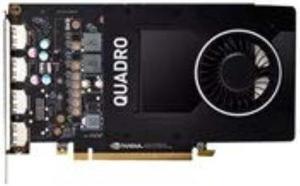
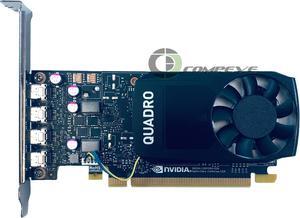
Dell Quadro P1000 Graphic Card - 4 GB GDDR5
Quick View
DELL
Dell Quadro P1000 Graphic Card - 4 GB GDDR5
  • Brand: Dell
  • Chipset Manufacturer: NVIDIA
  • GPU: P1000
  • Memory Type: GDDR5
  • Model #: 490-BDXN
  •  
  • $143.00 –
  • Free Shipping
PNY Nvidia Quadro FX 3800 1GB GDDR3 (VCQFX3800-PCIE-PB)
Quick View
Refurbished PNY Nvidia Quadro FX 3800 1GB GDDR3 (VCQFX3800-PCIE-PB)
  • Brand: PNY
  • Chipset Manufacturer: NVIDIA
  • GPU: Quadro FX 3800
  • Memory Size: 1GB
  • Model #: VCQFX3800-PCIE-PB SR
  •  
  • $83.99 –
  • Free Shipping
Lenovo 4X60N86660 THINKSTATN NVIDIA QUADRO P1000
Quick View
  •  
  • $143.00 –
  • Free Shipping
PNY Quadro VCQRTX8000-PB 48 GB GDDR6 RTX 8000 Graphic Card
Quick View
  •  
  • $3,099.00 –
  • Free Shipping
Hewlett Packard Sbuy Nvidia Quadro K5000 4gb Gfx
Quick View
HP
Hewlett Packard Sbuy Nvidia Quadro K5000 4gb Gfx
  • Brand: HP
  • Interface: PCI Express 2.0 x16
  • Chipset Manufacturer: NVIDIA
  • GPU: K5000
  • Model #: 3398026
  •  
  • $199.00 –
  • Free Shipping
HP Quadro RTX 4000 Graphic Card - 8 GB
Quick View
HP
HP Quadro RTX 4000 Graphic Card - 8 GB
  • Brand: HP
  • Chipset Manufacturer: NVIDIA
  • GPU: RTX 4000
  • DisplayPort: Yes
  • Model #: 5JV89AA
PNY Quadro RTX 8000 Graphic Card
Quick View
PNY Quadro RTX 8000 Graphic Card
  • Brand: PNY
  • Chipset Manufacturer: NVIDIA
  • GPU: RTX 8000
  • Operating Systems Supported: PC
  • Model #: VCQRTX8000-SB
HP 1ME40AA NVIDIA QUADRO P4000 8GB GRAPH
Quick View
  •  
  • $259.00 –
  • Free Shipping
Lenovo Quadro 600 Graphic Card - 1 GB
Quick View
Lenovo
Lenovo Quadro 600 Graphic Card - 1 GB
  • Brand: Lenovo
  • Chipset Manufacturer: NVIDIA
  • GPU: 600
  • DisplayPort: Yes
  • Model #: 0C19512
  •  
  • $75.00 –
  • Free Shipping
HP Quadro P2200 Graphic Card 5 GB 6YT67AT
Quick View
  • $393.02
  •  
  • $235.00 –
  • Save: 40%
  • Free Shipping
HP Quadro M4000M Graphic Card - 4 GB GDDR5
Quick View
HP Quadro M4000M Graphic Card - 4 GB GDDR5
  • Brand: HP
  • Chipset Manufacturer: NVIDIA
  • GPU: M4000M
  • Memory Type: GDDR5
  • Model #: M9M03AV
  •  
  • $399.00 –
  • Free Shipping
Lenovo 4X60N86664 NVIDIA Quadro P4000 8GB DP
Quick View
  •  
  • $259.00 –
  • Free Shipping
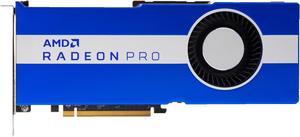
HPE Radeon Pro WX7100 Graphic Card - 1 GPUs - 8 GB GDDR5
Quick View
HP
HPE Radeon Pro WX7100 Graphic Card - 1 GPUs - 8 GB GDDR5
  • Brand: HPE
  • Chipset Manufacturer: AMD
  • GPU: WX7100
  • Memory Type: GDDR5
  • Model #: Q1K37A
  •  
  • $249.00 –
  • Free Shipping
Nvidia GeForce 9800 GT 512MB GDDR3 PCIe x16 DVI Gaming Graphics Card
Quick View
  •  
  • $234.99 –
  • Free Shipping
Dell Quadro P4000 Graphic Card - 8 GB GDDR5 - DisplayPort
Quick View
  •  
  • $259.00 –
  • Free Shipping
HP Radeon HD 7450 Graphic Card
Quick View
HP
HP Radeon HD 7450 Graphic Card
  • Brand: HP
  • Chipset Manufacturer: AMD
  • GPU: HD 7450
  • DisplayPort: Yes
  • Model #: C1F14AV
  •  
  • $58.00 –
  • Free Shipping
PNY nVidia Quadro 4000 for MAC 2GB GDDR5 High-End Video Card
Quick View
NVIDIA Quadro M5000  DP 1x DVI PCIe 3.0 x16 8GB GDDR5 CUDA 4x  Graphics Video Card
Quick View
NVIDIA
Refurbished NVIDIA Quadro M5000 DP 1x DVI PCIe 3.0 x16 8GB GDDR5 CUDA 4x Graphics Video Card
  • Brand: HP Nvidia Quadro M5000 8GB GPU Video Card
  • Memory Type: GDDR5
  • Model #: M5000 -
  •  
  • $267.99 –
  • Free Shipping
NVIDIA Quadro M5000 8GB GDDR5 256-bit PCI Express 3.0 x16 Full Height Video Card
Quick View
NVIDIA
Refurbished NVIDIA Quadro M5000 8GB GDDR5 256-bit PCI Express 3.0 x16 Full Height Video Card
  • Brand: NVIDIA
  • Series: Quadro
  • Interface: PCI Express 3.0 x16
  • Chipset Manufacturer: NVIDIA
  • Model #: 641329915417
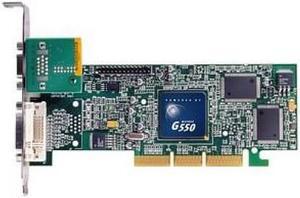
matrox G55+MDHA32DSF
Quick View
matrox G55+MDHA32DSF
  • Brand: Matrox
  • Interface: AGP 4x
  • Chipset Manufacturer: matrox
  • GPU: G550
  • Model #: 790750219981
  •  
  • $179.00 –
  • Free Shipping
NVIDIA Quadro M5000 8GB GDDR5 256-bit PCI Express 3.0 x16 Full Height Video Card with Rear Bracket
Quick View
NVIDIA
Refurbished NVIDIA Quadro M5000 8GB GDDR5 256-bit PCI Express 3.0 x16 Full Height Video Card with Rear Bracket
  • Brand: NVIDIA
  • Series: Quadro
  • Interface: PCI Express 3.0 x16
  • Chipset Manufacturer: NVIDIA
  • Model #: 641329915172
  •  
  • $267.99 –
  • Free Shipping
HP Quadro M2000 844223-001 846379-001 T7T60AT T7T60AA
Quick View
HP Quadro M2000 844223-001 846379-001 T7T60AT T7T60AA
  • Brand: HP
  • Series: NVIDIA Quadro
  • Interface: PCI Express 3.0 x16
  • Chipset Manufacturer: NVIDIA
  • Model #: 844223-001
  •  
  • $137.00 –
  • Free Shipping
SAPPHIRE FirePro W2100 100-505821 2GB 128-bit DDR3 PCI Express 3.0 x16 Low Profile Workstation Video Card
Quick View
Sapphire Tech
Refurbished SAPPHIRE FirePro W2100 100-505821 2GB 128-bit DDR3 PCI Express 3.0 x16 Low Profile Workstation Video Card
  • Brand: Sapphire
  • Interface: PCI Express 3.0 x16
  • Chipset Manufacturer: AMD
  • GPU: FirePro W2100
  • Model #: 100-505821
M9148LP PCIe X16 with 1 GB of memory
Quick View
M9148LP PCIe X16 with 1 GB of memory
  • Capacity: 1GB
  • Model #: SNX-M9148-E1024LAF
  •  
  • $159.00 –
  • Free Shipping
NVIDIA 699-5G400-0500-100 Quadro M5000 8GB CUDA PCIe 3.0 Graphics Video Card
Quick View
  •  
  • $267.99 –
  • Free Shipping
HP Quadro NVS 290 256MB 64-bit DDR2 PCI Express x16 Plug-in card Workstation Video Card
Quick View
HP
Refurbished HP Quadro NVS 290 256MB 64-bit DDR2 PCI Express x16 Plug-in card Workstation Video Card
  • Slot Width: Single Slot
  • DirectX: DirectX 10
  • Chipset Manufacturer: NVIDIA
  • Brand: HP
  • Model #: 454319-001
NVIDIA Quadro 6000 VCQ6000-PB 6GB 384-bit GDDR5 PCI Express 2.0 x16 Workstation Video Card
Quick View
Refurbished NVIDIA Quadro 6000 VCQ6000-PB 6GB 384-bit GDDR5 PCI Express 2.0 x16 Workstation Video Card
  • DisplayPort: 2 x DisplayPort
  • DVI: 1 x DVI
  • Chipset Manufacturer: NVIDIA
  • Brand: NVIDIA
  • Model #: X256P
NVIDIA Quadro M6000 12GB GDDR5 384-Bit PCI Express 3.0 x16 Full Height Video Card
Quick View
NVIDIA
Refurbished NVIDIA Quadro M6000 12GB GDDR5 384-Bit PCI Express 3.0 x16 Full Height Video Card
  • Brand: NVIDIA
  • Series: Quadro
  • Interface: PCI Express 3.0 x16
  • GPU: Quadro 641329915189
  • Model #: 641329915189
HP Quadro RTX 5000 Graphic Card - 16 GB
Quick View
HP
HP Quadro RTX 5000 Graphic Card - 16 GB
  • Brand: HP
  • Chipset Manufacturer: NVIDIA
  • GPU: RTX 5000
  • DisplayPort: Yes
  • Model #: 5JH81AA
  • $839.00
  •  
  • $775.00 –
  • Save: 7%
  • Free Shipping
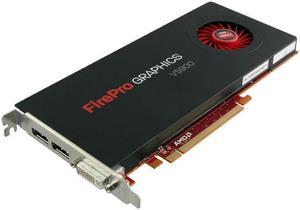
AMD FirePro V5800 1GB GDDR5 128-bit PCI Express 2.1 x16 Full Height Video Card with Rear Bracket
Quick View
Refurbished AMD FirePro V5800 1GB GDDR5 128-bit PCI Express 2.1 x16 Full Height Video Card with Rear Bracket
  • Brand: AMD
  • Series: FirePro
  • Interface: PCI Express 2.1 x16
  • Chipset Manufacturer: ATI
  • Model #: 641329912102
  •  
  • $146.99 –
  • Free Shipping
HP Z0B13AA NVIDIA QUADRO P5000 16GB GRAPH
Quick View
  •  
  • $495.00 –
  • Free Shipping
AMD FirePro V5900 2gb GDDR5 256-bit PCI Express 2.1 x16 Full Height Video Card
Quick View
Refurbished AMD FirePro V5900 2gb GDDR5 256-bit PCI Express 2.1 x16 Full Height Video Card
  • Brand: AMD
  • Series: FirePro
  • Interface: PCI Express 2.1 x16
  • Chipset Manufacturer: ATI
  • Model #: 641329915066
Adapt Nvs10 Graph Card Lenovo
Quick View
Lenovo
Adapt Nvs10 Graph Card Lenovo
  • Brand: Lenovo
  • Parts: 1 Year
  • Labor: 1 Year
  • Model #: 0B47077
  •  
  • $275.00 –
  • Free Shipping

Professional designers, engineers, and content creators seeking reliable performance. Explore workstation graphics cards from NVIDIA and AMD designed for CAD, 3D animation, scientific modeling, and video editing workloads.

This page offers a curated selection of the latest workstation GPUs tailored for precision and efficiency in demanding professional applications.

How to Choose Workstation Graphics Cards

Key Features and Technology to Consider

  • VRAM Capacity: Essential for handling large datasets and high-resolution models; options range from 8GB up to 96GB.
  • Driver and Software Certification: Professional-grade cards often come with certified drivers ensuring stability and compatibility with applications like SolidWorks, AutoCAD, or Adobe Creative Suite.
  • Compute Performance: Includes core count and GPU architecture tailored for parallel computations, greatly influencing rendering and scientific workflows.
  • Multi-Display Support: Vital for users needing extended desktop space for multitasking or complex design projects.
  • Thermal Management and Power Efficiency: Workstation GPUs often run extended workloads, so effective cooling and energy use are key to maintaining sustained performance.

Why VRAM Size Is the Defining Metric for Workstation Graphics Cards

When it comes to workstation GPUs, VRAM size significantly governs your ability to work fluidly with complex models and detailed scenes. Large VRAM buffers enable the GPU to load and manipulate massive textures, 3D assets, and high-resolution video timelines without frequent swapping to slower system memory. For example, 16GB models strike a balance for many CAD professionals, while those tackling heavy simulations or multi-layered video projects may find cards with 24GB or more provide the necessary headroom. Insufficient VRAM can bottleneck even the fastest GPU cores, making it the most crucial spec to prioritize based on your workload.

Advanced Use Cases and Developer Considerations

For professionals engaged in AI development, scientific modeling, or large-scale architectural visualizations, choosing a card that supports massive memory buffers and accelerated compute capabilities is vital. Modern workstation GPUs such as those in the GPU & Video Graphics Device category leverage cutting-edge parallel processing to reduce render times and manage datasets inaccessible to consumer-grade cards. Developers should also consider cards with extensive VRAM options like 48GB or even 96GB for maximum scalability and future-proofing.

Performance and Setup Tips

  • Ensure your workstation power supply unit (PSU) can handle the GPU’s power draw, especially for high-memory models.
  • Update to the latest certified workstation drivers to benefit from stability and performance optimizations.
  • Optimize your PC’s cooling by improving airflow or adding liquid cooling to keep the GPU temperatures within ideal ranges.
  • Set up your display configuration prior to installing graphics drivers to avoid resolution or refresh rate issues in multi-monitor setups.
  • Check VRAM usage metrics during your typical workloads to gauge if a higher-memory card is necessary for future-proofing.
  • Utilize GPU management tools provided by the manufacturer to monitor and tweak performance for specific applications.
  • Consider balancing CPU and GPU capabilities to prevent bottlenecks in complex rendering or simulation tasks.

Newegg shopping tip: When choosing a workstation graphics card, compare not just the GPU memory but also driver support and certification for your specific software. Stability and compatibility often matter more than raw gaming-style performance in professional workflows.

Explore Workstation Graphics Cards & Related Categories

GPU & Video Graphics Device

Powered by the latest GPU architectures, these workstation cards optimize rendering and compute tasks for CAD, 3D modeling, and scientific visualization with robust parallel processing.

20GB

20GB VRAM balances high-res texture work and complex datasets, ideal for mid-tier 3D animation and 4K video production workflows.

8GB

8GB is perfect for entry-level CAD or video editing, delivering decent shader performance without the overhead of massive frame buffers.

New to Workstation Graphics Cards?

Stepping into the world of workstation graphics cards can feel overwhelming, but it doesn't have to be. These specialized GPUs are designed not just for gaming, but for professional applications like CAD, 3D animation, and video editing. If you’re just getting started, focus on the amount of VRAM (video memory) your typical projects will require. For beginners or light workloads, 8GB cards offer a solid entry point without unnecessary expense. Be sure to explore our broader GPU & Video Graphics Device selection for a full range of options.
Ideal for CAD and Engineering Professionals

Engineers and CAD professionals demand precise, reliable graphics performance to handle complex 3D models and assemblies. For these users, VRAM capacity and certified driver support are critical. Cards with 16GB of VRAM strike a great balance, enabling smooth manipulation of detailed models without causing slowdowns. In addition, workstation GPUs are optimized to run applications like AutoCAD, Revit, and SolidWorks efficiently, ensuring stability during long sessions. Precision and compatibility matter just as much as raw power in this use case.

Powering 3D Animation and Video Production

For artists and animators working on 3D and video projects, memory capacity and rendering power are paramount. Animators dealing with high-res textures, complex shading, and multiple layers benefit from GPUs boasting 96GB or 48GB VRAM to handle enormous scenes and seamless multitasking. Whether you're composing effects in software like Adobe After Effects or sculpting in Blender, investing in a card with high VRAM ensures your projects run fluidly and render quickly without frustration.

Before You Buy

  • Confirm your primary applications’ compatibility with the GPU’s drivers and architecture to avoid performance issues.
  • Determine how much VRAM your workload demands—entry-level tasks may use 8GB, while intensive projects might require >32GB.
  • Check your workstation’s physical space and power supply to ensure the GPU fits and the PSU can deliver sufficient wattage.
  • Evaluate connectivity needs—multiple displays, VR setups, or specialized outputs may dictate your choice of ports.
  • Consider future-proofing by opting for models with advanced memory sizes like 32GB or more if your workload may grow.

Research more: When choosing a workstation graphics card, focus on compatibility with your software and the type of projects you handle, like CAD or video editing. For a deeper dive into specs and performance, check out the Newegg Insider guides—they break down what matters most for professional workloads.

Last Updated: September 2026 | Newegg Workstation Graphics Cards Buying Guide


Workstation Graphics Cards FAQs:

How do NVIDIA Quadro cards compare to AMD Radeon Pro for CAD work?
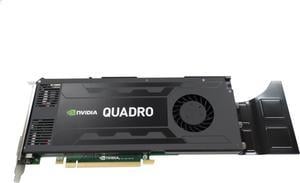
NVIDIA Quadro cards generally offer better driver support and optimized performance for many CAD applications, but AMD Radeon Pro can be a solid choice too, especially if you’re working with software that leverages OpenCL. Your choice may depend on the specific programs you use most.
Is it worth getting multiple GPUs in a workstation for 3D rendering tasks?

Using multiple GPUs can speed up rendering significantly if your software supports GPU scaling, but it’s not always cost-effective for every workflow. Sometimes a single powerful card performs just as well with fewer compatibility hassles.

What makes workstation graphics cards different from regular gaming GPUs?
Workstation graphics cards are built to handle heavy-duty tasks like 3D rendering, CAD, and scientific simulations, focusing on accuracy and stability rather than just raw gaming performance.
Can I use a workstation graphics card for video editing and animation?

Yes, workstation GPUs are optimized for professional applications in video editing and animation, offering better driver support and more reliable performance with software like Adobe Premiere and Autodesk Maya.

How do I decide which workstation graphics card fits my 3D modeling projects?

Focus on GPUs with higher CUDA or OpenCL core counts and plenty of VRAM, as they handle complex models and textures better. Also, check if your preferred software certifies certain cards for optimized performance.
Is it worth investing in an expensive workstation GPU if I mostly do light video editing?

Not necessarily; mid-range workstation cards or even gaming GPUs might suffice for light editing. Save the top-tier models for heavy-duty tasks like 4K rendering or large-scale simulations.

How reliable are workstation graphics cards compared to regular gaming GPUs?

Workstation GPUs are built for stability and long-term use with professional software, so they tend to be more reliable for critical tasks than gaming cards, which prioritize raw speed over uptime.

What common issues should I watch out for in user reviews of workstation graphics cards?

Look for mentions of driver compatibility problems, overheating under heavy workloads, or performance drops in specific software, as these can signal real-world problems that might impact your work.

How do I install a workstation graphics card to make sure it runs properly from day one?

First, power down your PC and unplug it. Open the case, remove the old card if needed, then firmly slot the new workstation GPU into the PCIe slot. Secure it with screws, connect any required power cables, close the case, and then install the latest drivers from the manufacturer’s website before booting up.

What’s the best way to optimize a workstation graphics card for applications like CAD or 3D modeling?

Install the latest professional drivers tailored for your software, and check the settings panel to enable features like error-correcting code (ECC) memory or optimized rendering modes. Also, make sure your system has balanced CPU and RAM to avoid bottlenecks, letting your GPU shine where it’s needed most.

Bestselling Workstation Graphics Cards Reviews:

Anonymous
6/8/2026 12:00:26 PM
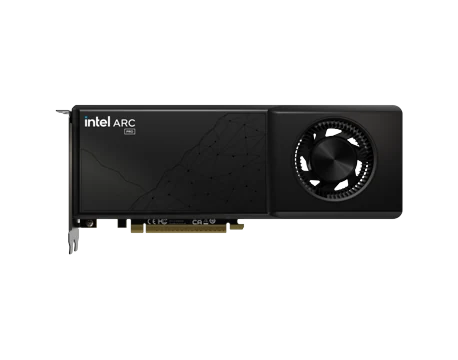
Intel did something good this time.

“ Workstation grade radial cooler for long life and teardown verified quality thermal compounds instead of the cheap stuff. ”

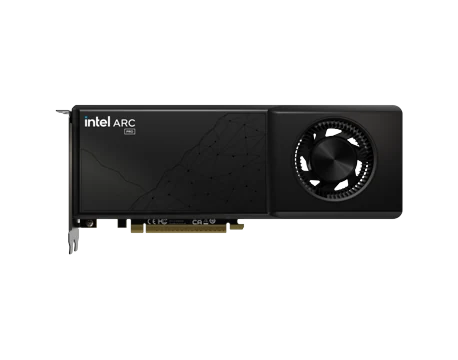
Intel Arc Pro B70 32GB 256-bit GDDR6 PCI Express 5.0 x16, 32 Ray Tracing Units, 32 Xe Cores, AI and Workstation Graphics Card
phillip
6/4/2026 4:13:36 PM
My 2nd run at arc B70's

“ However, one big caveat here: At the time of this writing, a multi-gpu setup with this card on the rocm build of llama.cpp will produce garbage (intersection of rocm, llama.cpp and this card when you use more than one... they'll probably fix it in the future). ”

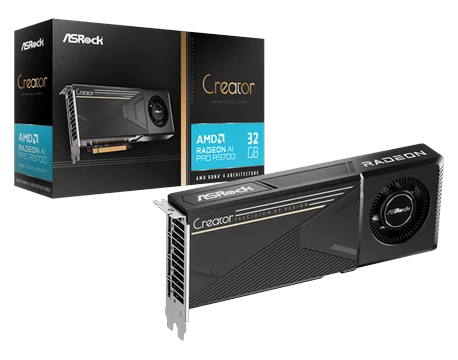
ASRock B70 Intel Arc Pro B70 B70 CT 32GB 256-bit GDDR6 PCI Express 5.0 x16 Graphics Card
Anonymous
3/14/2026 4:30:46 PM
Excellent!

“ Fantastic gpu. ”

ARKN INTEL ARC PRO B60 24GB GDDR6 GRAPHICS CARD Quad DP 8357-00128 (Brown box)
Bryan
2/13/2026 7:17:47 AM
It is so choice. If you have the means, I highly recommend picking one up

“ Performance is great in all aspects for a workstation card ”

NVIDIA RTX PRO 6000 Blackwell Workstation Edition,NVIDIA Blackwell Architecture, 4 x Display Port 2.1, 96 GB GDDR7 with ECC, 24,064 CUDA Cores, PCI Express 5.0 x16, Max Power Consumption 600W
Anonymous
2/21/2024 4:22:26 AM
Great Card, Great Price

“ We use this card or cards near this spec in all of our AutoCAD workstations. ”

Nvidia Quadro RTX5000 16Gb GDDR6 PCI-E Video Cards RTX 5000 -Factory packing
Anonymous
2/3/2024 4:00:55 PM
Linux loves it, it's compact, and it runs cool as a cucumber

“ great for a workstation application ”

AMD Radeon Pro W7500 100-300000078 8GB 128-bit GDDR6 PCI Express 4.0 x8 Graphics Card