• In Stock
  • Sold by Newegg
  • Make an Offer
  • New
  • Combo Deals Only
Brands
Show More
Price
Show More
Type
Show More
Modular
Energy-Efficient
Maximum Power
Show More
Fans
Connectors
Show More
Max PSU Length
Show More
Sold by
PSU Noise Level
All Top Brands
Availability
Condition
Current Promotion
Discount
Useful Links
Customer Ratings
Sort By:
View:
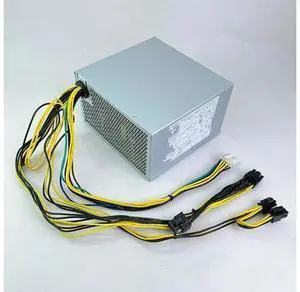
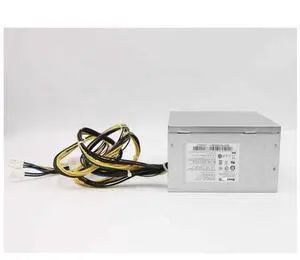
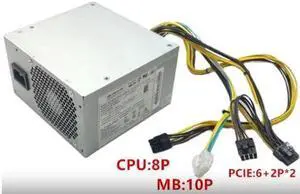
FSP600-60AGPAA FSP400-40AGPAA FSP500-50AGPAA Switching Power Supply 400W 500W 600W 00PC774 HK600-11PP P340 P330
Quick View
  •  
  • $113.39 –
  • Free Shipping
  • $112.09 - $113.39
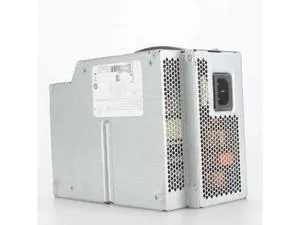
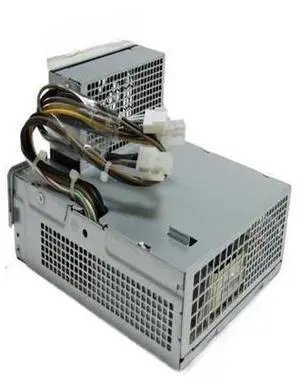
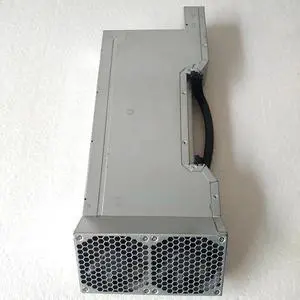
For Z640 925W switching power supply units 758468-001 719797-002
Quick View
For Z640 925W switching power supply units 758468-001 719797-002

Limited time offer, ends 11/25

  • Model #: 20260720ZP4692C5JS
  •  
  • $311.84 –
  • Free Shipping
  • $310.54 - $311.84
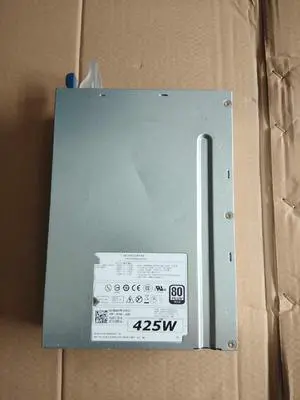
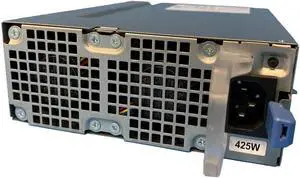
For Dell t3600 t3610t5810t5600t5610 power supply 425w
Quick View
  •  
  • $194.30 –
  • Free Shipping
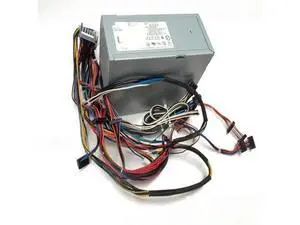
T7400 T7500 1100W power supply H1100EF-00 N1100EF-00 G821T NPS-1100BB A 0R622G
Quick View
T7400 T7500 1100W power supply H1100EF-00 N1100EF-00 G821T NPS-1100BB A 0R622G

Limited time offer, ends 11/25

  • Model #: 20260720ZP4824C5JS
  •  
  • $368.39 –
  • Free Shipping
  • $367.09 - $368.39
Suitable for P340 P330 P350 P328 P310 HK600-11PP 5P50V03181 500W power supply
Quick View
Suitable for P340 P330 P350 P328 P310 HK600-11PP 5P50V03181 500W power supply

Limited time offer, ends 11/25

  • Model #: 20260720ZP4561C5JS
  •  
  • $233.50 –
  • Free Shipping
  • $232.20 - $233.50
Suitable for T5810 T7810 685W power supply CYP9P W4DTF K8CDY D685EF-01 H685EF-00
Quick View
Suitable for T5810 T7810 685W power supply CYP9P W4DTF K8CDY D685EF-01 H685EF-00

Limited time offer, ends 11/25

  • Model #: 20260720ZP4750C5JS
  •  
  • $332.66 –
  • Free Shipping
  • $331.36 - $332.66
For DELL T7400 xps730 power supply UR006 JR761
Quick View
  •  
  • $239.10 –
  • Free Shipping
Power supply for Z600 650W Power Supply DPS-725AB A 508548-001 482513-001 482513-003
Quick View
Power supply for Z600 650W Power Supply DPS-725AB A 508548-001 482513-001 482513-003

Limited time offer, ends 11/25

  • Model #: 20260720ZP4866C5JS
  •  
  • $529.39 –
  • Free Shipping
  • $528.09 - $529.39
Suitable for P340 P330 P350 P328 P310 5P50V03181 HK600-11PP 500W power supply
Quick View
Suitable for P340 P330 P350 P328 P310 5P50V03181 HK600-11PP 500W power supply

Limited time offer, ends 11/25

  • Model #: 20260720ZP4614C5JS
  •  
  • $251.64 –
  • Free Shipping
  • $250.34 - $251.64
FOR Computer D10-240P2A SFF Small Power Supply, Universal Z220 8300 Host Desktop
Quick View
FOR Computer D10-240P2A SFF Small Power Supply, Universal Z220 8300 Host Desktop

Limited time offer, ends 11/25

  • Model #: 20260720ZP3904C5JS
  •  
  • $52.53 –
  • Free Shipping
  • $51.03 - $52.53
Power supply for C30 800W Power supply 800-90W 54Y8904 54Y8843
Quick View
Power supply for C30 800W Power supply 800-90W 54Y8904 54Y8843

Limited time offer, ends 11/25

  • Model #: 20260720ZP4795C5JS
  •  
  • $423.59 –
  • Free Shipping
  • $422.29 - $423.59
FOR T3440 Power Supply 6 + 4 + 4 L200EBS-01 5TVM5 200W K92TW R4T90 VFXXF
Quick View
FOR T3440 Power Supply 6 + 4 + 4 L200EBS-01 5TVM5 200W K92TW R4T90 VFXXF

Limited time offer, ends 11/25

  • Model #: 20260720ZP4050C5JS
  •  
  • $79.73 –
  • Free Shipping
  • $78.43 - $79.73
P410 P520C Power Supply 14Pin 625W 625-50ETN 500-50ETN HK380-16FP 280-40PA PS-4281-02
Quick View
P410 P520C Power Supply 14Pin 625W 625-50ETN 500-50ETN HK380-16FP 280-40PA PS-4281-02

Limited time offer, ends 11/25

  • Model #: 20260720ZP4577C5JS
  •  
  • $228.09 –
  • Free Shipping
  • $226.79 - $228.09
Suitable for 400, 600, 800, G1, 99, G1, Z230 6-pin 400W power supply D12-240P2A, D12-240P3B, PS-4241-2HF, PCE011
Quick View
  •  
  • $292.49 –
  • Free Shipping
  • $291.19 - $292.49
For HP Z620 Power Supply 717019-001 623194-002 S10-800P1A
Quick View
  •  
  • $304.90 –
  • Free Shipping
8300 8500 8700 T3630 T3640 T3650 T40 460W Power Supply AC460AM-01 0DM1RW DM1RW PCF003
Quick View
8300 8500 8700 T3630 T3640 T3650 T40 460W Power Supply AC460AM-01 0DM1RW DM1RW PCF003

Limited time offer, ends 11/25

  • Model #: 20260720ZP4487C5JS
  •  
  • $269.49 –
  • Free Shipping
  • $268.19 - $269.49
P720 710 730 740 12V134A 1725W Power Supply 7001490-J000 74Y9082 74Y5985 74Y8677 00FW424 00E7187
Quick View
  •  
  • $305.89 –
  • Free Shipping
  • $304.59 - $305.89
Z440 525W Power Supply DPS-525AB-3A DPS-525AB-3A 758466-001 753084-001 753084-002 809054-001
Quick View
  •  
  • $566.19 –
  • Free Shipping
  • $564.89 - $566.19
P770 P720 1925W Power Supply 7001599-J000 00E7185 00E7237 00FW422 00E8277 00J0439
Quick View
P770 P720 1925W Power Supply 7001599-J000 00E7185 00E7237 00FW422 00E8277 00J0439

Limited time offer, ends 11/25

  • Model #: 20260720ZP4785C5JS
  •  
  • $329.29 –
  • Free Shipping
  • $327.99 - $329.29
For Dell T5820 T7820 T7920 950W Workstation Power H950EF-00
Quick View
  •  
  • $292.30 –
  • Free Shipping
PSU for P520 P720 900W Power Supply 54Y8979 DPS-900EB A
Quick View
PSU for P520 P720 900W Power Supply 54Y8979 DPS-900EB A

Limited time offer, ends 11/29

  • Model #: BLC73X-625-ZM-12
  •  
  • $280.80 –
  • Free Shipping
T3500 9100 9000 525W Power Supply DPS-525FB-1 A H525AF-01 D525AF-01 7JVXX V4NC2 M1J3H
Quick View
T3500 9100 9000 525W Power Supply DPS-525FB-1 A H525AF-01 D525AF-01 7JVXX V4NC2 M1J3H

Limited time offer, ends 11/25

  • Model #: 20260720ZP4834C5JS
  •  
  • $453.49 –
  • Free Shipping
  • $452.19 - $453.49
Power supply suitable for D20 1060W power supply FS7052 41A9761 41A9762
Quick View
Power supply suitable for D20 1060W power supply FS7052 41A9761 41A9762

Limited time offer, ends 11/25

  • Model #: 20260720ZP4902C5JS
  •  
  • $568.49 –
  • Free Shipping
  • $567.19 - $568.49
T5400 5500 730 T7400 T7500 66-pin 1000W power supply H1000E-01 N1000E-01 NPS-1000BB-1 A UR006 0JW123
Quick View
  •  
  • $405.19 –
  • Free Shipping
  • $403.89 - $405.19
for Workstation Power Supply 650W 54Y8908 PS-3651-1L-LF
Quick View
for Workstation Power Supply 650W 54Y8908 PS-3651-1L-LF

Limited time offer, ends 11/29

  • Model #: BLC73X-625-ZM-332
  •  
  • $279.14 –
  • Free Shipping
HP 372355-001 410 Watt Power Supply For Workstation 4200
Quick View
  •  
  • $187.50 –
For H-P Z820 Workstation Power Supply 623196-001 DPS-1125AB A 716646-001 1250W PSU
Quick View
  •  
  • $704.99 –
  • Free Shipping
Dell DNR74 Precision T5810 425W Power Supply D425EF-02 DPS-425EB A
Quick View
  •  
  • $36.00 –
  • Free Shipping
HP 480720-001 475 Watt Power Supply For Workstation Z400
Quick View
HP
HP 480720-001 475 Watt Power Supply For Workstation Z400
  • Brand: HP
  • Type: Others
  • Weight: 1
  • Model #: 480720-001
  •  
  • $97.50 –
HP 716646-001 1125 Watt Power Supply For Workstation Z820
Quick View
  •  
  • $310.96 –
P300 P310 P320 P340 P350 P330 Power Supply 10Pin 650W 650-50AGPAA 400-40AGPAA 250-30AGBAA
Quick View
  •  
  • $501.79 –
  • Free Shipping
  • $500.49 - $501.79
For SUN B2500 Blade2500 workstation power supply, DPS-465AB-2 A, 300-1630-01 475W
Quick View
  •  
  • $697.99 –
  • Free Shipping
PSU for P520 P720 900W Power Supply 54Y8979 DPS-900EB A
Quick View
PSU for P520 P720 900W Power Supply 54Y8979 DPS-900EB A

Limited time offer, ends 11/25

  • Model #: 20260825ZP15C5JS
  •  
  • $271.50 –
  • Free Shipping
  • $270.20 - $271.50

Workstation Power Supply Units for Reliable High-Performance Computing

This page features power supplies designed to meet the demands of modern workstations, delivering stable, efficient power for complex rendering, simulation, and heavy multitasking environments. Ideal for professionals seeking robust PSU options with ample wattage and certification standards to ensure system stability.

How to Choose Workstation Power Supply

Key Features and Technology to Consider in Workstation Power Supplies

When selecting a power supply for a workstation, it's important to weigh these critical features and technologies:

  • Wattage Capacity: Ensure sufficient power output to support multi-GPU setups, high-core-count CPUs, and extensive peripherals without risk of underperformance or instability.
  • Efficiency Rating: Aim for units with 80 Plus Gold or higher certification to reduce heat, lower electricity bills, and provide more reliable power delivery during heavy workloads.
  • Modular vs. Non-Modular: Modular PSUs allow for cleaner cable management and better airflow, which is crucial in densely packed workstation builds.
  • Rail Stability: Stable and isolated +12V rails help maintain consistent power to sensitive components under fluctuating loads common in professional tasks.
  • Cooling System: Advanced thermal controls with quiet, high-quality fans prevent overheating during intense CPU and GPU compute sessions.
  • Protection Features: Look for over-voltage, over-current, short-circuit, and thermal shutdown protections to safeguard expensive workstation hardware.

Why Wattage and Load Stability Reign Supreme in Workstation Power Supplies

For workstation power supplies, the most critical specification is the wattage capacity combined with voltage rail stability. Unlike typical consumer PCs, workstations often run power-hungry GPUs, multiple processors, and high-speed memory simultaneously. This means the PSU must not only deliver sufficient wattage but also maintain steady voltages under variable and sustained loads.

Low ripple noise and tightly regulated voltage rails are essential to prevent crashes, data corruption, or hardware failure in professional environments. Investing in a PSU with robust components like Japanese capacitors and a strong +12V rail design ensures you have dependable, clean power essential for rendering, simulation, AI training, or CAD workloads.

Advanced Use Cases: Integrating Power Supplies with AI and Custom Workstation Builds

Professionals building AI-ready workstations must prioritize power supplies that support consistent VRM performance and peak efficiency, especially for GPUs running 24/7 training cycles. This is why exploring AI Workstation solutions is critical. These PSUs are tailored for the specialized power demands of neural network training and inference.

Furthermore, custom workstation builders can take advantage of Newegg’s Workstation Components to ensure seamless compatibility and optimal system stability. Leveraging the right power supply helps unlock maximum productivity and stability in rigorous development environments.

Performance and Setup Tips

  • Verify your total system power draw using online calculators before selecting your PSU wattage.
  • Prefer power supplies with an efficiency rating of at least 80 Plus Gold to reduce heat output during extended workloads.
  • Choose fully modular PSUs for easy cable management to improve case airflow and reduce thermal hotspots.
  • Ensure your PSU has specialized connectors for high-end GPUs and CPU power delivery to avoid bottlenecks.
  • Perform a test run under load immediately after installation to confirm system stability under stress conditions.
  • Keep your PSU firmware updated if supported to maintain compatibility with latest motherboard features.
  • Regularly clean PSU fans and vents to prevent dust buildup and maintain optimal cooling performance.
  • Use Newegg’s Power Search tool to precisely filter PSUs that meet your exact specification needs.
  • Consider an uninterruptible power supply (UPS) system in tandem with your workstation PSU for protection against power surges and outages.

Newegg shopping tip: When choosing a workstation power supply, prioritize wattage that comfortably exceeds your system’s total power draw to ensure stability under load. Also, check for efficiency ratings and modular cabling to balance performance with cable management and energy use.

Explore Workstation Power Supply & Related Categories

Workstation Components

Explore top-tier workstation components engineered for stable, high-efficiency power delivery in multi-GPU and heavy CPU builds.

AI Workstation

Built for AI pros, these PSUs handle VRMs and 80 Plus Titanium efficiency to support constant AI training workloads without hiccups.

FantasTech Deal

Unlock exclusive FantasTech Deals on modular PSUs with advanced capacitors and thermal control tailored for workstation demands.

Getting Started with Workstation Power Supplies

Choosing the right power supply for your workstation can feel overwhelming if it’s your first time. Workstation power supplies need to provide stable, reliable energy to demanding components like multi-core CPUs and professional-grade graphics cards, often running at peak loads for extended periods. To begin, consider the wattage your setup requires and look for units with 80 Plus efficiency certifications, which indicate less wasted power and lower heat output. For an easy exploration of compatible parts, check out our selection of Workstation Components designed to match the power needs of professional rigs.

Power Supplies for AI and Machine Learning Workstations

AI professionals and data scientists running intensive machine learning tasks demand power supplies that won’t falter under continuous high loads. These systems often feature multiple GPUs and CPUs with demanding VRM requirements, so a workstation power supply with 80 Plus Titanium efficiency and robust thermal management is a smart choice. Modern PSUs built for AI workstations are engineered to stay cool and deliver unwavering power to sustain long training cycles without interruption. Explore our curated collection for AI builders in the AI Workstation category to find models optimized for these demanding environments.

Reliable Power Supplies for Creative Professionals

Graphic designers, video editors, and 3D artists depend on stable, high-quality power supplies to keep their workstations running smoothly during intensive rendering and content creation sessions. These users benefit from modular PSUs with advanced capacitors and excellent thermal control, ensuring clean power delivery that minimizes risks of shutdowns or component damage. Investing in a power supply with strong surge protection and consistent rail voltage helps safeguard expensive components during peak workstation loads. Take advantage of our FantasTech Deal event to find high-quality modular units with premium features designed for creative pros.

Before You Buy

  • Confirm your workstation’s total power requirement by adding the wattage of all components to ensure the PSU can handle peak loads.
  • Check for compatibility with your system’s form factor and connectors, especially if using multiple GPUs or specialized hardware.
  • Look for a power supply with an 80 Plus Gold rating or higher for better efficiency, which reduces heat and power consumption.
  • Consider modular or semi-modular designs to improve cable management and airflow inside your case.
  • Use our Power Search tool to filter by features like wattage, efficiency certification, and rail stability for a more precise match.
  • Read reviews and verify the manufacturer’s warranty and customer support before making your final purchase decision.

Research more: Choosing the right power supply for your workstation means balancing wattage, efficiency, and reliability to support your components under heavy workloads. For a deeper dive into specs and compatibility, check out the detailed Newegg Insider buying guides.

Last Updated: October 2026 | Newegg Workstation Power Supply Buying Guide


Workstation Power Supply FAQs:

How does a workstation power supply differ from a regular desktop power supply?

Workstation power supplies are built to handle higher loads and provide more stable power, supporting multiple GPUs and CPUs common in professional machines, while regular desktop power supplies are usually designed for basic consumer use with lower wattage needs.

Is it better to go with a well-known brand or a cheaper no-name power supply for a workstation?

Choosing a reputable brand is generally safer for workstations because they offer better build quality, reliability, and protection features that prevent hardware damage, unlike cheaper no-name units that might cut corners and risk system stability.

What wattage should I look for in a workstation power supply to support high-end components?

You'll want a power supply with at least 650 to 850 watts for most workstation builds, especially if you're running multiple GPUs or heavy CPUs. Make sure it has enough headroom to handle peak loads without strain.

Do workstation power supplies offer better stability than regular desktop PSUs?

Yes, workstation power supplies typically provide cleaner and more consistent power delivery, which helps prevent system crashes and hardware damage during intensive tasks like 3D rendering or video editing.

How do I figure out what wattage I need for a workstation power supply?

Add up the power requirements of all your components, especially the CPU and GPU, then pick a power supply with about 20-30% extra headroom to ensure stable performance and future upgrades.

Is it worth spending more on a high-efficiency (80 Plus) workstation power supply?

If your workstation runs long hours under heavy load, an 80 Plus certified PSU can save you money on electricity and produce less heat, which helps keep your system stable.

How reliable are workstation power supplies over long periods of heavy use?

Most workstation power supplies are built to handle continuous, high-demand workloads and generally last several years if kept in a cool, dust-free environment. However, reliability drops if the unit is overloaded or lacks proper ventilation.

When reading reviews, what common issues should I watch out for with workstation power supplies?

Pay attention to reports of inconsistent power delivery, excessive noise, or overheating. These red flags can indicate poor build quality or design flaws that might lead to hardware instability or failure.

How do I know if my workstation power supply is compatible with my components?

Check the wattage and connector types to match your CPU, GPU, and motherboard requirements. Also, make sure the physical size of the PSU fits your case and has enough cable length for your build.

What’s the best way to install a new workstation power supply without damaging it?

Always unplug your system and ground yourself before handling the PSU. Secure it firmly in the case and connect all cables carefully, double-checking each connection to avoid shorts or loose contacts.

Bestselling Workstation Power Supply Reviews: