Auusda 16" Business Laptop, AMD Ryzen 5 3500U, 32GB RAM 1TB SSD, Backlit Keyboard, Fingerprint Unlock, Windows 11 Pro Computer, Black
  •  
  • $519.99 –
  • Save: 35%
  • $24.19
  • Free 30-day Returns
  • Sold by Direct from manufacturerA-Tech
    Top Rated
    4.7 (356 seller ratings)

    Shipped by Direct from manufacturerA-Tech

    Price alert
    Shop it at NeweggBusiness.

    Meet Your Seller

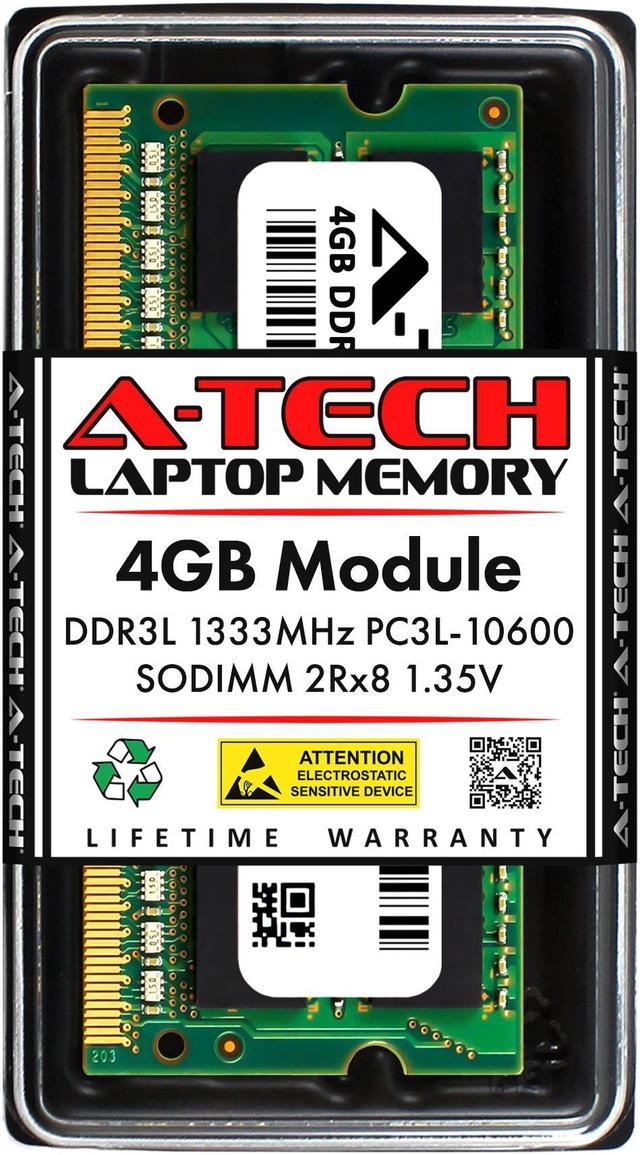
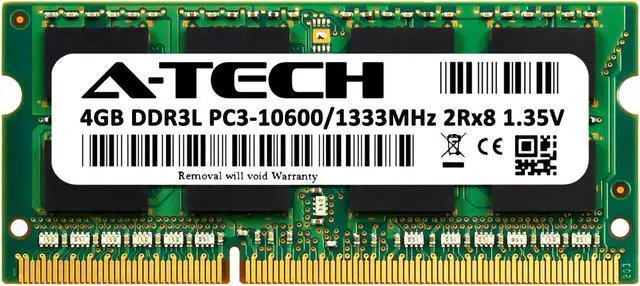
    4GB RAM Replacement for Samsung M471B5273BH1-YH9, M471B5273CH0-YH9, M471B5273DH0-YH9 | DDR3 1333MHz PC3L-10600 SODIMM 2Rx8 Laptop Memory

    • 4GB ( 1x 4GB Module ) | DDR3 1333 MHz ( PC3-10600 ) | DDR3 SODIMM ( 204-Pin ) | Non-ECC SODIMM ( Unbuffered SO-DIMM ) | 1.35V - DDR3 Low Voltage
    • Compatible Equivalent for Samsung M471B5273BH1-YH9, M471B5273CH0-YH9, M471B5273DH0-YH9
    • High performance Memory RAM upgrade designed for Laptop/Notebook/All-in-One Computer Systems
    • All modules undergo quality assurance testing to ensure dependable and reliable performance | Please verify the supported memory (RAM) specifications of your system prior to purchase to ensure compatibility
    • A-Tech provides a Lifetime Warranty for all orders & offers complimentary United States based Tech Support before, during, & after your purchase
    +
    +
    Overview
    Specs
    Reviews

    Any questions? Ask CelesteSM will help you find out quickly.

    An A-Tech Memory (RAM) upgrade is an easy, quick way to boost your system's performance by speeding up loading times, improving system responsiveness, and increasing your system's ability to handle higher workloads. Take on more and multitask with ease with a simple and affordable A-Tech Memory upgrade!

    Compatible Memory Module Replacement for Samsung:
    M471B5273BH1-YH9
    M471B5273CH0-YH9
    M471B5273DH0-YH9


    Memory Specs
    Memory Size: 4 GB ( 1 x 4 GB Module )
    Memory Type: DDR3
    Form Factor: SO-DIMM ( 204 Pin )
    Speed: DDR3 1333 MHz ( PC3-10600 )
    ECC Type: Non-ECC SO-DIMM ( Unbuffered SO-DIMM )
    Voltage: 1.35V

    Ensured Reliability
    All A-Tech Memory products are rigorously tested to ensure that your memory meets our stringent quality and performance standards.

    Lifetime Warranty
    Purchase with confidence knowing that all A-Tech orders are backed with our Lifetime Warranty.

    US Based Technical Support
    Need help? Have questions? Our 5 star United States based support team is here to help before, during, and after your purchase to make sure you are completely satisfied with your A-Tech Memory!

    Warranty & Returns

    Warranty, Returns, And Additional Information

    Warranty

    • Please contact the Seller directly for warranty information. Warranty information may also be found on the Manufacturer's website.
    • CONTACT

    Return Policies

    • Return for refund within: 30 days
    • Return for replacement within: 30 days
    • This item is covered by A-Tech Return Policy

    Manufacturer Contact Info

    LOADING...

    A-Tech 4GB DDR3L 1333MHz laptop memory is a 204-pin, non-ECC, unbuffered SO-DIMM for upgrading or replacing RAM in compatible laptops, notebooks, and all-in-one computers; it suits systems that support 1.35V DDR3L PC3L-10600 memory.

    Recommended For

    • Owners of an older laptop with a compatible DDR3L SO-DIMM slot who need to replace a failed or missing 4GB memory module and keep the machine in service.
    • Users of a compatible older laptop with an available memory slot who want a modest RAM increase for light browsing, email, or document work; check the laptop’s total capacity limit and existing memory before buying.
    • People refurbishing a compatible older laptop for a lightweight Linux setup and limited everyday tasks, such as a few browser tabs, basic web use, and documents.

    Real-World Use Scenarios

    • On a compatible older laptop with little or no working memory, use this module to restore or bring the system to 4GB; basic tasks such as writing documents, email, and light web browsing may be practical, but demanding multitasking can still feel limited.
    • If the laptop supports an additional 4GB module, add it alongside existing memory for everyday multitasking—such as switching between a document, email, and a few browser tabs. The benefit is most noticeable when low memory was causing slowdowns; it is not a guaranteed speed boost for every task.
    • For a spare or older laptop used for simple study or household tasks, use the module only if the system supports this memory type and capacity. It can help keep basic browsing and text work usable, but it will not overcome limits from an older processor or slow storage.
    • When replacing a failed or mismatched stick in a compatible laptop, use this module to restore a working memory configuration. Check the laptop’s supported capacity, voltage, and memory type first; replacing a stick does not necessarily increase the system’s total RAM.