• $29.99
  • Free 30-day Returns
  • Sold by Hoevine Home

    Shipped by Hoevine Home

    Price alert
    Shop it at NeweggBusiness.

    Meet Your Seller

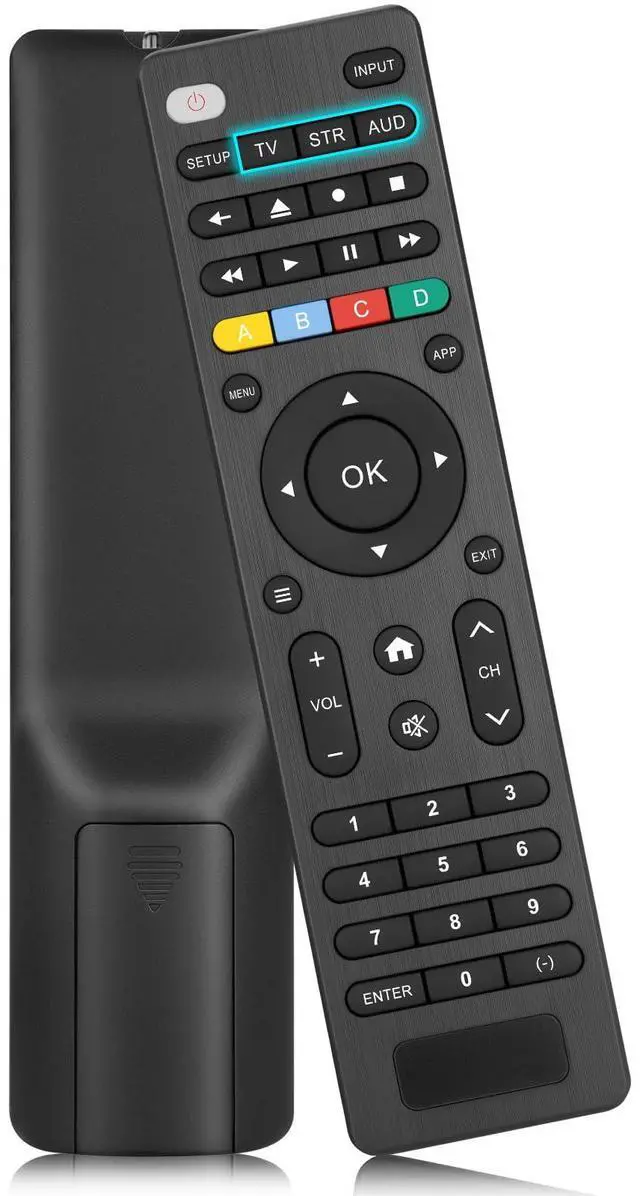
    Universal-TV-Remote-Control for Samsung LG Vizio Roku TCL Hisense Sony TVs | for Onn/Element/Insignia/Philips/Sharp/Westinghouse/Sanyo/Emerson TV and More Brand Smart TVs, Instruction Manual Included

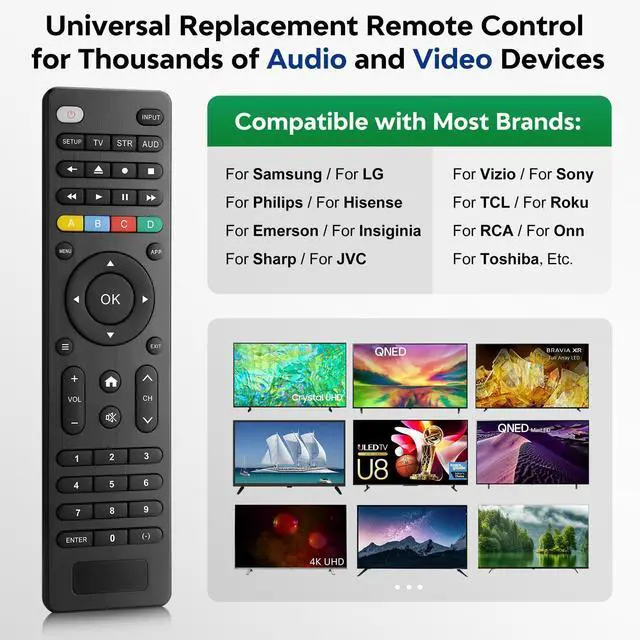
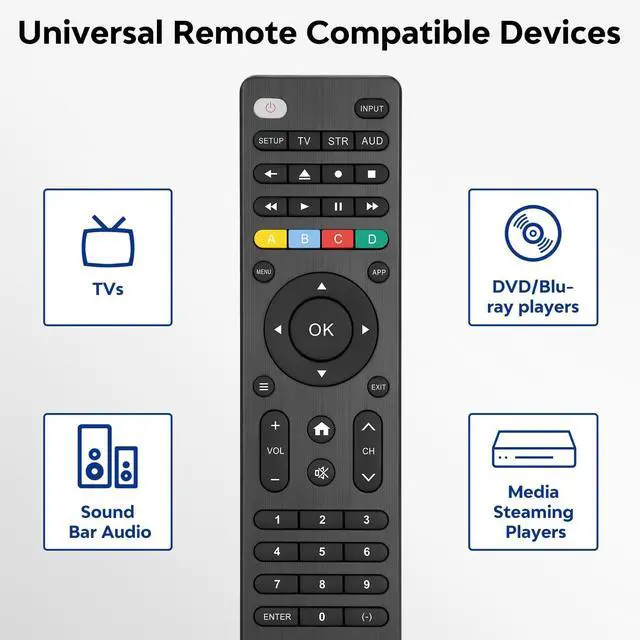
    • Compatible DevicesUniversal replacement remote control is compatible with TV brands for Samsung, LG, Vizio, Sony, Hisense, Onn, Sharp, RCA, Element, Westinghouse, Sanyo, Emerson, Philips, JVC, Sceptre, Sansui, Panasonic, Magnavox, Skyworth TV and More Brand Smart TVs. Compatible with of devices, including DVD/Blu-ray players, Media Streaming Players and more!
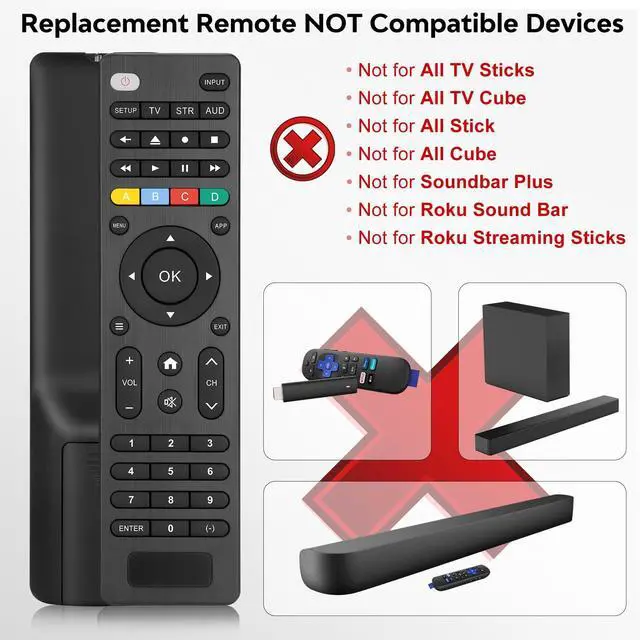
    • NOT Compatible DevicesUniversal remote is Not compatible with Roku Streaming Sticks, Roku Sound Bar, TLC Sound Bar, Hisense Sound Bar, Anker Sound Bar, Klipsch Sound Bar, All Fire TV, All TV Sticks, All TV Cube, Apple TV, Google Chromecast TV(This product can only be connected and paired via infrared) If you are unsure if our remote control is compatible with your device, please contact us.
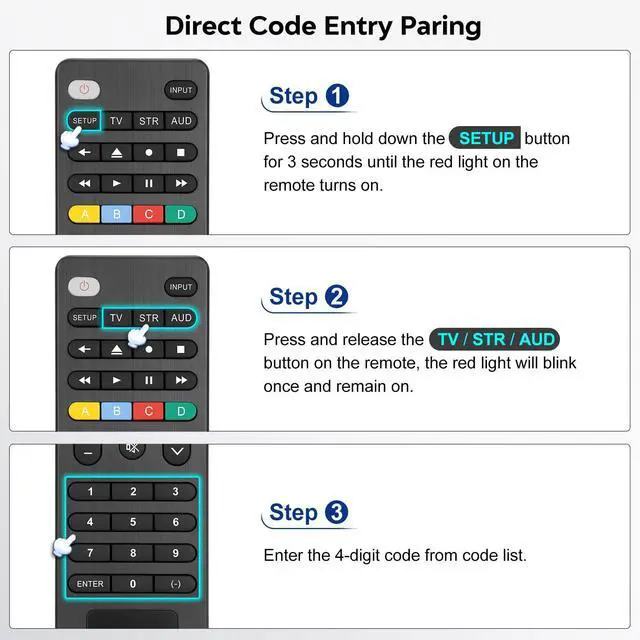
    • Simple SetupStep 1: Find the device type you need in the code list. Then find and circle all the codes for the brand. Step 2: Press and hold down the (SETUP) button for 3 seconds until the red light on the remote turns on. Step 3: Press and release the (TV/STR/AUD) button on the remote, the red light will blink once and remain on. Step 4: Enter the first 4-digit code from code list. Step 5: Point the remote at the TV, and test the buttons on the remote to see if the TV responds as you would expect. If the buttons don't control the TV, repeat steps 2-4 and enter different code to test. Note:If all the code in the program fails, please check the instructions on page 7 "Automatic Code Search.
    +
    +
    Overview
    Specs
    Reviews

    Any questions? Ask CelesteSM will help you find out quickly.

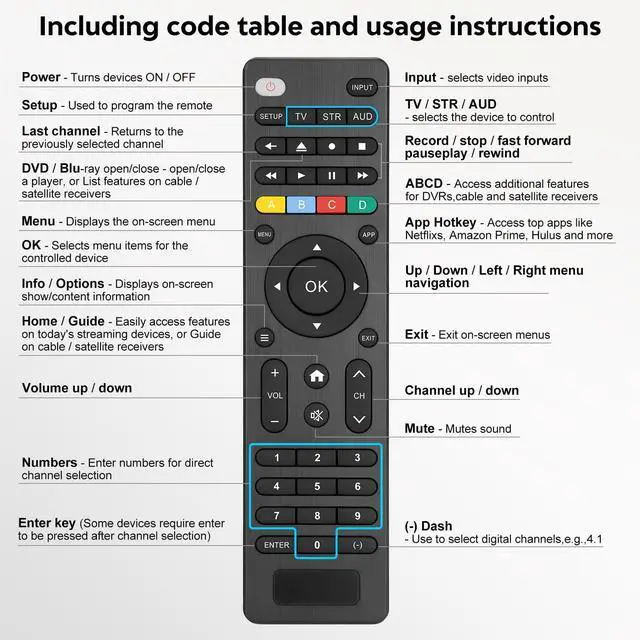
    Compatible DevicesUniversal replacement remote control is compatible with TV brands for Samsung, LG, Vizio, Sony, Hisense, Onn, Sharp, RCA, Element, Westinghouse, Sanyo, Emerson, Philips, JVC, Sceptre, Sansui, Panasonic, Magnavox, Skyworth and More Brand Smart TVs. Compatible with of devices, including DVD/Blu-ray players, Media Streaming Players and more! Simple SetupStep 1: Find the device type you need in the code list. Then find and circle all the codes for the brand. Step 2: Press and hold down the (SETUP) button for 3 seconds until the red light on the remote turns on. Step 3: Press and release the (TV/STR/AUD) button on the remote, the red light will blink once and remain on. Step 4: Enter the first 4-digit code from code list. Step 5: Point the remote at the TV, and test the buttons on the remote to see if the TV responds as you would expect. If the buttons don't control the TV, repeat steps 2-4 and enter different code to test. Note:If all the code in the program fails, please check the instructions on page 7 "Automatic Code Search".(Including code table and usage instructions) Package IncludedPackage includes 1* Universal Remote Control, 1* User Manual, and 1* Code list. The universal remote control is recommended to use 2 * AAA alkaline batteriesBatteries are not included). Note: Please do not mix old and new batteries or mix different batteries together.

    Warranty & Returns

    Warranty, Returns, And Additional Information

    Warranty

    • Please contact the Seller directly for warranty information. Warranty information may also be found on the Manufacturer's website.
    • CONTACT

    Return Policies

    Manufacturer Contact Info

    LOADING...