







7-in-1 USB-C Docking Station for Dual Monitors
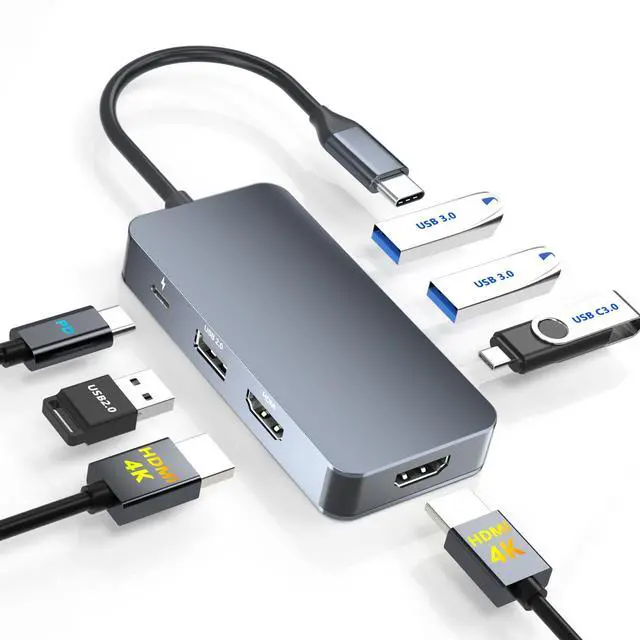
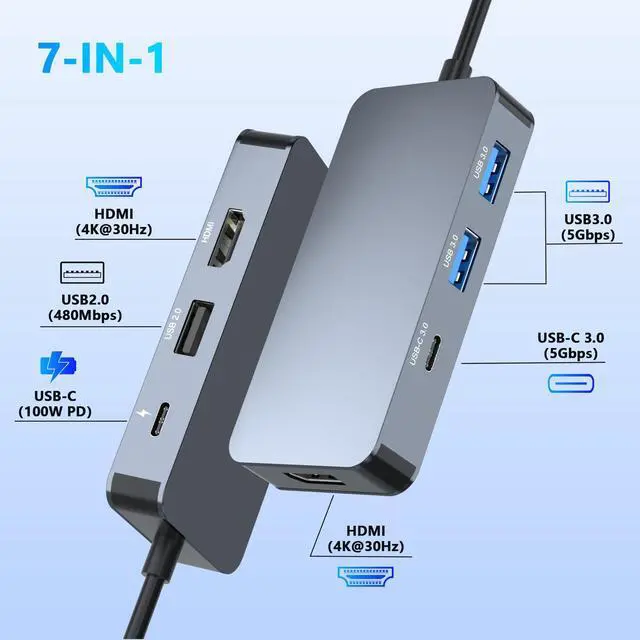
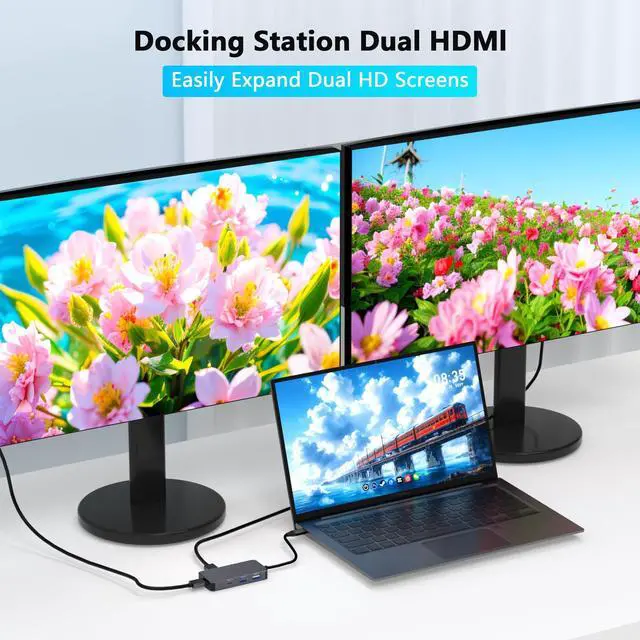
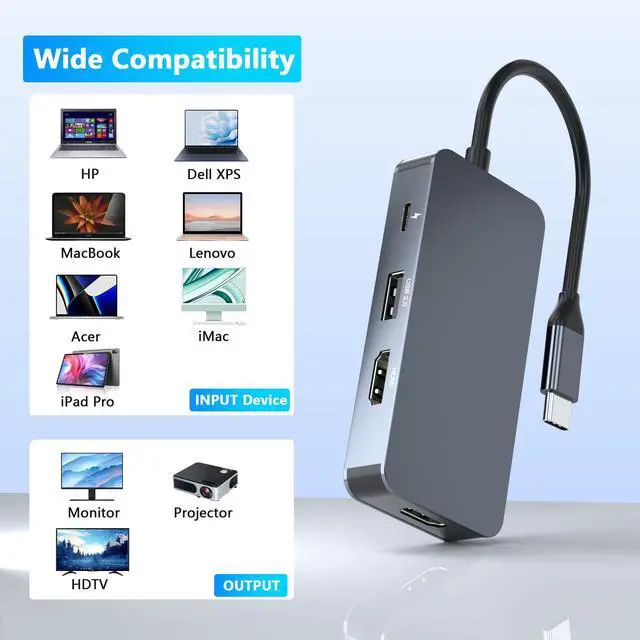
7-in-1 USB-C Docking Station features 2×HDMI ports, 3×USB-A ports and 2×USB-C ports for a flexible workspace.
It Supports 4K@30Hz display output, up to 5Gbps data transfer and USB-C PD fast charging.

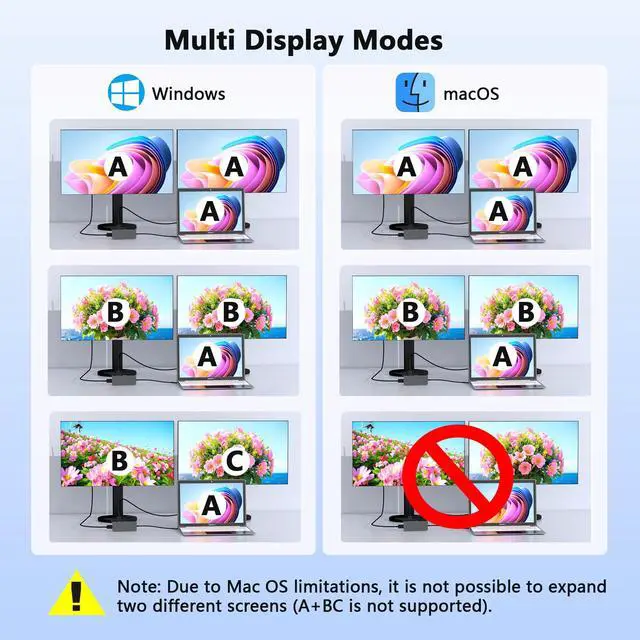
For Windows: this HDMI splitter for dual monitors support mirror mode(AAA) and extended mode(ABB mode and ABC mode).
How to connect Extend Mode for Windows OS?
Right-click desktop?select Intel display Settings ?pop-up Settings screen select display?select multi-screen display?expand the desktop

For macOS system, only support mirror mode(AAA) and extend mode(ABB), not support extend 2 different screens.
How to connect Extend Mode for MacOS?
"Setting" ?"Display" ?check "mirror display" box to switch to Extend mode ?drag a window to the right edge of the screen until it appears on the monitor


Choose From Three Types of Docking Station Dual Monitor
 Dual HDMI Docking Station |  HDMI DP Docking Station |  Dual DP Docking Station |
|---|---|---|
Number of ports 7 IN 1 | Number of ports 7 IN 1 | Number of ports 7 IN 1 |
Two Video Output Port 2*HDMI Port(4K@30Hz) | Two Video Output Port 1*HDMI Port (4K@60Hz), 1*DisplayPort(4K@60Hz) | Two Video Output Port 2*DisplayPort (4K@60Hz) |
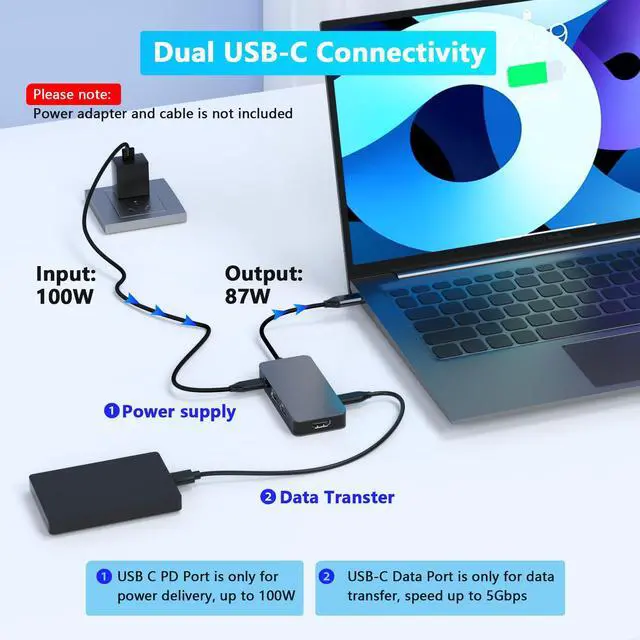
Two USB-C Port 1*USB-C Charging Port, 1*USB-C Data Transfer Port | Two USB-C Port 1*USB-C Charging Port, 1*USB-C Data Transfer Port | Two USB-C Port 1*USB-C Charging Port, 1*USB-C Data Transfer Port |
Three USB-A Port 2*USB3.0 Port,1*USB2.0 Port | Three USB-A Port 2*USB3.0 Port,1*USB2.0 Port | Three USB-A Port 2*USB3.0 Port,1*USB2.0 Port |


7-in-1 USB-C Docking Station for Dual Monitors
7-in-1 USB-C Docking Station features 2×HDMI ports, 3×USB-A ports and 2×USB-C ports for a flexible workspace.
It Supports 4K@30Hz display output, up to 5Gbps data transfer and USB-C PD fast charging.

For Windows: this HDMI splitter for dual monitors support mirror mode(AAA) and extended mode(ABB mode and ABC mode).
How to connect Extend Mode for Windows OS?
Right-click desktop?select Intel display Settings ?pop-up Settings screen select display?select multi-screen display?expand the desktop

For macOS system, only support mirror mode(AAA) and extend mode(ABB), not support extend 2 different screens.
How to connect Extend Mode for MacOS?
"Setting" ?"Display" ?check "mirror display" box to switch to Extend mode ?drag a window to the right edge of the screen until it appears on the monitor


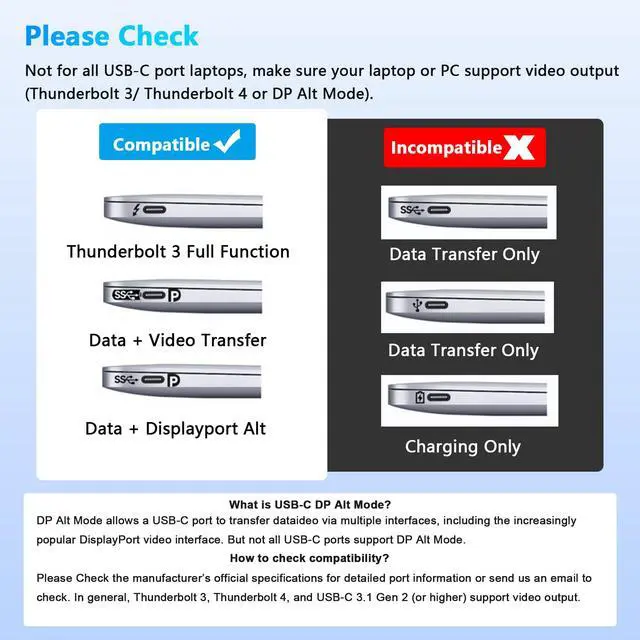
Please Note: This docking station is not compatible with all USB-C ports. Make sure your laptop or PC supports video output via Thunderbolt 3/Thunderbolt 4 or DP Alt Mode, as this will determine whether the video output ports function properly.