


Acer Aspire Go 15 Laptop - AMD Ryzen 7 5825U - 16GB DDR4 RAM - 512GB SSD (NX.JQJAA.002)
  •  
  • $549.99 
  • Save: 26%
Sold by Ceelys Store

Shipped by Ceelys Store

Price alert
Shop it at NeweggBusiness.

Meet Your Seller

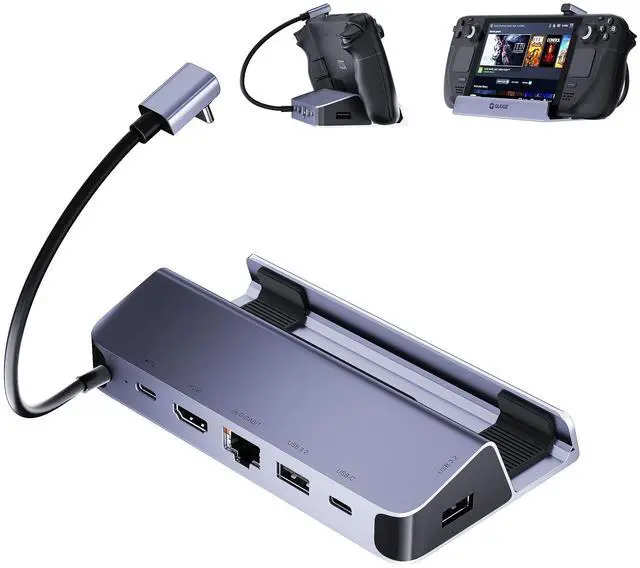
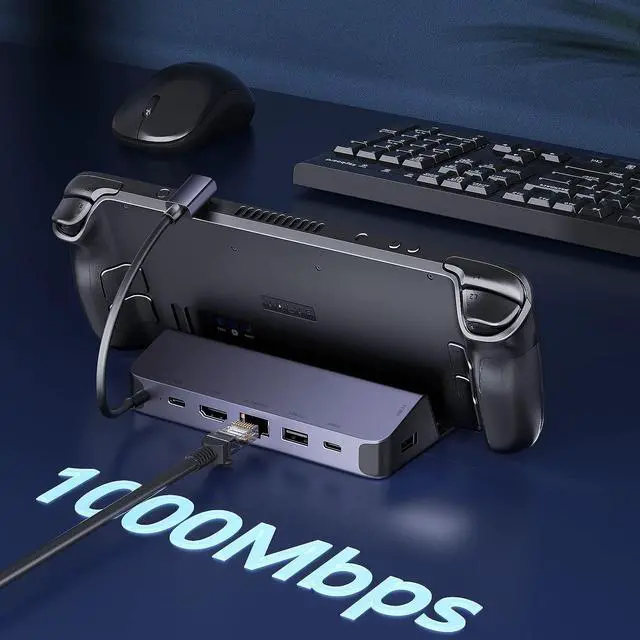
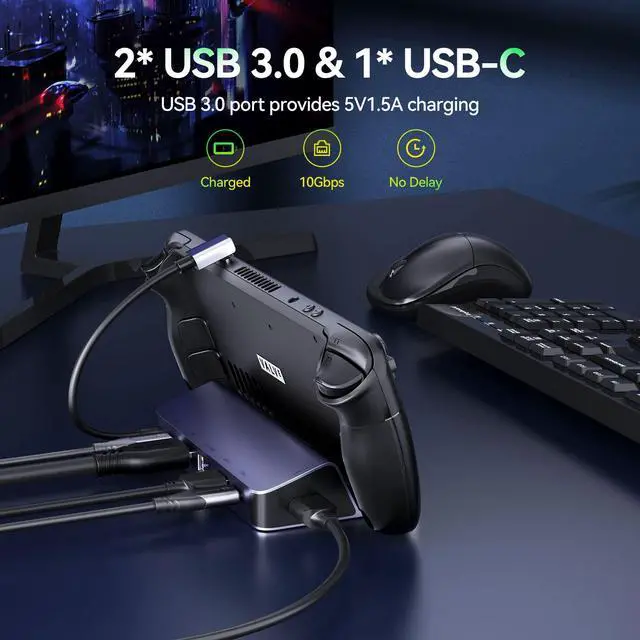
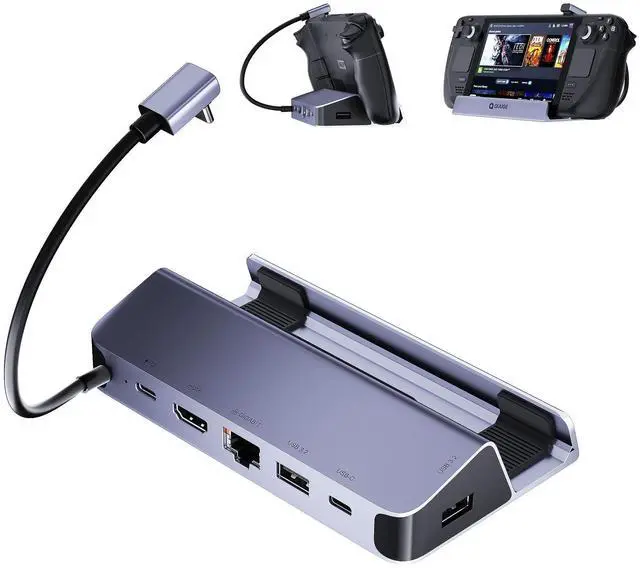
Steam Deck Dock, 6 in 1 Valve Steam Deck Docking Staion with 2*USB-A & USB-C 5Gbps, HDMI 2.0 4K60Hz Output, 1000M Ethernet Gigabit, 100W Charging, Steam Deck Accessorie

Limited time offer, ends 07/21 By Ceelys Store

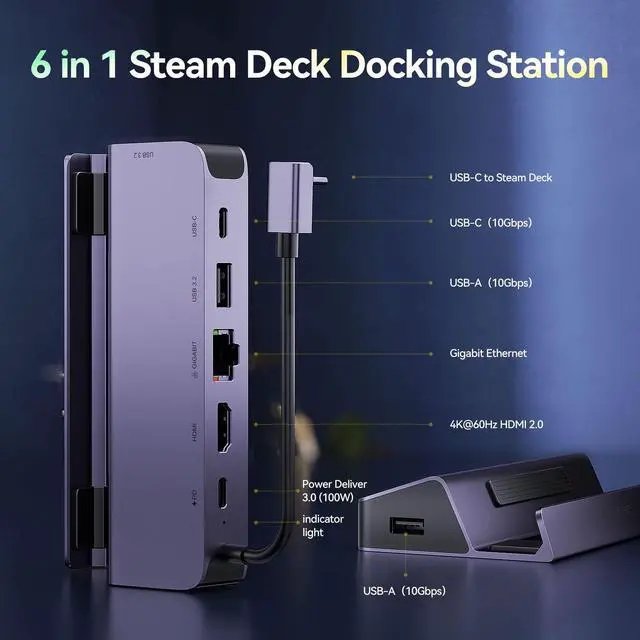
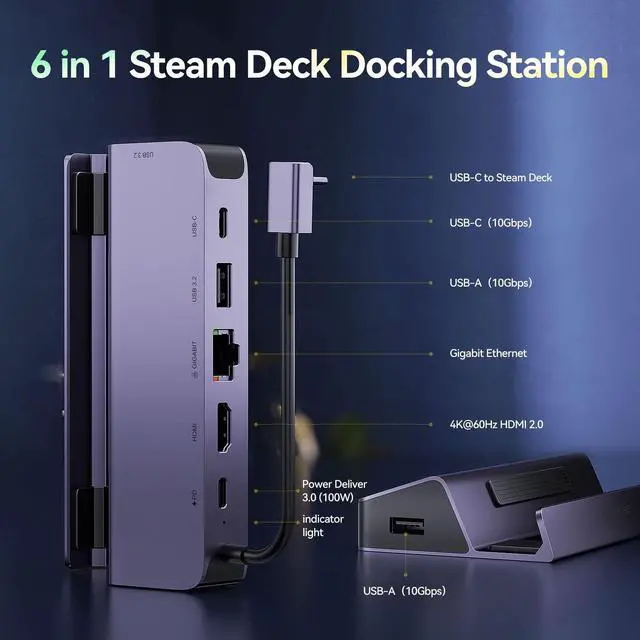
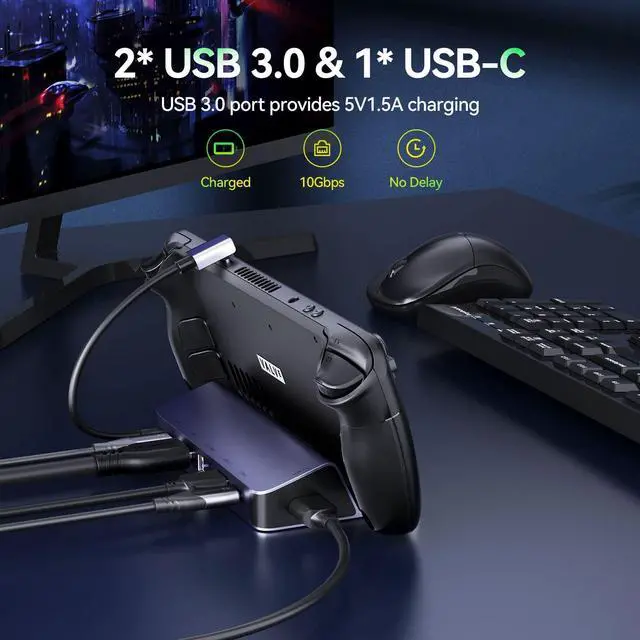
  • 6-in-1 Docking Station for Steam DeckEquipped with an HDMI 4K@60Hz output, an RJ45/Ethernet input, a USB-C port for charging and 5Gbps 2* USB-A & USB-C ports, letting you explore a new way to play with Steam Deck. NOTE: NOT compatible with Protective Case with Kickstand, Please ensure that the thickness of your protective case is less than 2mm.
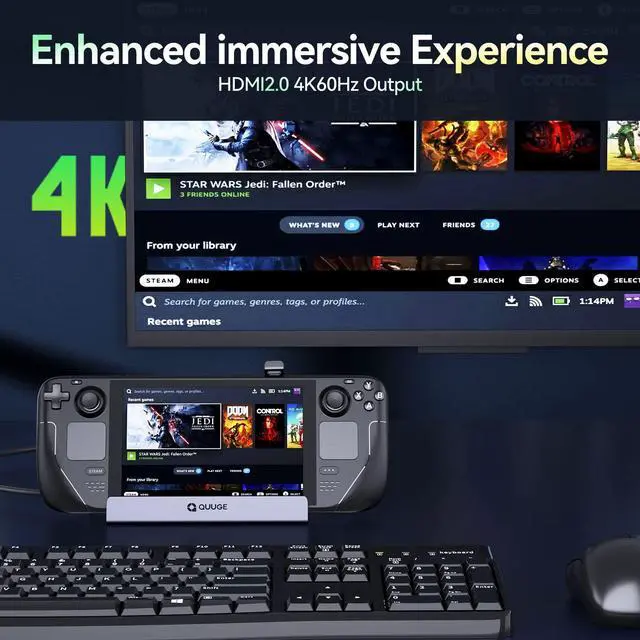
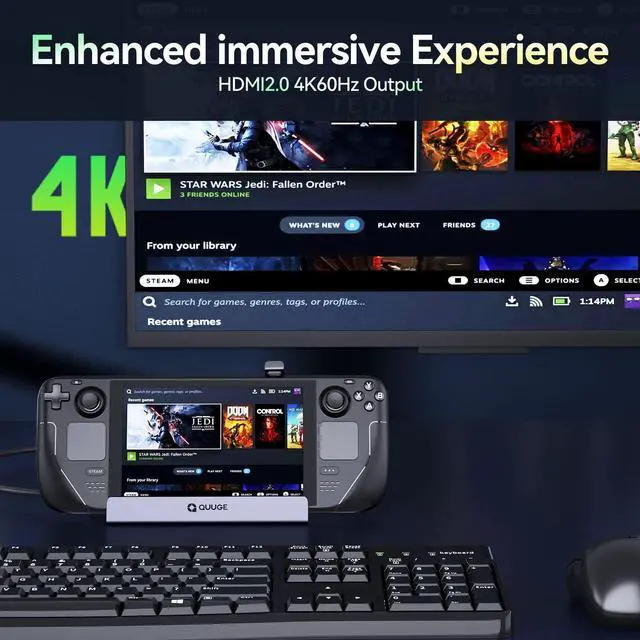
  • 4K@60Hz HDMI OutputThe Steam Deck Dock comes with a 4K@60Hz HDMI 2.0 output. When you connect an external 4K monitor, it can provide you sharper and smoother visual experience, so you can enjoy the visual feast on your games.
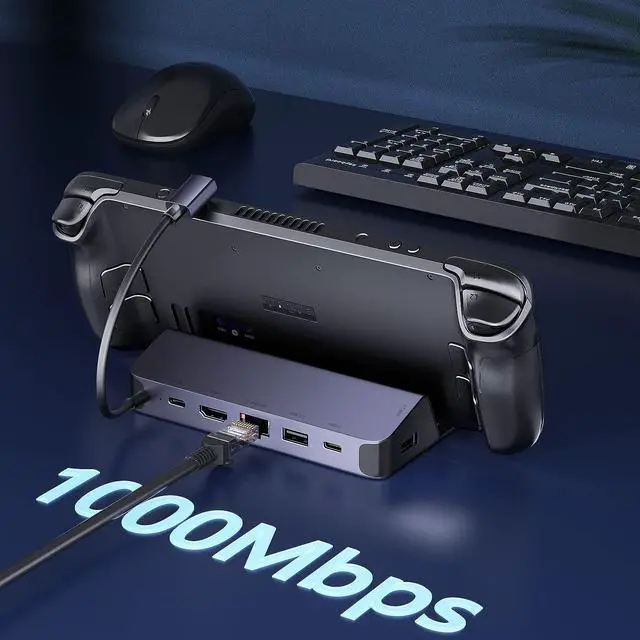
  • 1000Mbps Ethernet Gigabit PortSupports fast network speeds of up to 1000Mbps, adding a stable wired internet connection to your Valve Steam deck that is 10 times faster than 100/10Mbps networks. Ensure to have the best network speed when downloading large games and playing online against each other.
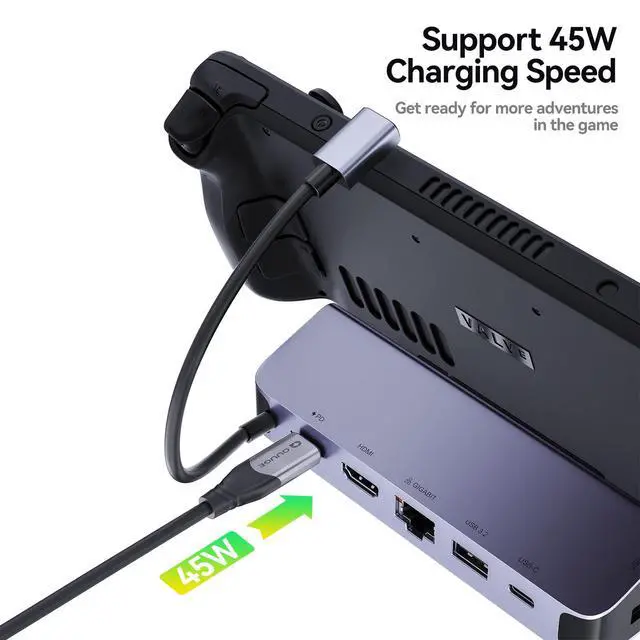
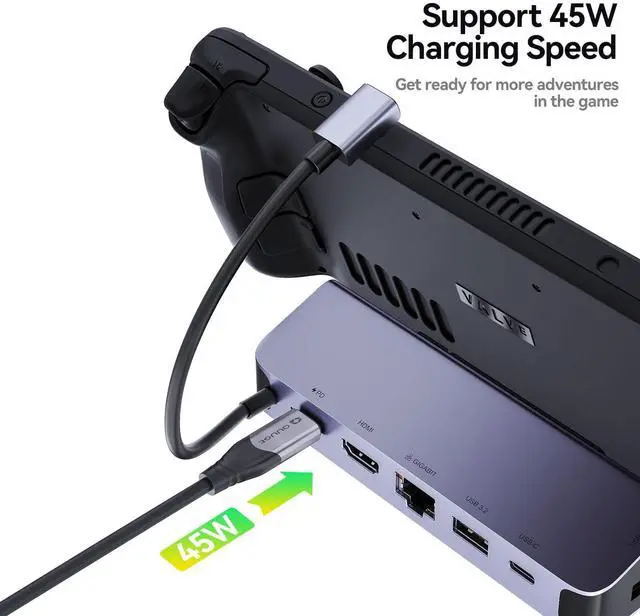
  • Full Charging Speed for Steam DeckQUUGE Steam Deck docking station supports 100W Max power delivery, which is sufficient to charge your Steam Deck at full speed when paired with the original charger. [Note: the MAX charging speed of Steam Deck is 45W]
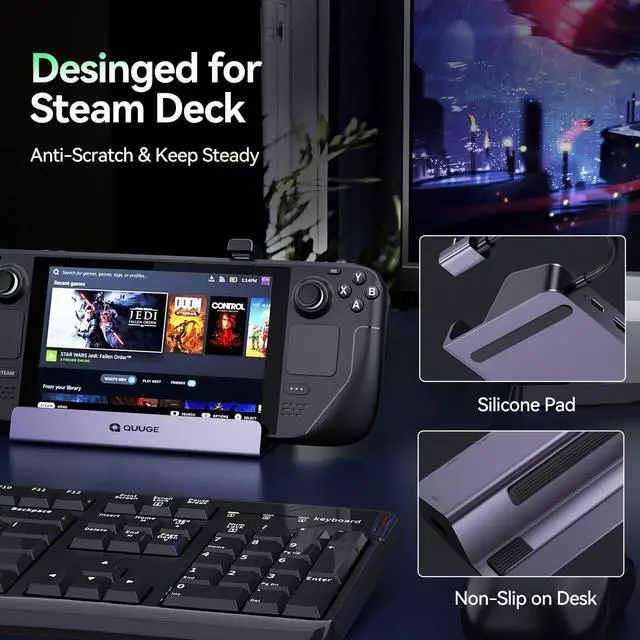
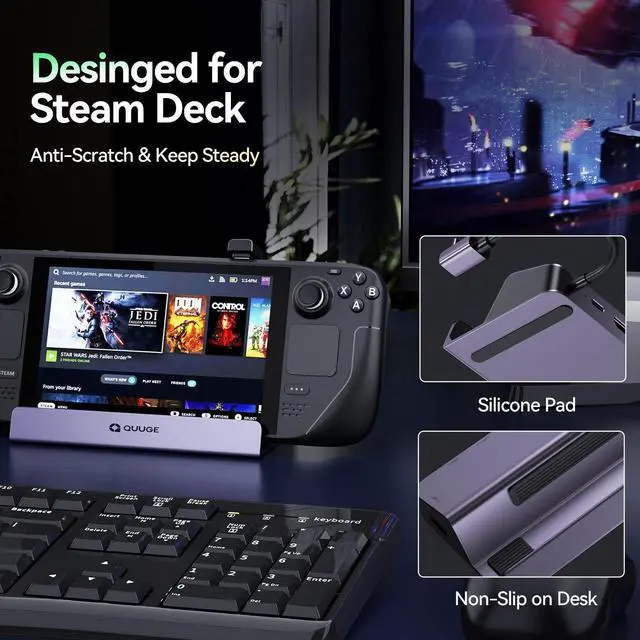
  • A Perfect CombinationQUUGE all-in-1 Steam Deck doc blends Hub and stand together perfectly. You don't have to buy a regular hub and a stand base for your Steam Deck, which is not only easier for you to use, but also keeps your desktop neat and organized.
+
+
Overview
Specs
Reviews
avatar

Any questions? Our AI beta will help you find out quickly.

Steam deck

Take Care of Your Cervical Health

Ergonomic design, so you can play games for a long time without feeling neck discomfort

steam deck

Provide thermal protection for your Steam deck.

Steam deck tends to get too hot when running large games. This QUUGE Steam dockc is made of aluminum alloy, which can effectively complete the heat transfer, and the design space is left for the heat sink.

https://m.media-amazon.com/images/S/aplus-media-library-service-media/9eb70d42-5be1-496b-ba51-38bcc25ebd9d.__CR0,0,1464,600_PT0_SX1464_V1___.jpg
  • Please use HDMI to HDMI 2.0/2.1 Cable shorter than 15 feet in length and use as few cable adapters as possible. Then manually debug into desktop mode and set 4K@60Hz output. You also need to set it in-game if necessary.

  • Please use 65W or more or the charging adapter that comes standard with your Steam deck to ensure your Steam deck has sufficient power supply.

  • After the SteamOS is upgraded, you need to manually enter the desktop mode and connect the wired network. Turn off Wi-Fi, or set the wired connection priority.

  • In the Steam settings, click Audio, there is output, and click "External Devices", and the audio can be transmitted to the TV.

Comparison of 3 QUUGE Steam Deck Docks

https://m.media-amazon.com/images/S/aplus-media-library-service-media/f3010982-9e3b-42a7-a428-18925bd0d7ed.__CR0,250,2000,1500_PT0_SX300_V1___.jpg

6 in 1 STEAM DECK DOCK (Gen 2)

https://m.media-amazon.com/images/S/aplus-media-library-service-media/edbd58d7-f7ab-4cdb-af1f-df7a810bded3.__CR0,200,1600,1200_PT0_SX300_V1___.jpg

6 in 1 STEAM DECK DOCK (Gen 1)

https://m.media-amazon.com/images/S/aplus-media-library-service-media/196c0af0-5178-412c-adea-29d806a1d04b.__CR0,200,1600,1200_PT0_SX300_V1___.jpg

7 in 1 STEAM DECK DOCK (Gen 3)

HDMI Output

4K60Hz

HDMI Output

4K60Hz

HDMI Output

4K60Hz

DisplayPort Output

None

DisplayPort Output

None

DisplayPort Output

4K60Hz

USB Port

2*USB-A & 1*USB-C 5Gbps (Support charging)

USB Port

3*USB-A 5Gbps (Support charging)

USB Port

2*USB-A & 1*USB-C 5Gbps (Support charging)

LAN Port

1000Mbps

LAN Port

1000Mbps

LAN Port

1000Mbps

Max Charging Output

100W

Max Charging Output

100W

Max Charging Output

100W

Steam deck

Take Care of Your Cervical Health

Ergonomic design, so you can play games for a long time without feeling neck discomfort

steam deck

Provide thermal protection for your Steam deck.

Steam deck tends to get too hot when running large games. This QUUGE Steam dockc is made of aluminum alloy, which can effectively complete the heat transfer, and the design space is left for the heat sink.

  • Please use HDMI to HDMI 2.0/2.1 Cable shorter than 15 feet in length and use as few cable adapters as possible. Then manually debug into desktop mode and set 4K@60Hz output. You also need to set it in-game if necessary.

  • Please use 65W or more or the charging adapter that comes standard with your Steam deck to ensure your Steam deck has sufficient power supply.

  • After the SteamOS is upgraded, you need to manually enter the desktop mode and connect the wired network. Turn off Wi-Fi, or set the wired connection priority.

  • In the Steam settings, click Audio, there is output, and click "External Devices", and the audio can be transmitted to the TV.

Comparison of 3 QUUGE Steam Deck Docks

https://m.media-amazon.com/images/S/aplus-media-library-service-media/f3010982-9e3b-42a7-a428-18925bd0d7ed.__CR0,250,2000,1500_PT0_SX300_V1___.jpg

6 in 1 STEAM DECK DOCK (Gen 2)

https://m.media-amazon.com/images/S/aplus-media-library-service-media/edbd58d7-f7ab-4cdb-af1f-df7a810bded3.__CR0,200,1600,1200_PT0_SX300_V1___.jpg

6 in 1 STEAM DECK DOCK (Gen 1)

https://m.media-amazon.com/images/S/aplus-media-library-service-media/196c0af0-5178-412c-adea-29d806a1d04b.__CR0,200,1600,1200_PT0_SX300_V1___.jpg

7 in 1 STEAM DECK DOCK (Gen 3)

Product information

Brand QUUGE
Color Steam Deck Dock(Gen2
Hardware Interface Ethernet, HDMI, USB 3.0, USB 3.0 Type C, USB 3.2 Gen 1
Total USB Ports 2
Number of Ports 6
Total HDMI Ports 1
Wattage 100 watts
Manufacturer QUUGE
Product Dimensions 6.69 x 1.22 x 4.92 inches
Item Weight 7.4 ounces
Item model number C5140-BT
Date First Available February 10, 2023
Language Multiple Languages

Warranty & Returns

Warranty, Returns, And Additional Information

Warranty

  • Please contact the Seller directly for warranty information. Warranty information may also be found on the Manufacturer's website.
  • CONTACT

Return Policies

Manufacturer Contact Info

LOADING...
LOADING...