






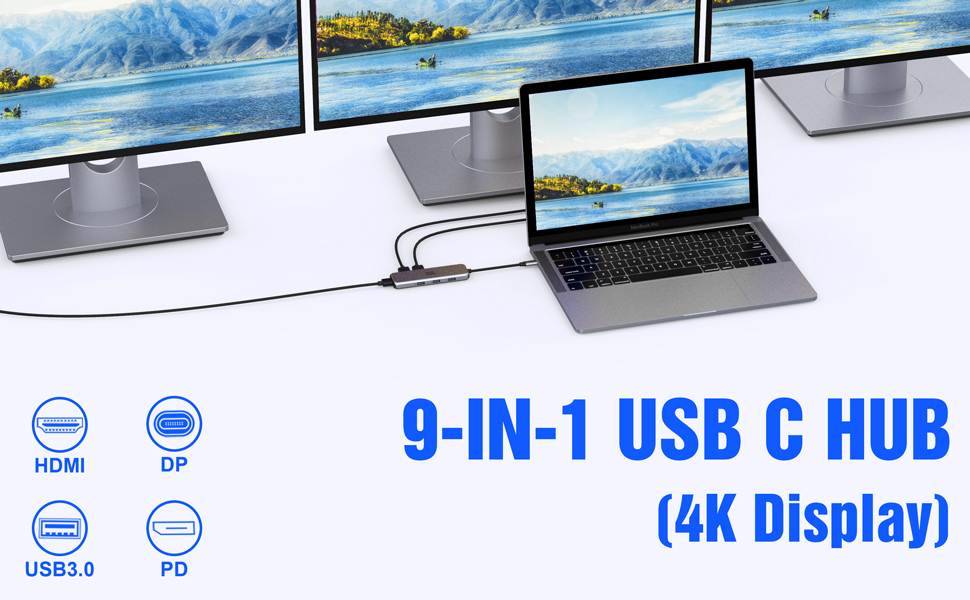
Selore&S-Global Multiple Display USB C Docking Station Video Resolution Configurations:
Single Display DP or HDMI up to 4K 60HZ 3840 x 2160 , while source is DP1.4.
- Dual Monitors Display up to 4K 30HZ 3840 x 2160 ( HDMI + DP ).
- Triple Display up to 4K 30HZ 1920 x 1080 ( HDMI +DP 1+ DP 2 ).
Interface:
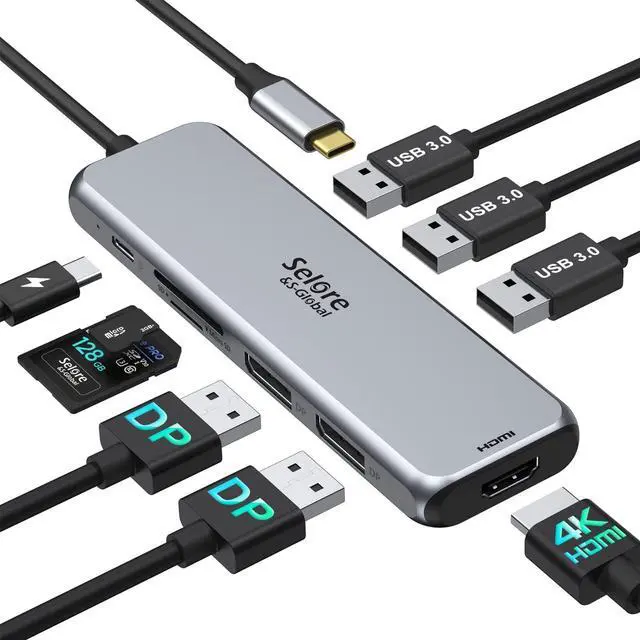
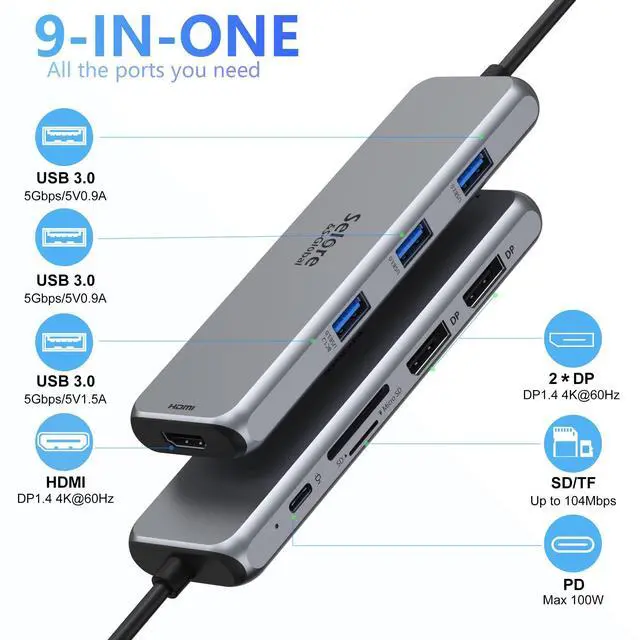
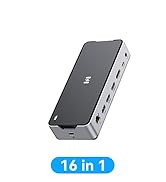
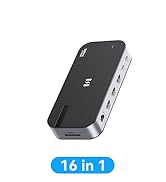
- 2 * DP ports: Max resolution up to 4Kx2K 60Hz (While source is DP1.4)
- 1 * HDMI port: 4Kx2K 60Hz / 3840x2160 (work separately while source is DP1.4)
- 3 * USB 3.0 ports : Data transfer speed up to 5Gbps, backwards compatible with USB2.0/USB1.1
- 1 * SD/TF card slots: Data transfer speed up to 104 mbps; Works with SD, SDHC, SDXC, Micro SD, MMC. It can be read at the same time.
- 1 * PD 3.0 port: Up to 100W power delivery
Note:
- Please connect power when connecting your device to monitors for streaming; Charge your laptop while connecting an external device. (Please use a PD charger with 100W).
- To achieve optimal 4K@60Hz(3840 x 2160) resolution, please use with a 4K screen display and HDMI 2.0 cable.
- It is normal to heat up after using the dual monitor 2 HDMI adapter for a period of time; Because the shell will heat up for heat diffusion and protect the internal circuit board.
- EDID(Extended Display Identification Data) may blackout for a few seconds(1 minute at max, depends on Laptop and monitor) when data transfer; Please be patient wait for the data completed.
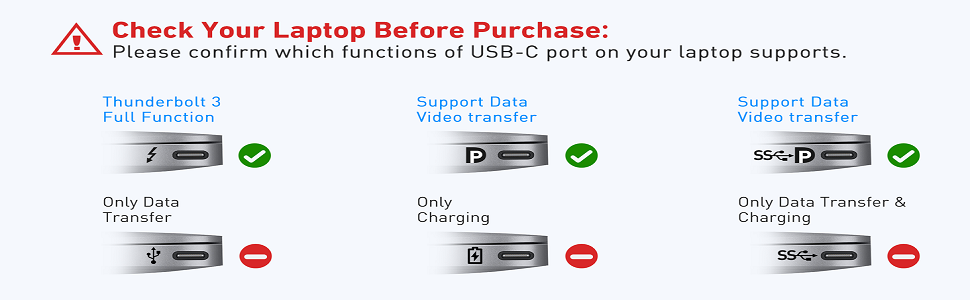
- All functions of the USB C docking station can only function perfectly if the USB-C port of your laptop supports data transfer, power supply and video output(DisplayPort); If the USB-C port only supports one of these functions, the docking station only supports the corresponding functions; Please let us know if you are not sure this docking station compatible with your devices, we will check for you.
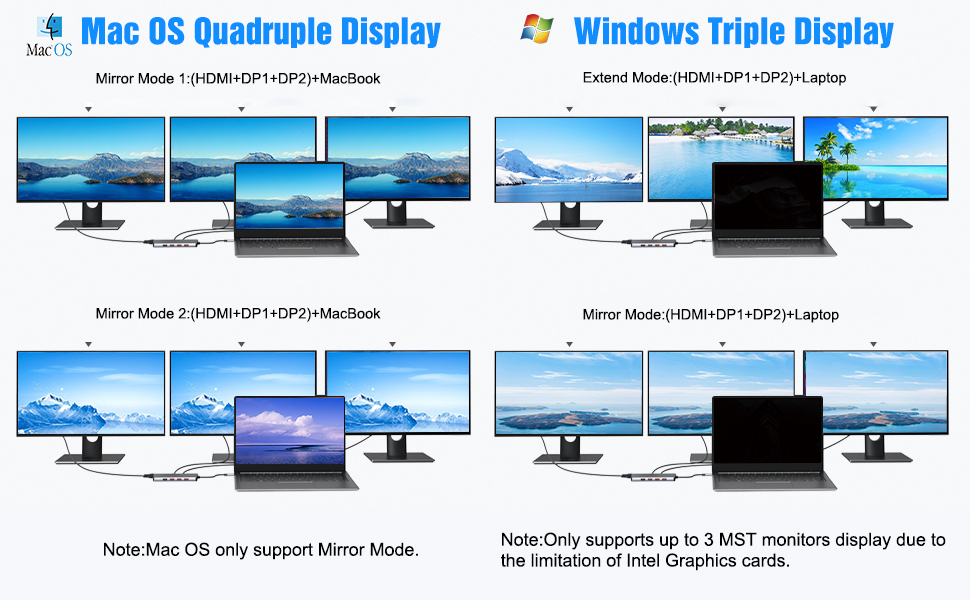
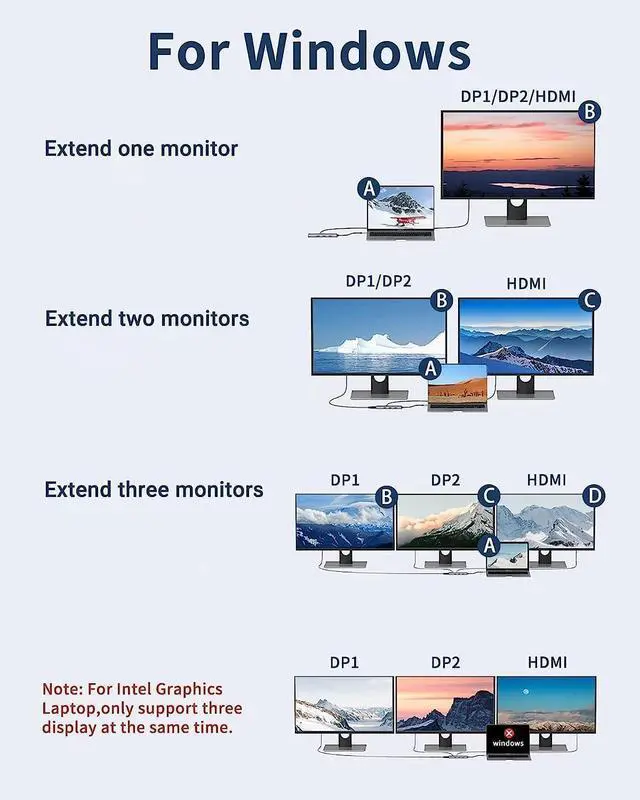
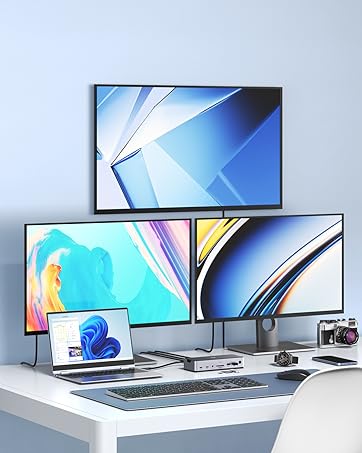
2 Displayport &1 HDMI Ports Can Work Simultaneously
Triple Display on Windows OS-Supports MST
Please Note:
- For Intel Graphics Card, it only supports 3 screens display, thus one screens (including laptop screen) will not be displayed.
- For AMD Graphics Card, all of 4 screens will be displayed.
- To connect 4 external monitors, your resolution will be limited to 1920 x 1080 displays at 30hz.
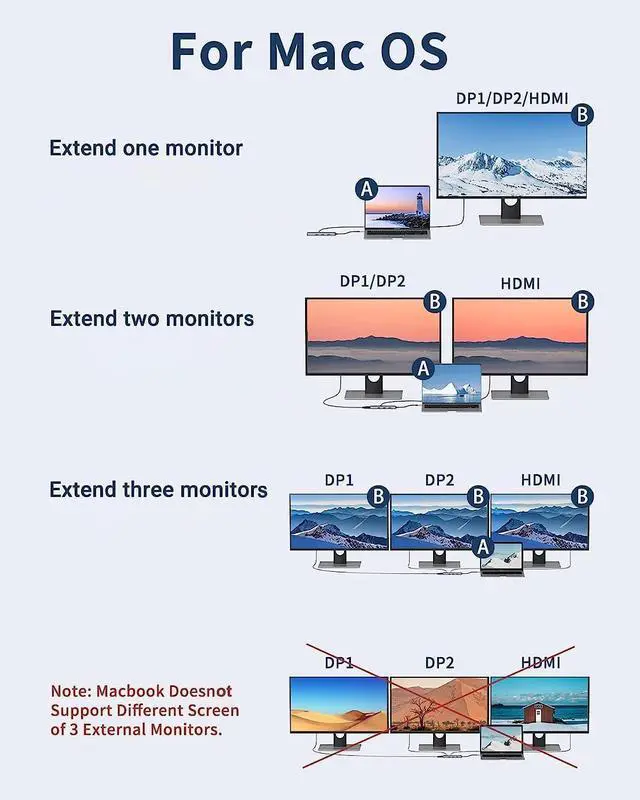
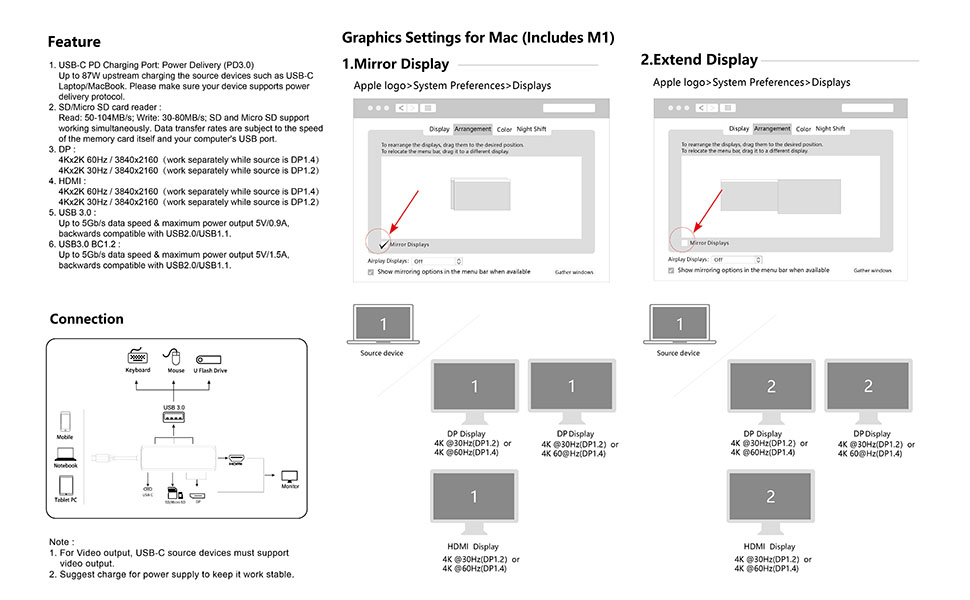
Mirror & Non-mirror Mode on Mac OS
- USB C docking station for Apple laptop (OS system) that extend laptop 3 displays.
- For Apple computer users (MAC OS), extend mode can only extend laptop's images, other monitors only mirror each other due to the Mac OS system restriction.
- For Mac OS it support Extend mode (A to B/B/B),set by: Display>Arrangement>Mirror Displays.
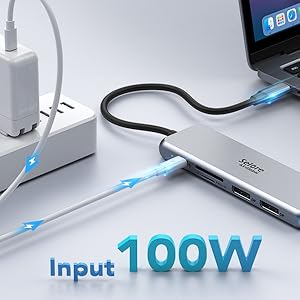
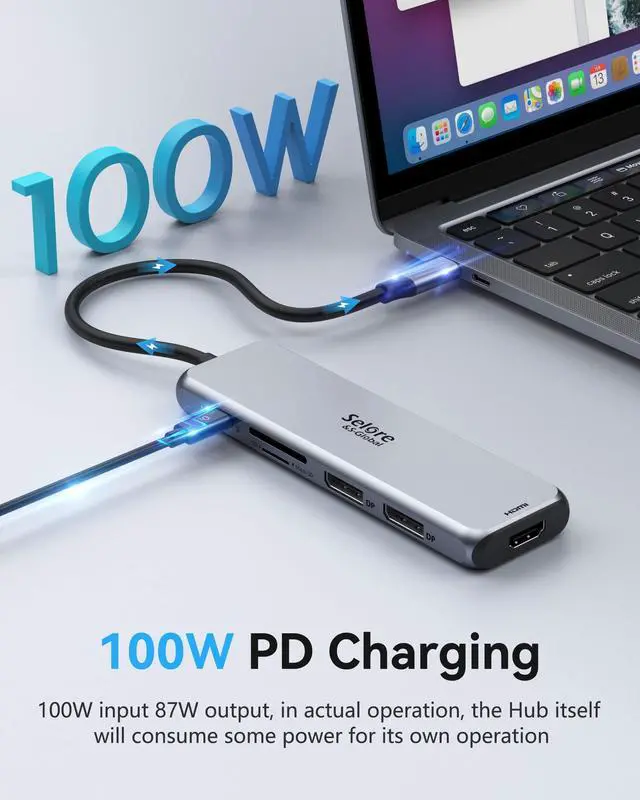
100W Power Delivery
- Maximum input of 100W minus 9W for the hub’s operation allows the hub to give your laptop up to an 87W pass-through charge while using other hub functions.
- The USB C port of this docking station only supports charging, not data transfer or video output function.
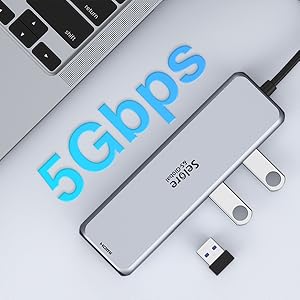
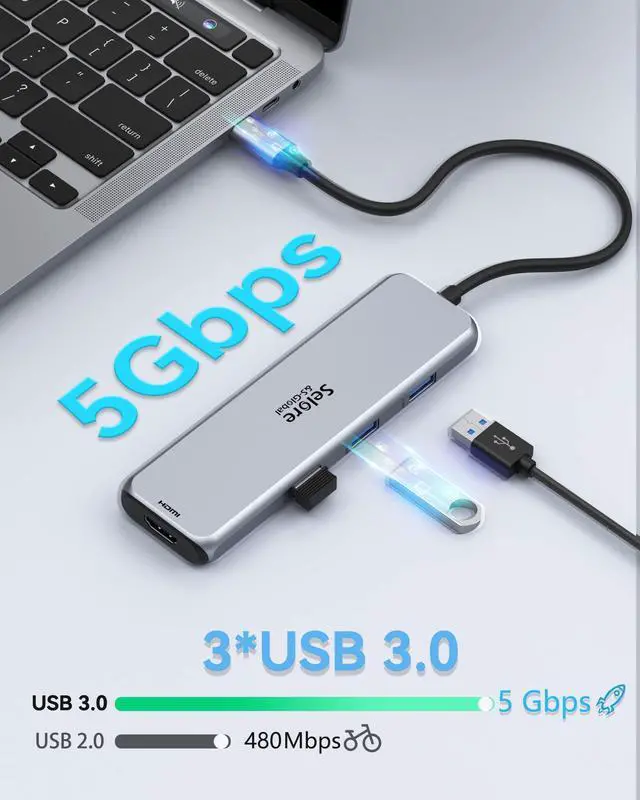
High Speed 3*USB 3.0 Ports
- Equipped with three USB 3.0 ports, each supporting data transfer speeds of up to 5Gbps—10× faster than USB 2.0.
- This docking station lets you easily connect peripherals like smartphones, tablets, hard drives, keyboards, and mice simultaneously, ensuring smooth, high-bandwidth performance for all your productivity needs.
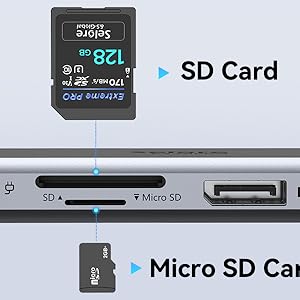
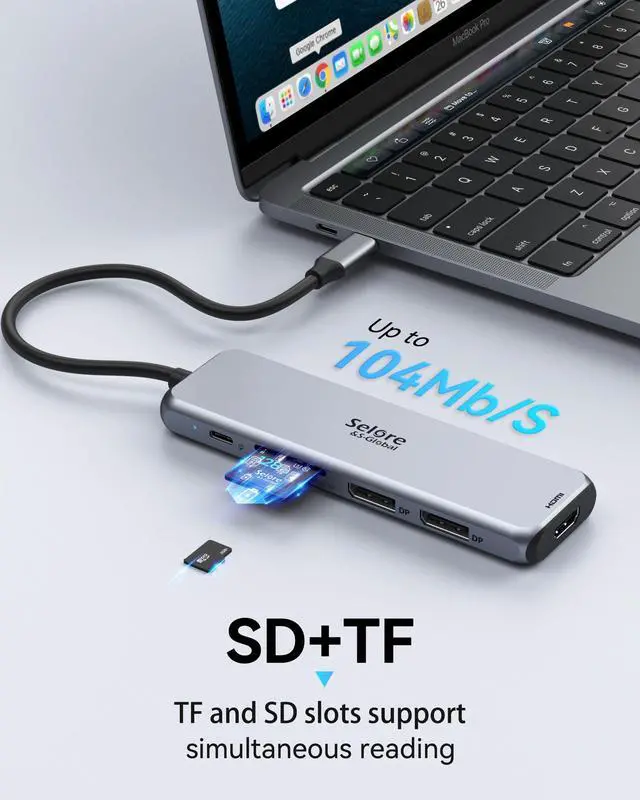
104Mbps SD & TF Card Slots
- Using this USB C docking station, The built-in SD and Micro SD slots allows you browse and view photos instantly with a fast speed of up to 104Mbps.
- Easily expand SD and TF to your PC. Compatible with SD, SDHC, SDXC, MicroSD, MicroSDHC, Micro SDXC cards.
Compatible With (Tested):
- Samsung Galaxy S10+/S10/S9+ /S9/S8+ /S8 Plus, Note 10/9/8
- Huawei Macbook Mate10/Mate10 pro/Mate20/ Mate20 pro/Mate30/ Mate30Pro
- Lenovo: Lenovo Yoga 720-13IKB/Yoga 900-13ISK/Yoga 910/Yoga 920/Yoga 930
- Dell: Dell XPS12(9250)/Dell XPS13(9350)/Dell XPS15(9550)/Dell Latitude 13 7000/Latitude 13 E7370L
- Microsoft: Surface Pro7/Surface Go 2/Surface Pro 8/Surface Laptop 4/Surface Laptop 3/Surface Book2
- Apple: MacBook/MacBook Pro (2020/2019/2018/2017/2016), Macbook Air 2018-2020, Mac mini 2018-2020, iPad Pro 2018 or newer
- Zenbook: 13'' ASUS Zenbook UX330UA/ASUS ZenBook 3/ZenBook 3PRO/ZenBook X series/U306/U321 series/U4100ROG/U5100UQ/ROG series
- HP: HP EliteBook 850 G6 / HP EliteBook 755 G5 / HP Probook X360 435 G7 / HP EliteBook 840 G5-G8 / HP Elitebook 845 G7 / HP Probook 450 G8 / HP EliteBook 850 G7 & G8
What to do if the HDMI monitor is not recognized by your laptop
- A. Make sure your laptop's USB C port supports DisplayPort/video output.
- B. Check your HDMI cable and monitor. (Connect the monitor to the laptop directly, see if it works)
- C. Provide sufficient power supply from the USB C docking station.
- Note: If you are not sure, please let us know. We will be happy to help you check whether this docking station is compatible with your device.
COMPATIBLE SYSTEMS:
- macOS Big Sur 11.0, Catalina 10.15 or later/ Windows 10, 8.1, 8, 7 or later/Android/Chrome OS
What to do if the Monitors don't wake from sleep
- A. Make sure your laptop's USB C port supports DisplayPort/video output.
- B. Check if your laptop has power saving mode turned on.(under this mode,the monitor will sleep during not work)
Note: If you are not sure, please let us know. We will be happy to help you check whether this docking station is compatible with your device.
Compatibility List (Not full List) Read Before you purchase
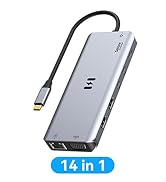
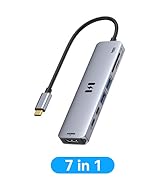
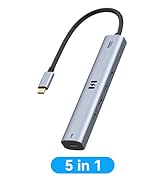
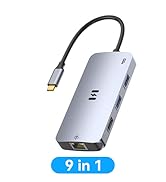
Selore&S-Global Multiple Display USB C Docking Station Video Resolution Configurations:
Single Display DP or HDMI up to 4K 60HZ 3840 x 2160 , while source is DP1.4.
- Dual Monitors Display up to 4K 30HZ 3840 x 2160 ( HDMI + DP ).
- Triple Display up to 4K 30HZ 1920 x 1080 ( HDMI +DP 1+ DP 2 ).
Interface:
- 2 * DP ports: Max resolution up to 4Kx2K 60Hz (While source is DP1.4)
- 1 * HDMI port: 4Kx2K 60Hz / 3840x2160 (work separately while source is DP1.4)
- 3 * USB 3.0 ports : Data transfer speed up to 5Gbps, backwards compatible with USB2.0/USB1.1
- 1 * SD/TF card slots: Data transfer speed up to 104 mbps; Works with SD, SDHC, SDXC, Micro SD, MMC. It can be read at the same time.
- 1 * PD 3.0 port: Up to 100W power delivery
Note:
- Please connect power when connecting your device to monitors for streaming; Charge your laptop while connecting an external device. (Please use a PD charger with 100W).
- To achieve optimal 4K@60Hz(3840 x 2160) resolution, please use with a 4K screen display and HDMI 2.0 cable.
- It is normal to heat up after using the dual monitor 2 HDMI adapter for a period of time; Because the shell will heat up for heat diffusion and protect the internal circuit board.
- EDID(Extended Display Identification Data) may blackout for a few seconds(1 minute at max, depends on Laptop and monitor) when data transfer; Please be patient wait for the data completed.
- All functions of the USB C docking station can only function perfectly if the USB-C port of your laptop supports data transfer, power supply and video output(DisplayPort); If the USB-C port only supports one of these functions, the docking station only supports the corresponding functions; Please let us know if you are not sure this docking station compatible with your devices, we will check for you.
2 Displayport &1 HDMI Ports Can Work Simultaneously
Triple Display on Windows OS-Supports MST
Please Note:
- For Intel Graphics Card, it only supports 3 screens display, thus one screens (including laptop screen) will not be displayed.
- For AMD Graphics Card, all of 4 screens will be displayed.
- To connect 4 external monitors, your resolution will be limited to 1920 x 1080 displays at 30hz.
Mirror & Non-mirror Mode on Mac OS
- USB C docking station for Apple laptop (OS system) that extend laptop 3 displays.
- For Apple computer users (MAC OS), extend mode can only extend laptop's images, other monitors only mirror each other due to the Mac OS system restriction.
- For Mac OS it support Extend mode (A to B/B/B),set by: Display>Arrangement>Mirror Displays.
100W Power Delivery
- Maximum input of 100W minus 9W for the hub’s operation allows the hub to give your laptop up to an 87W pass-through charge while using other hub functions.
- The USB C port of this docking station only supports charging, not data transfer or video output function.
High Speed 3*USB 3.0 Ports
- Equipped with three USB 3.0 ports, each supporting data transfer speeds of up to 5Gbps—10× faster than USB 2.0.
- This docking station lets you easily connect peripherals like smartphones, tablets, hard drives, keyboards, and mice simultaneously, ensuring smooth, high-bandwidth performance for all your productivity needs.
104Mbps SD & TF Card Slots
- Using this USB C docking station, The built-in SD and Micro SD slots allows you browse and view photos instantly with a fast speed of up to 104Mbps.
- Easily expand SD and TF to your PC. Compatible with SD, SDHC, SDXC, MicroSD, MicroSDHC, Micro SDXC cards.
Compatible With (Tested):
- Samsung Galaxy S10+/S10/S9+ /S9/S8+ /S8 Plus, Note 10/9/8
- Huawei Macbook Mate10/Mate10 pro/Mate20/ Mate20 pro/Mate30/ Mate30Pro
- Lenovo: Lenovo Yoga 720-13IKB/Yoga 900-13ISK/Yoga 910/Yoga 920/Yoga 930
- Dell: Dell XPS12(9250)/Dell XPS13(9350)/Dell XPS15(9550)/Dell Latitude 13 7000/Latitude 13 E7370L
- Microsoft: Surface Pro7/Surface Go 2/Surface Pro 8/Surface Laptop 4/Surface Laptop 3/Surface Book2
- Apple: MacBook/MacBook Pro (2020/2019/2018/2017/2016), Macbook Air 2018-2020, Mac mini 2018-2020, iPad Pro 2018 or newer
- Zenbook: 13'' ASUS Zenbook UX330UA/ASUS ZenBook 3/ZenBook 3PRO/ZenBook X series/U306/U321 series/U4100ROG/U5100UQ/ROG series
- HP: HP EliteBook 850 G6 / HP EliteBook 755 G5 / HP Probook X360 435 G7 / HP EliteBook 840 G5-G8 / HP Elitebook 845 G7 / HP Probook 450 G8 / HP EliteBook 850 G7 & G8
What to do if the HDMI monitor is not recognized by your laptop
- A. Make sure your laptop's USB C port supports DisplayPort/video output.
- B. Check your HDMI cable and monitor. (Connect the monitor to the laptop directly, see if it works)
- C. Provide sufficient power supply from the USB C docking station.
- Note: If you are not sure, please let us know. We will be happy to help you check whether this docking station is compatible with your device.
COMPATIBLE SYSTEMS:
- macOS Big Sur 11.0, Catalina 10.15 or later/ Windows 10, 8.1, 8, 7 or later/Android/Chrome OS
What to do if the Monitors don't wake from sleep
- A. Make sure your laptop's USB C port supports DisplayPort/video output.
- B. Check if your laptop has power saving mode turned on.(under this mode,the monitor will sleep during not work)
Note: If you are not sure, please let us know. We will be happy to help you check whether this docking station is compatible with your device.
Compatibility List (Not full List) Read Before you purchase
| Compatible USB-C Port : | Thunderbolt 3 /4 Port, USB-C 3.1 Gen 1/2 (DisplayPort) |
| On Mac Devices: | Not support Macbook pro air mini M1(2020) because this computer chip only supports one-way video output;ONLY Mirror Mode due to Mac OS limitation |
| Resolution: | The final resolution of HDMI output depends on your host devices. (ONLY when your devices support 4K resolution, the video output will be 4K) |
| Compatible Systems: | MAC OS Big Sur 11.0, Catalina 10.15 or later/ Windows 10, 8.1, 8, 7 or later/Android/Chrome OS |
| Different Intel Graphics Card: | For Intel Graphics Card, it only supports 3 screens display, thus one screens (including laptop screen) will not be displayed. For AMD Graphics Card, all of four screens will be displayed. |
| Charge laptop via the PD: | If your laptop own a AC adapter, you'd better use the original charger directly connect the laptop to charge, because the it will provide the fastest charge speed and HP/Dell do not allow 3rd party charger to charge their laptop. |
| Huawei: | Huawei MateBook X Pro, MateBook X, Huawei MateBook E, Mate 20, Mate 20 Pro, Mate 20 X, Mate 10, Mate 10 Pro, P30, P30 Pro, P20, P20 Pro, Honor View 20, View 10, Note 10. |
| HP: | HP Spectre x2/x360,Elitebook Folio G1,Elitebook 830 G7/840 G8/850 G7&G8,ZBook 15 G3/ZBook firefly 15 G7,Probook 450 G5/6/7,Probook 445 G7,Chromebook 14 |
| Lenovo: | Lenovo Yoga 720-13IKB/ Yoga 730/ Yoga 900-13ISK/ Yoga 910/ Yoga 920/ Yoga 930/ Yoga 940-14IIL; 3rd generation Thinkpad Yoga; Yoga15 Thinkpad Ultrabook Pro; Thinkpad E590/ Thinkpad P72/Thinkpad T470/Thinkpad X1 Carbon (2019 model); Flex 14 IML (81XG)/ Flex 5; Legion Y530/15aACH6H; Lenovo C930/ T480s/ X390/ 81N8 |
| Dell: | Dell XPS 12 2-in-1 9250,Dell XPS 13 2 in 1 9310,Dell XPS 13 (9305,9311,9350,9360,9370,9380),Dell XPS 15 (7590,9510,9500,9550,9560,9575),Dell XPS 17(9710),Dell Precision 3560/3561/5510/5560/5760/7560/7760, Dell Latitude (7490,7400,E7370,5420,5410,5400,3390) |
| MacBook: | MacBook Pro (2021/2020/2019/2018/2017/2016),Macbook Air (2021/2020/2019/2018),iPad Pro (2nd generation),iPad Pro (3nd generation),iMac 27 |
| Microsoft: | Surface Book 2/ Surface Go&Go 2/ Surface Laptop 3/Surface X/Surface Pro 7/Surface Pro 8 |
| ASUS: | ASUS Chromebook Flip, ZenBook3, ASUS ZenBook Pro, Asus ZenBook Flip, ASUS Transformer 3 Pro T303UA. |
| Acer: | Acer swift 7, Acer Chromebook, Xiaomi Mi Notebook Air 12.5/13.3, Mi Notebook Pro 15.6 ", and more. |
| Samsung: | Samsung Chromebook Pro, Chromebook Plus, Notebook 9 13", Galaxy Book 12", Galaxy Book 10.6, Galaxy Tab Pro S 12", Samsung Tab S4 / S5e/ S6/S7, Galaxy S10 / S10 + / S10E/ S9 / S9 + / S8 / S8 + / Note 10 +/ Note 10 / Note 9 / Note 8. |
| Can NOT Work With (Tested): | HP EliteBook 745 G4 / HP Elitebook 820 G3 / HP EliteBook 828 G4 / HP 14s-be102TX / HP 14-ce1004TX 14 / HP Probook 650 G2 / HP Probook 455 G4 / HP Probook 430 G5 / HP Pavilion-14 bf116tx / HP Pavilion 15 ck009 / HP Pavilion Power Laptop 15-cb / Lenovo ideapad 340s Tablets / Google Pixel phones / Nintendo Switch / Acer Aspire A5 / Oneplus 5T Phone |
MST for Windows
USB C Hub
MacBook Adapter
Docking Station
Power Bank
