Product Description
HD5 Ceiling Fan Remote Control Replacement for Hampton Bay Fan-HD UC7078T CHQ7078T Fan-HD5 Standard-RR7079T
Feature:
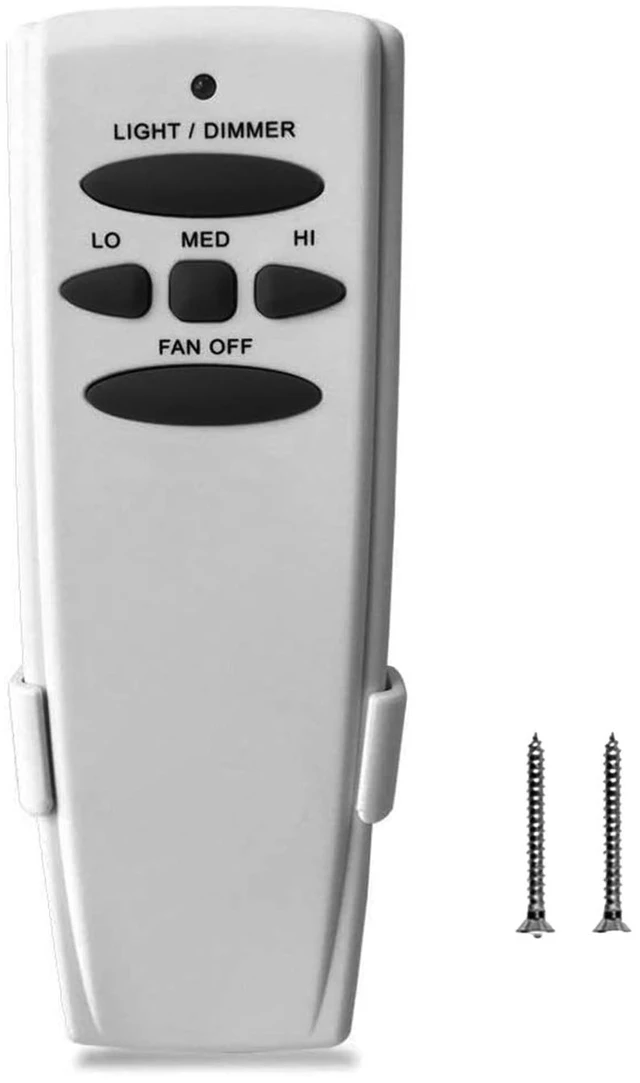
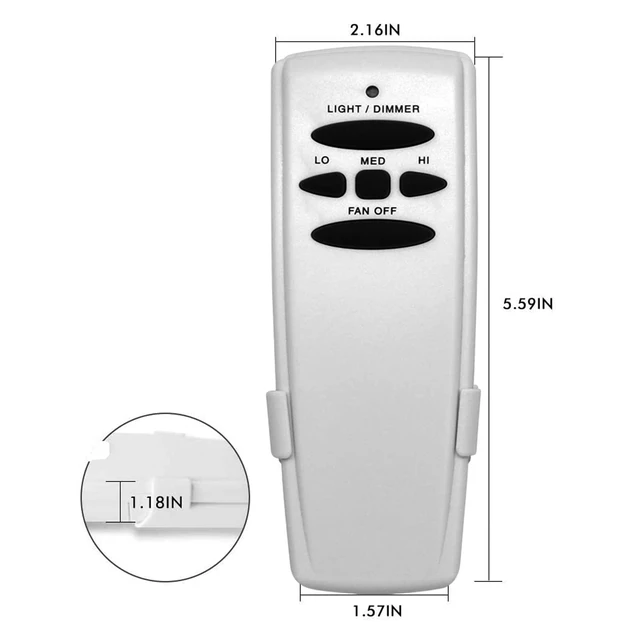
- This remote controller is designed for 3-speed ceiling fan to separately control your ceiling fan speed and light brightness.
- There are four buttons (HI, MED, LOW, OFF) to control fan speed,off.
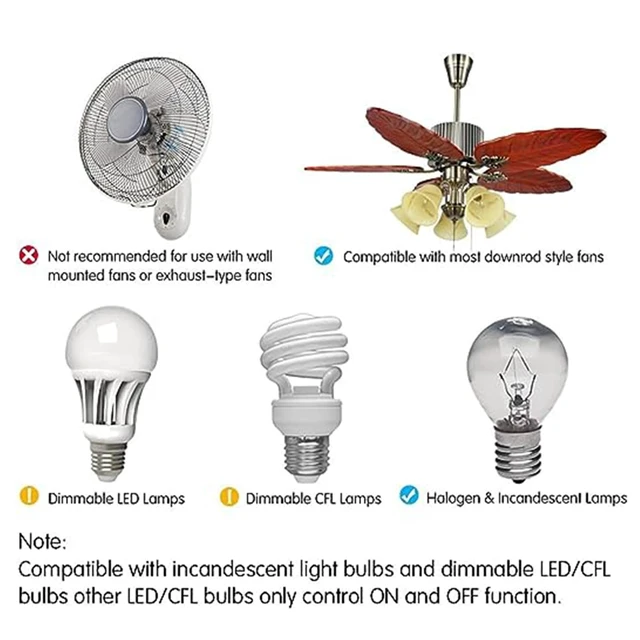
- The Light Dimmer button will control the light brightness dimmer and off(dimmable LED or incandescent only).If your light is LED/CFL bulbs, just can control bulbs' ON/OFF.
- The red indicator on the transmitter will light when one of the five buttons is pressed.
- The package don't include a receiver or 9V battery
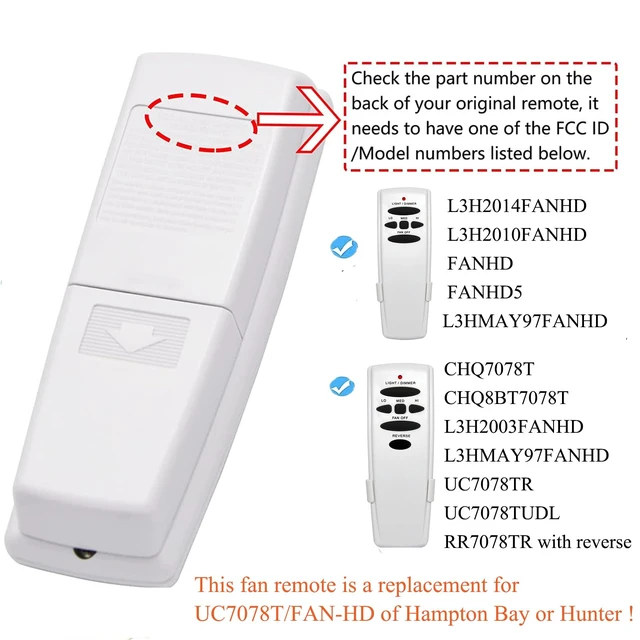
Replacement For the remotes as following:

FCC ID/Model Number:
- RC-HD5
- FAN-HD5
- FAN-HD
- L3H2010FANHD
- L3H2014FANHD
- Standard-RR7079T CHQ8BT7078T
- CHQ7078T UC7078T

FCC ID/Model Number:
- RC-53T
- AAZPFAN53T
- FAN-53T
- L3HFAN11T
- FAN-11T
- KUJCE9103
- CHQ7030T
- UC7030T
- L3HFAN35T1
- L3HFAN35T

FCC ID/Model Number:
- RC-35T
- KUJCE9603
- FAN35T
- L3HFAN35T
- FAN-53T
- FAN-11T
- L3HFAN35T1
- FAN-35T1

FCC ID/Model Number:
- UC-9050T
- CHQ9051T
Perfectly work with the receives as following:

FCC ID/Model Number:
- RC-18R
- FAN-18R

FCC ID/Model Number:
- RC-28R
- FAN-28R

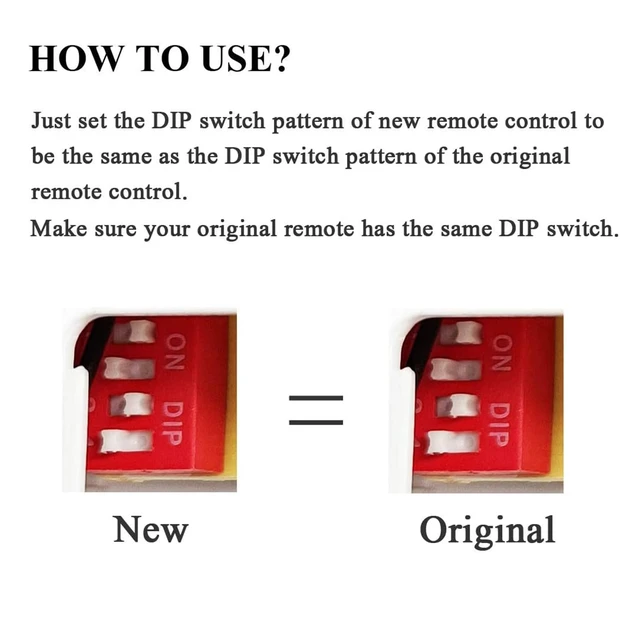
SETTING THE CODES on the transmitter to pair with your receiver
This unit has 16 different code combinations. Toset the codes on the transmitter to pair with your receiver, perform the following steps:
- Remove battery cover. Press firmly on the arrow and slide battery cover off.
- Slide code switches to the same position as set on your receiver in the ceiling fan canopy or your old remote. Factory setting is all up. Use a small screwdriver or ball point pen to slide firmly up or down
- Connect 9V battery to the transmitter.
- Replace battery cover on the transmitter.
NOTE:
The remote control code must be the same as the receiver code. When controlling multiple fan lights, ensure that the code of each fan light is different. Otherwise, your fan will automatically turn on, and it is possible that your neighbor turned on your fan.


Product Description
HD5 Ceiling Fan Remote Control Replacement for Hampton Bay Fan-HD UC7078T CHQ7078T Fan-HD5 Standard-RR7079T
Feature:
- This remote controller is designed for 3-speed ceiling fan to separately control your ceiling fan speed and light brightness.
- There are four buttons (HI, MED, LOW, OFF) to control fan speed,off.
- The Light Dimmer button will control the light brightness dimmer and off(dimmable LED or incandescent only).If your light is LED/CFL bulbs, just can control bulbs' ON/OFF.
- The red indicator on the transmitter will light when one of the five buttons is pressed.
- The package don't include a receiver or 9V battery
Replacement For the remotes as following:

FCC ID/Model Number:
- RC-HD5
- FAN-HD5
- FAN-HD
- L3H2010FANHD
- L3H2014FANHD
- Standard-RR7079T CHQ8BT7078T
- CHQ7078T UC7078T

FCC ID/Model Number:
- RC-53T
- AAZPFAN53T
- FAN-53T
- L3HFAN11T
- FAN-11T
- KUJCE9103
- CHQ7030T
- UC7030T
- L3HFAN35T1
- L3HFAN35T

FCC ID/Model Number:
- RC-35T
- KUJCE9603
- FAN35T
- L3HFAN35T
- FAN-53T
- FAN-11T
- L3HFAN35T1
- FAN-35T1

FCC ID/Model Number:
- UC-9050T
- CHQ9051T
Perfectly work with the receives as following:

FCC ID/Model Number:
- RC-18R
- FAN-18R

FCC ID/Model Number:
- RC-28R
- FAN-28R

SETTING THE CODES on the transmitter to pair with your receiver
This unit has 16 different code combinations. Toset the codes on the transmitter to pair with your receiver, perform the following steps:
- Remove battery cover. Press firmly on the arrow and slide battery cover off.
- Slide code switches to the same position as set on your receiver in the ceiling fan canopy or your old remote. Factory setting is all up. Use a small screwdriver or ball point pen to slide firmly up or down
- Connect 9V battery to the transmitter.
- Replace battery cover on the transmitter.
NOTE:
The remote control code must be the same as the receiver code. When controlling multiple fan lights, ensure that the code of each fan light is different. Otherwise, your fan will automatically turn on, and it is possible that your neighbor turned on your fan.