




 here!
I’m your shopping assistant for PC builds, upgrades, and everything tech.
Got questions? Ask away!
Start a conversation
here!
I’m your shopping assistant for PC builds, upgrades, and everything tech.
Got questions? Ask away!
Start a conversation Top Rated
 Hot Seller




Any questions? Ask CelesteSM will help you find out quickly.
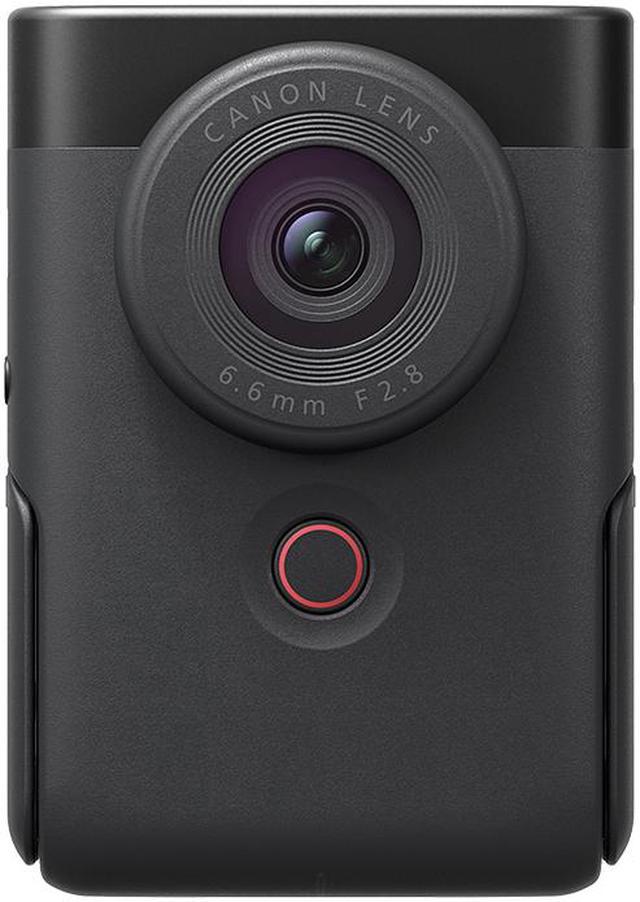
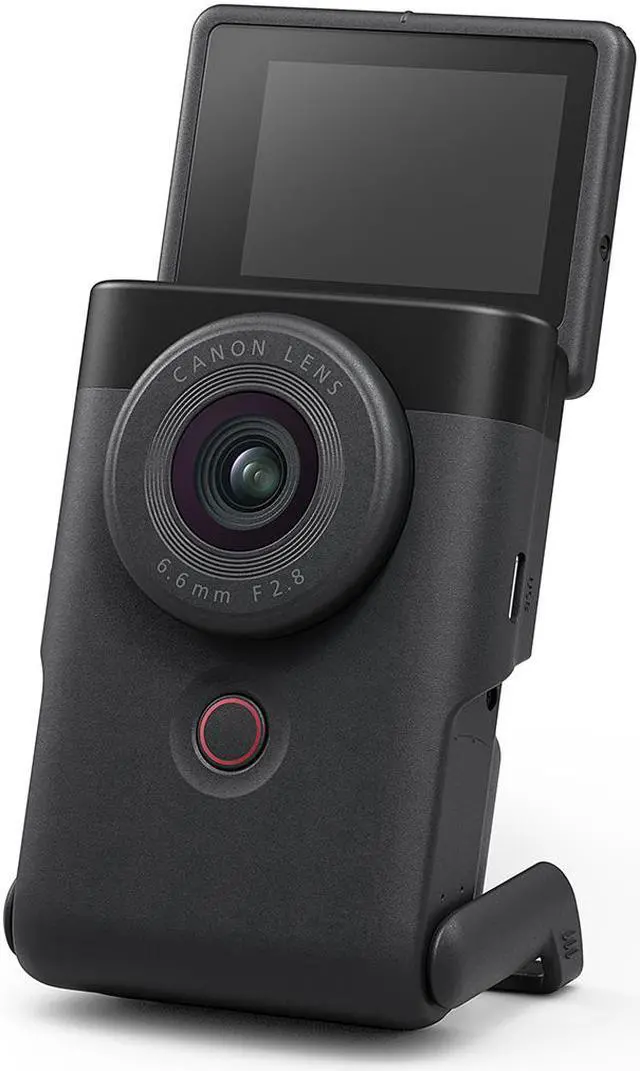
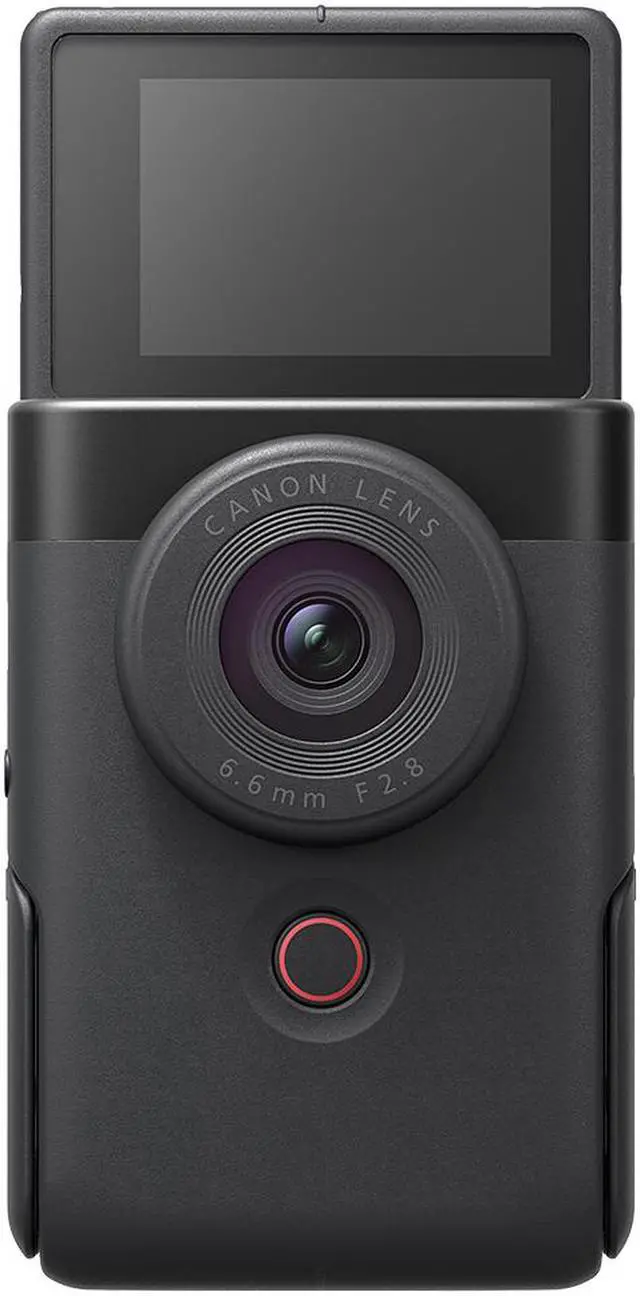
The Canon PowerShot V10 is a compact 4K vlog camera with a built-in adjustable stand, touchscreen, autofocus, and digital image stabilization. It suits solo creators who want a quick-to-use camera for talking-to-camera videos, cooking demos, and other close-range content.
| Attribute | Value |
|---|---|
| Best For | Compact vlogging and 4K video capture, with a touchscreen display and audio recording |
| Sensor And Image Capture | CMOS sensor with 20.9 MP effective resolution, autofocus, and digital image stabilization |
| Lens And Exposure | F/2.8 aperture, 3.0× digital zoom, automatic exposure, and ISO 100–6400; no optical zoom |
| Video And Shooting | 4K video recording in MPEG-4/H.264 or MP4, with continuous shooting up to 30 FPS and a 10-second self-timer |
| Display And Flash | 2-inch touchscreen LCD that also serves as the viewfinder, with built-in flash and automatic or on flash modes |
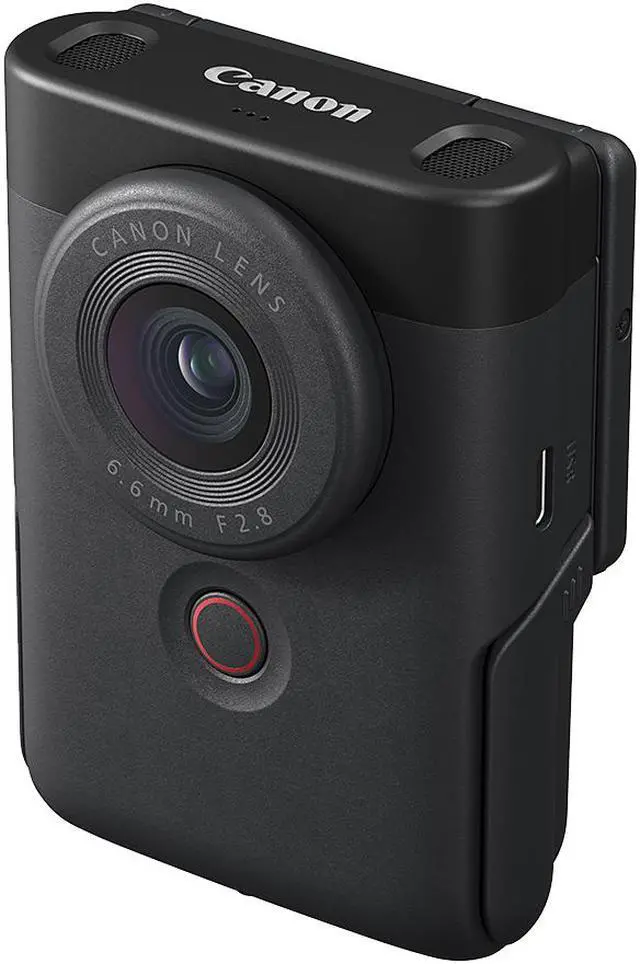
| Connectivity And Audio | USB-C 2.0, Micro HDMI (Type D), 3.5 mm stereo microphone jack, Bluetooth, and Wi-Fi |
| Storage And File Formats | Supports SDHC cards; captures still images in JPEG |
| Battery And Power | Rechargeable lithium-ion battery; listed battery life is 2 hours and capacity is 1250 mAh |
| Dimensions And Weight | Approximately 3.5 × 1.4 × 2.5 inches; listed item weight is 0.47 lb |
| Included Accessories | Camera body, USB-C-to-USB-C cable, and wrist strap |
| Model Identifiers | Canon PowerShot V10, model/part number 5947C002; FCC ID AZD601 |
Q: Canon PowerShot V10 or PowerShot V1 for vlogging?
A: Choose the PowerShot V10 for a compact, ready-to-film setup with a built-in stand, stereo microphones, and a fixed 19mm-equivalent wide-angle lens suited to self-recording. Choose the PowerShot V1 if you want a larger 1.4-inch sensor, a 16–50mm-equivalent zoom, and video features including 4K at 60 fps and active cooling.
Q: Canon PowerShot V10 or G7 X Mark III for travel and everyday photos?
A: The PowerShot V10 is a video-first choice for wide-angle self-recording, with a built-in stand and a 19mm-equivalent lens. The G7 X Mark III is a compact option for users who want more framing flexibility: its 24–100mm-equivalent optical zoom and optical image stabilization suit a mix of everyday photos and video.
Q: Is the Canon PowerShot V10 or G7 X Mark III more convenient for talking-to-camera videos?
A: The PowerShot V10 is designed around simple self-recording: its upright body, built-in stand, wide-angle lens, and onboard stereo microphones make it easy to set up for a face-to-camera clip. The G7 X Mark III is another Canon option for video, with a flip-up screen, optical zoom, and a microphone input for connecting an external mic.
Q: Is the PowerShot V10 mainly for video, or can it take photos too?
A: It can take still photos and record video, but it is designed primarily for vlogging. It has no optical zoom, so it is less suited to photographing distant subjects or situations where you need flexible framing.
Q: Can I use the PowerShot V10 as a webcam or for livestreaming?
A: Yes. Connected to a computer by USB, it supports webcam use at Full HD 30 fps. Canon also lists livestreaming support through its camera setup and compatible services. USB webcam video is Full HD, not 4K.
Q: Can I add an external microphone to the PowerShot V10?
A: Yes. It has a 3.5 mm stereo microphone input for a compatible external mic. The listed input is 3.5 mm, so check a microphone’s connector and compatibility before buying; the camera’s USB-C port is not specified as a microphone input.
Q: Does the PowerShot V10 have zoom and image stabilization?
A: It has digital zoom up to 3×, but no optical zoom. It also has digital image stabilization; it is not optical stabilization, so it may not fully smooth footage during movement.
Q: Can the PowerShot V10 record for a long time, and can I replace its battery?
A: Canon lists a maximum of approximately one hour for a normal recording, though actual usable time can vary. The rechargeable battery is built in and is not user-replaceable, so plan to recharge between extended sessions.
Q: Is the PowerShot V10 a good fit for travel vlogging?
A: It can suit casual travel vlogging if portability and quick setup matter most. Its built-in stand and 4K recording support simple self-filming, but it has no optical zoom, and its stabilization is digital rather than optical.
Q: Is the PowerShot V10 suitable for filming while walking?
A: It has digital image stabilization, but not optical or in-body stabilization. It may work for casual handheld clips, but users prioritizing smoother footage while walking should consider that limitation.
Q: Can the PowerShot V10 replace a compact camera for still photography?
A: It is primarily discussed as a vlogging camera, so it may not suit buyers who need a versatile still-photo camera. It records JPEG stills, has no optical zoom, and uses a fixed lens; consider it mainly if video is the priority.
Q: Can the PowerShot V10 record for long sessions?
A: A Reddit discussion about eight-hour recording raises battery life and overheating as concerns, especially for extended 4K use. It may be usable while connected to USB power, but the discussion does not establish reliable eight-hour operation; check recording conditions and plan for shorter sessions.


